I'm trying to install LSP via Package Control. After I hit Enter, Sublime tries to install plugin. Here's what console shows:
....
ignored packages updated to: ["LSP", "Vintage"]
reloading settings Packages/User/Package Control.sublime-settings
generating syntax summary
reloading settings Packages/User/Preferences.sublime-settings
Package Control: The dependency 'pygments' is not currently installed; installing...
Package Control: The dependency 'pygments' has successfully been installed or updated
Package Control: The dependency 'python-markdown' is not currently installed; installing...
Package Control: The dependency 'python-markdown' has successfully been installed or updated
Package Control: The dependency 'mdpopups' is not currently installed; installing...
Package Control: The dependency 'mdpopups' has successfully been installed or updated
Package Control: The dependency 'python-jinja2' is not currently installed; installing...
Package Control: The dependency 'python-jinja2' is not available
Package Control: The dependency 'python-jinja2' could not be installed or updated
ignored packages updated to: ["Vintage"]
generating syntax summary
reloading settings Packages/User/Package Control.sublime-settings
reloading settings Packages/User/Preferences.sublime-settings
reloading settings Packages/User/Preferences.sublime-settings
...
After installation process finished, plugin seems to be "half-installed":
- There is an option "Prefenrences: LPS" in Command Palette, which causes:
error: The settings file "res://Packages/LSP/LSP.sublime-settings" could not be opened - Plugin still can be found with Cmd+Shift+P => Install Package.
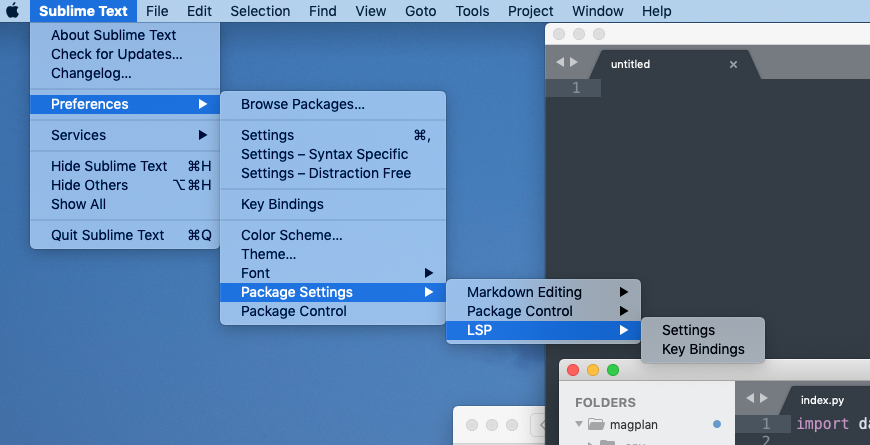

Also, no new options LSP: Enable Language Server is added. After re-open Sublime, it hangs sometimes.
Any ideas? Thank you.
Fresh macOS 10.14, just after install. Sublime 3207. PyLS is installed for system python 3.7:
```➜ ~ which python
/usr/local/bin/python
➜ ~ which python3
/usr/local/bin/python3
➜ ~ which pyls
/usr/local/bin/pyls
➜ ~ cat /usr/local/bin/pyls
!/usr/local/opt/python/bin/python3.7
-- coding: utf-8 --
import re
...```
 f1nnix
All 15 comments
Have you tried removing the LSP plugin manually?
SUBLDIR="~/Library/Application Support/Sublime Text 3"
rm "$SUBLDIR/Installed Packages/LSP.sublime-package"
Also make sure it is not present in the ignored_packages list of your settings: hit ⌘, and remove LSP from "ignored_packages" if it's present.
 rwols
on 6 Jul 2019
rwols
on 6 Jul 2019
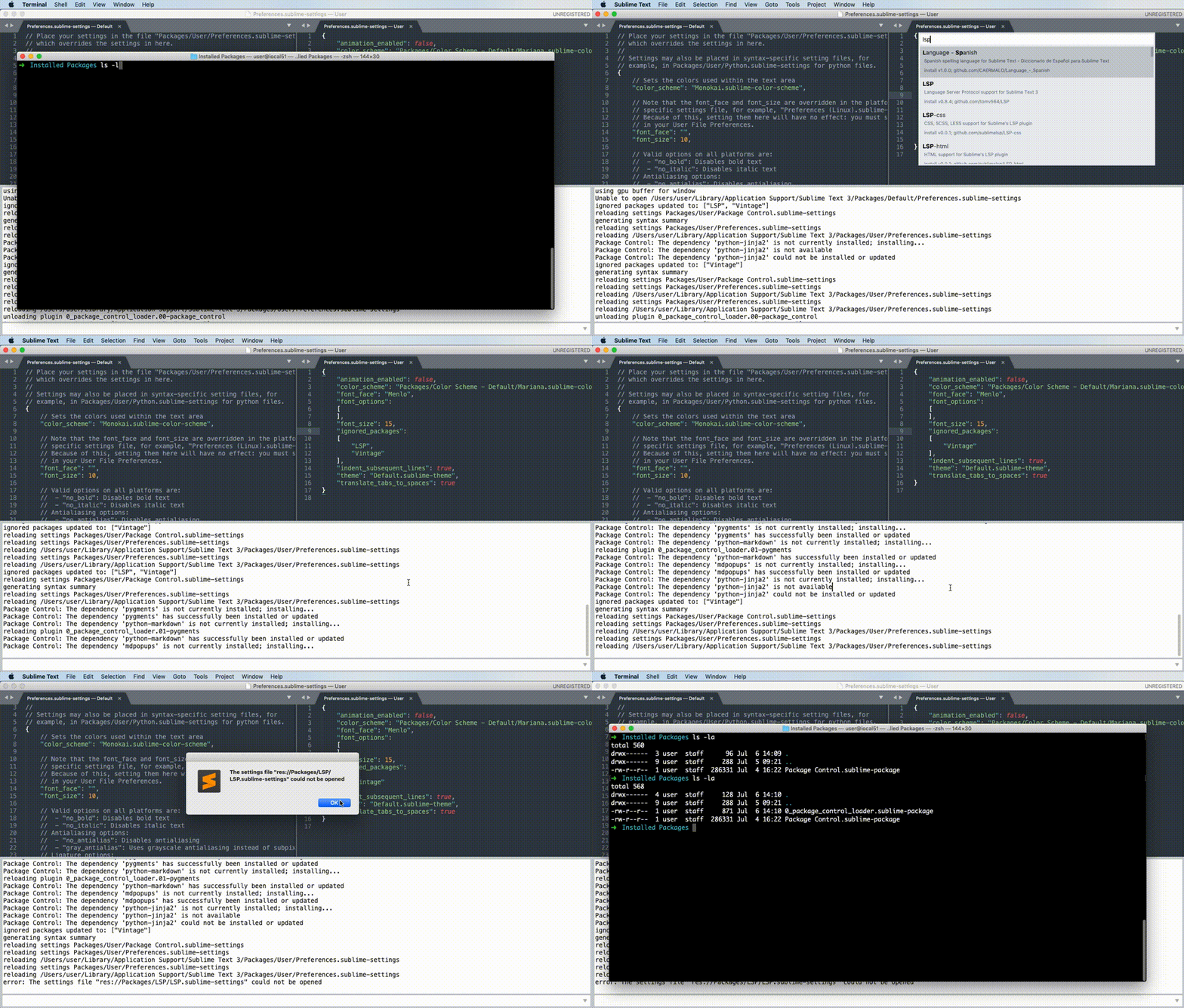
@rwols Thank you, I confirm:
- there's no plugin in Installed Packages;
- LSP is not listed in
ignored_packages.
Here's a small demo:
Also, I've took some time and installed fresh Ubuntu 19.04 into VM to check on Linux. Exactly the same behaviour on the edge Sublime build.
f1nnix
on 6 Jul 2019
I've also tried to install LSP manually, but Package Control: Satisfy Dependencies shows there are unresolved deps:
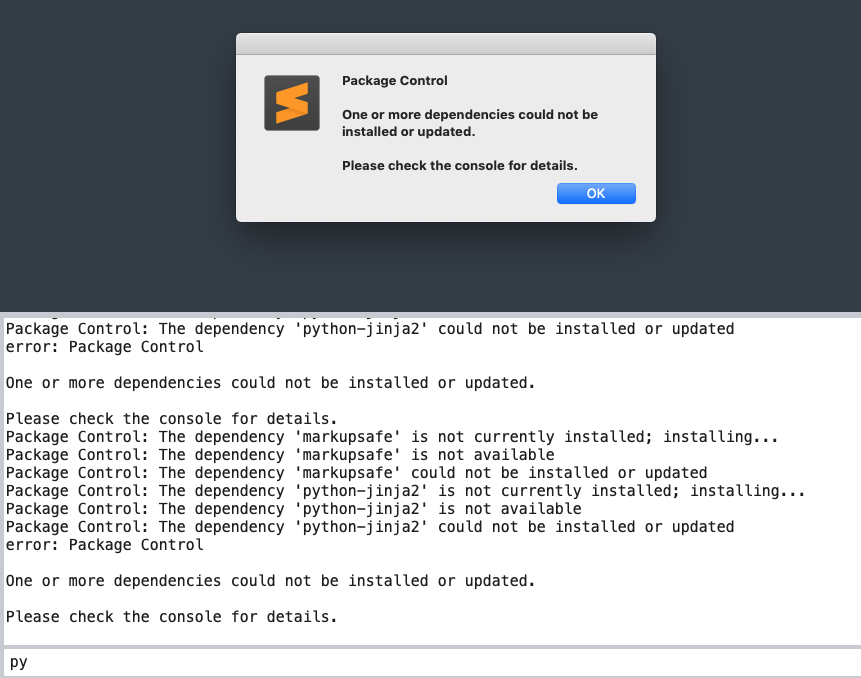
Sorry for frequent bumping with posts, just trying to give as much context as possible.
f1nnix
on 6 Jul 2019
Are you perhaps in China? Could your issue be related to https://forum.sublimetext.com/t/package-control-migration/45125?
Also possibly related: https://github.com/wbond/package_control/pull/1436
rwols
on 6 Jul 2019
I'm going to link to this issue, too: https://github.com/wbond/package_control/issues/1435
rwols
on 6 Jul 2019
Nope, not in China. But just tried under VPN on Amazon network:
- Auto install still fails.
- Manual with
git cloneandPackage Control: Satisfy Dependenciesseems to work.
At least I'm able to open LSP prefrences. However, there's no LSP: Enable server command in Palette. And deps are still missing:
plugins loaded
using gpu buffer for window
git: tracking working dir /Users/user/Library/Application Support/Sublime Text 3/Packages/LSP
Unable to open /Users/user/Library/Application Support/Sublime Text 3/Packages/User/LSP.sublime-settings
Package Control: Installing 2 missing dependencies
Package Control: The dependency 'markupsafe' is not available
Package Control: The dependency 'python-jinja2' is not available
Package Control: Skipping automatic upgrade, last run at 2019-07-06 14:52:35, next run at 2019-07-06 15:52:35 or after
git: untracking working dir /Users/user/Library/Application Support/Sublime Text 3/Packages/LSP
Package Control: The dependency 'markupsafe' is not currently installed; installing...
Package Control: The dependency 'markupsafe' is not available
Package Control: The dependency 'markupsafe' could not be installed or updated
Package Control: The dependency 'python-jinja2' is not currently installed; installing...
Package Control: The dependency 'python-jinja2' is not available
Package Control: The dependency 'python-jinja2' could not be installed or updated
error: Package Control

One or more dependencies could not be installed or updated.

Please check the console for details.
FYI, I never expirienced any connecttivity issues with Package Control before. So it's weird a bit.
f1nnix
on 6 Jul 2019
I'm pretty sure it's related to some bitbucket API that got changed. Probably also related: https://github.com/wbond/package_control/issues/1430
All we can do is wait for the pull request from deathaxe to get merged.
rwols
on 6 Jul 2019
I have same problem with you, here is my solution following:
- open
Package Control: Add Channeland paste this URL of channel json I edited: https://raw.githubusercontent.com/0xEEEE/dependencies_st/master/channel_tmp.json - open
Package Control: Remove Channeland select https://packagecontrol.io/channel_v3.json to remove it. - restart Sublime Text and open
Package Control: Install Packageto install LSP
Also you can check detail here https://github.com/0xEEEE/dependencies_st
BTW, its just temporary solution, the maintainer of Package Control will fix it soon.
Hope it helps you.
 0xEEEE
on 10 Jul 2019
0xEEEE
on 10 Jul 2019
@0xEEEE it would be nice if you could provide a cached channel with just bitbucket packages and dependencies that can be used in conjunction with the default channel. Only if you have the time, of course.
 FichteFoll
on 10 Jul 2019
FichteFoll
on 10 Jul 2019
This has now been resolved: https://github.com/wbond/package_control/issues/1430
Works for me.
 jonahbron
on 12 Jul 2019
jonahbron
on 12 Jul 2019
Cool, @f1nnix please try installing LSP again.
rwols
on 12 Jul 2019
@FichteFoll it looks like you have fixed it, thank you for your work.
0xEEEE
on 14 Jul 2019
I'm assuming this is fixed, please re-open if it's not.
rwols
on 16 Jul 2019
Sorry for late response. I confirm now installation works without any issues. Thank you!
f1nnix
on 19 Jul 2019
I have same problem with you, here is my solution following:
1. open `Package Control: Add Channel` and paste this URL of channel json I edited: [https://raw.githubusercontent.com/0xEEEE/dependencies_st/master/channel_tmp.json](url)

2. open `Package Control: Remove Channel` and select [https://packagecontrol.io/channel_v3.json](url) to remove it.

3. restart Sublime Text and open `Package Control: Install Package` to install LSP
Also you can check detail here https://github.com/0xEEEE/dependencies_st
BTW, its just temporary solution, the maintainer of Package Control will fix it soon.
Hope it helps you.
Thank you so much.
 gk9848970
on 1 Aug 2020
gk9848970
on 1 Aug 2020
Related issues
 brainplot
·
3Comments
brainplot
·
3Comments
 evandrocoan
·
7Comments
evandrocoan
·
7Comments
 chenglou
·
4Comments
chenglou
·
4Comments
 lsmenicucci
·
3Comments
lsmenicucci
·
3Comments
 frou
·
3Comments
frou
·
3Comments
Most helpful comment
I have same problem with you, here is my solution following:
Package Control: Add Channeland paste this URL of channel json I edited: https://raw.githubusercontent.com/0xEEEE/dependencies_st/master/channel_tmp.jsonPackage Control: Remove Channeland select https://packagecontrol.io/channel_v3.json to remove it.Package Control: Install Packageto install LSPAlso you can check detail here https://github.com/0xEEEE/dependencies_st
BTW, its just temporary solution, the maintainer of Package Control will fix it soon.
Hope it helps you.