Lottie-web: Can't access anim endpoints from loadAnimation
I want to change text of some of the layers in my project using the function updateDocumentData. In order to do so I want to track down the endpoints to my text objects in the json.
My plan here was to use console.log to print out the layers one by one but layers[0] returns _Cannot read property of null_. So after a long time of testing and head scratching I realized something is weird. I print the anim.renderer then anim.renderer.layers and then anim.renderer again.
When using layers as endpoint it returns null, but in the developer console in Chrome the other two calls returns layers with 5 elements. ( See screenshot below ). I have tried using JQUERY and waiting for document.ready and tried to access the end layer right away but it is the same problem. I also tried using let instead of var.
Thanks.
var animData = {
            container: document.getElementById('lottie'),
            renderer: 'svg',
            loop: true,
            autoplay: true,
            path: 'test1.json'
          };

          var anim = lottie.loadAnimation(animData);

          console.log(anim.renderer);
          console.log(anim.renderer.layers);
          console.log(anim.renderer);
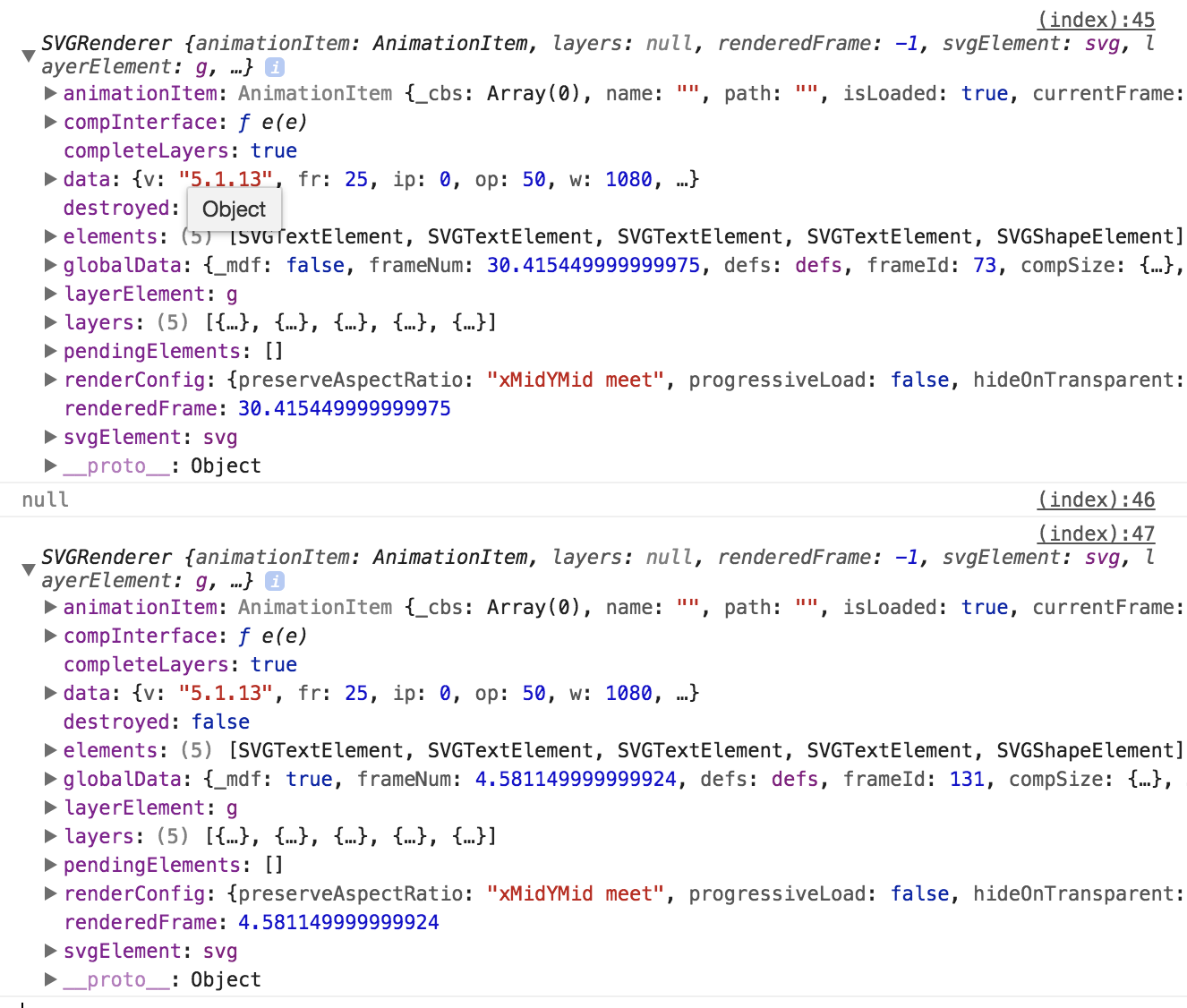
_EDIT - This is the current latest build ( 5.1.14 )_
 kayson
All 10 comments
Hi, perhaps the wiki about updateDocumentData can help
https://github.com/airbnb/lottie-web/wiki/TextLayer.updateDocumentData
 bodymovin
on 17 May 2018
bodymovin
on 17 May 2018
@bodymovin
anim.renderer.elements[0] returns Cannot read property 'updateDocumentData' of undefined
anim.renderer.layers[0] returns Cannot read property '0' of null
kayson
on 17 May 2018
can you post a link with your animation?
btw, on elements[0] index 0 would be if your text layer is the first layer on the composition.
bodymovin
on 17 May 2018
Yes I know, but the whole elements is undefined.
Here is the whole HTML: https://pastebin.com/raw/0mr7p0ke
Here is the animation json: https://pastebin.com/raw/czryfUtD
kayson
on 17 May 2018
I can't build the setup right now.
Do you have a link with the implementation I can test?
bodymovin
on 17 May 2018
I just tried
anim.renderer.elements[0].updateDocumentData({t:'111'})
and it seems to work fine.
Can you try it again?
bodymovin
on 17 May 2018
I try exactly that and get _Cannot read property 'updateDocumentData' of undefined_.
The URL has the code updated as well so you can see.
kayson
on 17 May 2018
Oh ok I see.
You need to wait for the animation to be loaded.
The json loading is asynchronous, so the layer is not there yet when you're calling it.
You can add a listener to the DOMLoaded event of the animation instance and call that method there.
bodymovin
on 17 May 2018
Yes works after that, thanks!
Here is the edited code if anyone will catch the same problem:
var animData = {
    container: document.getElementById('lottie'),
    renderer: 'svg',
    loop: true,
    autoplay: false,
    path: 'test1.json'
};

var anim = lottie.loadAnimation(animData);

anim.addEventListener("DOMLoaded", function() {
    console.log(anim.renderer);
    console.log(anim.renderer.layers);
    console.log(anim.renderer);
    anim.renderer.elements[0].updateDocumentData({
        t: '111'
    });
    anim.play();
});
@kayson and @bodymovin thanks for sharing the solution. When I try the code snippet shared by @kayson , it resolves the undefined error, instead I get ' Uncaught TypeError: anim.renderer.elements[0].updateDocumentData is not a function'. is updateDocumentData depricated?? ......please find my code snippet, also i have console logged to ensure I am targeting the right index.
   anim.addEventListener("DOMLoaded", function () {
       console.log("BFEORE:", anim.renderer.elements[0].currentTextDocumentData.t);
       anim.renderer.elements[0].updateDocumentData({
          t: 'w'
       });
       anim.play();
       console.log("AFTER:", anim.renderer.elements[0]);
  });
 NandiniNayak
on 31 Oct 2019
NandiniNayak
on 31 Oct 2019
Related issues
 zhengs
·
3Comments
zhengs
·
3Comments
 yannieyeung
·
3Comments
yannieyeung
·
3Comments
 Ipaulsen
·
4Comments
Ipaulsen
·
4Comments
 dulllud
·
3Comments
dulllud
·
3Comments
 Sandok-voc
·
4Comments
Sandok-voc
·
4Comments
Most helpful comment
Yes works after that, thanks!
Here is the edited code if anyone will catch the same problem: