Lottie-web: Gradients with wrong colors
- **Browser and Browser Version: Chrome 60,Firefox 55 & Safari 10.1
- **After Effects Version: CC 2015
Hi, I have this issue:
I have more than 1 gradient fill with different colors in my file, each one in different shapes. The problem is that the json displays all shapes with the same gradient.
I saved my .aep file before exporting, so I don't know what can be wrong. Can you help me?
I attach both files an screenshots.
Link to the demo: http://renemini.com/animacion/
After Effects:
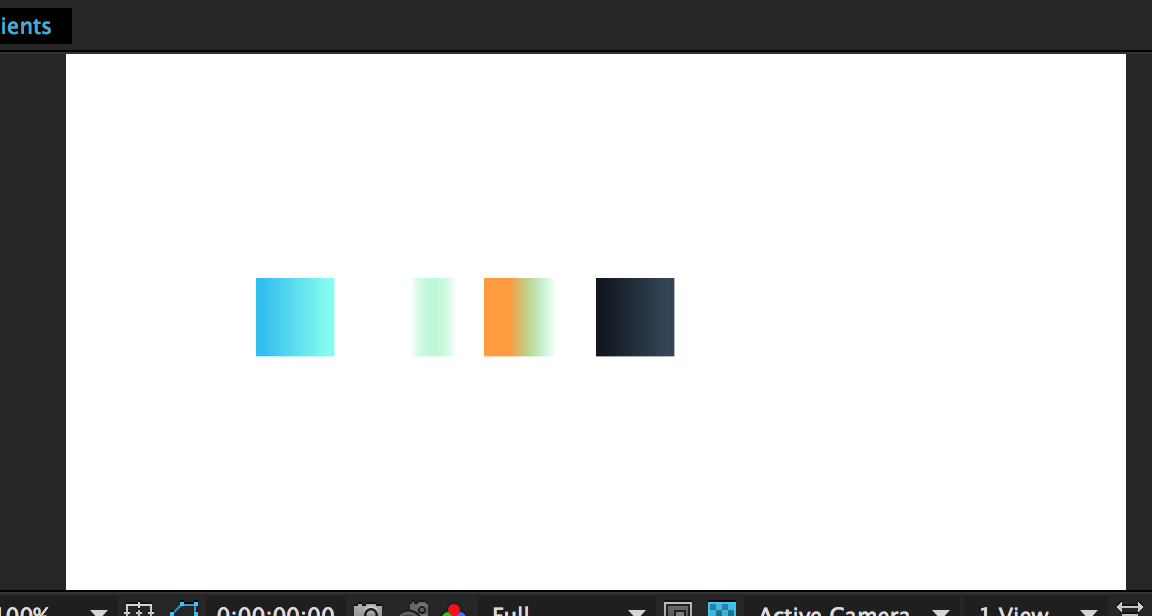
Browser:

 renemini
All 15 comments
Hi, yes there seems to be an issue with the way I'm getting the gradient data from the .aep file.
Until I fix it, if you rename the gradient property with a different name each, it will work fine.
 bodymovin
on 2 Sep 2017
bodymovin
on 2 Sep 2017
It works!
Thanks for your job!!
renemini
on 3 Sep 2017
Unfortunately, doesn't work for me :( I've renamed all shapes, gradient properties, saved project file and relaunched AAE.

Strange that the bug appears only on native aae shapes and doesn't appear on imported ai layers...
I'm using latest english aae on english system and have downloaded bodymovin few days ago (so I guess it is the latest version too)
 vadikzhuk
on 31 Oct 2017
vadikzhuk
on 31 Oct 2017
@vadikzhuk can you share the .aep?
bodymovin
on 31 Oct 2017
vadikzhuk
on 1 Nov 2017
If you're using .ai layers, you should convert them to shapes, or else they with be exported as rasterized images
bodymovin
on 3 Nov 2017
Ok, I did convert them and did rename all gradients again, now all gradients became black to white :)
vadikzhuk
on 8 Nov 2017
Hi, I see gradients fine.
What is your OS and AE language?
bodymovin
on 10 Nov 2017
English for both :(
vadikzhuk
on 13 Nov 2017
I was also seeing this problem, and saving the AE file before exporting corrected it.
 j2em6h
on 15 Nov 2017
j2em6h
on 15 Nov 2017
@vadikzhuk Can you try with version 5.0.1?
This might be solved now.
bodymovin
on 21 Nov 2017
Unfortunately, it didn't work for me :( Sorry for that (
I've uploaded all files (.aep, rendered .json) here, maybe it will help to understand the reasons of this issue: https://failiem.lv/u/nh8pqxmc
vadikzhuk
on 21 Nov 2017
Same issue, Black and white gradient on export / AE CC 2017 / French / Mac OSX Sierra
 notiles
on 4 Dec 2017
notiles
on 4 Dec 2017
@notiles did you save the project before exporting? if so, can you share a screenshot with the layer expanded up to the gradient?
bodymovin
on 4 Dec 2017
Hi, yes there seems to be an issue with the way I'm getting the gradient data from the .aep file.
Until I fix it, if you rename the gradient property with a different name each, it will work fine.
Thanks for the solution!
 d-korolkov
on 25 Nov 2019
d-korolkov
on 25 Nov 2019
Related issues
 casillasluisn12
·
4Comments
casillasluisn12
·
4Comments
 zhengs
·
3Comments
zhengs
·
3Comments
 jumostudio
·
3Comments
jumostudio
·
3Comments
 RenanSgorlom
·
3Comments
RenanSgorlom
·
3Comments
 hardy613
·
4Comments
hardy613
·
4Comments
Most helpful comment
Hi, yes there seems to be an issue with the way I'm getting the gradient data from the .aep file.
Until I fix it, if you rename the gradient property with a different name each, it will work fine.