Lock: Safari intermittently fails to display passwordless login form
Describe the problem
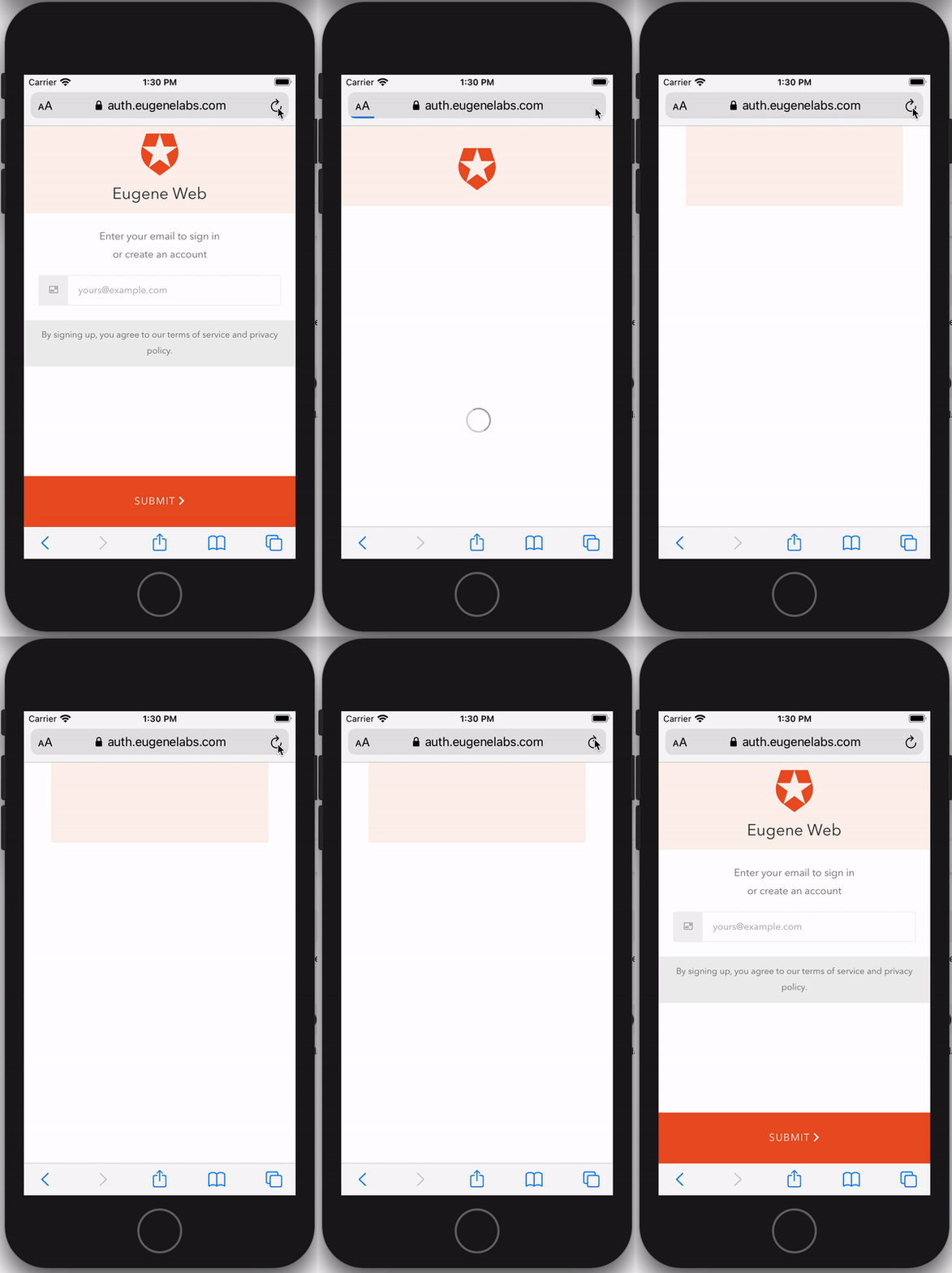
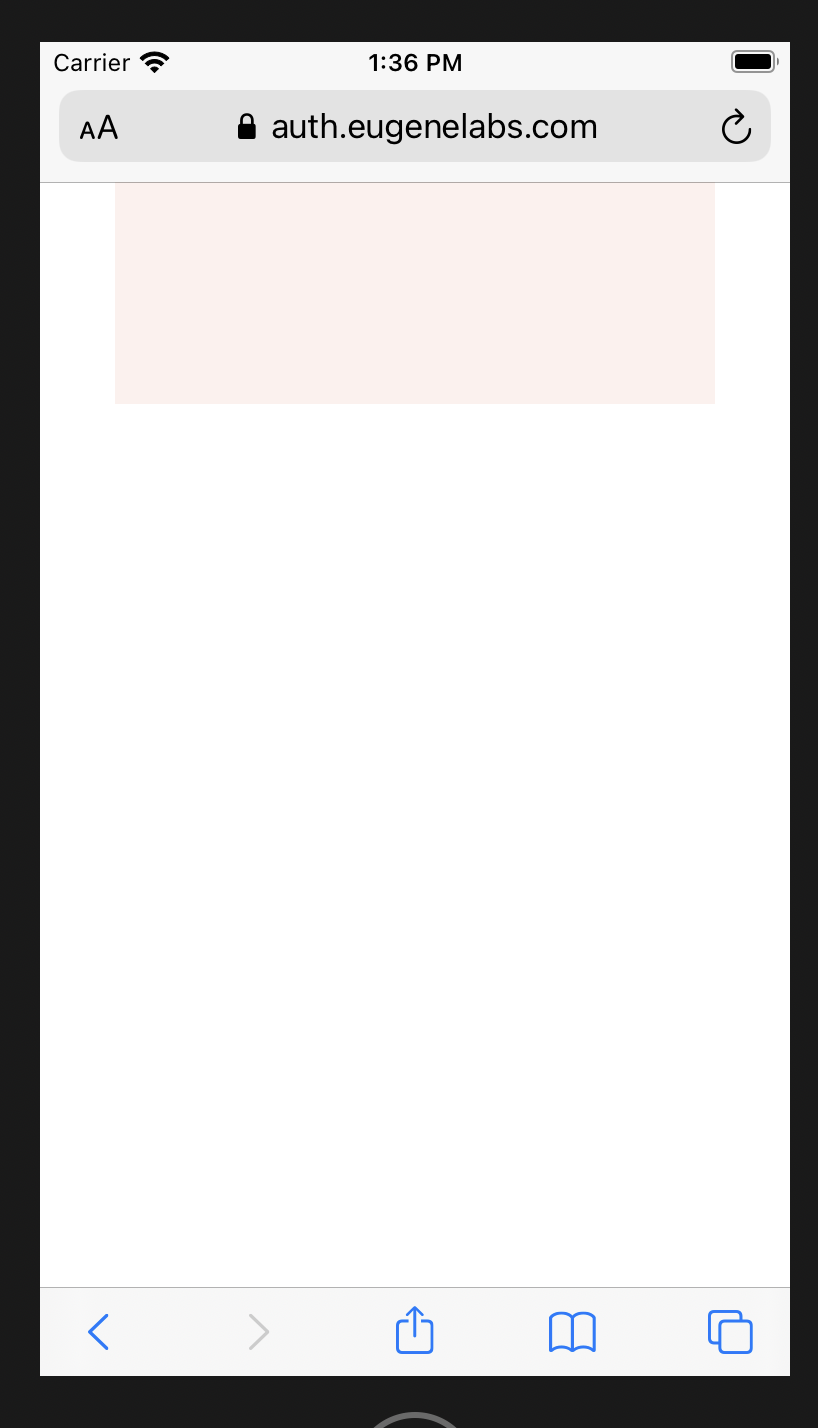
Occasionally when loading the Auth0 lock screen in Passwordless mode (using the Auth0 Universal Login default template) in Safari on iOS the screen loads in a state in which there is no login ui, only a light pink box zoomed out in the center top of the screen. It's hard to reproduce, I recorded a video with iOS simulator where on the 20th refresh it happened (excerpt from video is below). We've experienced it happening intermittently on our real devices when testing.
What was the expected behavior?
The passwordless lock form loads consistently every time.
Reproduction
In iOS safari (either simulator or real device) visit the Auth0 lock screen in passwordless mode and restart until you see only a screen like this come up:
Environment
Default Auth0 lock template on universal login, unchanged.
<!DOCTYPE html>
<html>


<head>
  <meta charset="utf-8">
  <meta http-equiv="X-UA-Compatible" content="IE=edge,chrome=1">
  <title>Sign In with Auth0</title>
  <meta name="viewport" content="width=device-width, initial-scale=1.0" />
</head>
<body>

  <!--[if IE 8]>
  <script src="//cdnjs.cloudflare.com/ajax/libs/ie8/0.2.5/ie8.js"></script>
  <![endif]-->

  <!--[if lte IE 9]>
  <script src="https://cdn.auth0.com/js/base64.js"></script>
  <script src="https://cdn.auth0.com/js/es5-shim.min.js"></script>
  <![endif]-->

  <script src="https://cdn.auth0.com/js/lock/11.27/lock.min.js"></script>
  <script>
    // Decode utf8 characters properly
    var config = JSON.parse(decodeURIComponent(escape(window.atob('@@config@@'))));
    config.extraParams = config.extraParams || {};
    var connection = config.connection;
    var prompt = config.prompt;
    var languageDictionary;
    var language;

    if (config.dict && config.dict.signin && config.dict.signin.title) {
      languageDictionary = { title: config.dict.signin.title };
    } else if (typeof config.dict === 'string') {
      language = config.dict;
    }
    var loginHint = config.extraParams.login_hint;

    var lock = new Auth0LockPasswordless(config.clientID, config.auth0Domain, {
      auth: {
        redirectUrl: config.callbackURL,
        responseType: (config.internalOptions || {}).response_type ||
          (config.callbackOnLocationHash ? 'token' : 'code'),
        params: config.internalOptions
      },
      configurationBaseUrl: config.clientConfigurationBaseUrl,
      overrides: {
        __tenant: config.auth0Tenant,
        __token_issuer: config.authorizationServer.issuer
      },
      assetsUrl:  config.assetsUrl,
      allowedConnections: connection ? [connection] : null,
      rememberLastLogin: !prompt,
      language: language,
      languageDictionary: languageDictionary,
      theme: {
        //logo:            'YOUR LOGO HERE',
        //primaryColor:    'green'
      },
      closable: false
    });

    lock.show();
  </script>
</body>
</html>
Possible causes
I think this is a DOM layout issue - maybe related to using viewport height units (which can be pretty unreliable in Safari) or a race condition to do with css transitions, but I'm still investigating it. Inspecting the screen and changing properties of DOM elements brings the screen to life (my guess is it triggers a relayout). There are no javascript console errors and the login form is present in the DOM structure even though it is not visible on the screen.
 martsie
All 5 comments
Here is an example of how updating a random property on a DOM element using web inspector brings the login screen to life.

martsie
on 6 Nov 2020
I patched together a clunky fix that will stop users from being presented with a blank login screen based on some articles like http://thenewcode.com/1024/Forcing-a-Webkit-Repaint which talk about Webkit repaint issues.
setTimeout(function() {
      document.querySelector('.auth0-lock.auth0-lock').style.fontSize = '1rem';
    }, 1);
This will force a reflow on every page load. I tried targeting other divs but only targeting the root auth0-lock div worked. I also tried using translateZ like in some of the articles but that didn't seem to be reliable.
Not sure how you'd roll this into the Auth0 package because it's such a weird intermittent issue - might be worth getting to the root cause rather than trying to roll the patch above in to the javascript.
martsie
on 6 Nov 2020
I also have the same issue here. Thanks for reporting.
 denniscalazans
on 18 Nov 2020
denniscalazans
on 18 Nov 2020
This is proving tricky to reproduce. Can you let me know what version iOS you're using in the simulator? Are you able to reproduce it using the playground built into the SDK repo? (Clone and run npm start on Node 10, then open https://localhost:3000/support).
 stevehobbsdev
on 2 Dec 2020
stevehobbsdev
on 2 Dec 2020
I've managed to reproduce this on the login screen too, not just passwordless, and after having spent some time on this I can verify that the proposed fix does appear to work, but I agree it's not great.
The issue appears to be caused by what looks like a race condition when downloading assets. I can reproduce this _much_ more readily on desktop Safari with dev tools open and network caching disabled.
I've pushed a branch with a temporary fix which appears to solve the issue using the method proposed above, but I'm going to spend a bit more time on Monday trying to get to the root cause before I push this out as a temporary fix.
stevehobbsdev
on 11 Dec 2020
Related issues
 dszmaj
·
3Comments
dszmaj
·
3Comments
 ewoess
·
5Comments
ewoess
·
5Comments
 benmadany
·
4Comments
benmadany
·
4Comments
 sedubois
·
7Comments
sedubois
·
4Comments
sedubois
·
7Comments
sedubois
·
4Comments
Most helpful comment
I patched together a clunky fix that will stop users from being presented with a blank login screen based on some articles like http://thenewcode.com/1024/Forcing-a-Webkit-Repaint which talk about Webkit repaint issues.
This will force a reflow on every page load. I tried targeting other divs but only targeting the root auth0-lock div worked. I also tried using translateZ like in some of the articles but that didn't seem to be reliable.
Not sure how you'd roll this into the Auth0 package because it's such a weird intermittent issue - might be worth getting to the root cause rather than trying to roll the patch above in to the javascript.