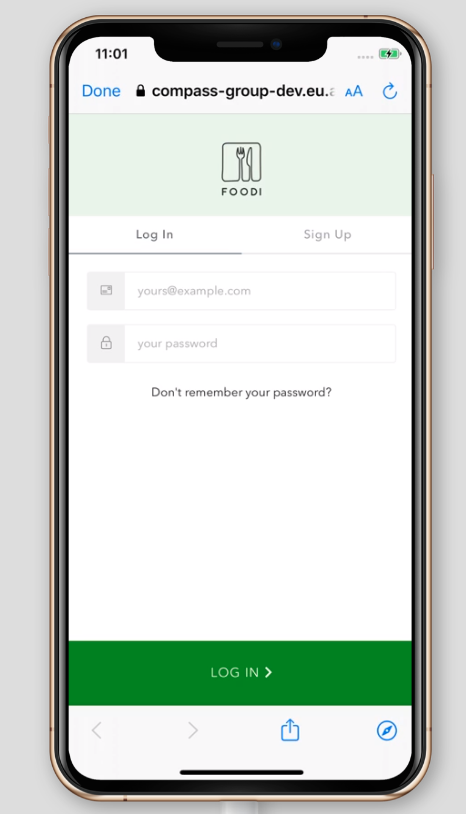
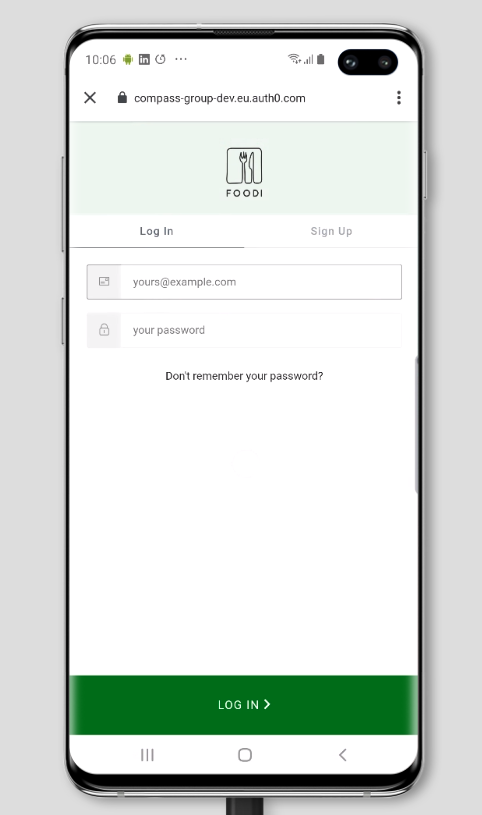
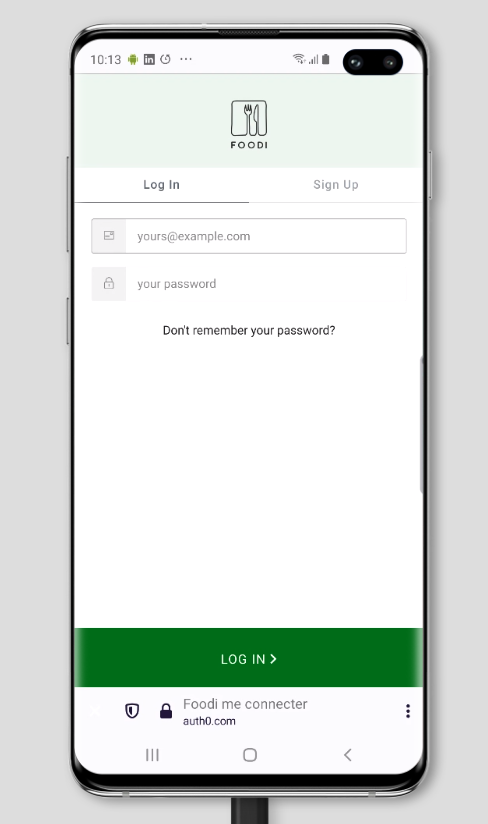
Lock: Log in button covered for tab bar on iPhones and Samsung devices
When login page is loaded on same device but with different OS version, example iOS 12 and iOS 13, or, same OS but different browser, the login button is covered by tab bar.
What was the expected behavior?
The expected behavior is the same for all devices, all browsers and all systems, don't cover login button!
Version of Lock used: 11.17.2
Which browsers have you tested in: Safari, Google Chrome, Samsung Internet, FireFox
iPhone XS running iOS 12
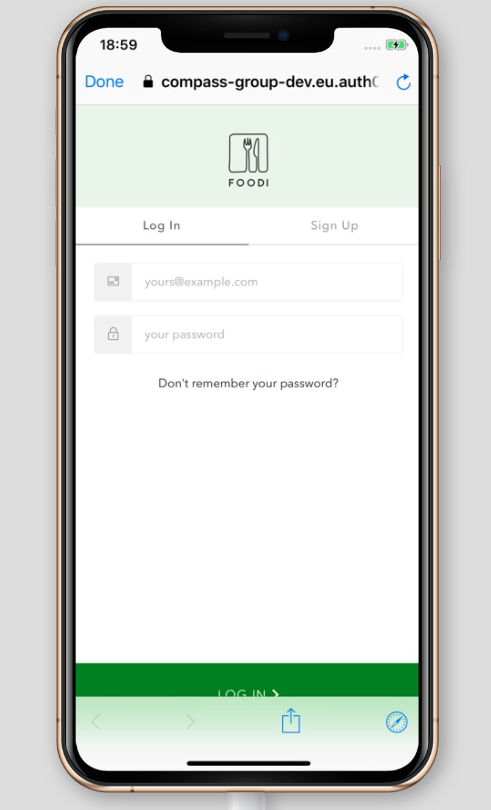
iPhone XS running iOS 13
Samsung S10+ running on Chrome on Android 9
Samsung S10+ running on Samsung Internet Browser on Android 9
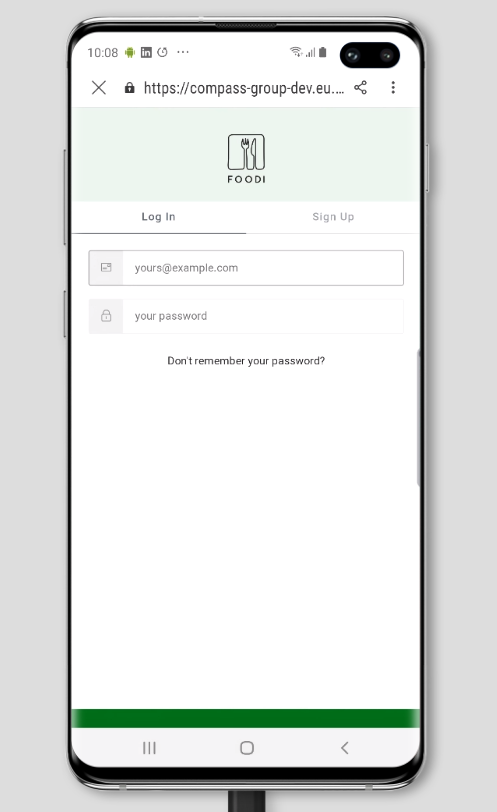
Samsung S10+ running on Firefox on Android 9
 fernandomunizz89
All 3 comments
@fernandomunizz89 I see you're using Lock 11.17, which is quite out of date and this is something we've already dealt with in later versions. Could you please try the latest version (11.27 at the time of writing) to see if this improves things for you?
Thanks
 stevehobbsdev
on 15 Oct 2020
stevehobbsdev
on 15 Oct 2020
@fernandomunizz89 I see you're using Lock 11.17, which is quite out of date and this is something we've already dealt with in later versions. Could you please try the latest version (11.27 at the time of writing) to see if this improves things for you?
Thanks
@stevehobbsdev I updated the version of Lock to 11.27 and have good results.
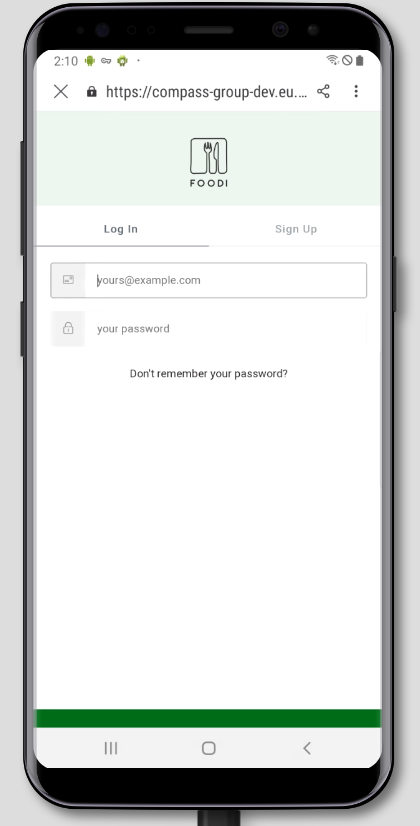
In most cases this solved the problem, except for Samsung devices with Android below 10, when using the "Samsung Internet" browser.
When the login page is loaded, the button is partially covered, when doing some interaction, such as scroll or email or password input, the button is visible as expected.
Is there any known solution to this behavior?
Galaxy S8+ on Samsung Internet on Android 9
fernandomunizz89
on 15 Oct 2020
Thanks @fernandomunizz89, glad that it's working better for you.
We don't offer any product support for that browser, unfortunately. The only thing I can suggest is that you can modify the template for Lock to include any CSS customizations on there that you like to try and fix the issue on those affected browsers.
I'll close this for now but feel free to raise any more questions you might have.
stevehobbsdev
on 15 Oct 2020
Related issues
 mattgibson
·
3Comments
mattgibson
·
3Comments
 ndelvalle
·
8Comments
ndelvalle
·
8Comments
 cgcote
·
3Comments
cgcote
·
3Comments
 juhaelee
·
3Comments
juhaelee
·
3Comments
 adamtay
·
8Comments
adamtay
·
8Comments