Lock: Login design issues on mobile devices
Description
By using the Auth0 Universal Login Page hosted by Auth0, I have 1 issue with the design on some android devices and a second issue on all mobile devices (Android & iPhone)
The design issues include 2 things:
- The login button is not shown (I thought this was fixed by #1539 but this still exists with me on android devices).
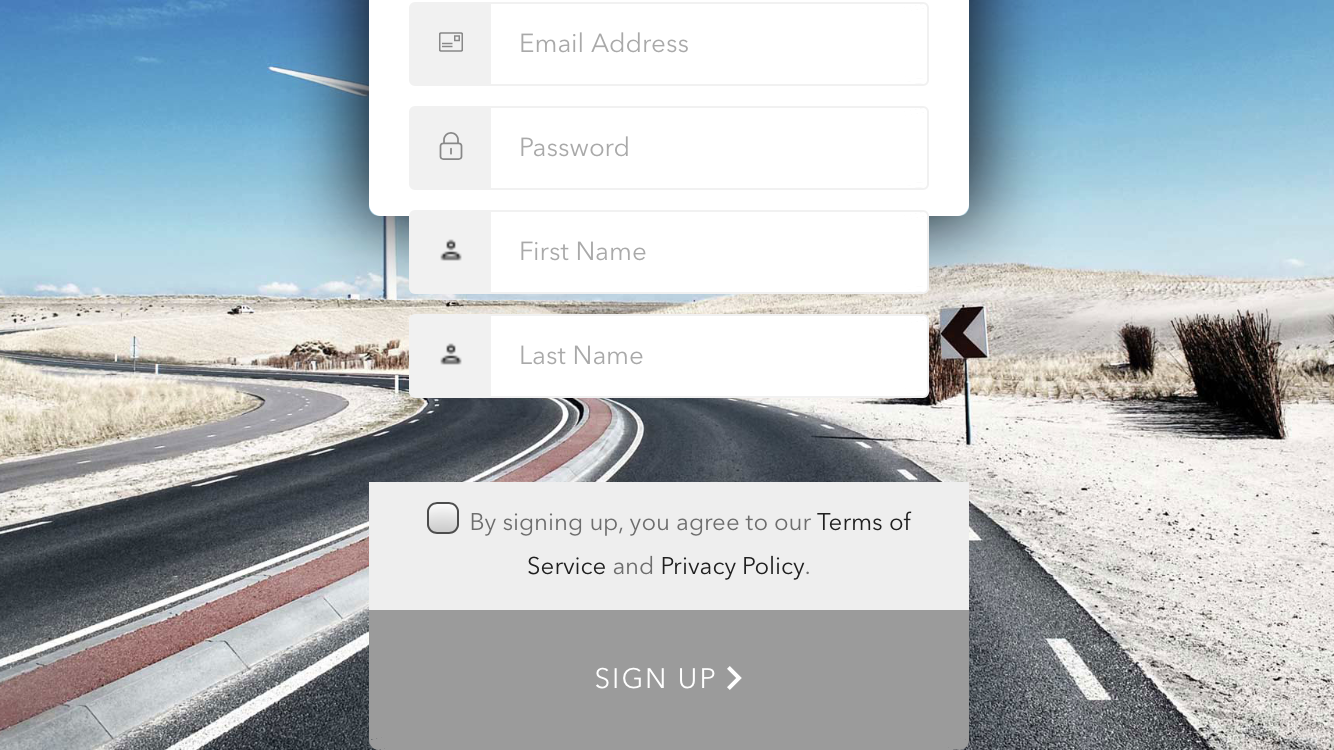
- When using additional fields to the signup & Use landscape mode (First Name & Last Name per example) the container is broken.
Tested on (Huawei Nova 3i, Galaxy J7 Prime, iPhone 6S, iPhone 7, iPhone 11)
The first design issue doesn't appear on the iPhones I tested with or on Chrome responsive.
Android Screenshots:
Galaxy J7 Prime
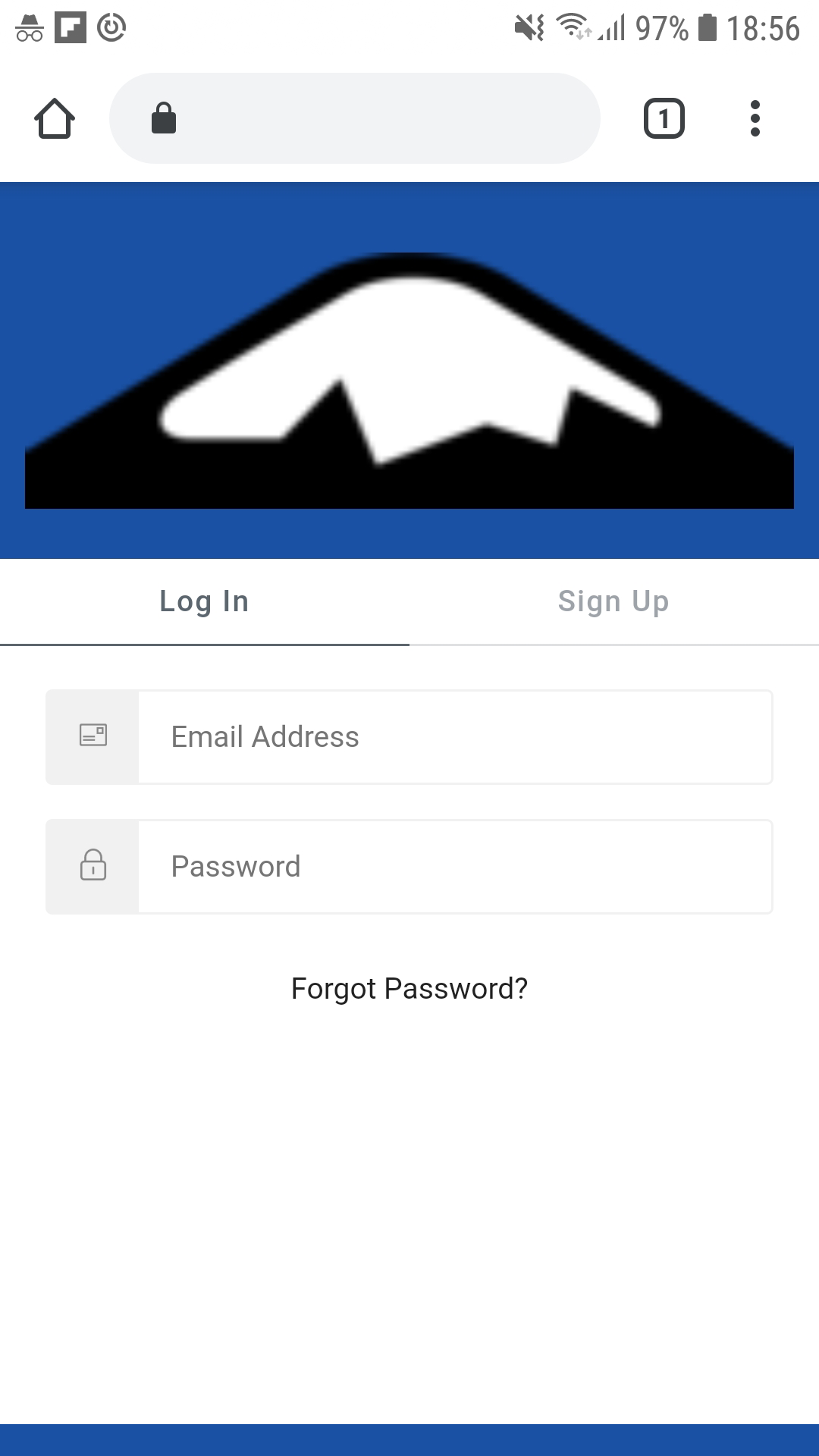
Galaxy J7 Prime
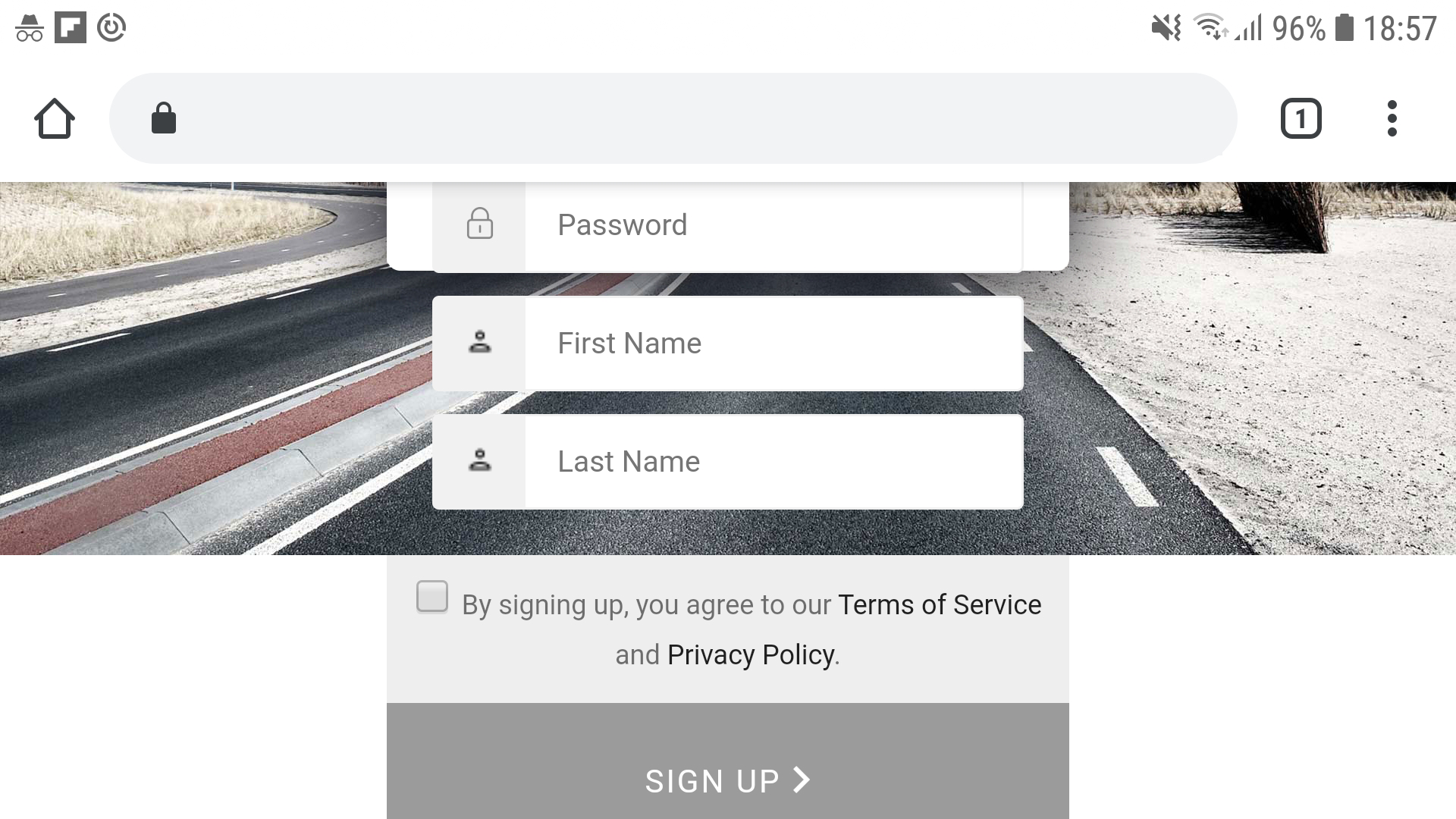
iPhone Screenshots:
Login with no issue on iPhone 6S
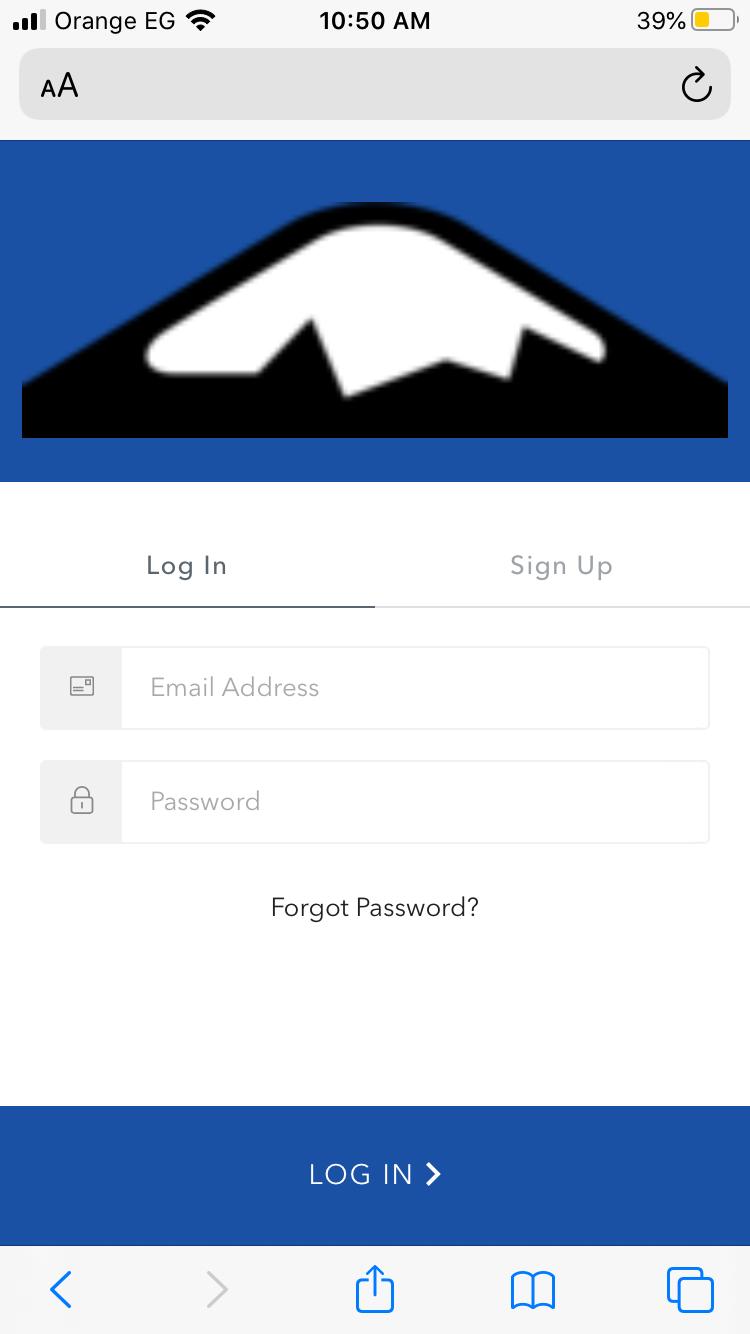
Signup with container issue
iPhone 11
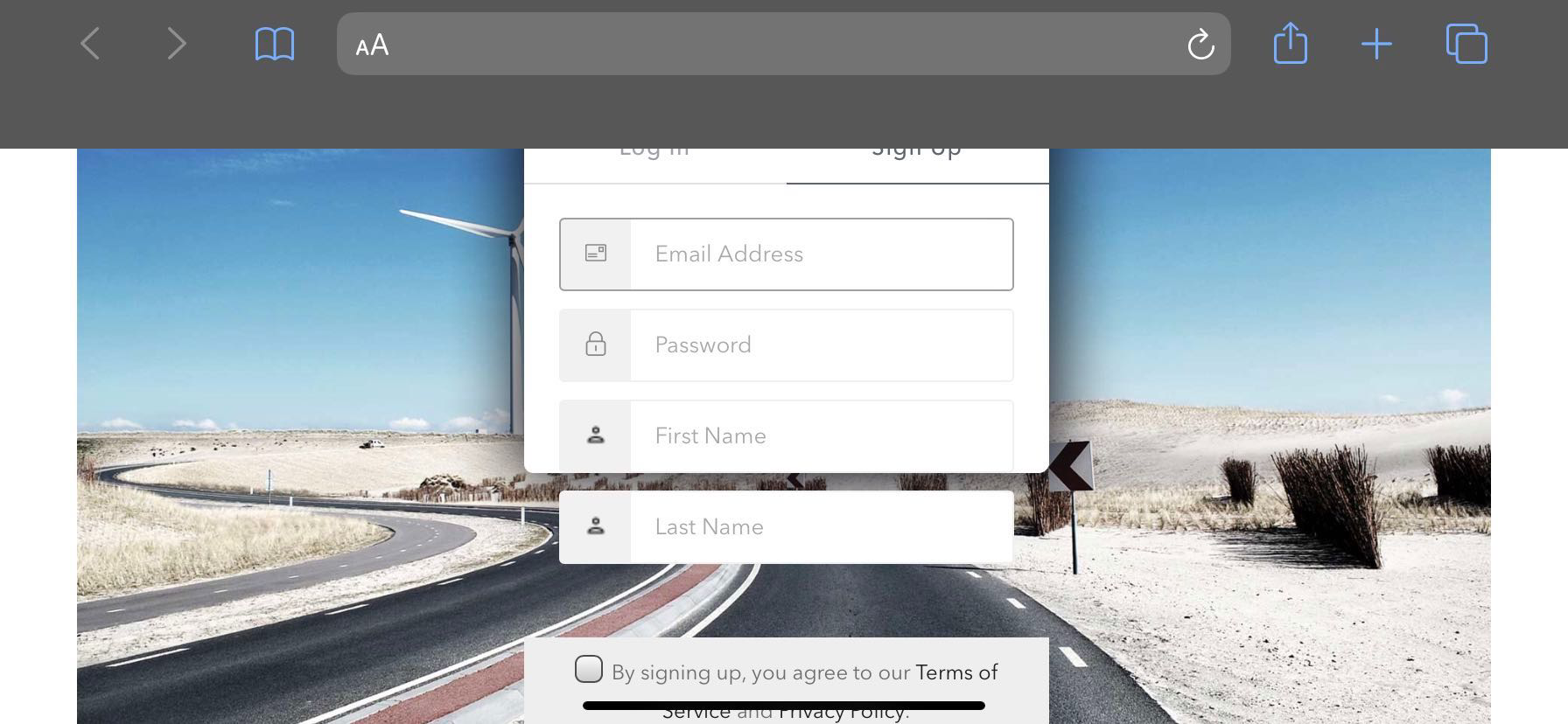
iPhone 6S
Environment
- Version of this library used: Lock 11.20.3
 MarcMagdi
All 14 comments
The "login button is not shown" is logged here too:
https://github.com/auth0/lock/issues/1706
 madine
on 20 Jan 2020
madine
on 20 Jan 2020
@MarcMagdi is the login page that exhibits the second issue (container overflow) available somewhere publicly that I can get to?
 stevehobbsdev
on 21 Jan 2020
stevehobbsdev
on 21 Jan 2020
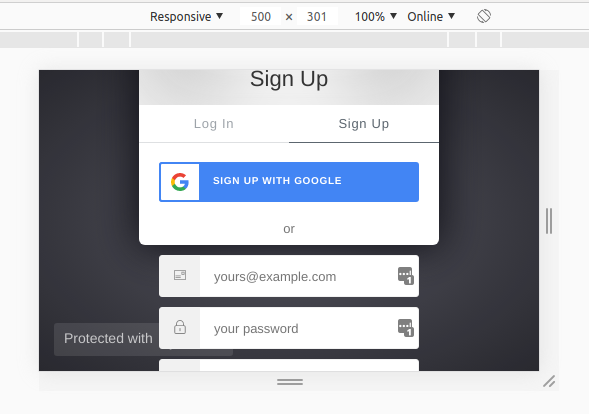
@stevehobbsdev Here is a test tenant with the bug of the additional fields.
Try it on chrome with a responsive window (rotated window)
https://test-features.auth0.com/login?state=g6Fo2SBCTDB5a3Jxai02VGNQRG9EM0NPc2FMUVp0MS1HejRPcaN0aWTZIDFnZVJNaVlweFFhekR0RjZPM0t0TjdJb25fOTRfT2Nko2NpZNkgYjhiWE40NGZLWWVwRGxpNk1Kd3ZacFVxcVRsaXNHdkU&client=b8bXN44fKYepDli6MJwvZpUqqTlisGvE&protocol=oauth2&prompt=consent&response_type=code&redirect_uri=https%3A%2F%2Fmanage.auth0.com%2Ftester%2Fcallback%3Fconnection%3Dgoogle-oauth2&scope=openid%20profile
Also, I don't see the last merged branch in the releases for the login button issue/
MarcMagdi
on 26 Jan 2020
@MarcMagdi Thanks for the repo, let me get a look at it this week for you.
The release hasn't been done yet, there's another PR that's potentially coming in for that release, just waiting on status.
stevehobbsdev
on 27 Jan 2020
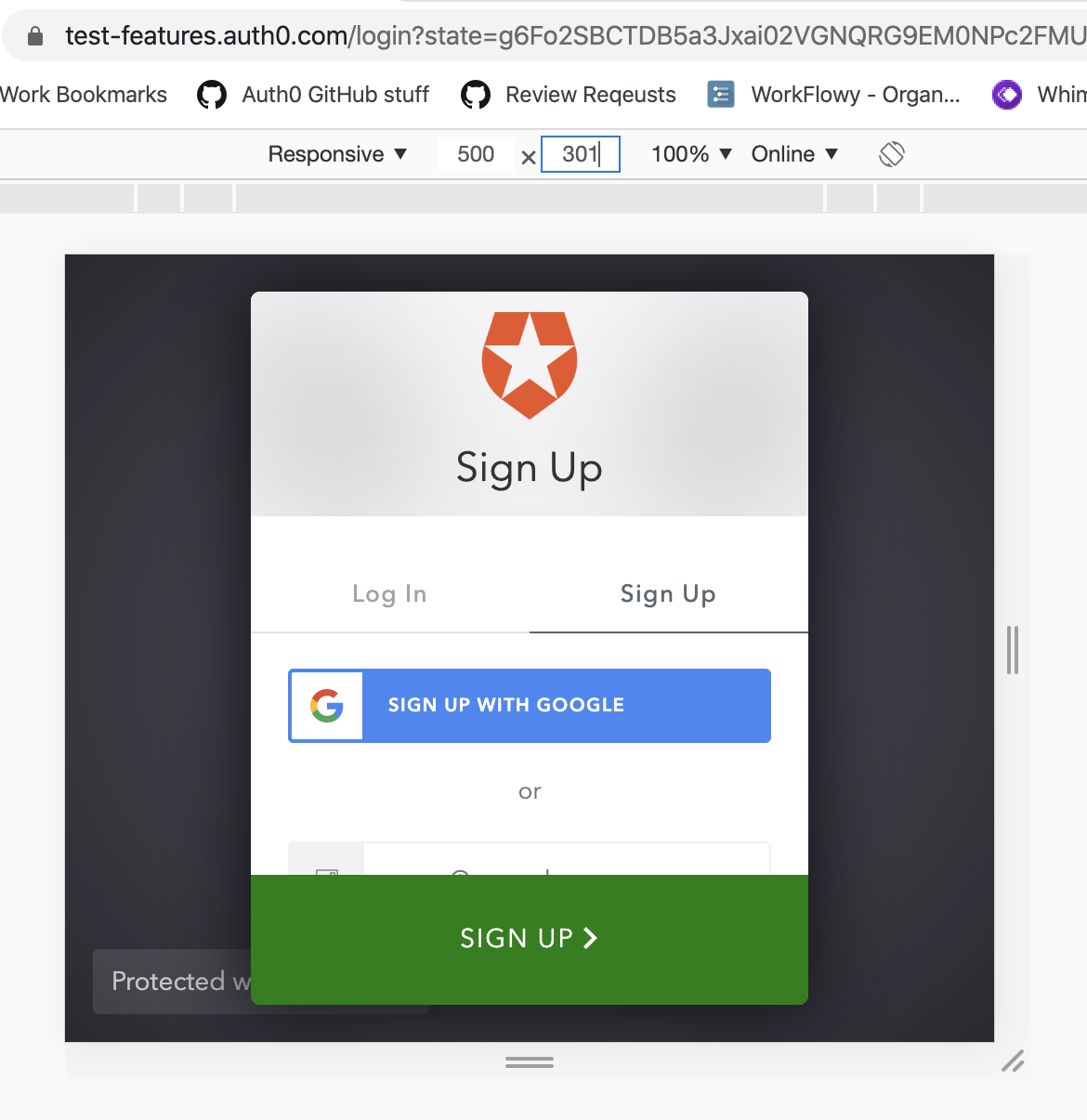
@MarcMagdi Could you please verify a fix for me? Find the element with the auth0-lock-content-wrapper class on it and add the overflow-y: hidden style to it and see if that solves your issue?
With this in place, I get what's in the attached screenshot:
stevehobbsdev
on 4 Feb 2020
@stevehobbsdev This added a new bug that I can't scroll on the form.
MarcMagdi
on 5 Feb 2020
@MarcMagdi 🤔 can you try overflow-y: scroll instead - does that fix it for you?
I've just come across this myself when adding lots of social providers to the form, and using this style now allows me to scroll, would be good if you can confirm the same.
stevehobbsdev
on 12 Feb 2020
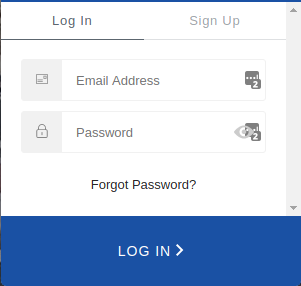
@stevehobbsdev Looks great now!
But this added a scrollbar also on the web
MarcMagdi
on 12 Feb 2020
@MarcMagdi Ok, but we're getting closer. Let me raise a PR around this.
stevehobbsdev
on 14 Feb 2020
@MarcMagdi In what browser are you seeing the scrollbar with overflow-y: scroll? I can't reproduce that.
stevehobbsdev
on 14 Feb 2020
@stevehobbsdev Just updated the repro project with the updated CSS.
I am using Chrome Version 80.0.3987.87 (Official Build) (64-bit) on Linux.
MarcMagdi
on 14 Feb 2020
Ok, I've managed to see this now on Chrome, IE11 and Edge on Windows. It's a bit funky because the scrollbar seems to appear and disappear when you transition out of mobile or desktop view.
Try this:
.auth0-lock-content-wrapper {
  overflow-y: scroll;
  scrollbar-width: none;
  -ms-overflow-style: none;
}

.auth0-lock-content-wrapper::-webkit-scrollbar {
  width: 0;
  height: 0;
}
@stevehobbsdev Looks good on my end!
Also, I'd prefer the scroll bar mentioned on #1800 with the old version as an indicator there is still content.
But for now, looks great.
MarcMagdi
on 14 Feb 2020
This will perhaps need some more thought then. Unfortunately at this point we cannot have both.
The overflow style on that element is there to help display the login button correctly at the bottom of the screen. I've identified #1758 as the change which broke the container element, but reversing that still produces scrollbars, so we end up in the same position.
Let me raise the PR and put all the trade-offs in there, perhaps we can come to a solution.
stevehobbsdev
on 14 Feb 2020
Related issues
 DavidWells
·
5Comments
DavidWells
·
5Comments
 mcrawshaw
·
5Comments
mcrawshaw
·
5Comments
 mattgibson
·
3Comments
mattgibson
·
3Comments
 sedubois
·
7Comments
sedubois
·
7Comments
 fernandomunizz89
·
3Comments
fernandomunizz89
·
3Comments
Most helpful comment
@MarcMagdi 🤔 can you try
overflow-y: scrollinstead - does that fix it for you?I've just come across this myself when adding lots of social providers to the form, and using this style now allows me to scroll, would be good if you can confirm the same.