Lizmap-web-client: measurement result not shown on tablet
What is the bug?
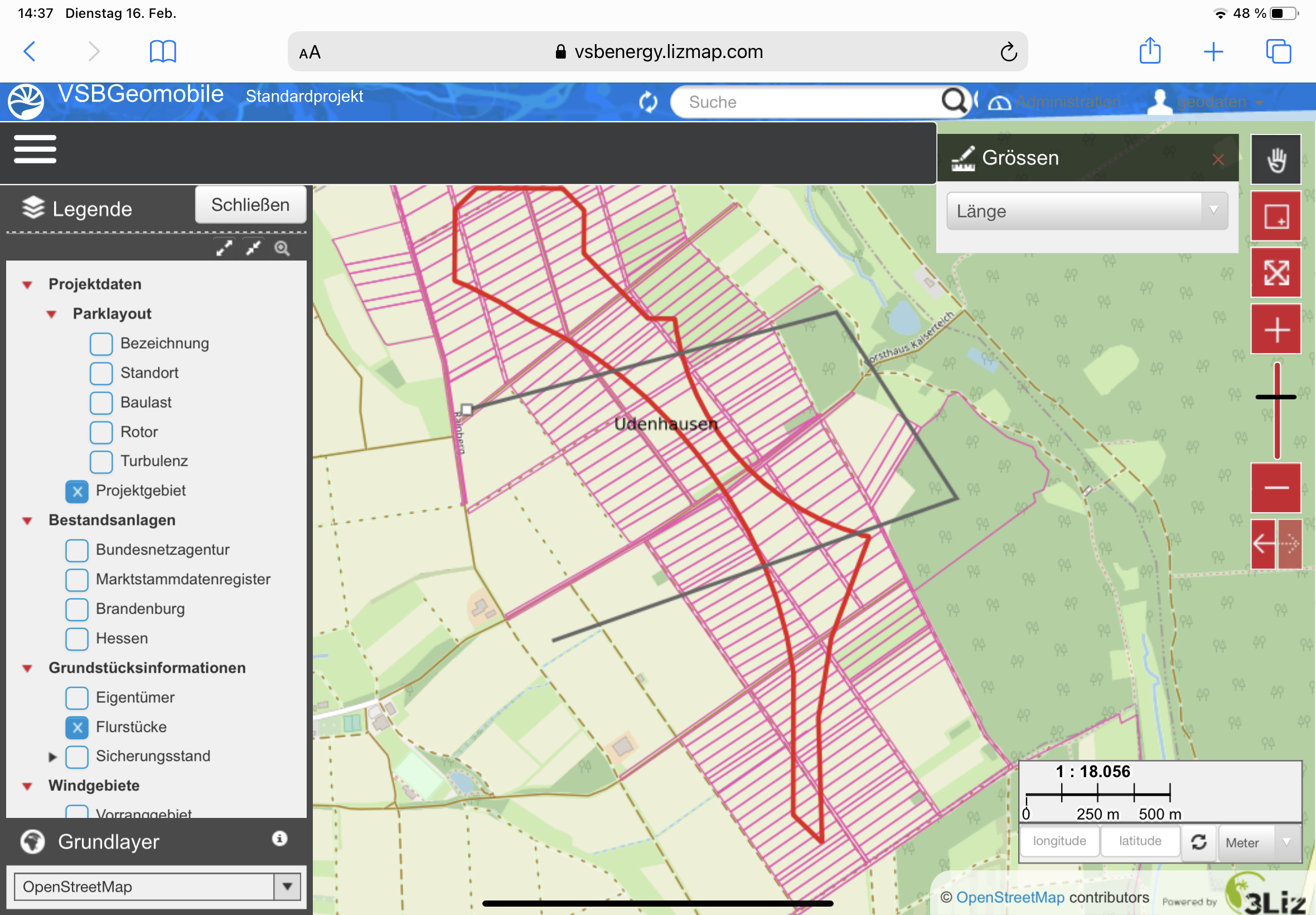
If I want to measure a distance/area/angle/perimeter with my tablet on LWC, I can't see the result. Using a computer, this problem does not exist.
Steps to reproduce the issue
- Open a Lizmap webmap with a tablet
- Click on measure feature
- Start measuring
- See that result is missing
Expected behavior
I expect to see the result of my measurement same as when I use my computer.
Screenshots and logs
Environment
- Lizmap version: 3.4.1
- QGIS Server FULL version: 3.10
- QGIS Desktop FULL version: 3.10.14
- OS (Windows, Linux, MacOS, Android…): IPad
- Browser (Firefox, Chrome…): Safari
- Lizmap admin information (users, logs…) stored into Sqlite (default)? PostgreSQL? MySQL? Hosted by 3Liz
 ea-refit
All 6 comments
Hi,
what is your Ipad model and screen resolution? Did you try to empty browser cache?
 nboisteault
on 15 Mar 2021
nboisteault
on 15 Mar 2021
Hi,
our IPad model number is: A2072 (IPad Air 4th Generation). Display Resolution: | 2360x1640 (264 ppi). I also tried emptying the browser cache. That doesn't work either.
ea-refit
on 16 Mar 2021
I confirm the issue. I'll fix asap.
nboisteault
on 18 Mar 2021
👍1
@ea-refit do you also have popups opening/closing when clicking measurement points ?
nboisteault
on 19 Mar 2021
No, we don't have popups opening/closing when clicking measurement points.
ea-refit
on 19 Mar 2021
@ea-refit Thanks for your report and feedback.
nboisteault
on 19 Mar 2021
👍1
Was this page helpful?
0 / 5 - 0 ratings
Related issues
 pcav
·
5Comments
pcav
·
5Comments
 news24lor
·
7Comments
news24lor
·
7Comments
 FPaulsen
·
13Comments
FPaulsen
·
13Comments
 jaitor1
·
4Comments
jaitor1
·
4Comments
 tethysgeco
·
8Comments
tethysgeco
·
8Comments