Lizmap-web-client: Map scale rendering resolution Retina display in Lizmap 3.4.0
On my Retina display the numbers on the map scale in Lizmap 3.4.0 are rendered quite pixelated.
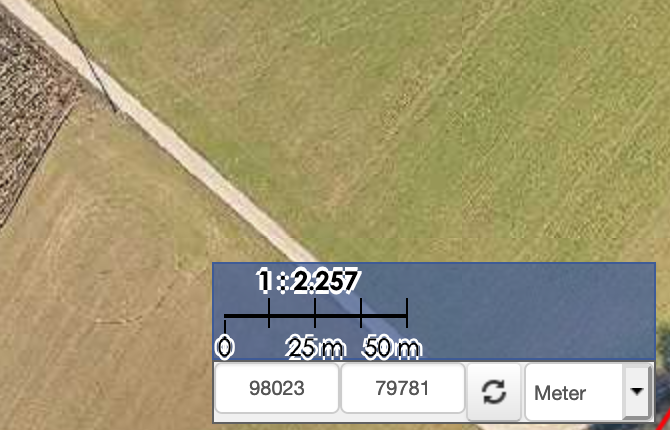
Even though this is more a luxery problem, I want to report it.
Lizmap 3.4.0
QGIS Lizmap-Plugin 3.4.0
QGIS Desktop 3.10.9-A Coruña
QGIS FCGI server 3.10.12-A Coruña
PostgreSQL 12.5
PostGIS 3.1
Ubuntu 18.04.3:
OS (MacOS):
Browser (Firefox, Chrome):
 geomoes
All 2 comments
@geomoes Did you have this issue with LWC 3.3.x? Can you make a screenshot with LWC 3.3.x please?
 nboisteault
on 8 Jan 2021
nboisteault
on 8 Jan 2021
Bonsoir,
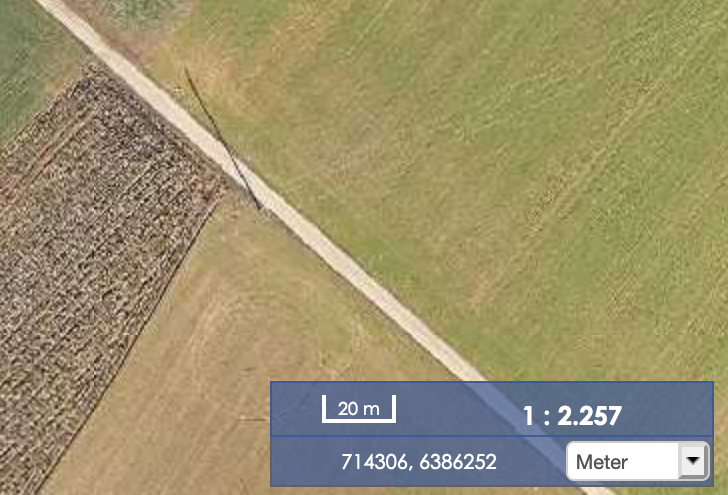
this screenshot is taken from the LWC 3.3.3. The whole setup is the same as described above.
I did only adapt the map.css to display the text and the mapscale in white without text-shadow.
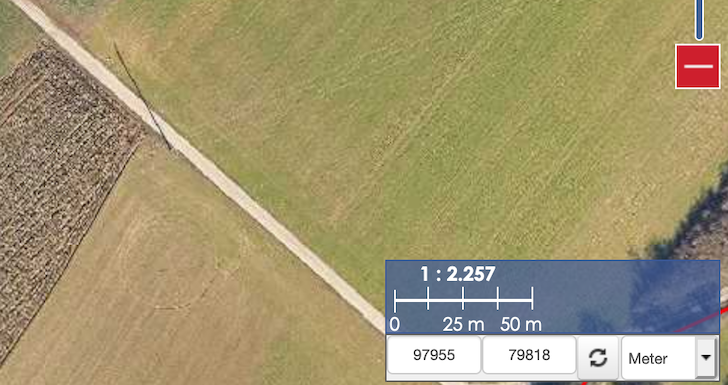
In the next screenshot I added the css from underneath to the map.css in LWZ 3.4.0.
For me this is clearer than the version with the text-shadow, that produces this strange and ugly rendering.
/* display the scale text and lines in white without text-shadow */

.ol-scale-text {
  color:white;
  text-shadow: none;
}
.ol-scale-step-marker {
  background-color: white;
  position:absolute;
  top: -8px !important;
}

.ol-scale-singlebar {
  border: 1px solid white;
}

.ol-scale-step-text {
  color:white;
  text-shadow: none;
}
Related issues
 Nokram
·
5Comments
Nokram
·
5Comments
 t0xycus
·
7Comments
t0xycus
·
7Comments
 pcav
·
11Comments
pcav
·
11Comments
 robibrazze
·
5Comments
robibrazze
·
5Comments
 FPaulsen
·
13Comments
FPaulsen
·
13Comments
Most helpful comment
Bonsoir,
this screenshot is taken from the LWC 3.3.3. The whole setup is the same as described above.
I did only adapt the map.css to display the text and the mapscale in white without text-shadow.
In the next screenshot I added the css from underneath to the map.css in LWZ 3.4.0.
For me this is clearer than the version with the text-shadow, that produces this strange and ugly rendering.