Live-share: Auto-closing feature disabled when editing a file that the host doesn't have open
Product and Version: 1.24.1
OS Version: Windows
Live Share Extension Version: 0.3.319
Target Platform or Language: HTML
Steps to Reproduce / Scenario:
Please observe this gif. As you can see, using intellisense to add an end tag during a live share session causes 2 of the same tag to appear. As I typed the < followed by the / auto closing tags were doubly added.

 crstamps2
All 6 comments
crstamps2
on 25 Jun 2018
@crstamps2 Thanks for reporting this! I was just able to repro this behavior, and I also identified the problem. We'll try to get a fix out for this soon. Stay tuned!
// CC @daytonellwanger
 lostintangent
on 25 Jun 2018
lostintangent
on 25 Jun 2018
@crstamps2 Hey! We’re chasing down the “full” solution to this, but in the meantime, we shipped an update to our extension today that disables the auto-closing feature on the guest, which will prevent this duplicate tag issue from ever occurring.
If you could update to the latest Live Share release, and let us know if that resolves things for you, that would be greatly appreciated. The downside of this current fix is that a guest wouldn’t get the auto- closing feature, when editing a file that the host didn’t also have open (they would get it when editing the same file, however). In practice, that might not be a big deal, but we’ll use this issue to track resolving that additional piece of enabling complete auto tag closing for both hosts and guests. Stay tuned!
lostintangent
on 3 Jul 2018
@lostintangent Not sure if this is being caused by the same issue, but a colleague and I have been having an issue with the intellisense adding an extra period when trying to use the autocomplete. More details below:
Product and Version: 1.30.1
OS Version: Windows
Live Share Extension Version: 0.3.1071
Target Platform or Language: Javascript
Steps to Reproduce / Scenario:
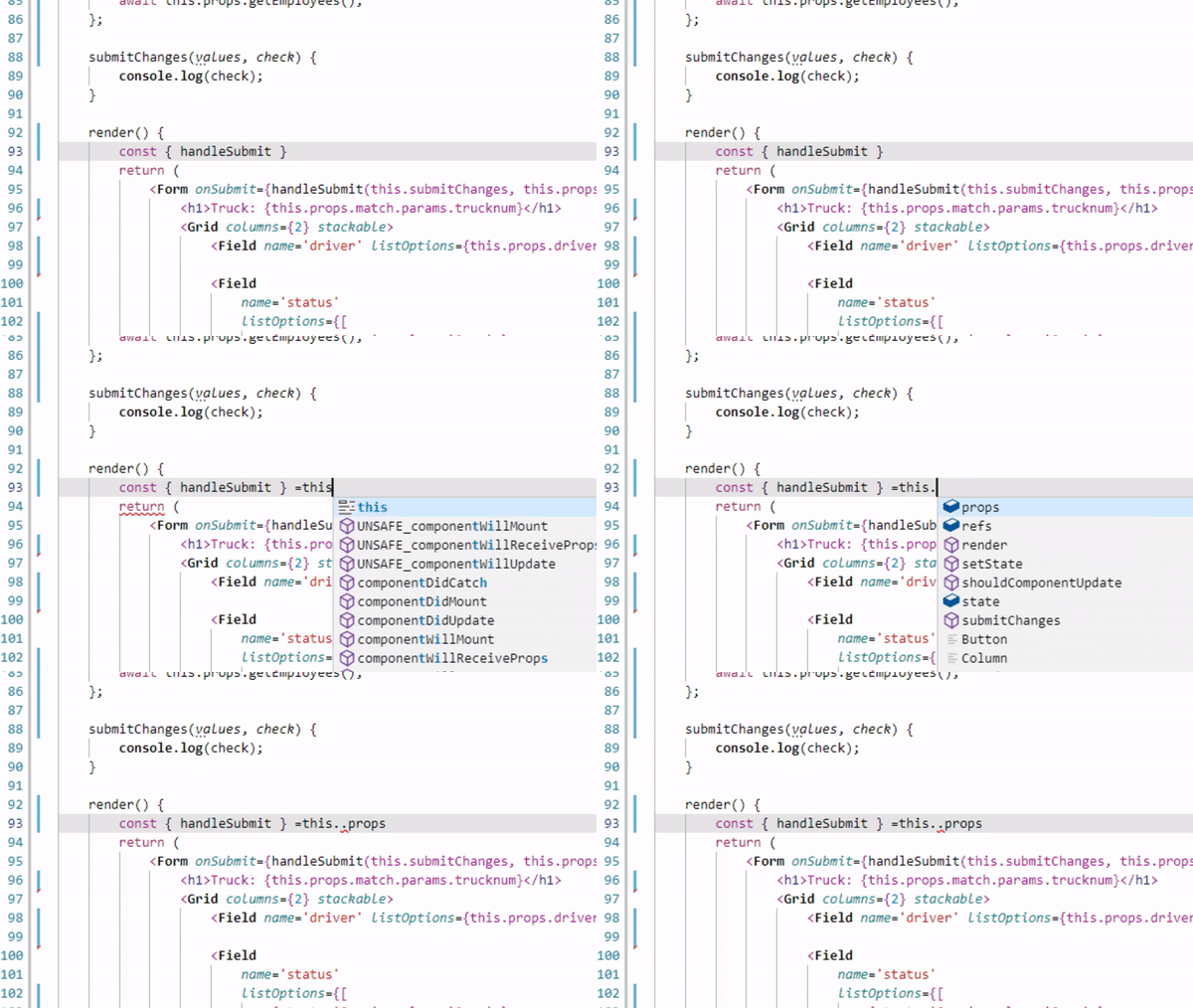
When using the auto-complete feature, an extra period is always added regardless of if you use the tab or enter keys. It also occurs when you click on the suggestion. See gif below:
 stricker134
on 4 Jan 2019
stricker134
on 4 Jan 2019
@stricker134 , that issue should now be resolved :).
 daytonellwanger
on 1 Aug 2019
daytonellwanger
on 1 Aug 2019
Closing this as resolved 👍 Please re-open it if you're still running into problems. Thanks!
lostintangent
on 16 Dec 2020
Related issues
 arc95
·
3Comments
arc95
·
3Comments
 YardGnomeNinja
·
3Comments
YardGnomeNinja
·
3Comments
 evasgit
·
3Comments
evasgit
·
3Comments
 roblourens
·
4Comments
roblourens
·
4Comments
 mpearon
·
4Comments
mpearon
·
4Comments
Most helpful comment
Closing this as resolved 👍 Please re-open it if you're still running into problems. Thanks!