Live-share: [VS Code] Debugger issue with nodemon config when the extension is enabled
Hello,
I use the default launch.json configuration for nodemon.
Without VS live share extension, my nodemon debugger setup works well. The terminal is called __1: Node Debug Console__ and hot reload on file changes works as expected.
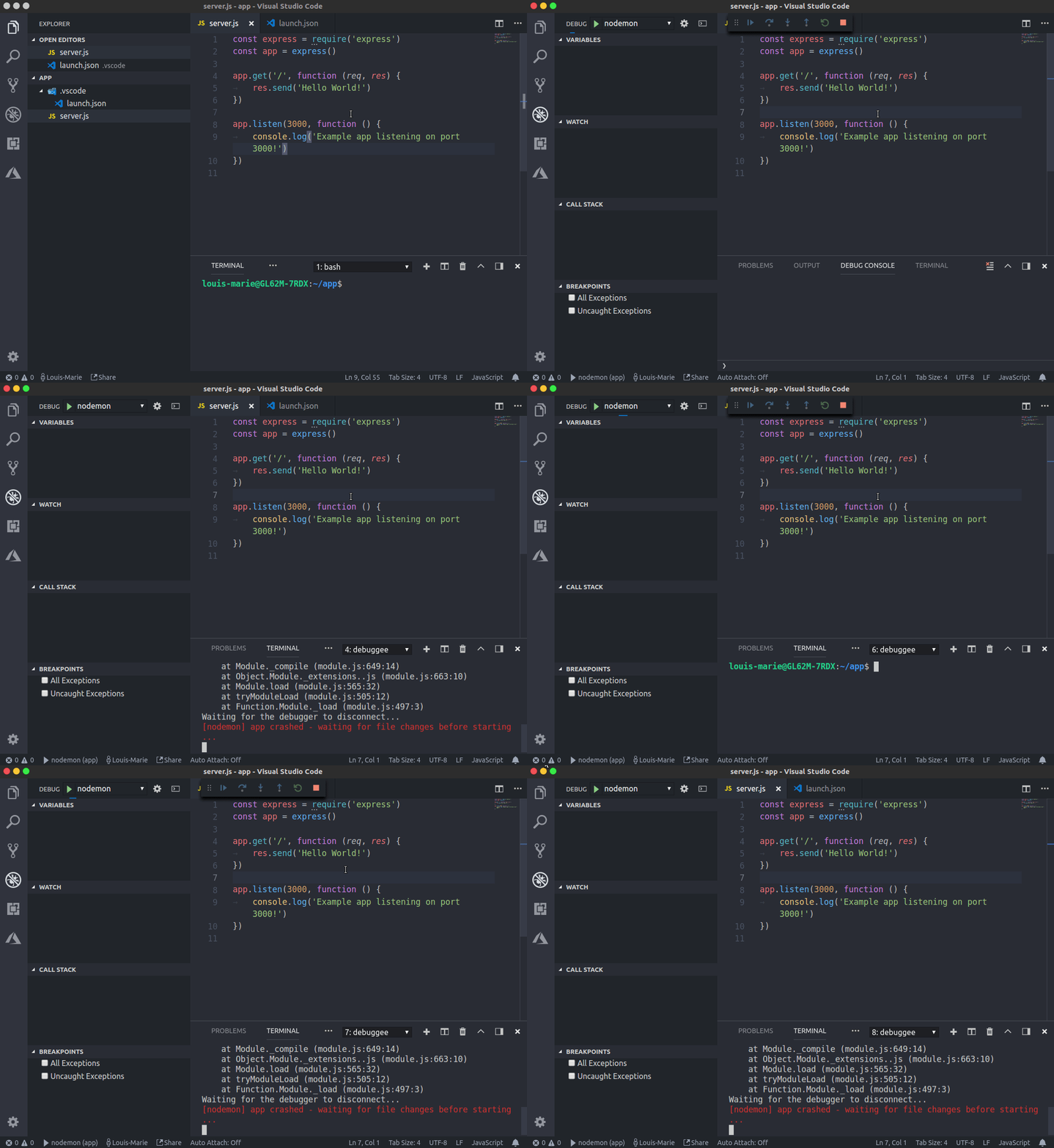
When the extension is enabled, the terminal name is replaced by __1: debuggee__ and a new integrated terminal opens each time I save my work instead of just reload the server.
Regards
Product and Version: VSCode 1.24.0
OS Version: Ubuntu 16.04.4
Live Share Extension Version: 0.3.264
Target Platform or Language: Node.js
 lmichelin
All 7 comments
Here are the logs:
logs.zip
In this example my app crashes, and a new terminal opens endlessly after each crash.
lmichelin
on 9 Jun 2018
@lmichelin Hey! I can repro this issue, and it’s definitely a bug in Live Share. We’ll look into getting this resolved, but in the meantime, you may be able to work around this by setting the “console” property in your “launch.json” file to “internalConsole”, as opposed to “integratedTerminal”. That should give you the same debugging experience, without the constantly-spawning terminals when Nodemon recycles itself on file changes. Let us know if that helps. Otherwise, we’ll keep you updated on progress. Thanks for reporting this! 👍
 lostintangent
on 11 Jun 2018
lostintangent
on 11 Jun 2018
I disabled Live Share extension, and nodemon debugging work normally, thanks @lostintangent
 trmaphi
on 4 Sep 2018
trmaphi
on 4 Sep 2018
@trmaphi Hey! As an alternative to disabling Live Share, you could also workaround this by updating your launch.json config as mentioned above (set the “console” property to “internalConsole” instead of “integratedTerminal”). Would that be a reasonable workaround for your use case in the meantime, while we address this bug?
lostintangent
on 4 Sep 2018
@lostintangent tks for the suggestion
trmaphi
on 4 Sep 2018
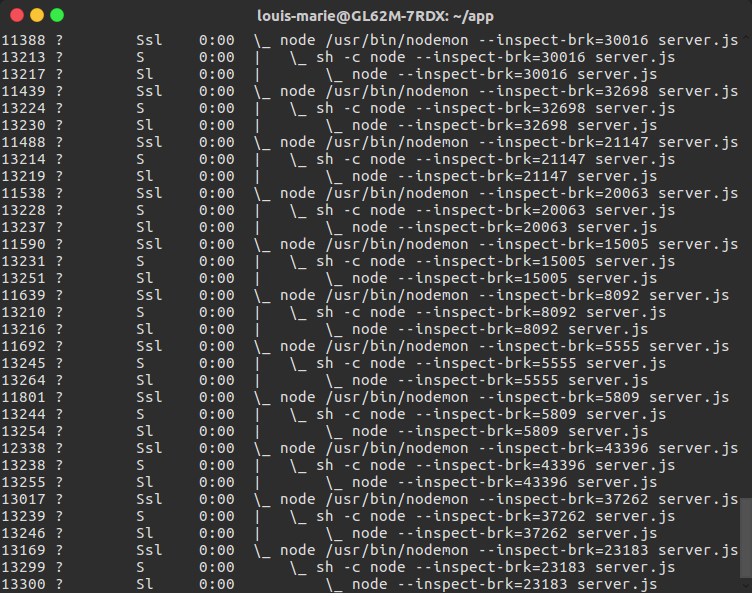
Setting the “console” property to “internalConsole” doesn't solve the problem: a new process is still created each time nodemon needs to restart as it's shown on the ps xf screenshot below :
lmichelin
on 6 Sep 2018
This issue has been resolved in the latest extension update, so if you update to the latest Live Share release, you'll be good to go 👍 Let us know if you run into any other problems. Thanks!
lostintangent
on 11 Sep 2018
Related issues
 Enscivwy
·
41Comments
Enscivwy
·
41Comments
 lukepighetti
·
26Comments
lukepighetti
·
26Comments
 avanderhoorn
·
148Comments
avanderhoorn
·
148Comments
 LmKupke
·
35Comments
LmKupke
·
35Comments
 aeperez94
·
33Comments
aeperez94
·
33Comments
Most helpful comment
This issue has been resolved in the latest extension update, so if you update to the latest Live Share release, you'll be good to go 👍 Let us know if you run into any other problems. Thanks!