Live-share: Extension doesn't add a UI in the toolbar and errors when running commands.
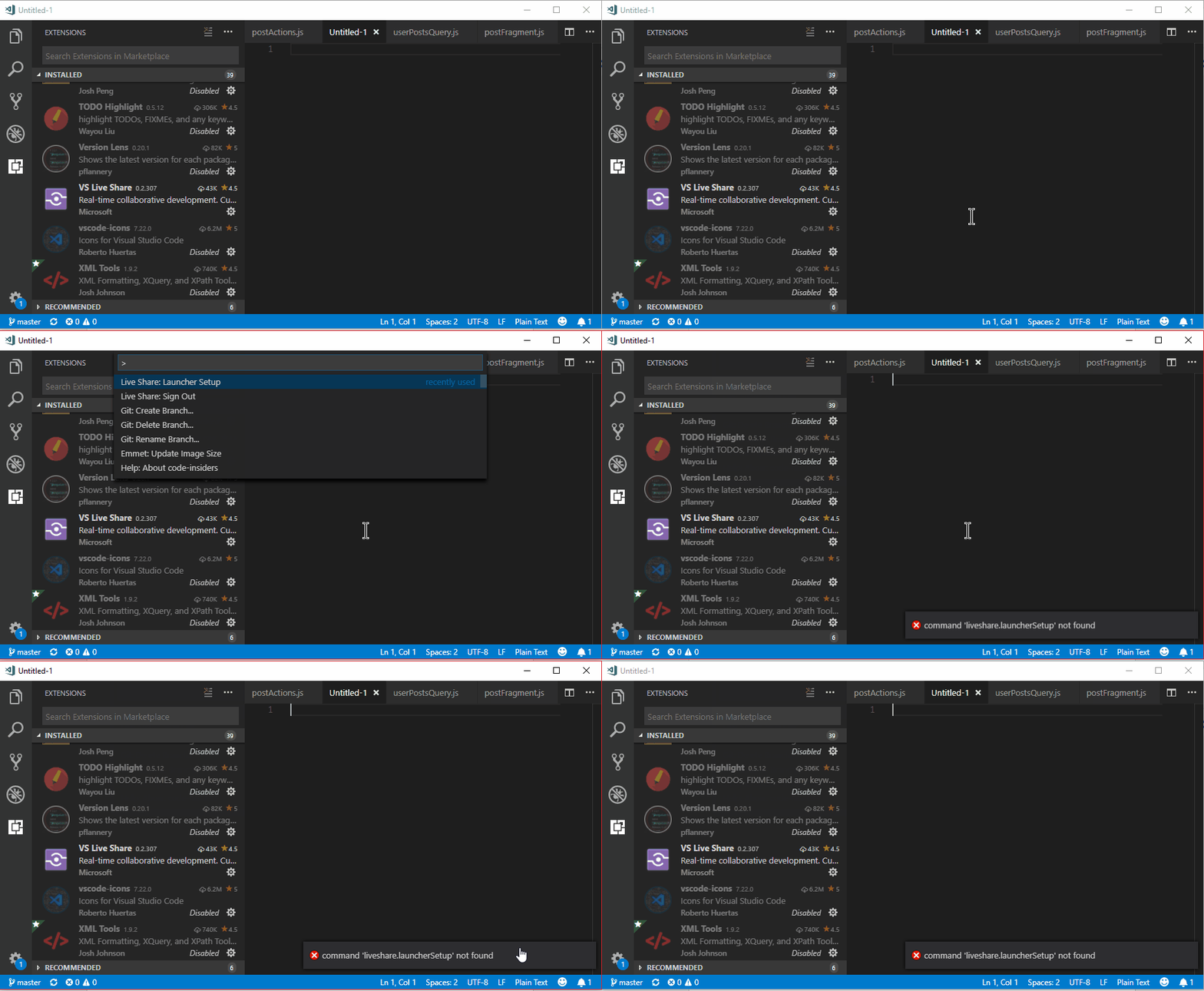
The extension isn't showing up in my version of vscode and if I run the Live Share: Launcher Setup command it throws the error "command 'liveshare.launcherSetup' not found".
I've tried disabling all other extension to be sure there isn't a conflict. Not sure what else to try.
Thanks!
OS Version
Windows 10
Other version info
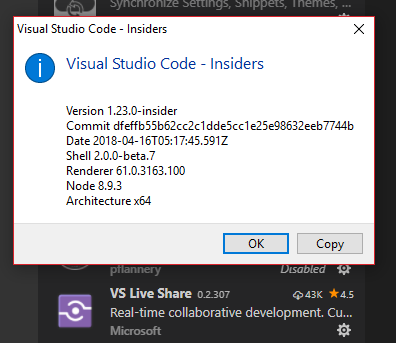
Here's the error in action.
 GollyJer
All 11 comments
@GollyJer Thanks so much for reporting this.
Unfortunately, we discovered this was an issue with this very latest VS Code Insiders update (it does not happen in stable). We the details of this tracked as #182 and are hoping to get a fix out very soon along with some additional updates.
Thankfully, it does not repro in VS Code Stable.
 Chuxel
on 17 Apr 2018
Chuxel
on 17 Apr 2018
Happens to me on OSX Sierra with VS Code version 1.16.0 (1.16.0) without insiders updates.
 mrozbarry
on 18 Apr 2018
mrozbarry
on 18 Apr 2018
@mrozbarry Yes, that is a different issue - Visual Studio Live Share requires VS Code 1.20 or higher. The latest is 1.22.2. Update VS Code and you should be good to go.
Chuxel
on 18 Apr 2018
@Chuxel updated to 1.22.2, uninstalled and reinstalled, still the same situation.
mrozbarry
on 18 Apr 2018
@mrozbarry Gocha. Next things to look at:
- Are you behind a proxy?
- If you go to the "Output" window, what appears in the "Visual Studio Live Share" category?
- Do you have the "Live Share: Export Logs" command? If so, you can run it to get the logs and either attach them here or send them to [email protected]
Chuxel
on 18 Apr 2018
I don't see to have that category:
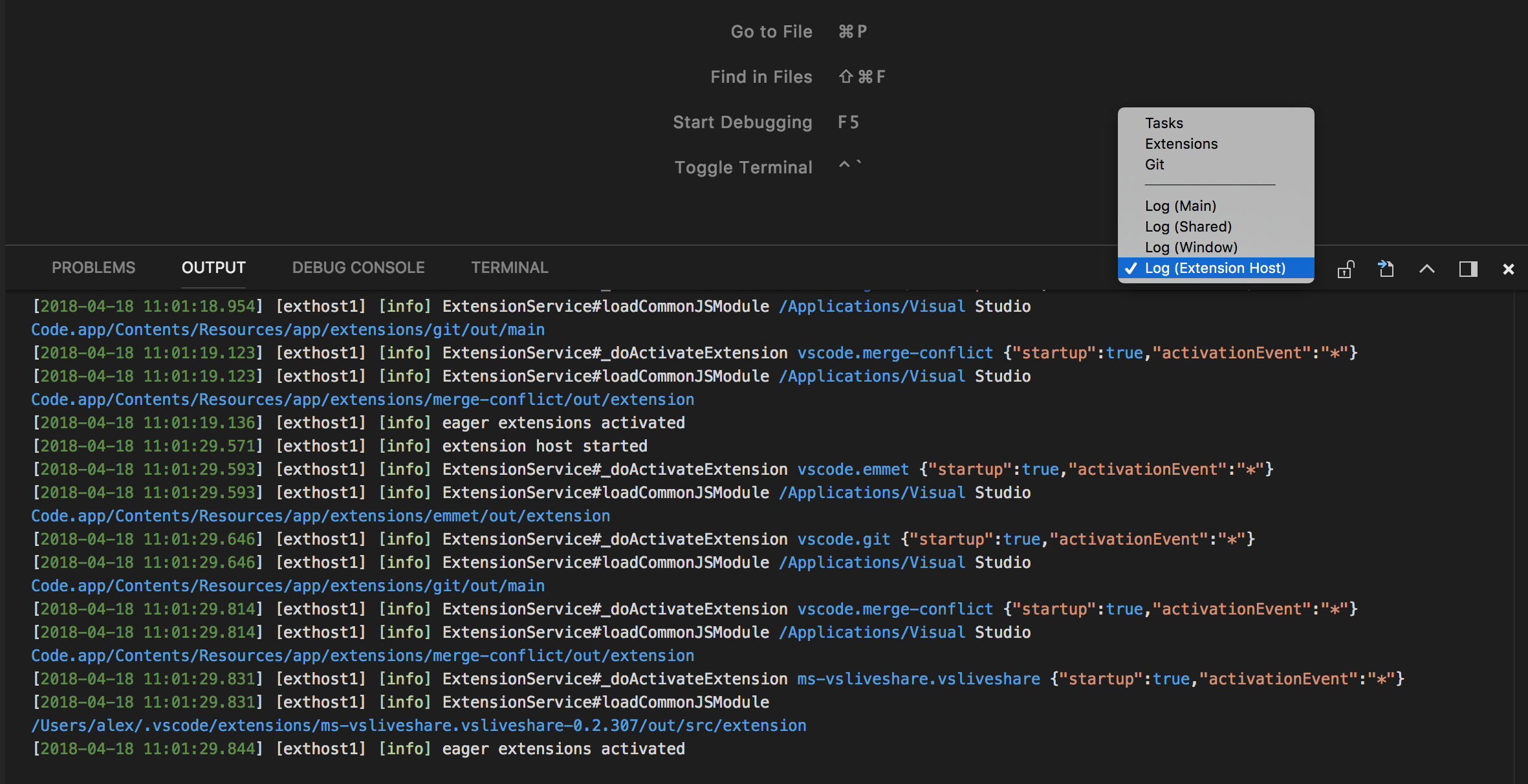
In the command palette, when I type live, I get no results.
mrozbarry
on 18 Apr 2018
@mrozbarry Okay, that means the extension is not initializing. Restart Visual Studio Code, and go to Help > Toggle Developer Tools. Do you see any errors in the "Console" tab?
Chuxel
on 18 Apr 2018
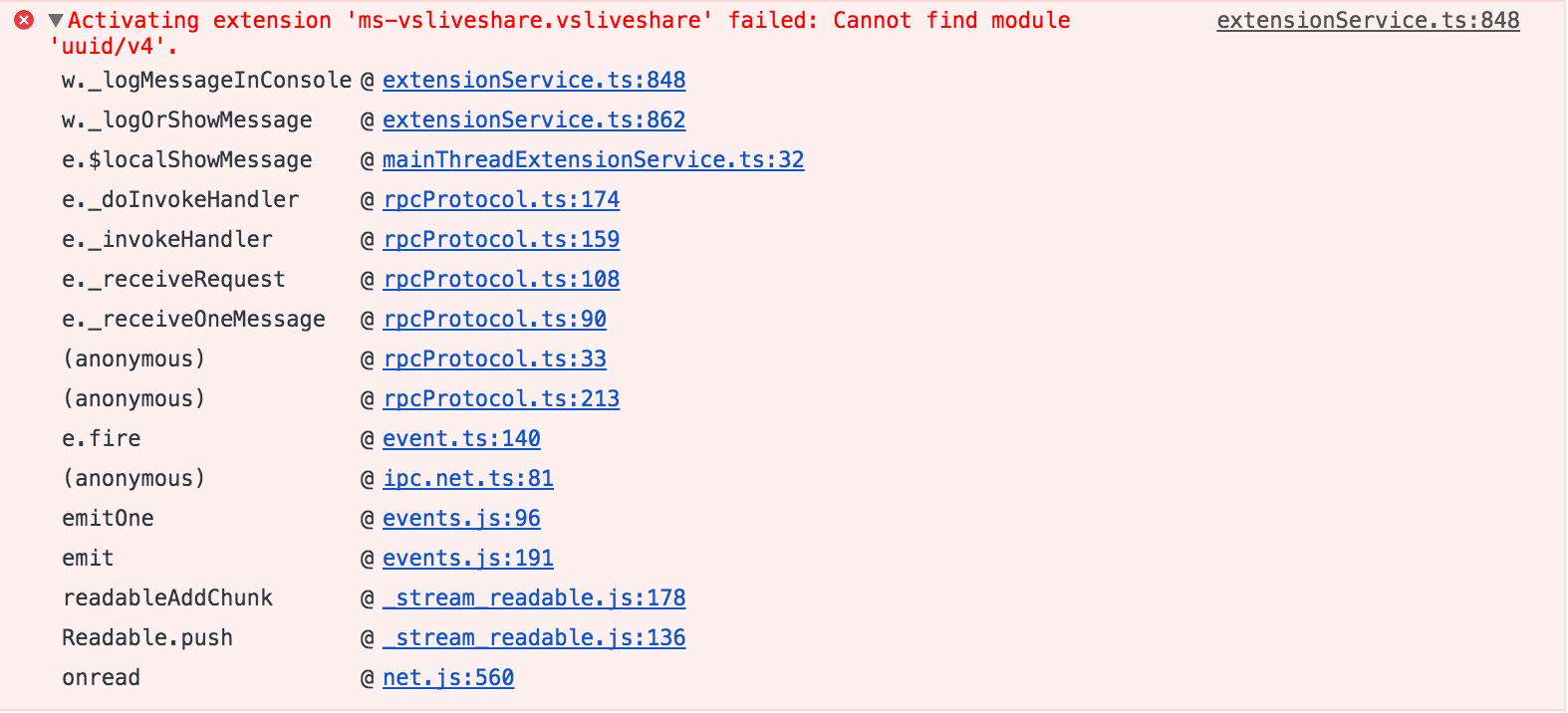
Looks like uuid/v4 isn't being found:
mrozbarry
on 18 Apr 2018
@mrozbarry Most likely this is a corrupted install. Try this:
- Uninstall the extension
- When done, shut down Visual Studio Code
- Type
rm -rv ~/.vscode/extensions/ms-vsliveshare* - Install again
Something may have gone wrong when it was installed with 1.16 that is resulting in it not getting cleaned up properly on uninstall.
Chuxel
on 18 Apr 2018
Success, thanks for the help (and for piggy-backing on another similar issue).
mrozbarry
on 18 Apr 2018
@mrozbarry Great!
@GollyJer I'm going to close this issue as a duplicate of #182, but stay tuned as there will be an update shortly that should unblock insiders as well.
Chuxel
on 18 Apr 2018
Related issues
 YardGnomeNinja
·
3Comments
YardGnomeNinja
·
3Comments
 Luchiwis
·
3Comments
Luchiwis
·
3Comments
 lockoncode
·
3Comments
lockoncode
·
3Comments
 dec0dOS
·
4Comments
dec0dOS
·
4Comments
 jleider
·
3Comments
jleider
·
3Comments
Most helpful comment
@mrozbarry Most likely this is a corrupted install. Try this:
rm -rv ~/.vscode/extensions/ms-vsliveshare*Something may have gone wrong when it was installed with 1.16 that is resulting in it not getting cleaned up properly on uninstall.