Lighthouse-ci: Publish diffing UI to github pages
Hi,
Is there any chance to run two urls and do a local "combined report" (if possible, without the local server instance)?
I mean, this is my CI:
- build branch
- deploy branch to staging server
- lhci autorun --collect.url=http://staging.my-web.com/master --collect.url=http://staging.my-web.com/pull_request_1
- generate compared report
So I would like to have now a DIFF report between my Master and my Pull Request. Something like:
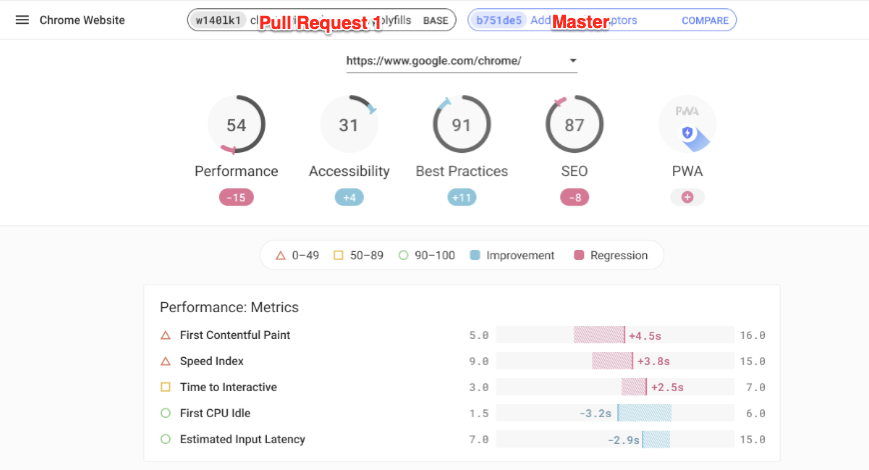
I was thinking on creating my own code based on the CompareUrl feature of the lhci server. I am looking at the source code but I don't seem to find easily where this combined reports are generated. Could you point me in the right direction?
Thanks very much.
 javigomez
All 6 comments
There's not a way to do this without the server currently, but we have plans to publish the diff'ing UI on a public page that folks can use to compare arbitrary reports like you're talking about.
We'll let this issue track that effort :)
 patrickhulce
on 2 Dec 2019
patrickhulce
on 2 Dec 2019
Should we do a new app, or expand the viewer to accept / render a single LHR and two? I prefer the latter, fwiw.
 connorjclark
on 2 Dec 2019
connorjclark
on 2 Dec 2019
Eventually, sure, but publishing the code/logic as a separate thing is step one of integrating the logic into other things :)
patrickhulce
on 2 Dec 2019
Ironically I don't actually have rights to enable gh pages, but the branch is there :)
patrickhulce
on 10 Jan 2020
Hi, @patrickhulce works like a charm!!!! thank you very much
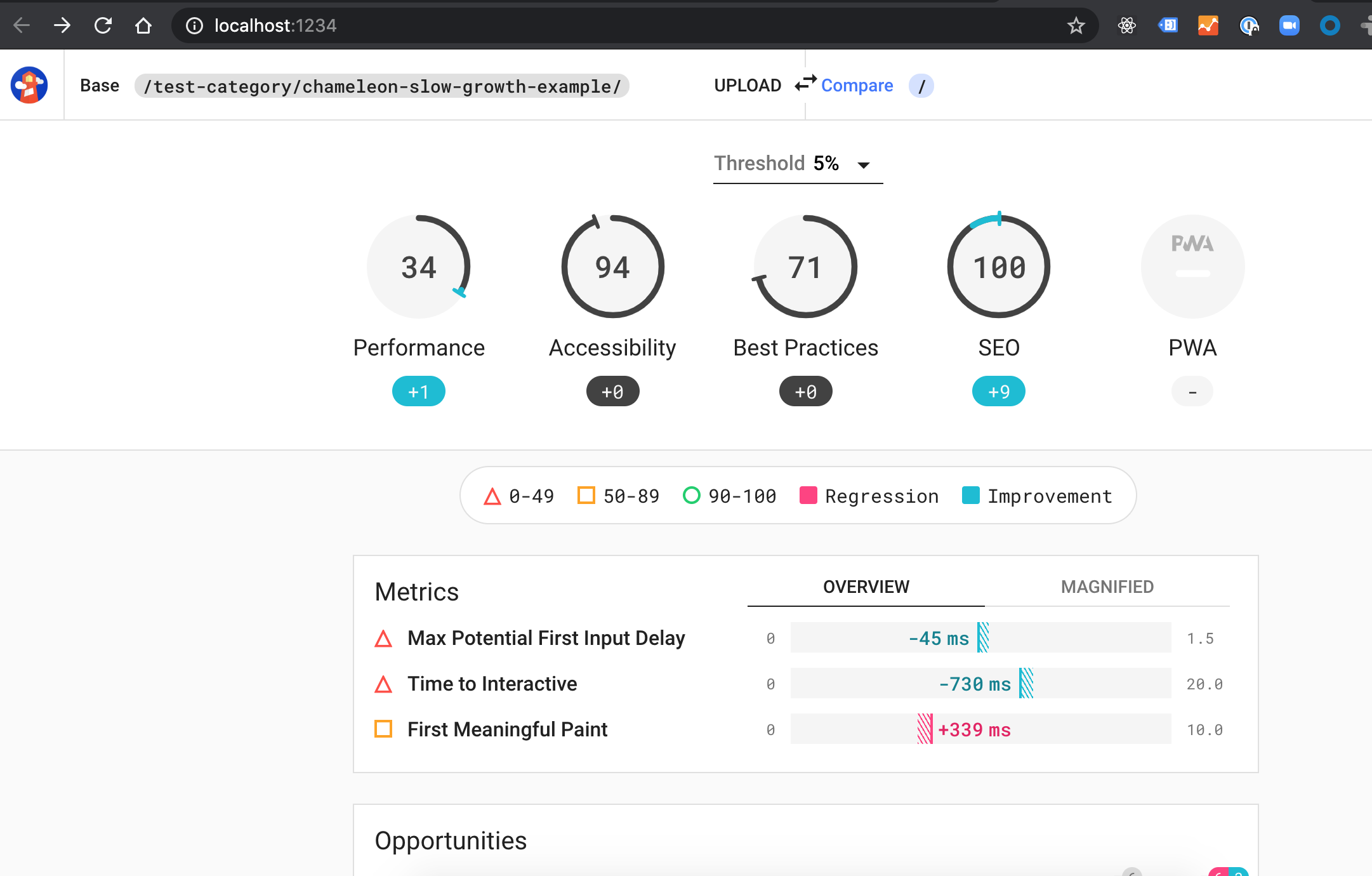
The Drag is not working properly, it blinks when you try to drag the file, like if something else is stealing the foucus. That ends up in sometimes a proper Upload, and sometimes you drag the json to the browser, ending up in the browser opening it. This happens in Chrome and Firefox. I can add more details if needed.
javigomez
on 10 Jan 2020
thanks @javigomez fixed by 9cd66c295f453cf60581ce619f548521c4c95cd2
patrickhulce
on 10 Jan 2020
Related issues
 trptcolin
·
5Comments
trptcolin
·
5Comments
 felixck12
·
4Comments
felixck12
·
4Comments
 lili21
·
4Comments
lili21
·
4Comments
 JackMidd-Amido
·
4Comments
JackMidd-Amido
·
4Comments
 klapec
·
3Comments
klapec
·
3Comments
Most helpful comment
There's not a way to do this without the server currently, but we have plans to publish the diff'ing UI on a public page that folks can use to compare arbitrary reports like you're talking about.
We'll let this issue track that effort :)