Lighthouse-ci: Server setup issues. Server Documentation.
Hello I have trouble setting up diff server on Google Kubernetes Engine. I am new to Google Cloud, I apologize if I'm asking too simple Question. I am having uploading the report or seeing it after on Google Cloud. Maybe I misunderstood some steps of setup, the documentation on google cloud kubernetes was too short for beginners. Could you give me help with my current errors?
My travis yml. (note I moved lighthouse as a last point, I want deployment to firebase to be complete.)
dist: xenial
language: node_js
node_js:
  - "11"
addons:
  chrome: stable # make sure to have Chrome available
branches:
  only:
    - master
before_script:
  - npm install -g @angular/cli
  - npm install -g @lhci/[email protected] # install LHCI
script:
  - echo "Deploying!"
  - npm install
  - cd functions && npm install
  - cd ../ && npm run build -- --prod
install:
  - npm install -g firebase-tools
after_success:
  - firebase deploy --token $FIREBASE_TOKEN --non-interactive
  - lhci autorun --config=./lighthouserc.json
My lighthouserc.json
{
  "ci": {
    "collect": {
      "numberOfRuns": 3
    },
    "assert": {
      "preset": "lighthouse:recommended",
      "assertions": {
      }
    },
    "upload": {
      "serverBaseUrl": "https://**.**.**.**"
    }
  }
}
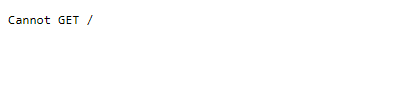
When I try to go to public IP (... can't show it) provided by Google Kubernetes, I het Cannot GET / 404 on the page.
Also In my logs I can see.
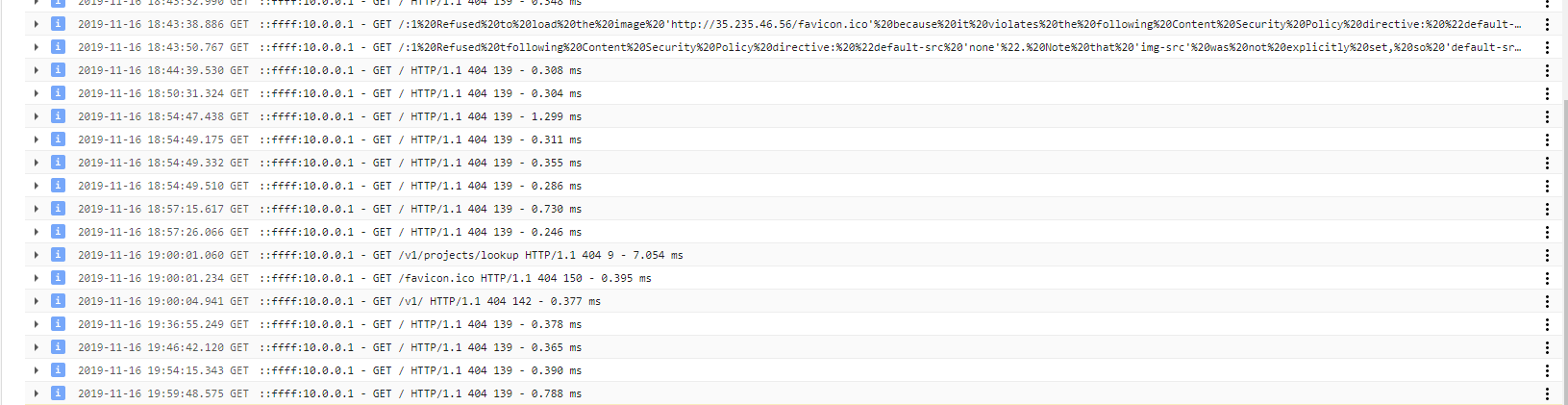

In my travis logs I get this error at the end of the log. One thing I noticed the request goes to 443 port. Maybe that is the problem.
FetchError: request to https://**.**.**.**/v1/projects/lookup failed, reason: connect ETIMEDOUT **.**.**.**:443
    at ClientRequest.<anonymous> (/home/travis/.nvm/versions/node/v11.15.0/lib/node_modules/@lhci/cli/node_modules/node-fetch/index.js:133:11)
    at ClientRequest.emit (events.js:193:13)
    at TLSSocket.socketErrorListener (_http_client.js:397:9)
    at TLSSocket.emit (events.js:193:13)
    at emitErrorNT (internal/streams/destroy.js:91:8)
    at emitErrorAndCloseNT (internal/streams/destroy.js:59:3)
    at processTicksAndRejections (internal/process/task_queues.js:81:17)
WARNING: upload command failed.
assert command failed. Exiting with status code 1.
 GreedyA1
All 3 comments
Thanks for filing! Two things:
- Out of the box, I don't think the Kubernetes load balancer supports
https, so you'll want to changeserverBaseUrltohttp:// - The index route of the server isn't set in 0.3.2 so you need to navigate to
http://x.x.x.x/appto reach the UI. This is fixed in the latest version about to be published :)
Hope this solves it for you!
 patrickhulce
on 16 Nov 2019
patrickhulce
on 16 Nov 2019
thanks! that worked.
GreedyA1
on 16 Nov 2019
In my case, the port 9001 was blocked. Make sure to double-check this as well!
 BrunnerLivio
on 8 May 2020
BrunnerLivio
on 8 May 2020
Related issues
 lili21
·
4Comments
lili21
·
4Comments
 PaulKujawa
·
4Comments
PaulKujawa
·
4Comments
 klapec
·
3Comments
klapec
·
3Comments
 Helmut-Onna
·
3Comments
Helmut-Onna
·
3Comments
 thasmo
·
3Comments
thasmo
·
3Comments
Most helpful comment
Thanks for filing! Two things:
https, so you'll want to changeserverBaseUrltohttp://http://x.x.x.x/appto reach the UI. This is fixed in the latest version about to be published :)Hope this solves it for you!