Light-client: Token transfer breakdown on confirmation screen (steps)
User Story
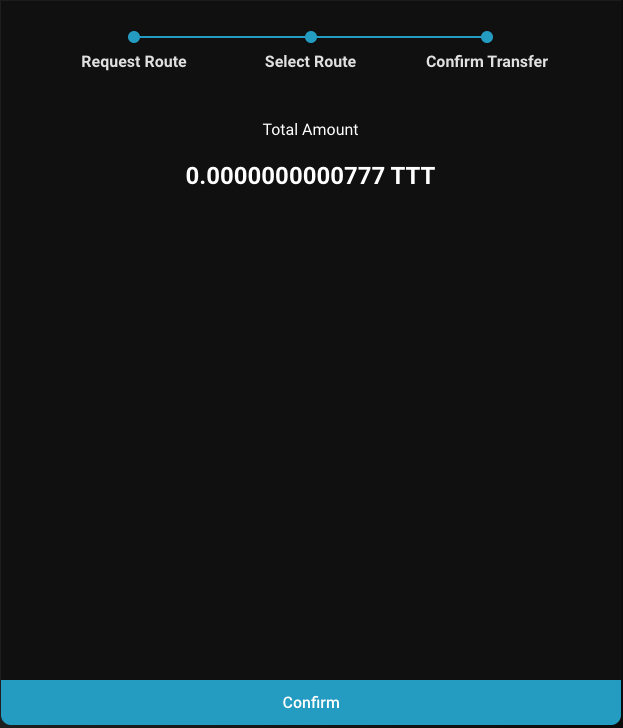
As a user I want to have a breakdown of what tokens I have already transferred and will transfer in an easy to understand way, before actually doing the transfer.
Current confirmation screen for reference:
Acceptance criteria
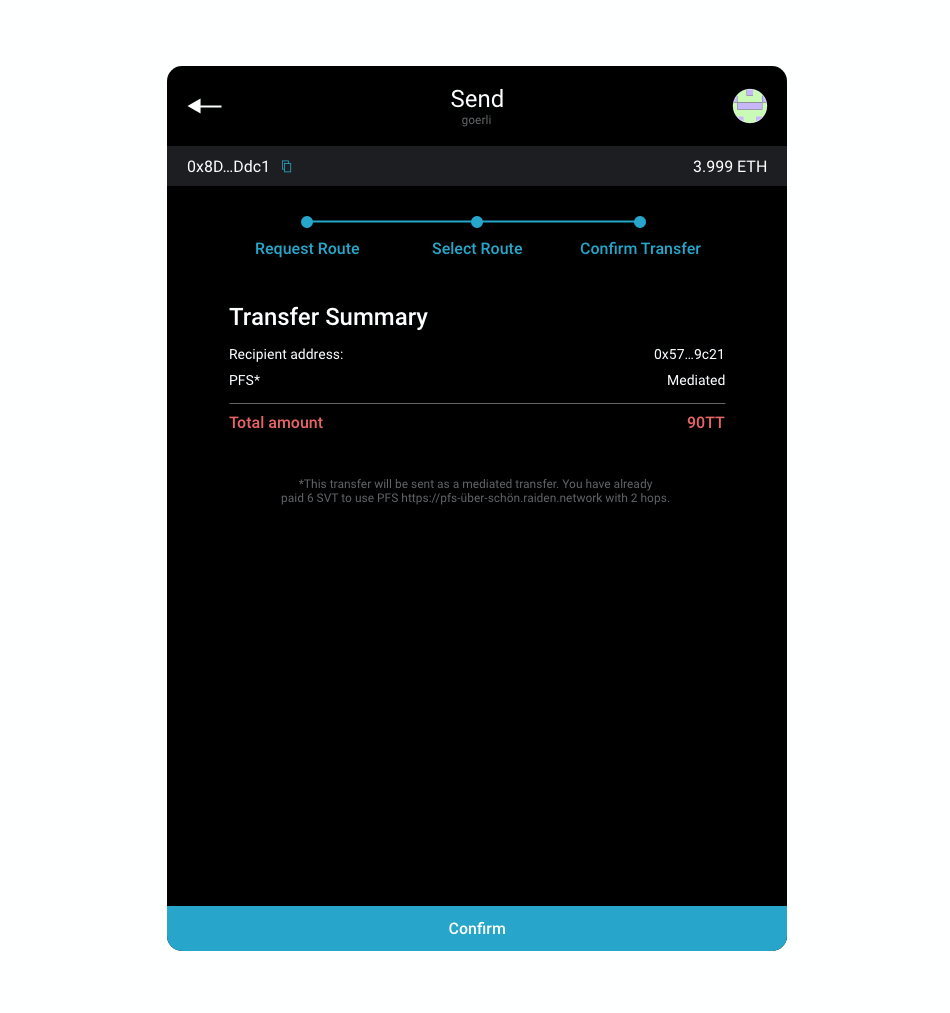
- Shows which route will be used
- Shows what kind of transfer you are doing (direct, mediated)
- Shows the number of hops
- Show the dialogue as well for direct transfers
- Shows the route
- Shows the fees
- Shows how much has been paid for the PFS
- The confirmation screen is always shown (currently it is skipped sometimes)
Tasks
 nephix
All 4 comments
@taleldayekh to create a low fidelity wireframe
 christianbrb
on 15 Jan 2020
christianbrb
on 15 Jan 2020
How about something like this as a start?
The mockup can be viewed here: https://xd.adobe.com/view/3b444b9f-ebff-45e4-5ebe-2314972895e8-4d75/
 taleldayekh
on 16 Jan 2020
taleldayekh
on 16 Jan 2020
Refinement in the daily
Route Request
PFS http://.....
Service Fee 0.001 SVT (checkmark)
Mediated Transfer
Direct Transfer (no route request)
Target xxxxx
Transfer Amount 10.000 TTT
Mediation Fee 0.001 TTT
- - - - - - - - - - - - - - - - - - - -
Total Amount 10.001 TTT
christianbrb
on 16 Jan 2020
👍1
Design and specs seem to be done, so I will start to work on the implementation
nephix
on 5 Feb 2020
👍2
Was this page helpful?
0 / 5 - 0 ratings
Related issues
 andrevmatos
·
4Comments
christianbrb
·
3Comments
christianbrb
·
6Comments
christianbrb
·
5Comments
taleldayekh
·
4Comments
andrevmatos
·
4Comments
christianbrb
·
3Comments
christianbrb
·
6Comments
christianbrb
·
5Comments
taleldayekh
·
4Comments
Most helpful comment
Design and specs seem to be done, so I will start to work on the implementation