Ledger-live-desktop: broken app
Ledger Live Version and Operating System
- tested on Ledger Live v1.4.1
- Platform and version: elementaryOS 0.4.1
Expected behavior
Not spaz out.
Actual behavior
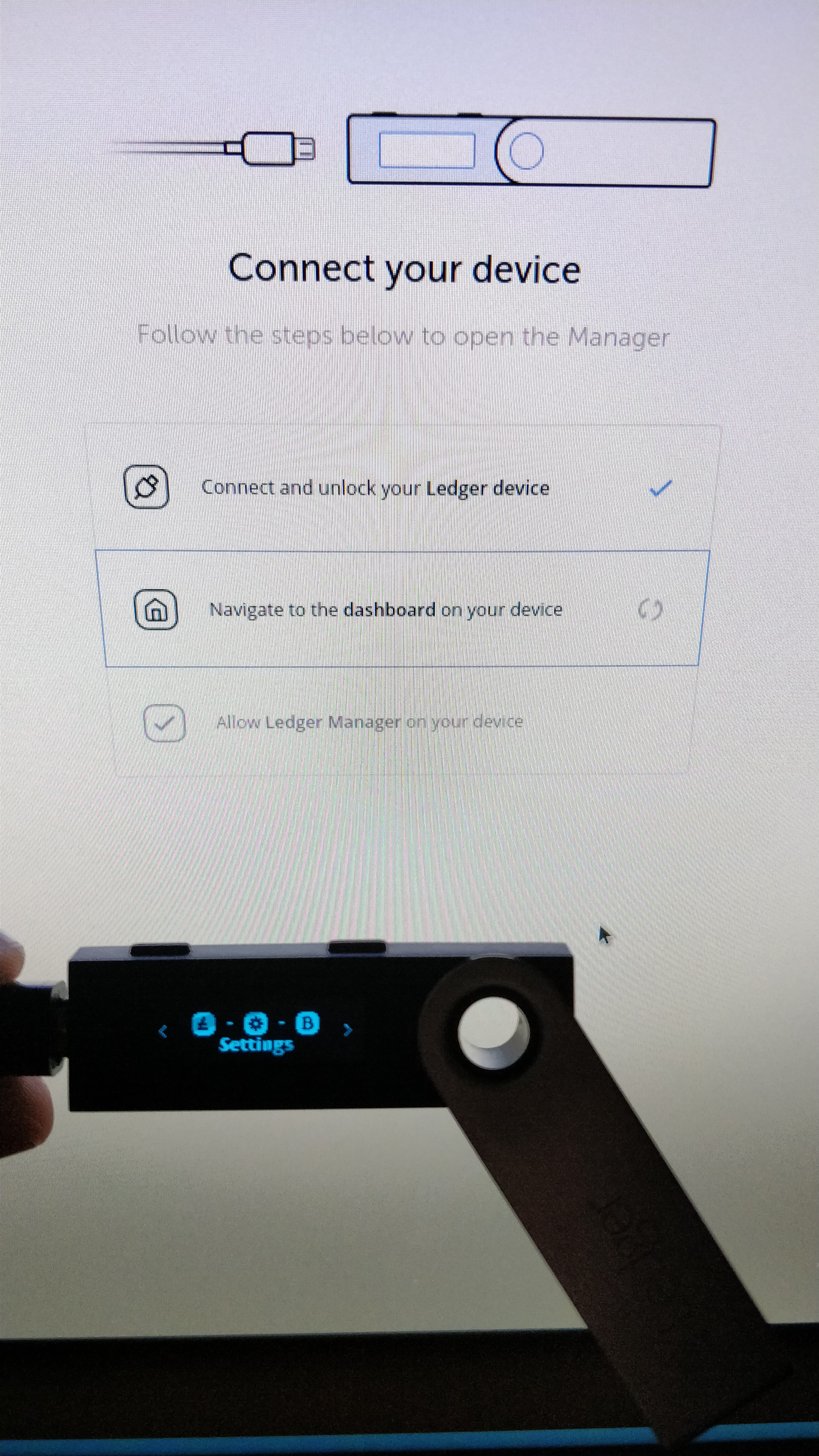
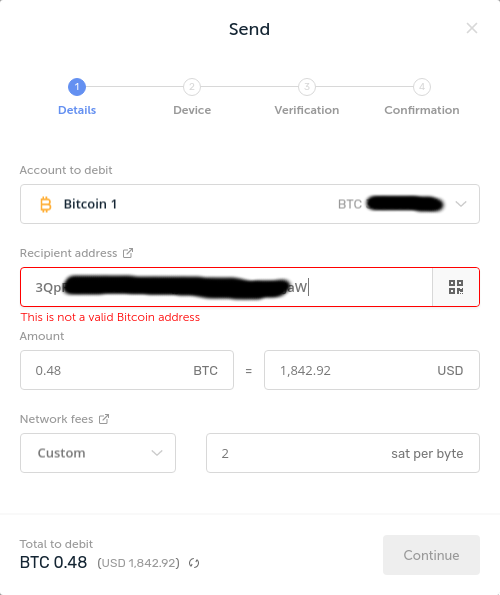
It's taking for-fucking-ever to sync, and I _only_ have about a dozen accounts, each with a few addresses. It's also not detecting Nano S, so I can't update firmware, nor is it letting me send coins due to most absurd errors (timeouts and invalid address?). Also, I don't know which genius thought it was a great idea to save day price rates to settings.json (it's ~25MB on my machine), as well as what I assume is account information in data/accounts field, which is a single line over 20k characters, and most editors have trouble chewing through that.
This whole ledger experience is progressively getting worse with each update, especially considering this is a paid product.

 bumbar1
All 7 comments
Please contact our tech support. GitHub is for development.
 gre
on 5 Mar 2019
gre
on 5 Mar 2019
But all of these are bugs, which I'm reporting. Here's another one, can't fucking read error message because modal bullshit. I don't see how support is going to help, other than telling me to clear the cache (which I've done by the way, and that too took forever. It's almost as if you guys don't do any real testing...).
bumbar1
on 6 Mar 2019
You seem to face synchronisation performance problem. We are planning to improve the performance.
Do you have a lot of transactions in your accounts? Do you have a good internet connection?
GitHub issues need to be more precise (one per issue). Many are already raised and we are planning to solve them.
gre
on 6 Mar 2019
Yes, I'm having too many problems:
- synchronisation is still slow (I've raised an issue about this and apparently the problem was in libcore(?), C++ lib, though it did drastically reduce memory usage, it's still slow)
- I wouldn't say I have a lot of transactions, probably between 50 and 100, and I do have a good and stable internet connection
- having trouble getting device to be recognized in app
I've tried v1.5.0 prerelease, which states Fixed a USB bug that was stopping device communication after some (race) condition (for instance, stuck on "Navigate to the Dashboard on your device"), but the problem is still there, although on security checklist screen, after starting ledger live with "use an initialized device" option (tried on a new machine). I've also tried v1.3.0, which I think was the last version I used that worked, and it detects the device, but errors out with "Oops, couldn't connect to device".
bumbar1
on 6 Mar 2019
@bumbar1 the device connection issue you are facing seems similar to https://github.com/LedgerHQ/ledger-live-desktop/issues/1689, can you check on your side if you have udev rules set?
Hopefully in the future the app will detect the pb and inform user in a better way (cf https://github.com/LedgerHQ/ledger-live-desktop/issues/1810).
 meriadec
on 6 Mar 2019
meriadec
on 6 Mar 2019
I have udev rules set. I've manged to get it working on another pc with wiping app data. Will try at home when I have the time to fully import accounts back and report how it goes.
bumbar1
on 7 Mar 2019
I've reset ledger live at home, added bitcoin and horizen accounts, and it was back to constant "syncing..." state. I've then upgraded to 1.6.0, after wiping live data again, and managed to get it working with bitcoin only, thought it's working very slowly, taking quite a bit of seconds to complete interaction with the device.
bumbar1
on 18 Mar 2019
Related issues
 nicolasbigot
·
3Comments
nicolasbigot
·
3Comments
 NicolasDorier
·
4Comments
NicolasDorier
·
4Comments
 kravens
·
3Comments
kravens
·
3Comments
 Buttaa
·
4Comments
Buttaa
·
4Comments
 MaTthyU
·
4Comments
MaTthyU
·
4Comments
Most helpful comment
I have udev rules set. I've manged to get it working on another pc with wiping app data. Will try at home when I have the time to fully import accounts back and report how it goes.