Latex-workshop: lwv8.9.0 does not recognize `align` environment.
Preliminary questions [Required]
LaTeXWorkshop's autocomplete cant recognize align environnment.
Disable all the other extensions except for LaTeX Workshop, and check that you still see this issue. [Required]
You still see this issue?: Yes
Make sure to visit the wiki FAQ before filling an issue.
You visited the wiki?: Yes
Describe the bug [Required]
When I type \begin and press enter, and then type align, it doesn't display align in the autocomplete list. I only found that align-like environments are not recognized.
Expected behavior
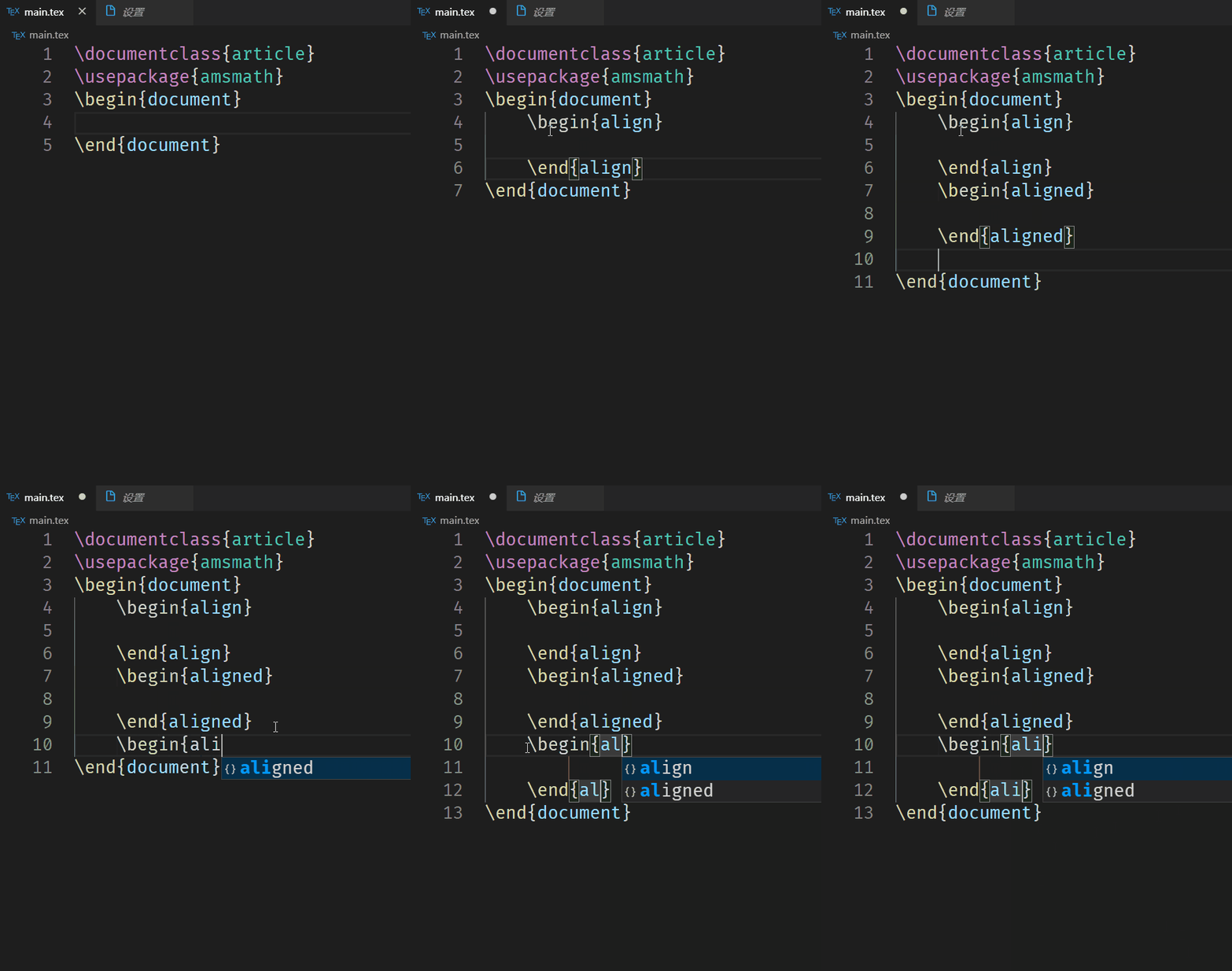
I put screenshots below together.
Screenshots
This is v8.9.0

This is v8.8.0

Desktop [Required]
- OS: Windows 10
- VS Code version: 1.44.2
- Extension version: 8.9.0
- TeX distribution version: TeXLive2020
Additional questions
Are you using LaTeX Workshop with VS Code Remote?
No
 syvshc
All 25 comments
The align environment is defined by the amsmath package and is now provided by the package contributed environment mechanism for intellisense. The tricky thing is that the mathtools package internally loads amsmath but the intellisense feature is not aware of it. If you manually include \usepackage{amsmath} everything will work fine. I will investigate if there is a way to link packages together for intellisense.
Note that in your first screenshot, you do not actually need to perform a two step completion. You can directly choose the environment after typing \begin{ and everything will be properly completed along with the \end{envname} command.
 jlelong
on 26 Apr 2020
jlelong
on 26 Apr 2020
@jlelong Thanks for your reply, but when I only included \usepackage{amsmath{ it didn't work too,.

syvshc
on 27 Apr 2020
I do confirm that with \usepackage{amsmath}, the align environment is available in the completion list.
Depending on your value of latex-workshop.intellisense.update.aggressive.enabled, you may need to save the file after adding \usepackage{amsmath} to make intellisense take the amsmath package into account.
jlelong
on 27 Apr 2020
Ahhhh. I disabled all other extensions, and restarted vscode, checked the setting you've said, it didnt work. :(

syvshc
on 27 Apr 2020
I had the same problem...both on Windows 10 and Ubuntu...
 Bang-view
on 27 Apr 2020
Bang-view
on 27 Apr 2020
The delay for the extension to update intellisense after typing has stopped is defined in latex-workshop.intellisense.update.delay. Can you try yo save the file after adding \usepackage{amsmath}?
Also I suspect you face an other issue in your example. As you start from an empty file, it is not considered as the root file before you actually save it for the first time.
jlelong
on 27 Apr 2020
well, I set latex-workshop.intellisense.update.delay as 10 and did what you've said. However there came out a new problem.

These two .tex is in the same folder, and I've worked in this project for months. In main.tex there isn't align, and in chapter4.tex, there is only align* in the list. However in another folder, there are align and align* two options, but in an other file in the same folder, it didn't work again.

And you know that in VSCode, when the white dot beside the name of the file become an x, it means I save the file, for example through ctrl+s.
syvshc
on 27 Apr 2020
You can see from https://github.com/James-Yu/LaTeX-Workshop/wiki/Intellisense#environments that every environment used at least once is added to the intellisense list. If you remove a \usepackage, the corresponding entries are not removed from intellisense.
You definitely do not want to set latex-workshop.intellisense.update.delay to a too small value as it would inevitably trigger parsing while the file contains syntax errors, which aborts the parsing.
I cannot reproduce your second example. Could you post anything suspicious from the Console logs (available from _Toggle Developer Tools_)? Thanks for your help
jlelong
on 27 Apr 2020
Sorry, I can't use Toggle Developer Tools well, so I got more screenshots. I tested some situations in a new folder, new .tex file, and after I type every environment, I save the file manually. Also I changed latex-workshop.intellisense.update.delay to 500.
When I didn't type anything of
alignenvironment, there wasn'talign-likeenvironments' hints.After I manually type a complete
alignenvironment, analignenv was hinted in the list.
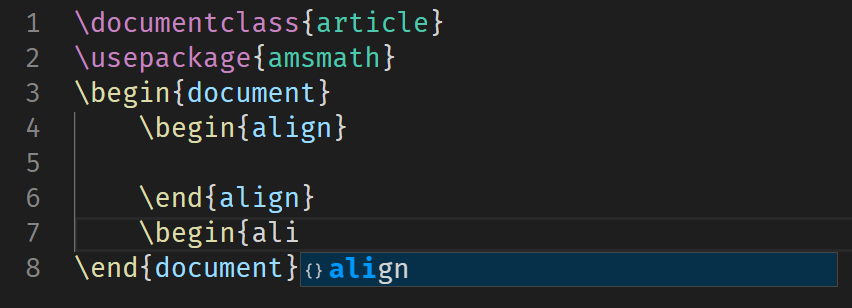
Pay attention here is \begin{, which is input by \begin+enter.
- After I manually typed a complete
align*environment,alignandalign*env were hinted in the list.
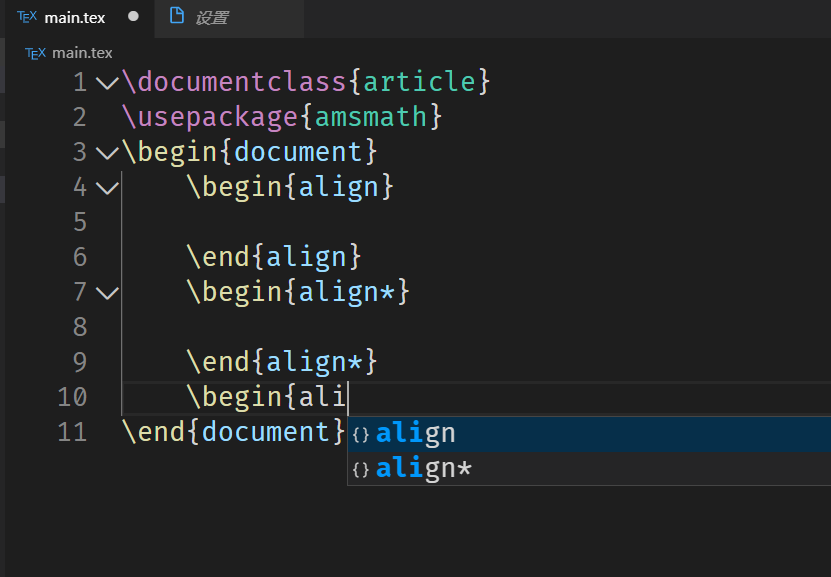
- After I manually typed
alignedenvironment, it only left onealignedenvironment.
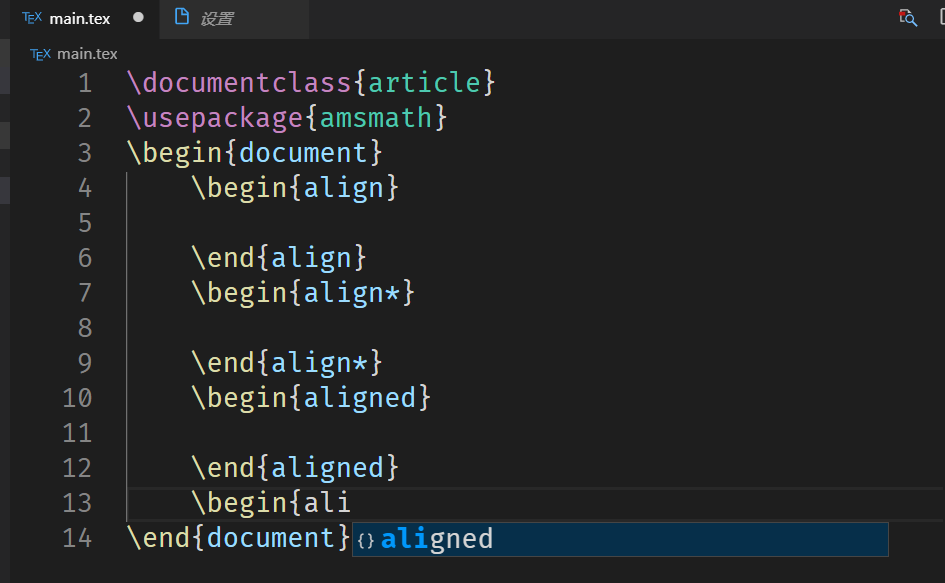
- However it appeared 3 items in the completed environment
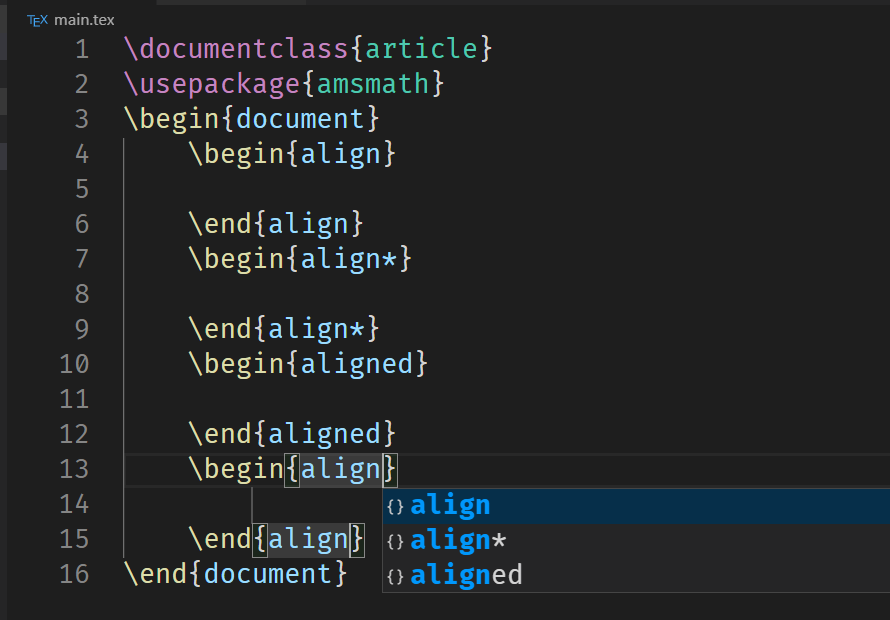
Here the environment is input by \begin+enter+enter. So I'm confused how it works actually.
syvshc
on 27 Apr 2020
I found another thing which can't said to be a bug. So I don't open a new issue to give the feedback.
When I type \begin and press enter , it gives a normal pair of environment. However when I sometimes type \begin{ and press enter, it gives a wrong environment.

syvshc
on 27 Apr 2020
Concerning your last post, the issue comes from the pair-completion of { when you type \begin{. I am not sure if I can fix this easily.
jlelong
on 27 Apr 2020
When I type \begin and press enter , it just gives a { and intellisense list.

Bang-view
on 27 Apr 2020
This is the new desired behaviour as it allows to handle optional arguments for \begin. The completion will also add the \end part.
jlelong
on 27 Apr 2020
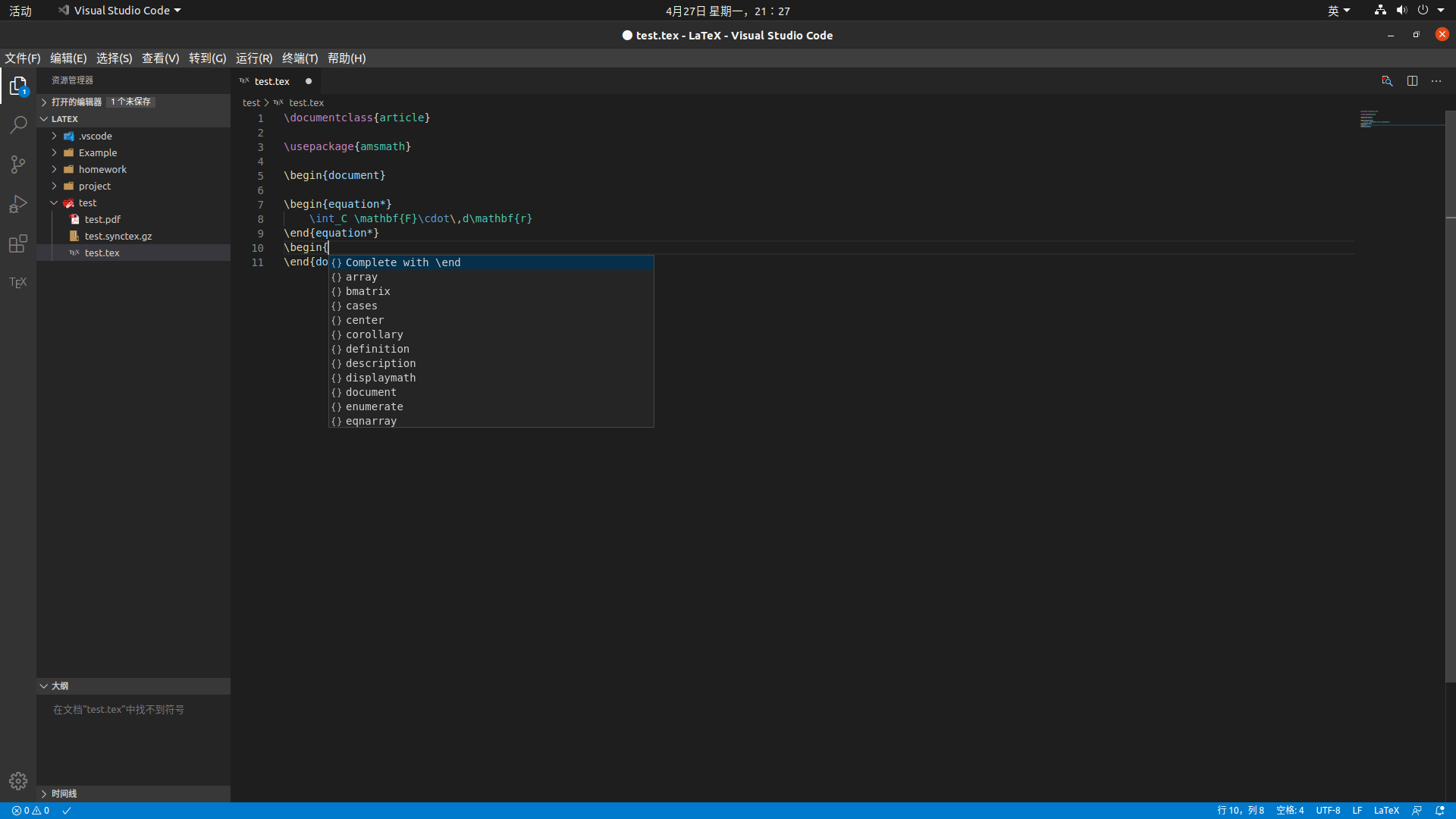
I do reinstall lw and restart vscode, the problem is still here. Is aligned something special?
syvshc
on 27 Apr 2020
It takes a bit of time for me to adapt it...but I can't find align,aligned and align* in the intellisense list too.
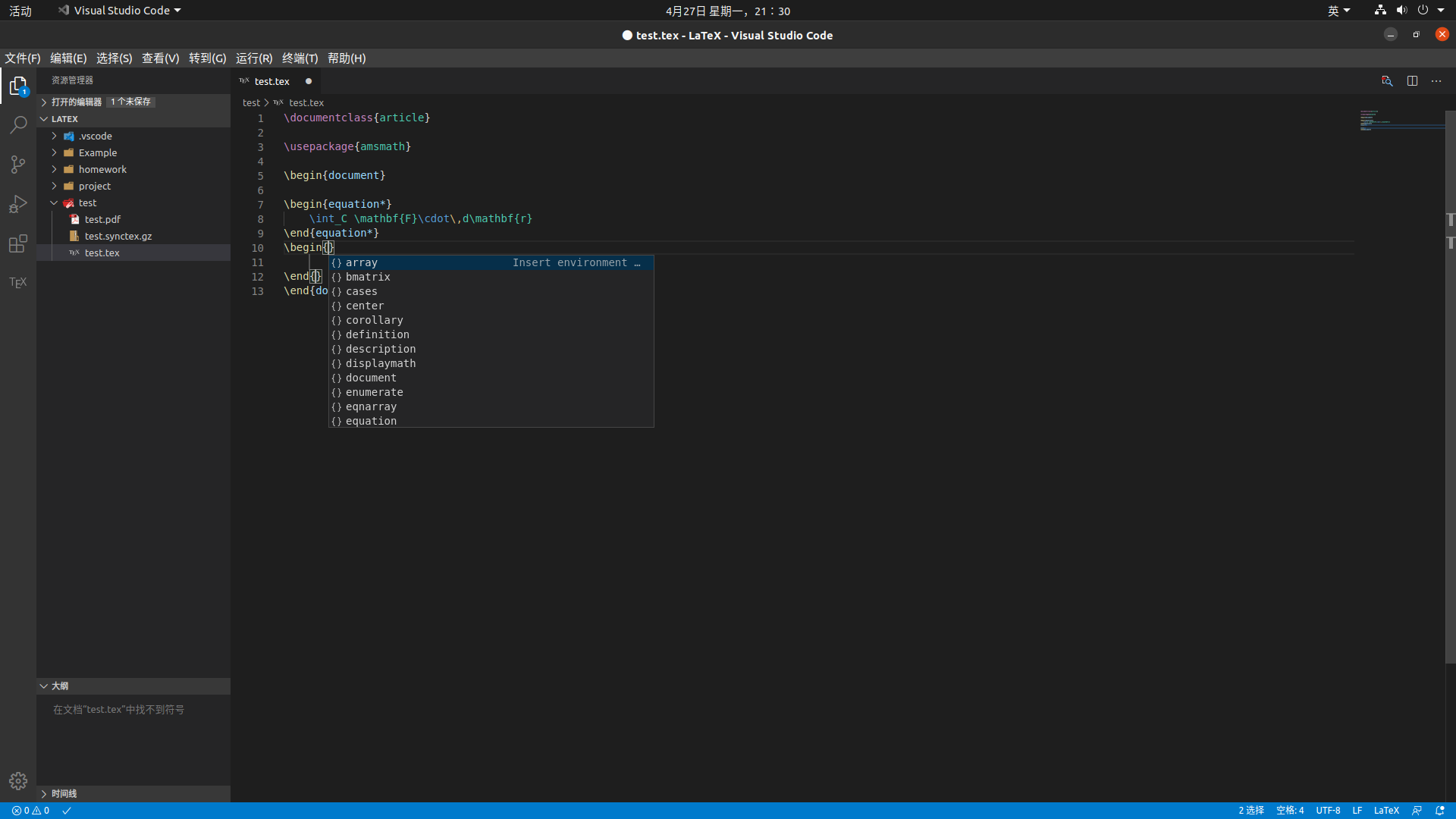
Bang-view
on 27 Apr 2020
This is the new desired behaviour as it allows to handle optional arguments for
\begin. The completion will also add the\endpart.
But as far as i;m concerned, I cant know if my target environment is in the intellisense list. If not, I have to delete to at least to the \begin's n, type n and press enter and enter to call the whole environment out.
syvshc
on 27 Apr 2020
I do reinstall lw and restart vscode,
I am sorry yo insist but I really do not get why I cannot reproduce your issue.
Have tried removing .vscode/extensions/james-yu.latex-workshop-8.9.0 by hand? Removing an extension from inside vscode does not actually delete it. Then, reinstall it.
jlelong
on 27 Apr 2020
I do reinstall lw and restart vscode,
I am sorry yo insist but I really do not get why I cannot reproduce your issue.
Have tried removing.vscode/extensions/james-yu.latex-workshop-8.9.0by hand? Removing an extension from inside vscode does not actually delete it. Then, reinstall it.
yes, I removed it manually and restart vscode.
And you means that on your device align-like environment can correctly display in the intellisense list?
syvshc
on 27 Apr 2020
Indeed, it works on my installation

jlelong
on 27 Apr 2020
It's so strange, there is another bro in this issue meets this problem. I'm testing on Win 10, and he tested on Win10 and Ubuntu.
And I dont know what logs can T provide to solve this problem. If there is anything I can do, I will do, and I will switch back to v8.8.0 temporarily to finish my project.
Thanks a lot! : )
syvshc
on 27 Apr 2020
Maybe I get it! Could that be that latex-workshop.intellisense.package.enabled is set false?
jlelong
on 27 Apr 2020
Maybe I get it! Could that be that
latex-workshop.intellisense.package.enabledis set false?
WOW!!! That is! When I change that option to true, everything works!! Thanks for replying!
And @Bang-view this method works for me, you can have a try. ;)
syvshc
on 27 Apr 2020
Thanks to both of you @syvshc @jlelong very much ,I have solved the problem !!!
Bang-view
on 27 Apr 2020
Ok, and I close this issue, thank you both!
syvshc
on 27 Apr 2020
I am glad that we have finally got it! However, this inspires me of two things
- standard mathematical environments should be added to the default list to enable completion even when
latex-workshop.intellisense.package.enabledisfalse. I will do it. - The default value of
latex-workshop.intellisense.package.enabledshould betrue. @tamuratak any opinion on that?
jlelong
on 27 Apr 2020
Related issues
 domenicozambella
·
4Comments
domenicozambella
·
4Comments
 sidmishraw
·
3Comments
sidmishraw
·
3Comments
 wstcegg
·
5Comments
wstcegg
·
5Comments
 kookma
·
4Comments
kookma
·
4Comments
 iainmstott
·
5Comments
iainmstott
·
5Comments
Most helpful comment
I am glad that we have finally got it! However, this inspires me of two things
latex-workshop.intellisense.package.enabledisfalse. I will do it.latex-workshop.intellisense.package.enabledshould betrue. @tamuratak any opinion on that?