Latex-workshop: Delay when pressing enter
I just installed version 5.13.0 and I am now getting a long delay (2s?) when pressing enter. Disabling latex-workshop.bind.enter.key does not help. Thanks!
 flxflx
All 40 comments
For solidarity, I've recently been getting this issue too. At least from 5.12.
Another interesting quirk with this – I've found that despite the issues getting enter to create a new line — if you expand snippets that include a new line it's instant and works fine. However, pasting new lines also has a long delay so I'm not sure quite what to make of this.
_Edit:_ Also, with regards to the length of the delay it seems dependent on two factors to me:
- how good the computer is. This is painful on my potato PC, and a slight irritation on my custom desktop
- how large the file is, seems like ∼2× the delay for my 2.5k file than my 1k
 tecosaur
on 18 Oct 2018
tecosaur
on 18 Oct 2018
I am having the same issue. It seems to coincide with the release of VSCode 1.28.2, but that may be a coincidence.
 arjunguha
on 18 Oct 2018
arjunguha
on 18 Oct 2018
Another thing I've found: Shift+Enter seems to work for some reason...
tecosaur
on 19 Oct 2018
Unfortunately, I cannot reproduce the problem on OS X.
 jlelong
on 19 Oct 2018
jlelong
on 19 Oct 2018
Am I correct in guessing you've tried a large file?
tecosaur
on 19 Oct 2018
I have tried on a 56k tex file. Can you provide an example?
jlelong
on 19 Oct 2018
That's much larger than the files I am having an issue with, since this seems to be a PC/mac difference could it be something to do with vs code itself?
If you can tell us how to try an earlier version of LaTeX-Workshop we could try that and see if there's still an issue.
tecosaur
on 19 Oct 2018
I just tried on two PC, one is a rotten potato, and no significant delay is observed. I am neither aware of what might be causing this.
 James-Yu
on 19 Oct 2018
James-Yu
on 19 Oct 2018
I'm there some way to do something like performance analysis since Vs code
uses electron?
tecosaur
on 19 Oct 2018
I tried this more systematically. I'm on macOS latest:
- There is no issue when LaTeX Workshop is the only extension loaded
- This problem only occurs when using LaTeX Workshop and Spell Right
- However, the problem does not occur when spell checking a plain text file. (i.e., if I change the extension from .tex to .txt, the delay on enter disappears).
So, it appears to be some sort of bad interaction between extensions. Other folks who have this issue: are you also using Spell Right (or some other spell-checker)?
arjunguha
on 19 Oct 2018
As it so happens I am also using Spell Right. I'll update this comment with what happens when I disable it.
Update: I have done so, enter still had a noticeable delay while shift+enter did not.
tecosaur
on 19 Oct 2018
Performance Analysis Part 1
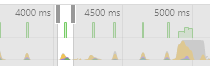
Another tidbit, I used the performance profiley thingy and got this graph:
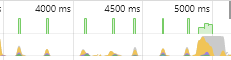
Every odd small hump (1st, 3rd, 5th, and 7th hump) correspands to me pressing a letter and enter and basically the same time, and the big bump is when all the enters are actually added.

Edit: Note — this was with _Spell Right_ disabled
tecosaur
on 19 Oct 2018
Perormance Analysis Part 2
When new lines are inserted
The following refers to this section:
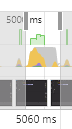
I noticed that the actual adding of the new lines seems to happen at the end of the purple blip. This corresponded to this function call:
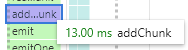
And the call tree is … deep. Quite deep
Screenshots
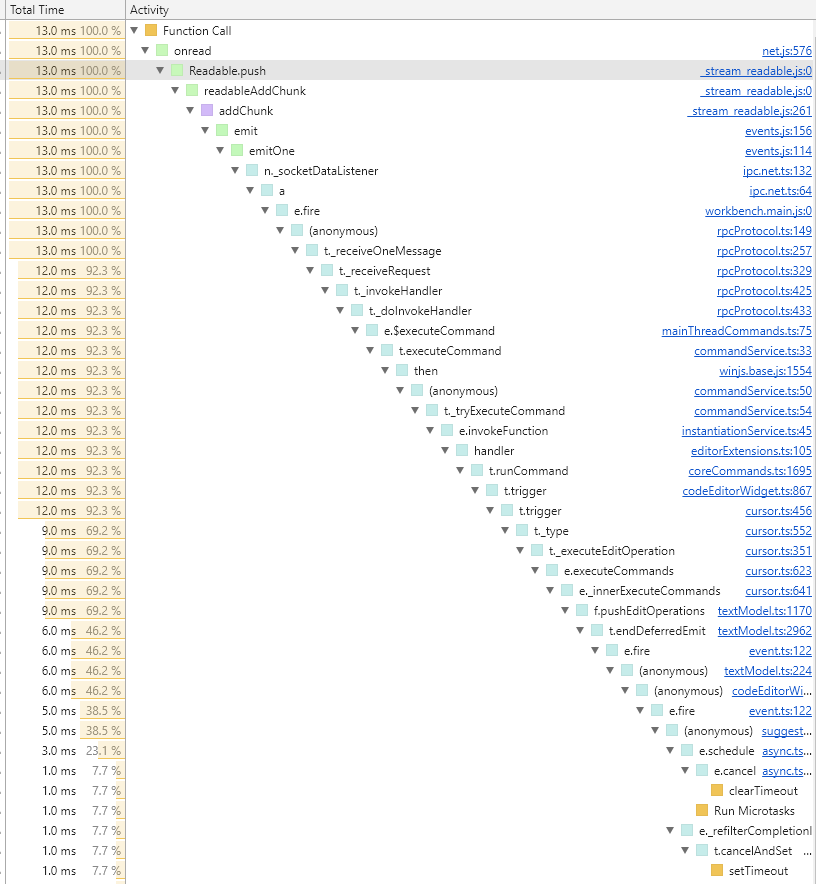
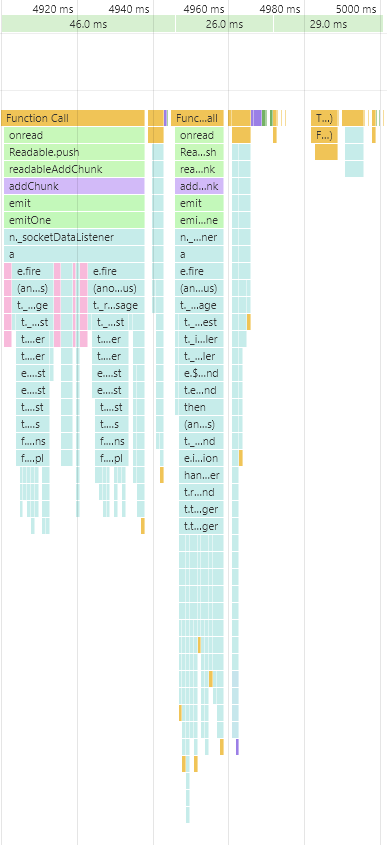
When enter pressed (and before new line inserted)
The following refers to this section:
This is what the call tree looks like
Screenshots
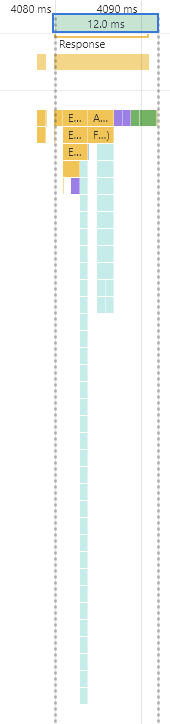
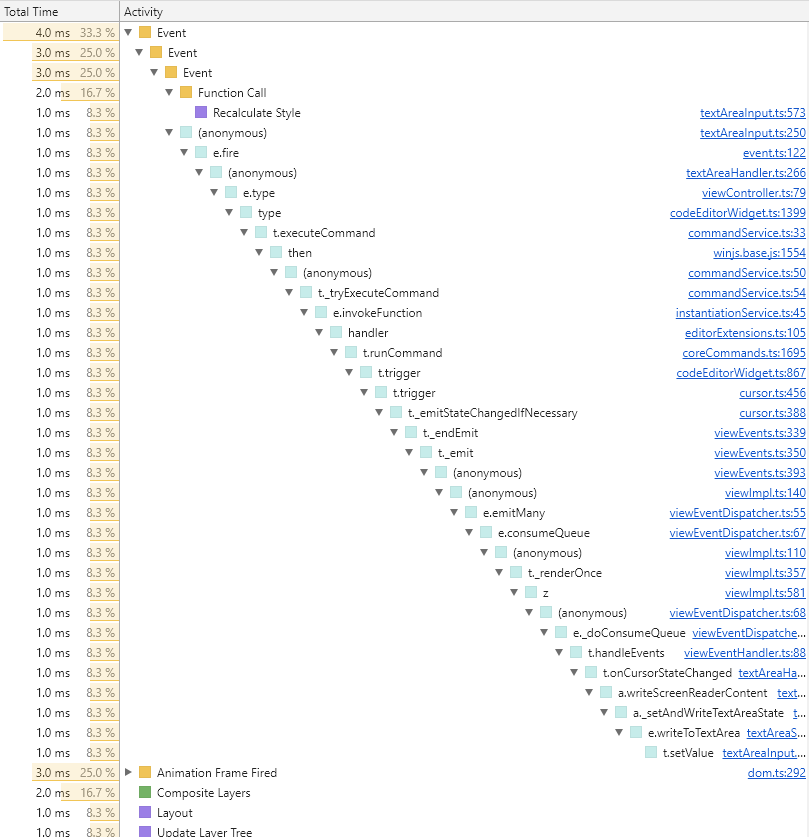
Sorry about the scroling, hopefuly something here might be helpful, let me know if you want more detail on any of the events
tecosaur
on 19 Oct 2018
Actually when Spell Right came out I tried it several times. In each time I was just bothered by the random delay you described. I have no idea what was causing that, and I highly suspect it was on the other side.
James-Yu
on 19 Oct 2018
@James-Yu have you got any comment about what I found (Performance Analysis Pt1&2) because that was with _Spell Right_ Disabled.
tecosaur
on 19 Oct 2018
Other relevant info
Since I have ∼60 extensions installed I thought it would be worth checking another file type to see if I still have this issue. I tried a 10k line javascript file. No noticeable lag whatsoever, delay previously observed on 2k line LaTeX files.
Conclusion
This is seems to be LaTeX specific.
tecosaur
on 19 Oct 2018
Have you tried disabling all extensions except for this one?
James-Yu
on 19 Oct 2018
Have tried. Result:
I retract my earlier statement, this isn't purely because of this extension. My best guess is that there are multiple extension-interaction type things contributing to this. I still find it odd that since it doesn't seem to be purely LaTeX workshop, that other file types didn't suffer from the same issue.
tecosaur
on 19 Oct 2018
Unfortunately, until you or someone identified which extensions are fighting, I cannot proceed to debugging. A worse guess is that this might be an upstream vscode problem.
James-Yu
on 19 Oct 2018
Some extensions which cause this issue
- Spell Right
- Brackets Pair Colouriser 2
- Prettify Symbols Mode
That's the list from me so far
Note
Also got 24 extensions running without noticeable impact
tecosaur
on 19 Oct 2018
Hello everyone.
I would eagerly try to have a look but would like to have some reference file that someone can declare as the one which suffers the delay when pressing Enter here or there.
I have edited multitude of LaTeX documents (using LaTeX Workhop) and have not noticed the issue. Maybe they were not big enough.
 bartosz-antosik
on 22 Oct 2018
bartosz-antosik
on 22 Oct 2018
@bartosz-antosik try this:
test.tex.zip
tecosaur
on 22 Oct 2018
@James-Yu Please help! I have been staring at this issue for quite few hours and all the observations seem to be true: Once Latex Workshop is used alone no blocking at all, same with Spell Right used alone!
Once however I remove in onDidChangeTextDocument event (which seems to be the only thing I do around enter click) nothing changes - the delay is still there. Strange observation that when I log start and stop of processing in onDidChangeTextDocument event, they both start after substantial delay after the enter is pressed.
It could suggest that "there is something wrong in they part" but I have seen strange things.
Could you please have some thought on this from your POV please?
bartosz-antosik
on 23 Oct 2018
I'll look into it
James-Yu
on 24 Oct 2018
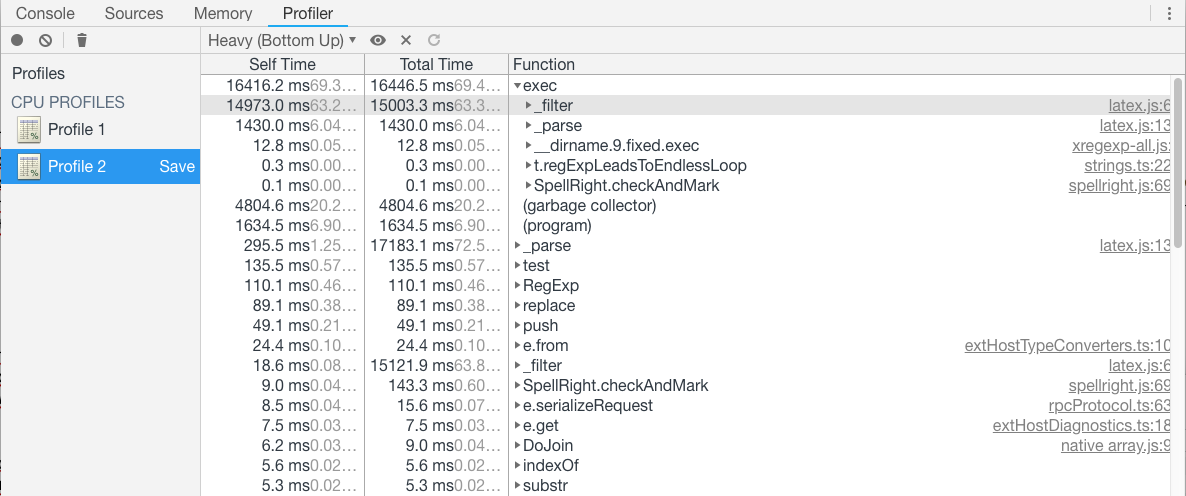
Profiler says that RegExp.prototype.exec() called from _filter and _parse in vscode-spellright/lib/parsers/latex.js consumes the most of CPU time.
 tamuratak
on 24 Oct 2018
tamuratak
on 24 Oct 2018
@tamuratak Yes, I am aware about this, but: 1/ this time is linearly proportional to the size of the document, 2/ it does happen in every type of document spelled (so not LaTeX documents only) 3/ In This cooperation (Latex Workshop + Spel Right) this delay after ENTER key does not happen at every press of ENTER 4/ When I disable whole processing in onDidChangeTextDocument the delay persists 5/ It amounts to 1.4 second not over 5. Technically it is parsing for InDocument commands & some general cleanup before spelling (e-mails, www addresses etc.)
bartosz-antosik
on 24 Oct 2018
I think the following is the cause.
When pressing Enter key, a command latex-workshop.onEnterKey is queued. Until Spell Right finishes its job, and it takes very long time, VSCode waits to invoke the command. Then, we see a delay. When pressing Shift+Enter, a command latex-workshop.onEnterKey is not queued. Then we don't see the delay. For example, if we delete latex-workshop.onEnterKey in package.json, we don't see the delay.
tamuratak
on 24 Oct 2018
@tamuratak So it should not happen (or at least be limited to 1.4 second) once you set latex-workshop.onEnterKey to false?
bartosz-antosik
on 24 Oct 2018
No, it should not. Please try yourself.
tamuratak
on 24 Oct 2018
@tamuratak I did and I still have the delay.
bartosz-antosik
on 24 Oct 2018
- Please uninstall all the other plugins except LaTeX-Workshop and Spell Right.
- Paste the following to
keybindings.json
    {
        "key": "enter",
        "command": "-latex-workshop.onEnterKey",
        "when": "editorTextFocus && !editorReadonly && !suggestWidgetVisible && !vim.active && editorLangId == 'latex'"
    },
    {
        "key": "enter",
        "command": "-latex-workshop.onEnterKey",
        "when": "editorTextFocus && vim.active && !editorReadonly && !suggestWidgetVisible && editorLangId == 'latex' && vim.mode == 'Insert'"
    }
- See any delay?
tamuratak
on 24 Oct 2018
@tamuratak Last thing: Could you please elaborate a bit on why onEnterKey is queued? I do not get this as I do the same exactly thing in case of every onDidChangeTextDocument event and it does not seem to slow other extensions?
bartosz-antosik
on 24 Oct 2018
I cannot get your point. I want to know whether you still see any delay with only the two extensions.
tamuratak
on 24 Oct 2018
@James-Yu I think you may close this thread.
bartosz-antosik
on 25 Oct 2018
@bartosz-antosik can I take that to mean you've found a fix (and implemented it)?
tecosaur
on 25 Oct 2018
@tecosaur No. Fix is very complicated and will take time.
bartosz-antosik
on 25 Oct 2018
@bartosz-antosik I'm sorry to hear that. Can you confirm that a fix is on the horizon for the extension (I really don't want to stop using your extension)?
tecosaur
on 30 Oct 2018
@tecosaur Yes I am working on resolution.
bartosz-antosik
on 30 Oct 2018
@bartosz-antosik Is there an issue in SpellRight repo tracking this? Could not find one.
 igor-krupenja
on 26 Mar 2019
igor-krupenja
on 26 Mar 2019
I think the following is the cause.
When pressing Enter key, a command
latex-workshop.onEnterKeyis queued. Until Spell Right finishes its job, and it takes very long time, VSCode waits to invoke the command. Then, we see a delay. When pressing Shift+Enter, a commandlatex-workshop.onEnterKeyis not queued. Then we don't see the delay. For example, if we deletelatex-workshop.onEnterKeyinpackage.json, we don't see the delay.
Manually disabling these binds solved the problem.
 felipecrp
on 1 Apr 2019
felipecrp
on 1 Apr 2019
Related issues
 TiemenSch
·
6Comments
jlelong
·
4Comments
TiemenSch
·
6Comments
jlelong
·
4Comments
 kookma
·
4Comments
kookma
·
4Comments
 s-ilic
·
3Comments
s-ilic
·
3Comments
 dslemusp
·
4Comments
dslemusp
·
4Comments
Most helpful comment
@tecosaur Yes I am working on resolution.