Laravel-excel: CSV Import Progress Bar (Sheets)
Prerequisites
- [x] Have read and understood: https://github.com/Maatwebsite/Laravel-Excel/blob/3.1/.github/SUPPORT.md
- [x] Checked if your Laravel Excel version is still supported: https://docs.laravel-excel.com/3.1/getting-started/support.html#supported-versions
- [x] Checked that your question isn't already asked before.
- [x] Filled in the entire issue template
Versions
- PHP version: PHP 7.2.24
- Laravel version: 5.8.36
- Package version: 3.1
Description
In my project I have two types of import, in the first type, I don't need more than one excel sheet, in the second type WithMultipleSheets implement with some sheets. When using WithProgressBar for the first case, I can see the progress bar perfectly through the laravel console. In the second case I can't. To catch the flaws of the second case I have to use try catch. My file with sheets is too big, when I generate an import I can't see what's going on.
Additional Information
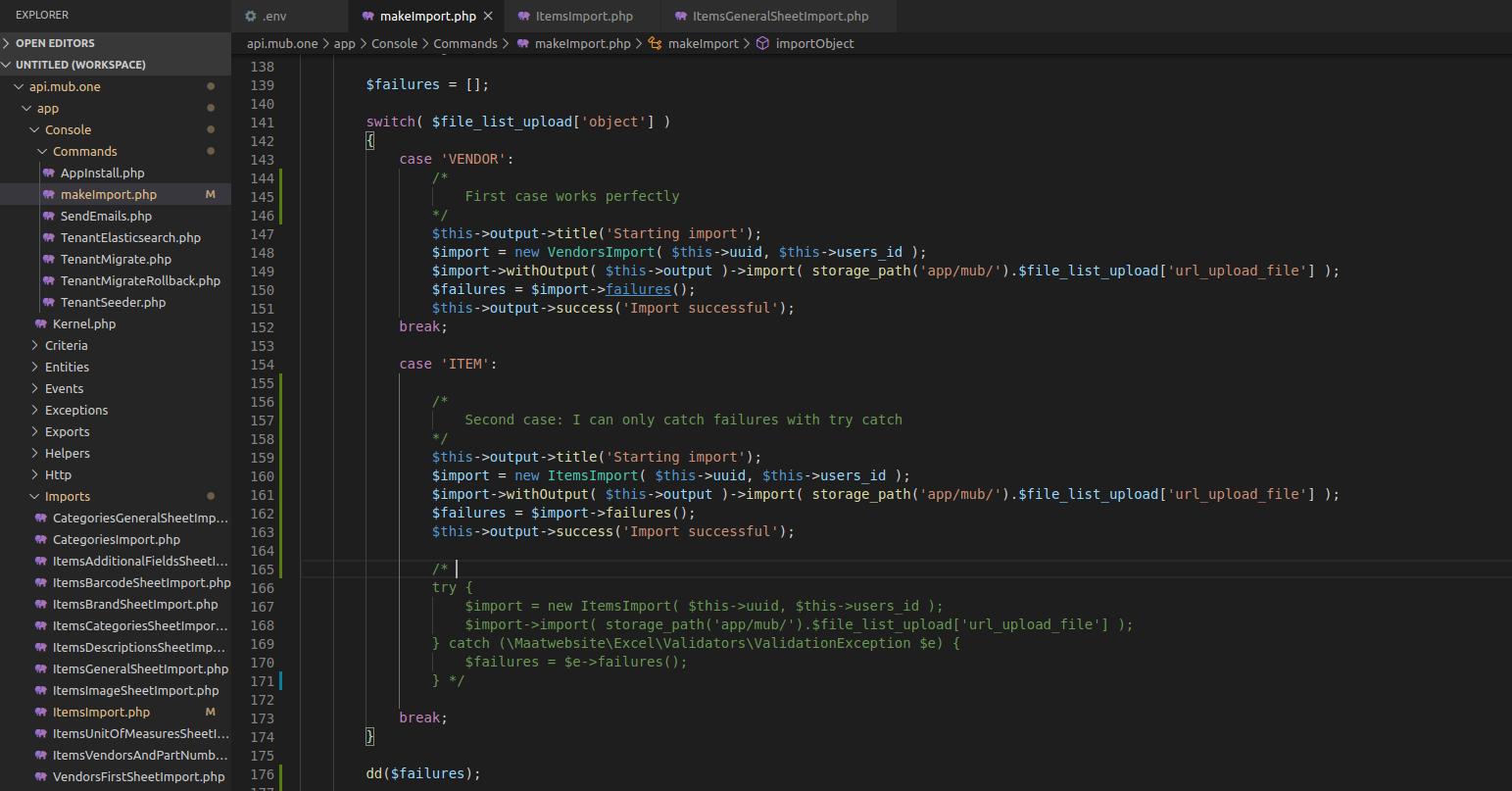
first case (ok)
.. Realize that I implement several concerns (WithHeadingRow, WithProgressBar, ToModel, WithValidation, SkipsOnFailure)

Console:
I imported 197 vendors, no errors returned. With the console, I can see exactly what's going on.

second case

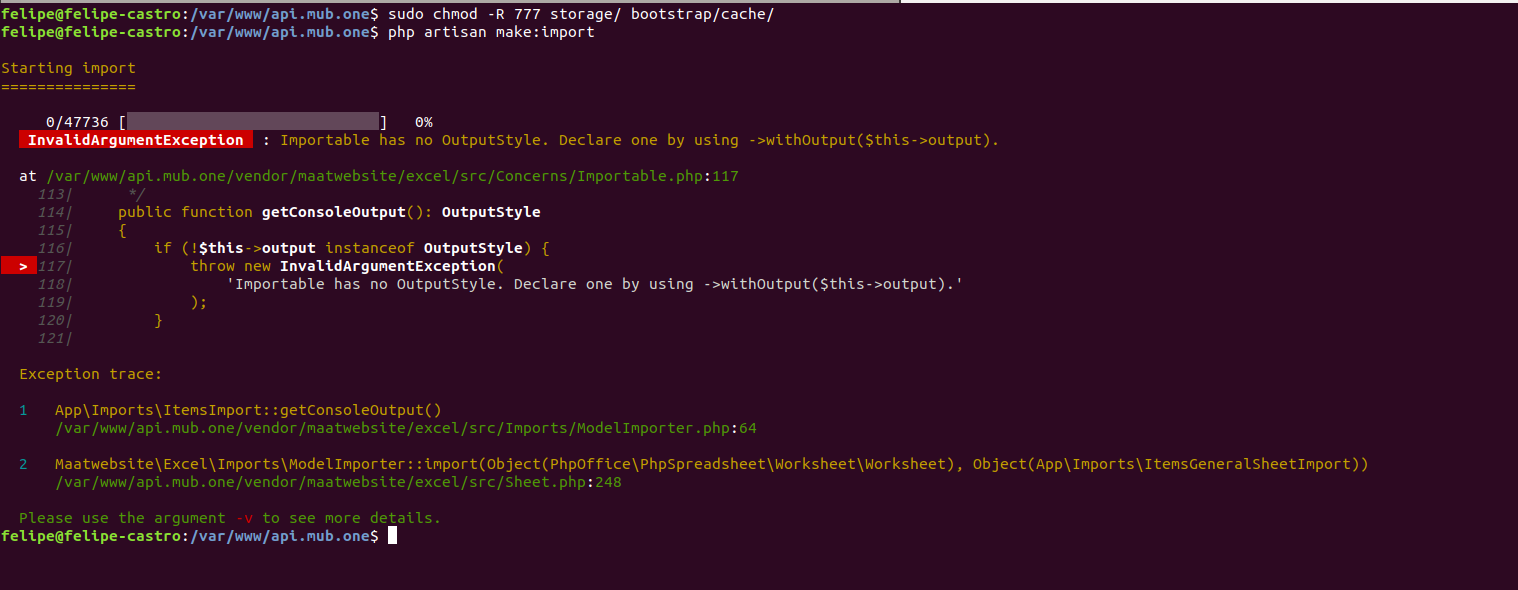
When trying to import an item file with 47736 records, remembering that it has excel sheets, the file returns this error:
follows my first sheets, the others are very similar to her.
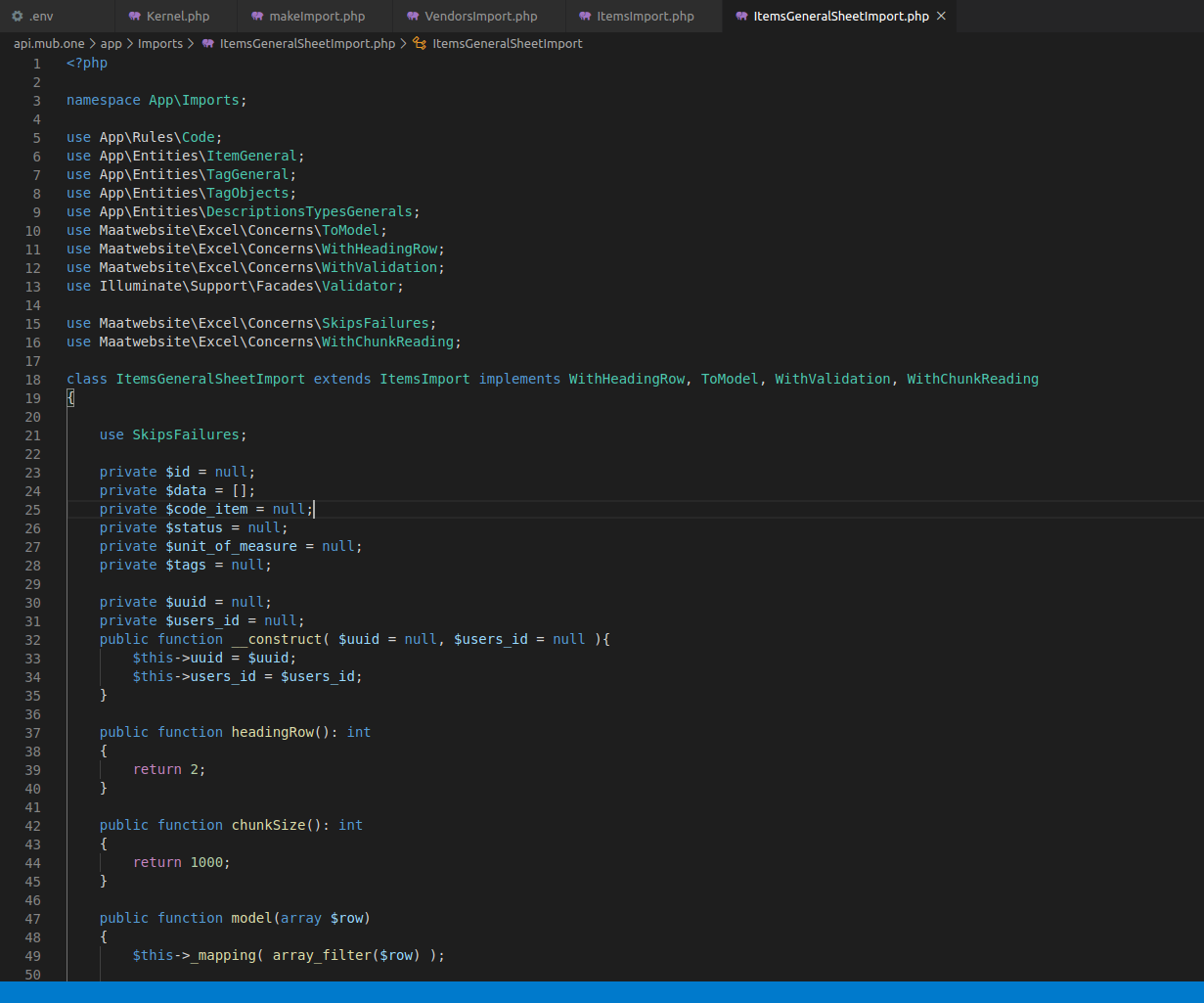
I don't know if I have to pass the progress bar to too many sheets, or if some concerns are not being called. I've even tried to call the WithProgressBar concern on my sheets, but it also generates the same error. What do you suggest me ?
 felipemub
>All comments
@felipemub I had the same issue when using multiple sheets. The trick is that your imports for each sheet doesn't know who's $this->output from ->withOutput. In order to solve it, add the ->withOutput($this->output) to your sheets or conditional sheets function.
A small example
class YtdImport implements ToModel, WithBatchInserts, WithChunkReading, WithMultipleSheets, WithHeadingRow, WithProgressBar, SkipsUnknownSheets
{
    use WithConditionalSheets, Importable;

    public function conditionalSheets(): array
    {
        return [
            'Details' => (new YtdImport())->withOutput($this->output)
        ];
    }
Hope it works in your case.
Best
 akizor
on 14 Apr 2020
akizor
on 14 Apr 2020
Related issues
 contifico
·
3Comments
contifico
·
3Comments
 lucatamtam
·
3Comments
lucatamtam
·
3Comments
 daraghoshea
·
3Comments
daraghoshea
·
3Comments
 ellej16
·
3Comments
ellej16
·
3Comments
 muhghazaliakbar
·
3Comments
muhghazaliakbar
·
3Comments
Most helpful comment
@felipemub I had the same issue when using multiple sheets. The trick is that your imports for each sheet doesn't know who's
$this->outputfrom->withOutput. In order to solve it, add the->withOutput($this->output)to your sheets or conditional sheets function.A small example
Hope it works in your case.
Best