Laravel-excel: [BUG] 'File not found at path' when importing file on server while file_exists($path) returns true
Prerequisites
- [x] Able to reproduce the behaviour outside of your code, the problem is isolated to Laravel Excel.
- [X] Checked that your issue isn't already filed.
- [X] Checked if no PR was submitted that fixes this problem.
Versions
- PHP version: 7.1.16
- Laravel version: 5.7
- Package version: 3.1.1
Description
When I try following the documentation on importing a file stored on the server, I get an Illuminate\Contracts\Filesystem\FileNotFoundException saying File not found at path: [path to file]. However, a file_exists($path); returns true.
Steps to Reproduce
- Install a fresh version of Laravel.
- Install Laravel Excel.
- Put your xlsx-file in the project folder, for example in the storage/app folder.
- Run
php artisan make:import UsersImport --model=User. - Add the following code to a route, command or somewhere you can run it:
use Maatwebsite\Excel\Facades\Excel;
use App\Imports\UsersImport;

Excel::import(new UsersImport, storage_path('app/test.xlsx'));
- Run the code.
Expected behavior:
According to the docs, the rows in the file should be imported to the users table.
Actual behavior:
Illuminate\Contracts\Filesystem\FileNotFoundException: File not found at path: [path]
 mattias-persson
All 21 comments
@mattias-persson
Try this one instead:
Excel::import(new UsersImport, 'test.xlsx');
See Importing from default disk for more information how to deal with the files you'd like to import.
 GlennM
on 11 Oct 2018
GlennM
on 11 Oct 2018
Ah, my bad. I missed that part of the docs. Thank you!
mattias-persson
on 11 Oct 2018
i have same trouble, :(
controller:
namespace App\Http\Controllers\Admin;
use App\Model\Mahasiswa;
use App\Model\UsersImport;
use Maatwebsite\Excel\Facades\Excel;
use App\Http\Controllers\Controller;
use App\Http\Requests;
class UserimController extends Controller
{
public function import()
{
Excel::import(new UsersImport, 'Mahasiswa.xlsx');
      return back()->with('success', "Import data succesfull");
    }
  }
and My class or model:
namespace App\Model;
use App\Mahasiswa;
use Maatwebsite\Excel\ConcernsToModel;
class UsersImport implements ToModel
{
/**
- @param array $row
* - @return Mahasiswa|nul
*/
public function model(array $row)
{
    return new Mahasiswa([
          'npm'     => $row[0],
          'nama_mahasiswa'    => $row[1],
          'jenis_kelamin'    => $row[2],
          'tanggal_lahir'    => $row[3],
        ]);
    }
}
and the error:
League \ Flysystem \ FileNotFoundException
File not found at path: Mahasiswa.xlsx
and:
public function assertPresent($path)
{
if ($this->config->get('disable_asserts', false) === false && ! $this->has($path)) {
throw new FileNotFoundException($path);
}
}
whats wrong on my work :(
 Emha2403
on 30 Oct 2018
Emha2403
on 30 Oct 2018
hmmm
controller
`
namespace App\Http\Controllers\Admin;
use App\Model\Mahasiswa;
use App\Model\UsersImport;
use Maatwebsite\Excel\Facades\Excel;
use App\Http\Controllers\Controller;
use App\Http\Requests;
class UserimController extends Controller
{
public function import()
{
Excel::import(new UsersImport, 'Mahasiswa.xlsx');
      return back()->with('success', "Import data succesfull");
    }
  }
`
class or model:
`
namespace App\Model;
use App\Mahasiswa;
use Maatwebsite\Excel\ConcernsToModel;
class UsersImport implements ToModel
{
/**
- @param array $row
* - @return Mahasiswa|nul
*/
public function model(array $row)
{
    return new Mahasiswa([
          'npm'     => $row[0],
          'nama_mahasiswa'    => $row[1],
          'jenis_kelamin'    => $row[2],
          'tanggal_lahir'    => $row[3],
        ]);
    }
}
`
Emha2403
on 30 Oct 2018
and this error
League \ Flysystem \ FileNotFoundException
File not found at path: Mahasiswa.xlsx
Emha2403
on 30 Oct 2018
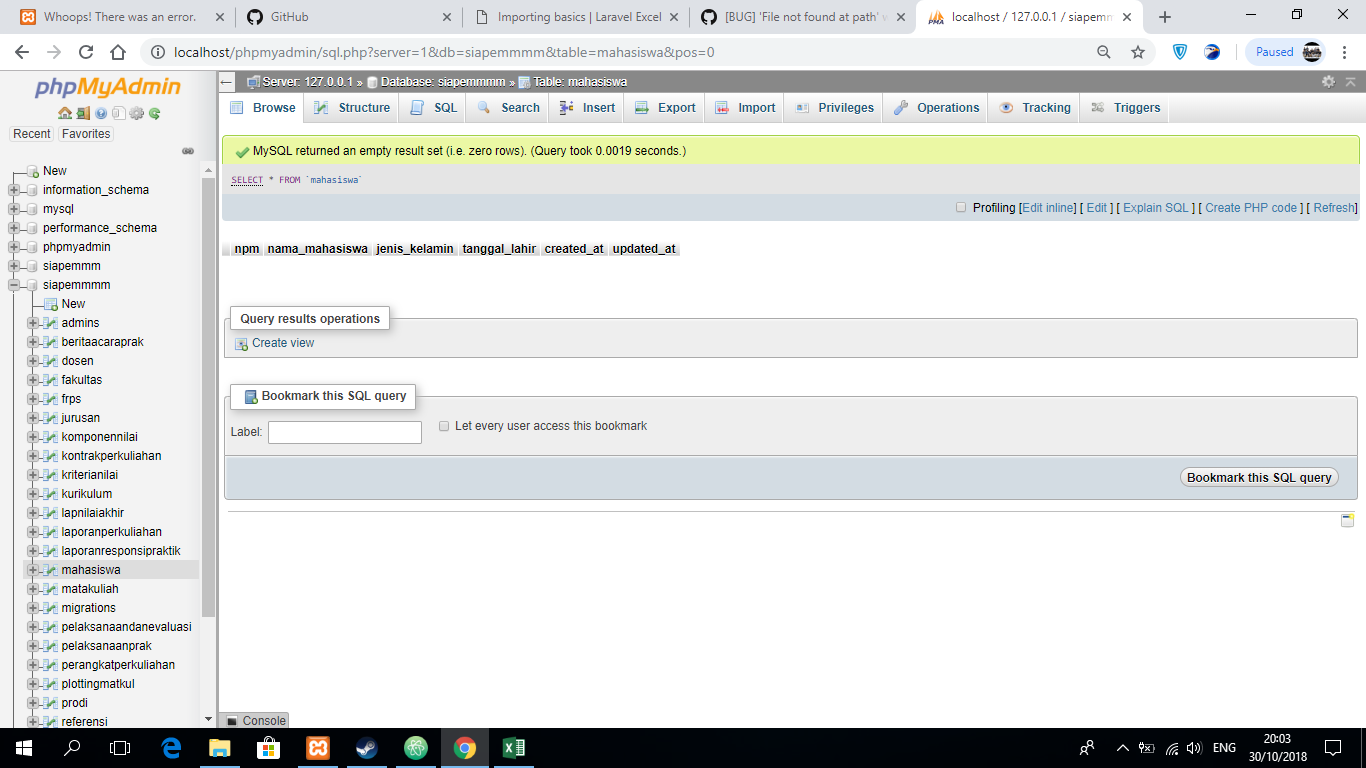
and my database is
Emha2403
on 30 Oct 2018
@GlennM please help me :(
Emha2403
on 30 Oct 2018

Emha2403
on 30 Oct 2018
@GlennM please help me :(
@Emha2403 Please check the location of your file. It looks like the file you're trying to import is not at the right location.
You should be able to find the correct directory by checking which disk you're using and find the corresponding root path for that driver.
GlennM
on 30 Oct 2018
hi, I meet the same question, and i am sure my file has been uploaded at the right url i using
 williams-young
on 6 Nov 2018
williams-young
on 6 Nov 2018
hi, I meet the same question, and i am sure my file has been uploaded at the right url i using
@williams-young Could you please open a new issue (according to the issue template) mentioning all relevant information? Thanks!
GlennM
on 6 Nov 2018
This is not a bug. Put your excel file in "storage/app" folder. it use default disk config in config/filesystems.php
 johnreginald
on 28 Nov 2018
johnreginald
on 28 Nov 2018
xxxxxxxxxxxxxxxxxxx\storage\app
el archivo excel debe ir en la siguiente ruta.
 eddgarx17
on 28 Nov 2018
eddgarx17
on 28 Nov 2018
xxxxxxxxxxxxxxxxxxx\storage\app
el archivo excel debe ir en la siguiente ruta.
Please post any support related questions or comments in English please if you would like us to provide support.
GlennM
on 30 Nov 2018
I understand that this behavior is documented, but again it just seems bizarre and unintuitive. If you pass it an absolute filePath that comes back as true from file_exists()....it should load. There seems to be many unnecessary "gotchas" with this package, even when trying to do very basic import operations.
I have a 4 column XLSX with 100 rows that I want to import into a collection. I've had to visit the forums for filePath issues, dates coming back as integers, and trying to figure out what the point of these generated XYZImport classes are when I am trying to import a small xlsx to a collection.
 nickpoulos
on 17 Jan 2019
nickpoulos
on 17 Jan 2019
If you pass it an absolute filePath that comes back as true from file_exists()....it should load
I agree on this. Seems like it causes confusion for a lot of users.
mattias-persson
on 17 Jan 2019
I agree on this being confusing.
Can't the documentation mention the default storage/app path? I know this is configurable and all but im pretty sure this would give users with less of a laravel knowledge an easier time.
 cptnk
on 1 Feb 2019
cptnk
on 1 Feb 2019
I agree on this being confusing.
Can't the documentation mention the default
storage/apppath? I know this is configurable and all but im pretty sure this would give users with less of a laravel knowledge an easier time.
If you think the documentation lacks some information, you're always welcome to submit a pull request to the docs. You can do so by using the Help us improve this page!link located at the bottom of each page.
GlennM
on 4 Feb 2019
count me in with the confused.. was trying to pass an absolute path using base_path() since my files are stored outside the storage folder and in a special "modules" folder.. couldn't get it to work, finally had to move my files into the storage path. If the path received starts with a front slash it should just assume that it's an absolute path IMO
 vesper8
on 25 Mar 2019
vesper8
on 25 Mar 2019
Yeah, actually it seems that even after adding files to storage it can't find it. Judging by the error response it's trying a relative path in the end :man_facepalming: .
 mkantautas
on 10 May 2019
mkantautas
on 10 May 2019
It has been documented for a few months that using absolute paths is possible: https://docs.laravel-excel.com/3.1/imports/basics.html#importing-full-path
I'll lock this ticket to keep the support process streamlined. If new bugs or questions arise, please create a new issue explaining your specific case.
 patrickbrouwers
on 10 May 2019
patrickbrouwers
on 10 May 2019
Related issues
 matthewslouismarie
·
3Comments
matthewslouismarie
·
3Comments
 daraghoshea
·
3Comments
daraghoshea
·
3Comments
 pamekar
·
3Comments
pamekar
·
3Comments
 rossjcooper
·
3Comments
rossjcooper
·
3Comments
 wwendorf
·
3Comments
wwendorf
·
3Comments
Most helpful comment
This is not a bug. Put your excel file in "storage/app" folder. it use default disk config in config/filesystems.php
Check This Part of Documentation