Laravel-apidoc-generator: Add support for Laravel Vapor
Currently the package doesn't seem to be compatible with Laravel Vapor out of the box. I've added a temporary route to solve it for personal use but would be nice if a more robust implementation could be bundled into the package.
Route::get('/docs', function () {
    $contents = file_get_contents(asset('docs/index.html'));
    $contents = str_replace(env('APP_URL') .'/', asset('/'), $contents);

    $contents = str_replace('href="css', 'href="'. asset('/') .'docs/css', $contents);
    $contents = str_replace('src="js', 'src="'. asset('/') .'docs/js', $contents);
    $contents = str_replace('src="images', 'src="'. asset('/') .'docs/images', $contents);

    return $contents;
});
Let me know if I can help further in this 👍🏻
 devonmather
All 19 comments
I created a Console command that essentially does the same.
The only difference, is that I can run it automatically when deploying to Vapor.
 BenjaminRosell
on 31 Mar 2020
BenjaminRosell
on 31 Mar 2020
Can you share it here?
On Tue, 31 Mar 2020 at 3:34 pm, Benjamin Gonzalez notifications@github.com
wrote:
I created a Console command that essentially does the same.
The only difference, is that I can run it automatically when deploying to
Vapor.—
You are receiving this because you authored the thread.
Reply to this email directly, view it on GitHub
https://github.com/mpociot/laravel-apidoc-generator/issues/716#issuecomment-606630866,
or unsubscribe
https://github.com/notifications/unsubscribe-auth/AAYW3XNPYGPJ6QBUQ2BSTBDRKHWPJANCNFSM4LUFSXTA
.
devonmather
on 31 Mar 2020
I don't use images in my documentation, but you can easily implement something similar to fix images :)
namespace App\Console\Commands;

use Illuminate\Console\Command;

class EditBladeDocumentationCommand extends Command
{
    /**
     * The name and signature of the console command.
     *
     * @var string
     */
    protected $signature = 'apidoc:fix';

    /**
     * The console command description.
     *
     * @var string
     */
    protected $description = 'Fixes the API documentation to use Laravel asset method ';

    /**
     * Execute the console command.
     *
     * @return mixed
     */
    public function handle()
    {
        $path = resource_path('views/apidoc/index.blade.php');

        if ( strpos(file_get_contents($path), '{{ asset(') == 0) {
            $this->fixFile($path, "/docs/css/style.css");
            $this->fixFile($path, "/docs/js/all.js");
        } else {
            $this->info('No fix was necessary');
        }

        $this->call('view:clear');
    }

    /**
     * @param string $path
     * @param string $toBeFixed
     * @param string $fix
     */
    private function fixFile(string $path, string $toBeFixed): void
    {
        $fileContent = file_get_contents($path);
        $updatedVersion = str_replace($toBeFixed, "{{ asset('$toBeFixed') }}", $fileContent);
        file_put_contents($path, $updatedVersion);
        $this->info("File $path fixed.");
    }
}
Thanks will explore this option as well.
devonmather
on 31 Mar 2020
@BenjaminRosell are you generating a postman collection.json for your docs? It appears that the collection.json isn't deploying to S3 for me 😕
devonmather
on 7 Apr 2020
Hmmm. You are right ! I dont see it beign deployed either. Will see what I can do tonight.
Cheers !
BenjaminRosell
on 7 Apr 2020
Wonder if @shalvah has already looked into this.
BenjaminRosell
on 7 Apr 2020
@BenjaminRosell Just installed the package today and got it working locally, can't seem to get it working in Vapor either.
 cwilby
on 8 Apr 2020
cwilby
on 8 Apr 2020
Hey @cwilby !
What do you mean by not beign able to make it work on Vapor ? Are you talking about the Postman Route ?
THanks :)
BenjaminRosell
on 8 Apr 2020
👋
So currently my solution is to build the static html and serve the output elsewhere. I'd like to use the laravel type instead, not sure how to do that yet.
cwilby
on 8 Apr 2020
So @devonmather, I think I have a pretty good idea on why this is not working. If you look at the \MPociot\ApidDoc\Http\Controller.php we see:
    public function json()
    {
        return response()->json(
            json_decode(Storage::disk('local')->get('apidoc/collection.json'))
        );
    }
Since you are using the localstorage, and Vapor is a non-writable storage, you cant really use the local environment unless you commit that file to your repo... or something hacky...
Maybe a better solution would be to use an S3 bucket (since you are already on aws, i dont think that would be a problem). We could very easily use a .ENV variable to fix this problem. I'll do a Pull request latter this week to propose @shalvah with a fix.
BenjaminRosell
on 8 Apr 2020
So currently my solution is to build the static html and serve the output elsewhere. I'd like to use the
laraveltype instead, not sure how to do that yet.
I think you can use laravel, and then the command I posted a bit earlier as a pre-deploy hook on your vapor.yamlfile
BenjaminRosell
on 8 Apr 2020
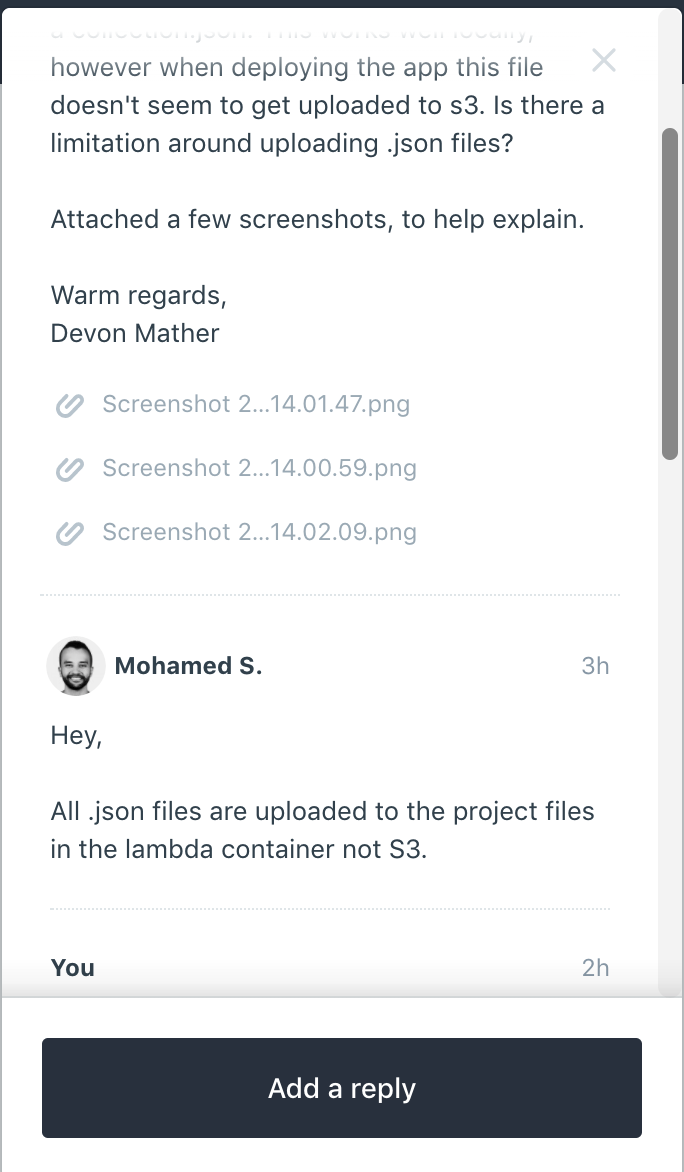
@BenjaminRosell I'm actually using the static generation. So the collection.json is compiled in the public directory. The issue arises because Vapor doesn't upload json files to S3 according to their support. But I wasn't able to actually figure out why a .json file in public directory is stripped from upload to S3.
devonmather
on 8 Apr 2020
I think we are saying the same thing... but the problem is that the /storage folder is not synced to Vapor, because they are environment specific... Which means that on vapor, this file simply does not exist... Look at the build that is actually uploaded to lambda. It does not include anything although they are present locally...
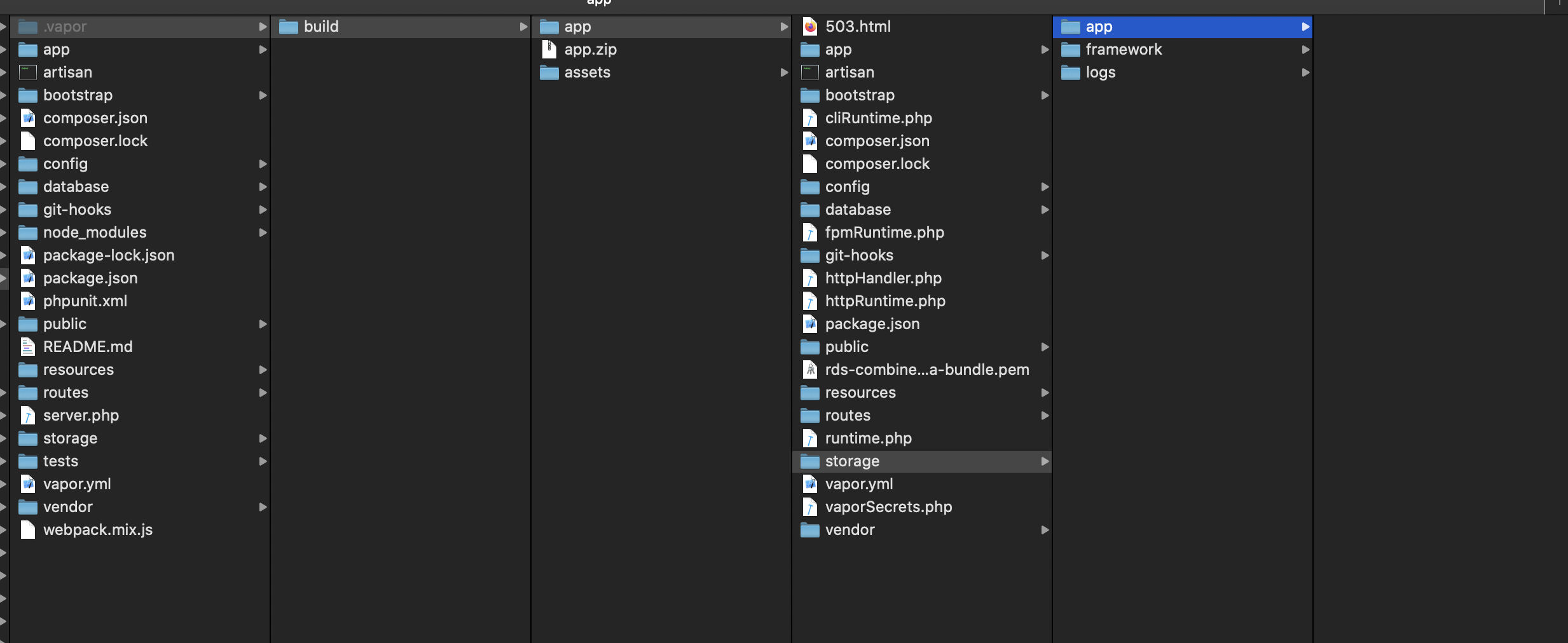
Two solutions... Add the file elsewhere to the repo and create a symlink, or simply use an S3 instance...
In my case I will choose the second.
BenjaminRosell
on 8 Apr 2020
@BenjaminRosell I'm curious to see if it works for you. We aren't actually talking about the same approach as far as I can tell.
I'm using 'type' => 'static' in doing so the collection.json isn't placed in the storage folder. It's place in the public folder.

Now every file from that directory is uploaded to S3. Except the collection.json and therein lies the problem for me :/
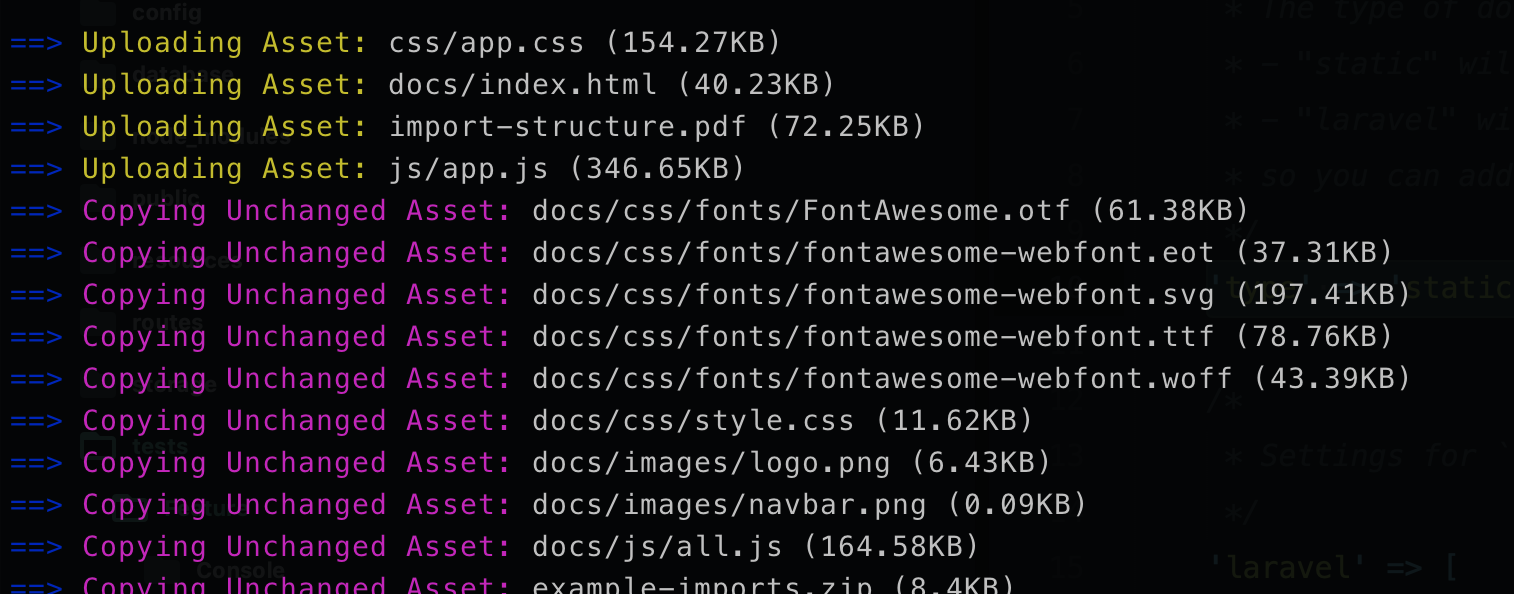
Let me know if you have more luck in the 'type' => 'laravel' approach, I briefly tried that too without luck.
devonmather
on 8 Apr 2020
I see !
Is it the actual file or a symlink ?
BenjaminRosell
on 8 Apr 2020
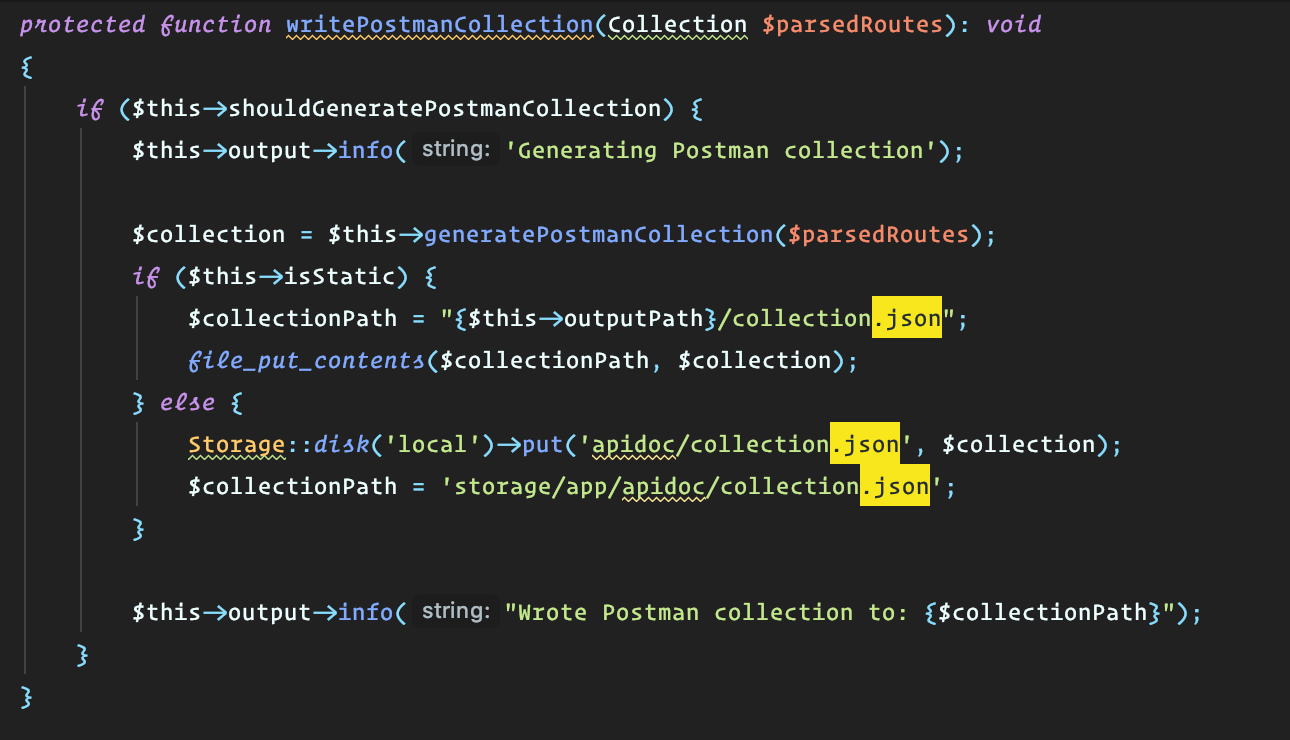
I found how it handles the creation of the Documentation. Still wondering why it doesn't work if the file is in the lambda function... What do you see in the logs ?
BenjaminRosell
on 8 Apr 2020
@BenjaminRosell did you mean EditBladeDocumentationCommand?
Also could you share some direction towards using S3 with the laravel type?
cwilby
on 9 Apr 2020
Alright guys, I just submitted a pull request to fix our issues.
https://github.com/mpociot/laravel-apidoc-generator/pull/729
BenjaminRosell
on 10 Apr 2020
Related issues
 nikosv
·
3Comments
nikosv
·
3Comments
 bvaledev
·
3Comments
bvaledev
·
3Comments
 wyq2214368
·
3Comments
wyq2214368
·
3Comments
 chinloyal
·
8Comments
chinloyal
·
8Comments
 arikardnoir
·
8Comments
arikardnoir
·
8Comments