Language-tools: Typescript plugin and errant behavior
I guess my first question is about the nature of the Typscript plugin: it seems like the parser should be valid for Javascript as well? If so, is there a way to label this plugin functionality so that its more clear that this plugin is intended to be used for handling LSP features in JS _and_ TS syntaxes? This would be more applicable to the Settings schema for vs-code, I think, which uses strictly references to TypeScript.
Though, it may be labeled as a TypeScript plugin because it relies on the TypeScript and Javascript Language Features plugin built into vs-code? I disabled that plugin just to verify some behavior I was getting and it didn't seem to affect the functionality of the svelte TypeScript plugin so I don't think that's the case but I could be wrong?
Lastly, when the TypeScript plugin is enabled, saving a .svelte file with a <script> tag overrides my configuration to not use semicolons. The svelte-formatter is configured as my default formatter and will even correctly remove the semi-colons that get written when run after the file is saved :/ When I disable the TypeScript plugin I obviously lose syntax highlighting and other LSP features of the code in the <script> tag but statement-ending semicolons are no longer written in during file saving.
The formatter also removes an extra empty line that is added with the semicolons on file-save.
A picture example is given below of the behaviors: the top is after a file-save, the bottom is when running a format after the top picture.


 nathanblair
All 9 comments
I can't quite follow you what exactly your problem is / your problems are. Could you please list them in a more precise way? Right now this reads like a written down though process and I don't know what your expectations are.
 dummdidumm
on 14 Apr 2021
dummdidumm
on 14 Apr 2021
Yeah, apologies. I wanted to file a bug report but this involved a question as well. Maybe it would be more appropriate to open 2 issues? Anyway,
1) Is the TypeScript plugin not also applicable to writing JS syntax code in a <script> block in a .svelte file?
2) What would be causing the TypeScript plugin in the vscode-svelte extension to add statement-ending semicolons and extra whitespace when a svelte file is written/saved?
My expectation with 2) would be that there is no extra behavior done when the file is saved. It seems like something is running its own formatter on file save but I have my settings to not do anything on file-save.
What is also odd is that it only adds semicolons to the import lines. Other javascript statements in the <script> block don't have any semicolons added.
nathanblair
on 14 Apr 2021
- What do you mean by "TypeScript plugin"? Do you mean this extension? If so: Yes, that one is also responsible for adding highlighting - regardless of what you enable/disable in its settings.
- The extension contains a formatter based on prettier which you can run, but it shouldn't run on save if you don't enable this option in your general settings. This is also unrelated TypeScript. Could you provide a code snippet (copy-pasteable, no screenshot) that reproduces the "semis only append to imports on save" for you?
dummdidumm
on 14 Apr 2021
Of course. I was trying to disambiguate from any TypeScript extension provided by MS or others and was referring to what I would assume is governed by this source. I was mostly suggesting that its name referred specifically to TypeScript which is misleading and more specific than its application to valid JavaScript as well :)
I will take another look over my settings - is there any setting in particular you believe would assign this format-on-save behavior? I have "editor.formatOnSave": false in my vs-code User Settings.
// ${PROJECT_ROOT}/src/App.svelte
<script>
  import Footer from "./components/Footer.svelte"
  import Navbar from "./components/NavBar.svelte"

  /** @type {import("svelte").SvelteComponent}*/
  let main_component
  let page_name
</script>
No that particalar package is not part of anything yet, the logic for what's going on resides in language-server . If you have "editor.formatOnSave": false but still get semis on save, that might be a bug then.
dummdidumm
on 14 Apr 2021
Good to know on that particular package. I hadn't dug too far into the source to see if it was actually referenced anywhere.
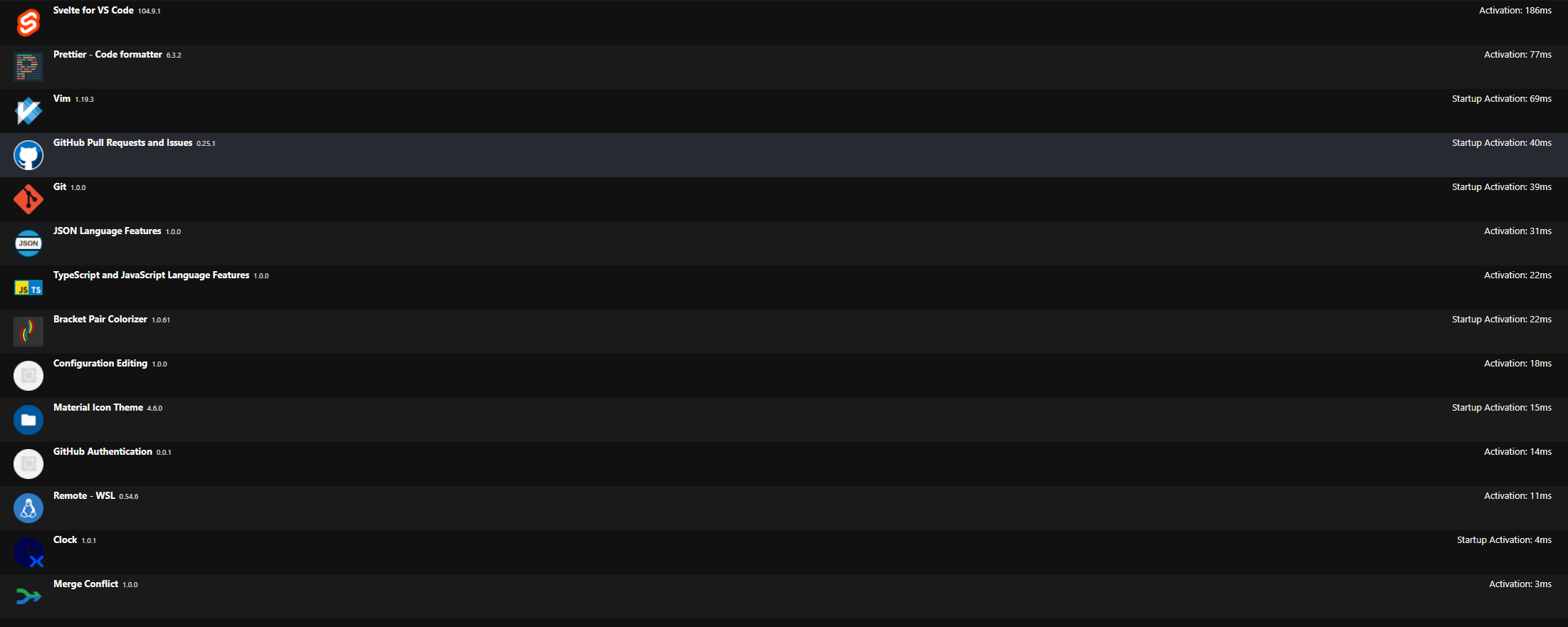
I've thrown up some example code in my previous comment. I only have these extensions running:
nathanblair
on 14 Apr 2021
I can't reproduce this given your code snippet, nothing is formatter on save for me. Could you disable the other extensions and try again?
dummdidumm
on 14 Apr 2021
While I work to try out a couple scenarios to reproduce this - are you using a tsconfig.json or jsconfig.json in your environment?
nathanblair
on 14 Apr 2021
I'm closing this as I reviewed some of my settings. Something in my User Settings was causing this little glitch to occur.
I am not fully certain what it was but it was either a global editor.formatOnSave setting being incorrect syntax (I just removed the setting completely) or for some reason I had the default formatter for typescript files set to denoland's formatter (😅)
At any rate, its been fixed on my side through some settings adjustments.
Appreciate the support and verification!
nathanblair
on 14 Apr 2021
Related issues
 rob-balfre
·
17Comments
rob-balfre
·
17Comments
 joelmukuthu
·
14Comments
joelmukuthu
·
14Comments
 jasonlyu123
·
28Comments
jasonlyu123
·
16Comments
dummdidumm
·
37Comments
jasonlyu123
·
28Comments
jasonlyu123
·
16Comments
dummdidumm
·
37Comments