Label-studio: Starting ml backends shows 404
Describe the bug
The ml backends are getting initialized
successfully with the command
label-studio-ml init my_ml_backend --script label_studio/ml/examples/simple_text_classifier.py and generating output
Congratulations! ML Backend has been successfully initialized in ./my_ml_backend
but after doing label-studio-ml start my_ml_backend at localhost:9090 I am getting "GET / HTTP/1.1" 404 and in the browser also I am seeing The requested URL was not found on the server. If you entered the URL manually please check your spelling and try again.
I have tried the same thing in the docker container made by this Dockerfile image as well, but I am getting exactly the same error.
To Reproduce
Steps to reproduce the behavior:
Run: label-studio-ml init my_ml_backend --script label_studio/ml/examples/dummy_model.py
Expected behavior
The model page should open
Screenshots
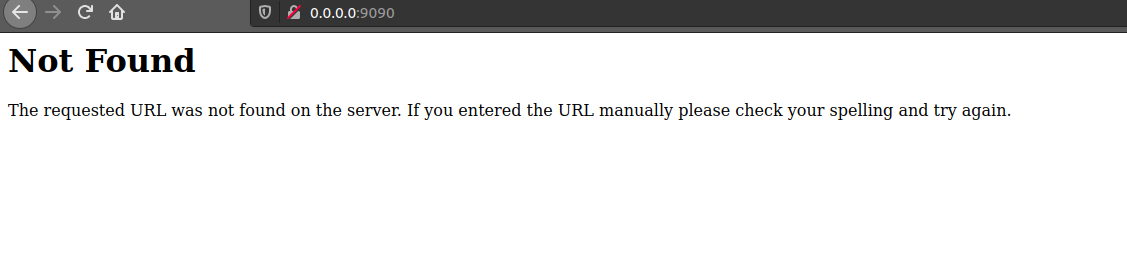
Environment (please complete the following information):
- OS: Ubuntu
- Label Studio Version [v0.9.1.post1, 0 .8.2]
Additional context
I was trying to build a custom ml backend when I first this issue, but when I tried with the other ml backend examples given in the repo (huggingface, demo_model.py) I experienced the same thing any suggestion to help me debug this would be extremely helpful, I thought this is some compatibility issue but I ran the same thing in docker and it is still the same
 nishchay47b
All 2 comments
@nishchay47b ML backend server doesn't have an index / page. Are you able to add ML backend to LS instance via Model page?
 makseq
on 25 Feb 2021
makseq
on 25 Feb 2021
Sorry, I misunderstood the model page as backend server page only, it is working at 0.0.0.0:8080/model. Thank you for the response, closing this issue.
nishchay47b
on 26 Feb 2021
Related issues
 Rishabh-hyperverge
·
6Comments
Rishabh-hyperverge
·
6Comments
 fakyras
·
3Comments
fakyras
·
3Comments
 vkovac2
·
6Comments
vkovac2
·
6Comments
 dalekube
·
5Comments
makseq
·
6Comments
dalekube
·
5Comments
makseq
·
6Comments