All 20 comments
Is there a need? You can already use it via the gradle plugin, and it probably helps to have the rules added through .idea configurations rather than a plugin. That way everyone working on the project will use the same rules
 AllanWang
on 19 Feb 2019
AllanWang
on 19 Feb 2019
Gradle plugin reference:
https://github.com/shyiko/ktlint/issues/45#issuecomment-319831229
AllanWang
on 19 Feb 2019
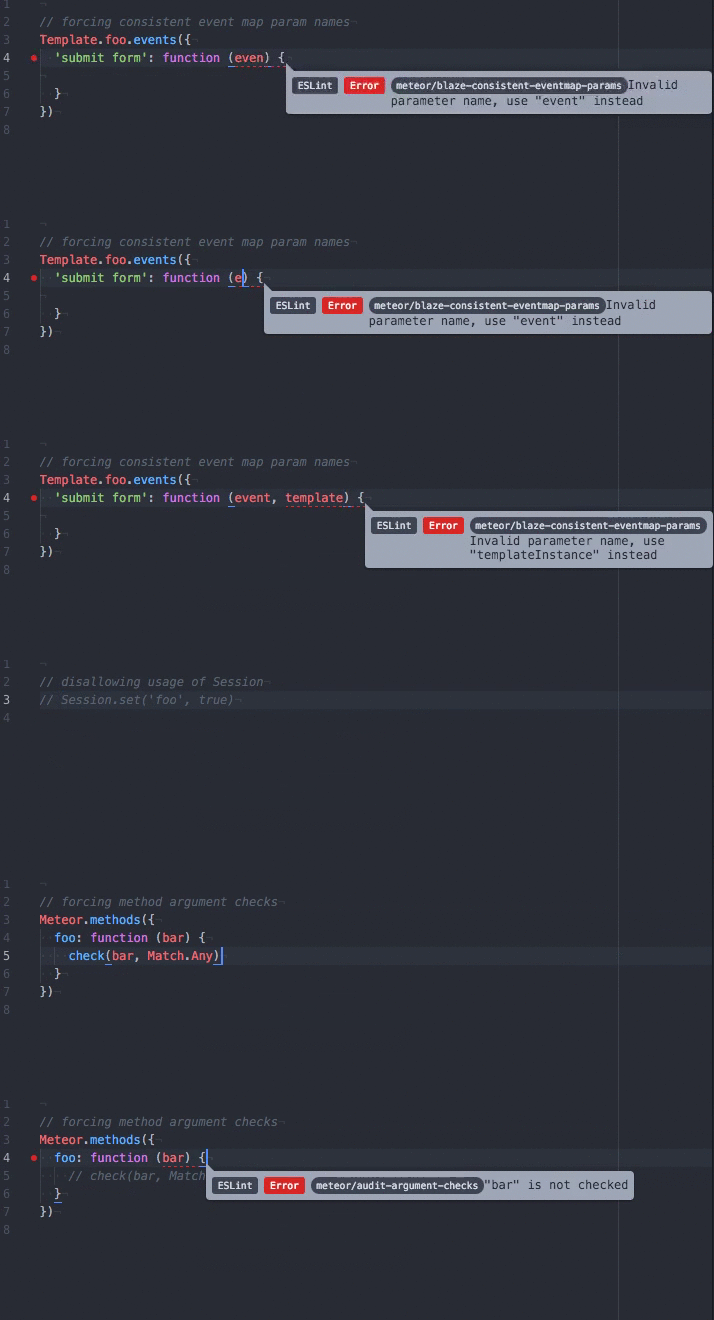
I think it'll be very nice if we can show rules/errors in real time like eslint does, rather than manually using the command line to check if there's a violation of rule specified.
ESLint sample:
 theapache64
on 20 Feb 2019
theapache64
on 20 Feb 2019
Interesting. It's definitely possible, though it would take more effort to format it nicely like that. I'm not sure how many people are interested in what specific lint errors exist vs just applying the fixes per commit. The errors in that example are type/signature errors that would be caught and displayed anyways. Would eslint warn you if you have an extra space somewhere?
AllanWang
on 20 Feb 2019
Would eslint warn you if you have an extra space somewhere?
Yes it will, if we defined the rule in our config file. (eslint has too many lint configs)
The above given gif is just a sample on how it responds to a specific rule. We can customise the rule by our-self using a tslint.json file. There's also predefined set of rules, introduced by companies like google, airbnb etc. You can find more details here.
theapache64
on 20 Feb 2019
SInce detekt wraps ktlint around for code formatting, you could take a look at https://github.com/arturbosch/detekt-intellij-plugin, which does exactly the same as shown on gif (besides suggesting a quick-fix, but this can be a subject to contribute :))
 romtsn
on 11 Jun 2019
romtsn
on 11 Jun 2019
Why you need _special plugin_ for ktlint as IDEA (AS) already has this built-in functionality? :thinking:
Just run ktlint --apply-to-idea-project --android and IDEA (AS) will highlight style violations.
 Tapchicoma
on 11 Jun 2019
Tapchicoma
on 11 Jun 2019
I don't think all ktlint rules are idea rules.
At least by default and from what I'm aware of, improper formatting is not a highlighted violation.
AllanWang
on 11 Jun 2019
@Tapchicoma Can you please tell me how setup ktlint --apply-to-idea-project --android. I was not about to get that to work.
I added following to gradle file
task ktlintApplyToIdeaProject(type: JavaExec, group: "formatting"){

    description = "Update InteliJ IDEA project settings"
    classpath = configurations.ktlint
    main = "com.pinterest.ktlint.Main"
    ignoreExitValue = true
    args "--apply-idea-project", "--android"
}
./gradlew ktlintApplyToIdeaProject
No highlighting as you said
 kaushalyap
on 28 Aug 2019
kaushalyap
on 28 Aug 2019
@kaushalyap sometimes new codestyle settings are not automatically used by Android Studio. You need to open Settings -> Editor -> Code Style -> Kotlin and in "Scheme" dropdown select "ktlint".
Tapchicoma
on 5 Sep 2019
@Tapchicoma thanks for response. there is nothing called ktlint
kaushalyap
on 5 Sep 2019
@kaushalyap I was a little misleaded. "ktlint" option becomes available in dropdown is you run $ ./ktlint --android applyToIDEA.
Generally, I would agree that current UX of applying ktlint style to IDEA (AS) is not nice.
Tapchicoma
on 5 Sep 2019
You mean ./gradlew ktlint --android applyToIDEA ?
kaushalyap
on 6 Sep 2019
You mean
./gradlew ktlint --android applyToIDEA?
Actually I mean, invoking ktlint directly. Also you could update your tasks and set following args:
args "--android", "applyToIDEA"
I tried executing ktlint directly, with gradle task with args you provided. There no ktlint under scheme.
kaushalyap
on 7 Sep 2019
@Tapchicoma
I newly installed AS, now under Setting > Editor > Inspections profile is set to ktlint
Kotlin code style also seems set to ktlint preferred way.
Thanks for the support so far!
kaushalyap
on 3 Oct 2019
https://stackoverflow.com/questions/59387783/real-time-rules-with-ktlint
So, is it possible? Or the only way is to run a gradle task to see the warnings?
 pcegarra
on 18 Dec 2019
pcegarra
on 18 Dec 2019
Hey folks! 👋 I'm working on an unofficial plugin for this purpose here:
https://plugins.jetbrains.com/plugin/15057
https://github.com/nbadal/ktlint-intellij-plugin
Released an early version of it with simple annotation functionality, but I'll be working to get it up to parity with the command line tool over the next few weeks 😄
 nbadal
on 14 Sep 2020
nbadal
on 14 Sep 2020
@nbadal Good work! keep it up :+1:
kaushalyap
on 14 Sep 2020
@nbadal That's a great news. :confetti_ball:
theapache64
on 14 Sep 2020
Related issues
 vanniktech
·
5Comments
vanniktech
·
5Comments
 volo-droid
·
4Comments
volo-droid
·
4Comments
 tonilopezmr
·
4Comments
Tapchicoma
·
3Comments
tonilopezmr
·
4Comments
Tapchicoma
·
3Comments
 Jacksgong
·
3Comments
Jacksgong
·
3Comments
Most helpful comment
I think it'll be very nice if we can show rules/errors in real time like eslint does, rather than manually using the command line to check if there's a violation of rule specified.
ESLint sample: