Ktlint: ParametersOnSeparateLinesRule can't be handled by Intellij IDEA
Hello, thanks for your nice job. We are using this project to the check style issue of kotlin on our project.
But there is one thing is not make sense:
1. Effect checkstyle rule for IDEA
I have already run the command ktlint --apply-to-idea-project --android on my project root directory, and see it really effect after I restart my Android Studio
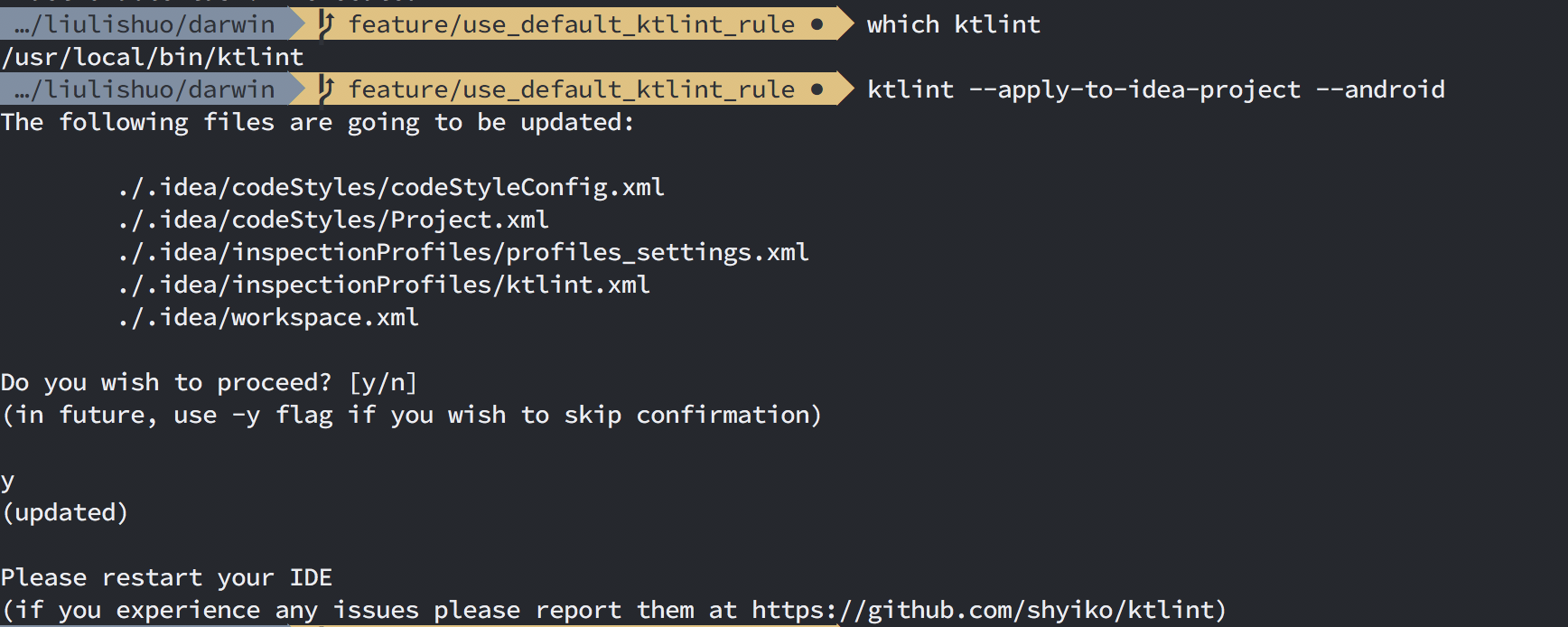
2. Format kotlint file by IDEA BUT PROBLEM EXIST
I format the TestDarwinActivity.kt file through Android Studio, but after the format the problem of Parameter should be on a separate line (unless all parameters can fit a single line) is still exist

3. Can't find any solution for this problem
I check the kotlint code style setting can't find anywhere to solve this ParametersOnSeparateLinesRule for the IDEA formatter

So could you please have any suggestions to handle ParametersOnSeparateLinesRule by the Intellij IDEA
Finally, I think the problem is it allows parameters on one line but it not allowed by ktlint
 Jacksgong
All 3 comments
Hey @Jacksgong.
Any chance you can attach TestDarwinActivity.kt?
Normally, Ctrl+Alt+L should do the job. When Intellij built-in formatter is unable to produce expected result you can either ktlint -F (same as ktlint --format) or do it manually with Alt+Enter -> Put parameters on separate lines:

 shyiko
on 4 May 2018
shyiko
on 4 May 2018
Thank you so much, the way of Alt + Enter to do this job manually is work for me(on Mac is Option + Enter).
Jacksgong
on 6 May 2018
Any chance of providing support for this rule through ktlint -F or IDEA formatter instead doing it mannualy?
 ghost
on 16 May 2019
ghost
on 16 May 2019
Related issues
 zsavely
·
5Comments
zsavely
·
5Comments
 xenomachina
·
5Comments
xenomachina
·
5Comments
 jeremymailen
·
3Comments
jeremymailen
·
3Comments
 pkubowicz
·
4Comments
pkubowicz
·
4Comments
 ZakTaccardi
·
4Comments
ZakTaccardi
·
4Comments
Most helpful comment
Any chance of providing support for this rule through
ktlint -For IDEA formatter instead doing it mannualy?