Kong: Kong 2.0.5 to 2.X.X upgrade errors/problems
Summary
Seems we faced an issue attempting to upgrade today in stage(2.0.5->2.1.1), we did not face issues or do such a jump in DEV. We went to (2.0.5 -> 2.1.0 -> 2.1.1), saw the issues during 2.1.0 and we opened and Kong addressed other git issues, then migrated to 2.1.1(and dev region faced no such issues during those upgrades broken out):
Now in stage after the kong migrations up with 2.1.1 nodes, we get this for a list check(from a 2.1.1 node)
kong migrations list --vv
.....
2020/08/11 22:25:38 [info]
Pending migrations:
  core: 009_200_to_210, 010_210_to_211
   jwt: 003_200_to_210
   acl: 003_200_to_210
oauth2: 004_200_to_210, 005_210_to_211
2020/08/11 22:25:38 [info]
Run 'kong migrations finish' when ready
From 2.1.1 Nodes:
kong migrations finish --vv
2020/08/11 22:25:52 [debug] pending migrations to finish:
  core: 009_200_to_210, 010_210_to_211
   jwt: 003_200_to_210
   acl: 003_200_to_210
oauth2: 004_200_to_210, 005_210_to_211
2020/08/11 22:25:52 [info] migrating core on keyspace 'kong_stage'...
2020/08/11 22:25:52 [debug] running migration: 009_200_to_210
Error:
...ong/luarocks/share/lua/5.1/kong/cmd/utils/migrations.lua:161: [Cassandra error] cluster_mutex callback threw an error: ...ong/luarocks/share/lua/5.1/kong/cmd/utils/migrations.lua:142: [Cassandra error] failed to run migration '009_200_to_210' teardown: ...are/lua/5.1/kong/db/migrations/operations/200_to_210.lua:336: attempt to index a nil value
stack traceback:
        ...are/lua/5.1/kong/db/migrations/operations/200_to_210.lua:336: in function 'ws_update_keys'
        ...are/lua/5.1/kong/db/migrations/operations/200_to_210.lua:446: in function 'ws_adjust_data'
        ...share/lua/5.1/kong/db/migrations/core/009_200_to_210.lua:125: in function <...share/lua/5.1/kong/db/migrations/core/009_200_to_210.lua:124>
        ...share/lua/5.1/kong/db/migrations/core/009_200_to_210.lua:211: in function <...share/lua/5.1/kong/db/migrations/core/009_200_to_210.lua:210>
        [C]: in function 'xpcall'
        /usr/local/kong/luarocks/share/lua/5.1/kong/db/init.lua:553: in function 'run_migrations'
        ...ong/luarocks/share/lua/5.1/kong/cmd/utils/migrations.lua:142: in function <...ong/luarocks/share/lua/5.1/kong/cmd/utils/migrations.lua:126>
        [C]: in function 'xpcall'
        /usr/local/kong/luarocks/share/lua/5.1/kong/db/init.lua:364: in function </usr/local/kong/luarocks/share/lua/5.1/kong/db/init.lua:314>
        [C]: in function 'pcall'
        /usr/local/kong/luarocks/share/lua/5.1/kong/concurrency.lua:45: in function 'cluster_mutex'
        ...ong/luarocks/share/lua/5.1/kong/cmd/utils/migrations.lua:126: in function 'finish'
        ...ocal/kong/luarocks/share/lua/5.1/kong/cmd/migrations.lua:184: in function 'cmd_exec'
        /usr/local/kong/luarocks/share/lua/5.1/kong/cmd/init.lua:88: in function </usr/local/kong/luarocks/share/lua/5.1/kong/cmd/init.lua:88>
        [C]: in function 'xpcall'
        /usr/local/kong/luarocks/share/lua/5.1/kong/cmd/init.lua:88: in function </usr/local/kong/luarocks/share/lua/5.1/kong/cmd/init.lua:45>
        /usr/bin/kong:9: in function 'file_gen'
        init_worker_by_lua:48: in function <init_worker_by_lua:46>
        [C]: in function 'xpcall'
        init_worker_by_lua:55: in function <init_worker_by_lua:53>
stack traceback:
        [C]: in function 'assert'
        ...ong/luarocks/share/lua/5.1/kong/cmd/utils/migrations.lua:142: in function <...ong/luarocks/share/lua/5.1/kong/cmd/utils/migrations.lua:126>
        [C]: in function 'xpcall'
        /usr/local/kong/luarocks/share/lua/5.1/kong/db/init.lua:364: in function </usr/local/kong/luarocks/share/lua/5.1/kong/db/init.lua:314>
        [C]: in function 'pcall'
        /usr/local/kong/luarocks/share/lua/5.1/kong/concurrency.lua:45: in function 'cluster_mutex'
        ...ong/luarocks/share/lua/5.1/kong/cmd/utils/migrations.lua:126: in function 'finish'
        ...ocal/kong/luarocks/share/lua/5.1/kong/cmd/migrations.lua:184: in function 'cmd_exec'
        /usr/local/kong/luarocks/share/lua/5.1/kong/cmd/init.lua:88: in function </usr/local/kong/luarocks/share/lua/5.1/kong/cmd/init.lua:88>
        [C]: in function 'xpcall'
        /usr/local/kong/luarocks/share/lua/5.1/kong/cmd/init.lua:88: in function </usr/local/kong/luarocks/share/lua/5.1/kong/cmd/init.lua:45>
        /usr/bin/kong:9: in function 'file_gen'
        init_worker_by_lua:48: in function <init_worker_by_lua:46>
        [C]: in function 'xpcall'
        init_worker_by_lua:55: in function <init_worker_by_lua:53>
stack traceback:
        [C]: in function 'error'
        ...ong/luarocks/share/lua/5.1/kong/cmd/utils/migrations.lua:161: in function 'finish'
        ...ocal/kong/luarocks/share/lua/5.1/kong/cmd/migrations.lua:184: in function 'cmd_exec'
        /usr/local/kong/luarocks/share/lua/5.1/kong/cmd/init.lua:88: in function </usr/local/kong/luarocks/share/lua/5.1/kong/cmd/init.lua:88>
        [C]: in function 'xpcall'
        /usr/local/kong/luarocks/share/lua/5.1/kong/cmd/init.lua:88: in function </usr/local/kong/luarocks/share/lua/5.1/kong/cmd/init.lua:45>
        /usr/bin/kong:9: in function 'file_gen'
        init_worker_by_lua:48: in function <init_worker_by_lua:46>
        [C]: in function 'xpcall'
        init_worker_by_lua:55: in function <init_worker_by_lua:53>
Looks like Stage tokgen gen for oauth2.0 started bombing as well, likely that client_id going from a uuid to string in db.
2020/08/11 22:27:39 [error] 92#0: *7954 lua coroutine: runtime error: ...ng/luarocks/share/lua/5.1/kong/plugins/oauth2/access.lua:576: failed to get from node cache: callback threw an error: /usr/local/kong/luarocks/share/lua/5.1/kong/db/dao/init.lua:738: client_id must be a string
--
  | stack traceback:
  | [C]: in function 'error'
  | /usr/local/kong/luarocks/share/lua/5.1/kong/db/dao/init.lua:131: in function 'validate_unique_type'
  | /usr/local/kong/luarocks/share/lua/5.1/kong/db/dao/init.lua:347: in function 'validate_unique_row_method'
  | /usr/local/kong/luarocks/share/lua/5.1/kong/db/dao/init.lua:738: in function 'select_by_client_id'
  | ...ng/luarocks/share/lua/5.1/kong/plugins/oauth2/access.lua:191: in function <...ng/luarocks/share/lua/5.1/kong/plugins/oauth2/access.lua:190>
  | [C]: in function 'xpcall'
  | /usr/local/kong/luarocks/share/lua/5.1/resty/mlcache.lua:741: in function 'get'
  | /usr/local/kong/luarocks/share/lua/5.1/kong/cache.lua:251: in function 'get'
  | ...ng/luarocks/share/lua/5.1/kong/plugins/oauth2/access.lua:204: in function 'get_redirect_uris'
  | ...ng/luarocks/share/lua/5.1/kong/plugins/oauth2/access.lua:576: in function 'execute'
  | ...g/luarocks/share/lua/5.1/kong/plugins/oauth2/handler.lua:11: in function <...g/luarocks/share/lua/5.1/kong/plugins/oauth2/handler.lua:10>
  | stack traceback:
  | coroutine 0:
  | [C]: in function 'get_redirect_uris'
  | ...ng/luarocks/share/lua/5.1/kong/plugins/oauth2/access.lua:576: in function 'execute'
  | ...g/luarocks/share/lua/5.1/kong/plugins/oauth2/handler.lua:11: in function <...g/luarocks/share/lua/5.1/kong/plugins/oauth2/handler.lua:10>
  | coroutine 1:
  | [C]: in function 'resume'
  | coroutine.wrap:21: in function <coroutine.wrap:21>
  | /usr/local/kong/luarocks/share/lua/5.1/kong/init.lua:758: in function 'access'
  | access_by_lua(nginx.conf:146):2: in main chunk, client: 34.239.51.241, server: kong, request: "POST /auth/oauth2/token HTTP/1.1", host: "gateawy.company.com"
Steps To Reproduce
- 2.0.5 instance to 2.1.1 upgrade
Additional Details & Logs
- Kong version 2.1.1
 jeremyjpj0916
All 59 comments
Was looking at our workspaces table cause I saw ongoing fixes in git issues/pr's but we only had 1 entry, we have not been using force when we run migrations so a non-issue for us I imagine.
 id                                   | comment | config | created_at                      | meta | name
--------------------------------------+---------+--------+---------------------------------+------+---------
 b77e0a38-1e83-4a28-b52c-2ed89063ed0b |    null |   null | 2020-08-11 22:23:15.000000+0000 | null | default
State of schema_meta between stage(2.0.5, top img) vs dev(working on 2.1.1, bottom img) :
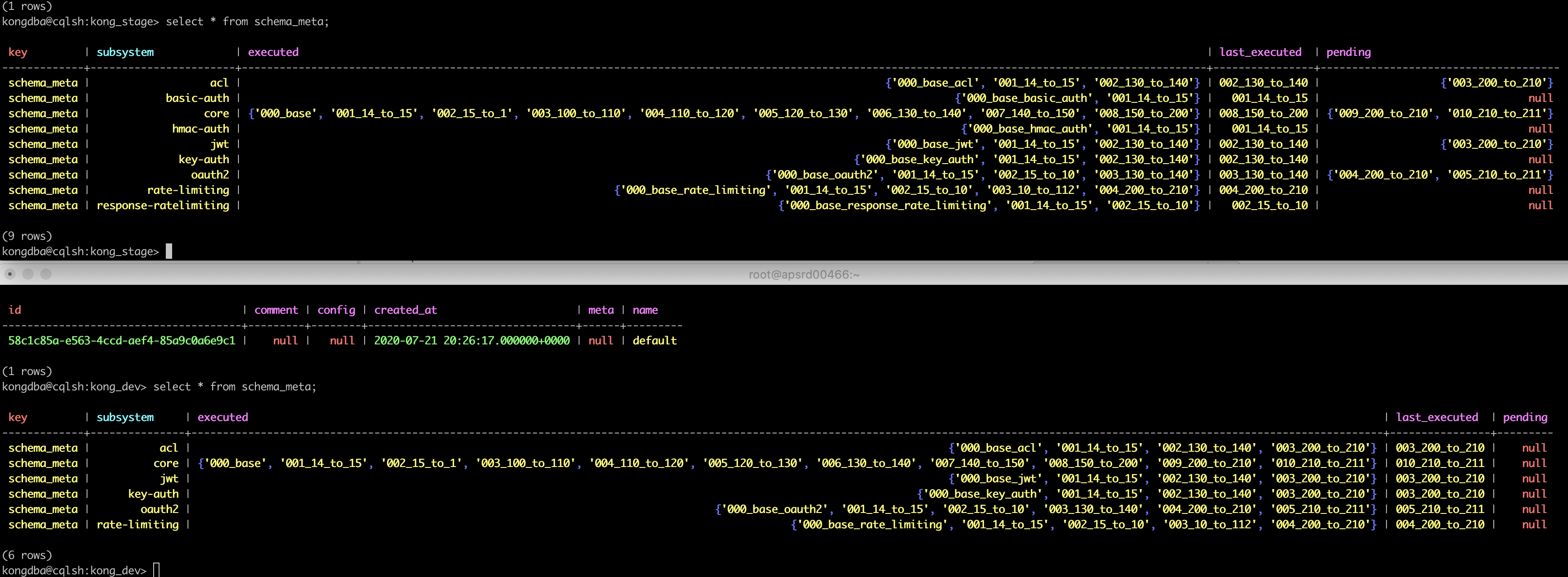
Currently we have rolled back to 2.0.5 runtime Kong right now in Stage and left the DB as it currently is w/out touching the db any further, seems runtime is working operational again and not busting for customers back on 2.0.5 in this middle of the road db state, we never successfully ran kong migrations finish in stage with the output above shown so chilling right now until we get a grip on what the heck happened here. If anyone has any tips on how to fix the situation I am all ears, until then will ponder a few ideas:
- Dare we try to bring up a stage env on 2.1.0 first with migrations up/finish command AFTER already trying and failing on 2.1.1(idk worth a shot in my head).
- wip 😆 .
jeremyjpj0916
on 12 Aug 2020
https://github.com/Kong/kong/blob/2.1.1/kong/db/migrations/operations/200_to_210.lua#L336 hmm indexed a nil value? I just gave an example of what a workspace id looked like and all stage instances have a workspace present there like that.... wonder why nil ref, looks like it should be able to get the value if rows[1] is correct and lua doesn't do rows[0] (I believe I remember reading lua indexes start at 1 tho).
  -- Update keys to workspace-aware formats
    ws_update_keys = function(_, connector, table_name, unique_keys, is_partitioned)

      local rows, err = connector:query([[
        SELECT * FROM workspaces WHERE name='default';
      ]])
      if err then
        return nil, err
      end
      local default_ws = rows[1].id
Diffs between 2.1.0 and 2.1.1 on that 200_to_210 file are not even that different either, why does going from 2.0.5 to 2.1.1 see it as nil when the row is there in the friggen db :/ :
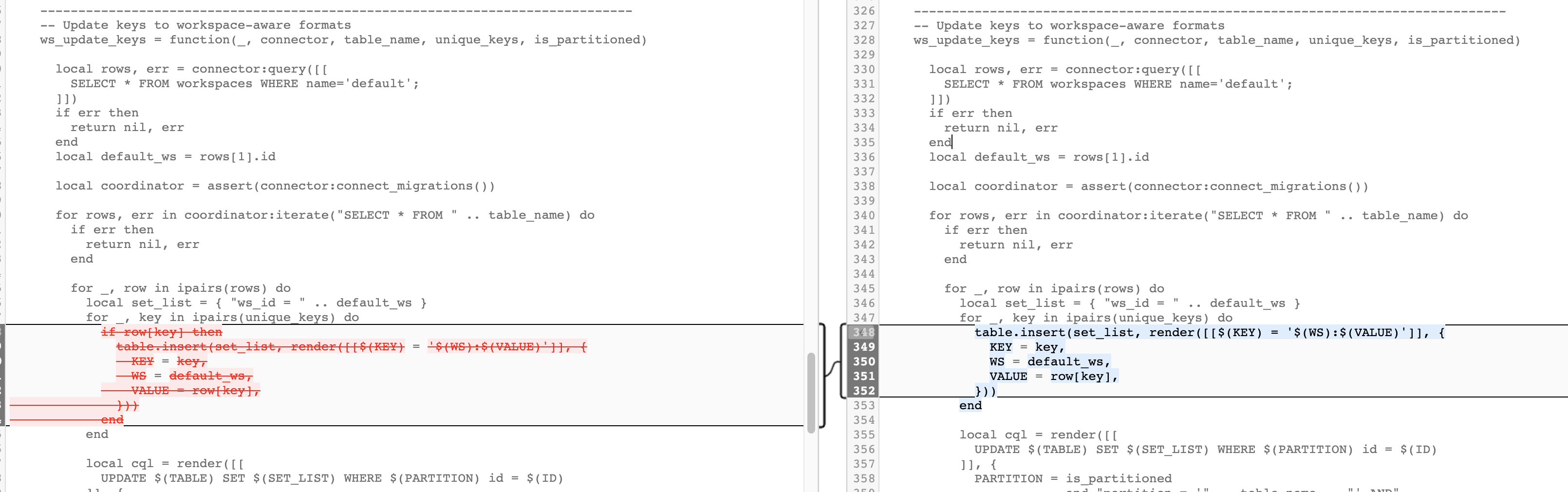
And the only change here seems to be that fix yall PR'ed to fix the funky ${value} field we saw in dev... Hmmm
Edit: I also even tried to do the exact command this line has in cqlsh... worked fine?

Maybe I will need to add debug logs to see why no err was produced in the call and how rows could end up nil.... I wonder if I hack this lua and hardcode the uuid value the db would return on a per instance basis to get around the nil? Might be a bandaid for a larger issue at hand tho.
jeremyjpj0916
on 12 Aug 2020
Uh oh, seems going back on 2.0.5 does seem to have some partial issues, admin API queries to grab the consumer info and the username field seem to have a uuid:username value for the username field in our admin api calls:
$ curl localhost:8001/consumers?size=1000
{"next":"\/consumers?offset=EDrd6z8u2k2Wue196Zl%2F5WQA8H%2F%2F%2FBcA","data":[{"custom_id":null,"created_at":1579636710,"id":"4a7a7568-589a-42f6-a488-639dfb1ec21a","tags":null,"username":"b77e0a38-1e83-4a28-b52c-2ed89063ed0b:consumer1"}
But not all environments are like this, one the calls query correctly and one the calls query and respond like this, I think we made it further along in the 2.1.1 migration effort on env though. Not 100% sure the state of affairs that caused the diff tbh.
May also be spilling over into some other fields like Service resource names too:
ServiceName: c2d1d573-c768-4cd1-9e8c-997be6995b2c:adminservice
Oof this is a real pain. gonna need to try to fix this in next 24 hrs for sure. may try to push forward w upgrade or full rollback to 2.0.5 and old copy of keyspace data(but never had to rollback a keyspace thats had its schema adjusted, only old data) if moving forward fails to work(on 2.1.0 at first potentially). Idk :/ .
cc @rsbrisci .
jeremyjpj0916
on 12 Aug 2020
Guessing Kong has no cli tooling to roll back partially done "migrations" either in the event of issues like our scenario? Would love to be able to run from the 2.0.5 nodes a kong migrations down to get rid of and 2.1.1 db changes. kong migrations down or something like that to revert schema changes and restore full compatibility for older kong versions.
3am here though, gotta sleep now, if any Kong folk or guru's have ideas lemme know! First time a migrations has busted an env on us ☠️ .
jeremyjpj0916
on 12 Aug 2020
Going to attempt 2.1.0 migrations process on the db in current state as a first attempt to see if we can go to that then hop to 2.1.1 Fingers crossed..
jeremyjpj0916
on 12 Aug 2020
This should handle the nil:
https://github.com/Kong/kong/pull/6210
It uses read-before-write, then writes, and again uses read, and does it inside connect_migrations.
 bungle
on 12 Aug 2020
bungle
on 12 Aug 2020
@bungle thanks for giving this some much needed attention. Any concerns with trying to do migrations of 2.1.0 on a db that has pendings for 2.1.1 too(or unknown behavior wild west to attempt that)? Better to try 2.1.1 with that patched PR instead(i will try that if this current 2.1.0 fails I am try fails cause I already started it)?
jeremyjpj0916
on 12 Aug 2020
Seems going to 2.1.0 did work (and it just doesnt see the 2.1.1 changes currently) so in this 1 isolate env we are first trying to fix i may try to take it to 2.1.1 THEN use the bungle patch to try on other env's to go straight to 2.1.1 .
jeremyjpj0916
on 12 Aug 2020
@jeremyjpj0916, I feel your pain, and we are terribly sorry. I just came from vacation previous wed, and started looking these migration issues. The 2.1.1 already included some fixes, but there was more. I looked this --force thing, but while looking at it we found other re-entrancy issues as well (usually triggered with --force), and thus my PR contains fixes to that. I moved the ensuring default workspace inside connect_migrations in hopes that we don't have these nil issues. And now it does not add default workspace in up migration, but adds it in finish phase when needed. Also dealing with the re-entrancy problem as it does read -> if not found -> write -> read again.
I will take a second look for new migrations since 2.0, to see if there are anything else we are missing. Do not run with --force without my PR. And even with that, do not try with --force (even when it should be safe now), but instead report us back if it still didn't work.
bungle
on 12 Aug 2020
Gonna be running 2.1.1 with your PR files dropped in(https://github.com/Kong/kong/pull/6210) now against other env's to bring them up to speed even since Kong is not on 2.1.2 officially, I don't think that will cause issue when going to 2.1.2 main release eventually I hope. Just moving fast cause this was a customer facing env for us too even if stage. Not a problem though, this is how open source goes sometimes, I am seeing light at the end of the tunnel though so I think we have a path forward.
jeremyjpj0916
on 12 Aug 2020
Trying the patch in place straight from 2.0.5 to 2.1.1 in some other environments had an issue dropping in those files from pr #6210, we are now going to take the approach of going to 2.1.0 then to 2.1.1 in all other stage envs, not sure if we should leave your 2.1.2 patch files in there at that point though as they seemed unnecessary in the 1 environment we took the hop approach, will eventually have them when we go to 2.1.2 anyways:
First kong migrations up succeeded, kong migrations finished threw error, then we tried up again just to see what would do and it also threw the below error:
2020/08/12 16:49:12 [debug] pending migrations to finish:
  core: 009_200_to_210, 010_210_to_211
   jwt: 003_200_to_210
   acl: 003_200_to_210
oauth2: 004_200_to_210, 005_210_to_211
2020/08/12 16:49:13 [info] migrating core on keyspace 'kong_stage'...
2020/08/12 16:49:13 [debug] running migration: 009_200_to_210
Error:
...ong/luarocks/share/lua/5.1/kong/cmd/utils/migrations.lua:161: [Cassandra error] cluster_mutex callback threw an error: ...ong/luarocks/share/lua/5.1/kong/cmd/utils/migrations.lua:142: [Cassandra error] failed to run migration '009_200_to_210' teardown: ...are/lua/5.1/kong/db/migrations/operations/200_to_210.lua:362: assertion failed!
stack traceback:
        [C]: in function 'assert'
        ...are/lua/5.1/kong/db/migrations/operations/200_to_210.lua:362: in function 'ws_update_keys'
        ...are/lua/5.1/kong/db/migrations/operations/200_to_210.lua:472: in function 'ws_adjust_data'
        ...share/lua/5.1/kong/db/migrations/core/009_200_to_210.lua:125: in function
Oh lawd.. even trying to go from 2.0.5 to 2.1.0 now is causing us grief w mutex errors and nil pointer exceptions it seems, maybe trying to jump to 2.1.1 w patches hurt us somehow too to where now going to 2.1.0 is going to be a struggle .. will update with debug logs as I can, trying both relevant parts of bungle's and all of locao PRs to remedy IN 2.1.0 src directly as opposed to 2.1.1. fingers crossed there.
@bungle current blocking error:
Error:
...ong/luarocks/share/lua/5.1/kong/cmd/utils/migrations.lua:161: [Cassandra error] cluster_mutex callback threw an error: ...ong/luarocks/share/lua/5.1/kong/cmd/utils/migrations.lua:142: [Cassandra error] failed to run migration '009_200_to_210' teardown: ...are/lua/5.1/kong/db/migrations/operations/200_to_210.lua:362: assertion failed!
stack traceback:
        [C]: in function 'assert'
        ...are/lua/5.1/kong/db/migrations/operations/200_to_210.lua:362: in function 'ws_update_keys'
        ...are/lua/5.1/kong/db/migrations/operations/200_to_210.lua:472: in function 'ws_adjust_data'
        ...share/lua/5.1/kong/db/migrations/core/009_200_to_210.lua:125: in function <...share/lua/5.1/kong/db/migrations/core/009_200_to_210.lua:124>
        ...share/lua/5.1/kong/db/migrations/core/009_200_to_210.lua:211: in function <...share/lua/5.1/kong/db/migrations/core/009_200_to_210.lua:210>
        [C]: in function 'xpcall'
Which is:
 -- Update keys to workspace-aware formats
    ws_update_keys = function(_, connector, table_name, unique_keys, is_partitioned)
      local coordinator = assert(connector:connect_migrations())
      local default_ws = assert(cassandra_ensure_default_ws(connector))

      for rows, err in coordinator:iterate("SELECT * FROM " .. table_name) do
        if err then
          return nil, err
        end
Getting the default_ws again... hmm.
This was with the patches:
bungle to 210.lua changes
locao init + router_helper .lua chg
jeremyjpj0916
on 12 Aug 2020
Looking in tables assert is failing due to a bunch of dup worspace id's repeating over and over in many of the fields appended with the value so uuid:uuid:uuid:name etc. If anyone knows the elegant cql query to get us down to uuid:value with all fields impacted will take it but we are working on how to do it.
jeremyjpj0916
on 12 Aug 2020
@jeremyjpj0916 Unfortunately I don't think there's a way to do that elegantly in cql, it will probably take a script to iterate through them doing SELECT and UPDATE. :\
The above assertion error was obtained running on top of the DB that had the inconsistent data, right?
 hishamhm
on 12 Aug 2020
hishamhm
on 12 Aug 2020
Yes, thats accurate. The database that had dup workspaces tucked into fields. Also trying to figured out how to update all values of a column in C* for a given table to set the ws id without going id by id .
jeremyjpj0916
on 12 Aug 2020
Managed to get one of our stage environments back on 2.1.1 after manually sanatizing the data as best we could to get workspace appended in all the right places and such.. Did see this in our logs in one spot(but its not consistantly output):
2020/08/12 22:55:31 [error] 85#0: *82505 [kong] api_helpers.lua:311 could not execute page query: [Server error] java.lang.NullPointerException, client: 127.0.0.1, server: kong_admin, request: "GET /routes?offset=ABIAEDZ59Wxzc0BpppKilOEguf%2Fwf%2F%2F8F%2FB%2F%2F%2FwX&size=1000 HTTP/1.1", host: "localhost:8001"
--
  | 2020/08/12 22:55:34 [error] 87#0: *83802 [kong] api_helpers.lua:311 could not execute page query: [Server error] java.lang.NullPointerException, client: 127.0.0.1, server: kong_admin, request: "GET /routes?offset=ABIAEMxMyon%2FWU2Nsp2nvLnBYonwf%2F%2FwX%2FB%2F%2F%2FBf&size=1000 HTTP/1.1", host: "localhost:8001"
Reminds me of the paging lua variable scoping contentions all over again that caused C* issues that was fixed by an open source member in the past.
Would be nice if Kong had any kinda cli command for the version of Kong its on that can validate out the schema of the database for correctness or if it detects missing keys or foreign mappings. After this hack we have done I don't exactly have confidence in the integrity of our stage database after all these hacks in.
jeremyjpj0916
on 13 Aug 2020
Hmm getting multiple folders of the same keyspace table types but different UUIDs when trying to restore from a backup of earlier version of Kong db that was just 2.0.5 compatible. We deleted the keyspace and then remade the keyspace with a bootstrap. Does the ring file help dictate anything related to restore? Where does cassandra store the seed that keeps track of these uuid folders? How can we override it to accept our backup folder of keyspace files?
Our restore scripts takes s3 backup files and rync em in.... the process must be not be good enough for if we delete the keyspace and remake it again before copying the data over.
Ah HA- think I can follow this guide: https://stackoverflow.com/questions/52404526/cassandra-keyspace-restore , likely need the nodetool ring id's on each node.. maybe if I just hack in all the system data files it may also work if I have those of each node too vs just my kong keyspace(which we do). Actually seems if you have all the system files then you don’t need to use the ring file if leveraging the same C* cluster. So all set there.
Emergency over but still plenty to ponder on, I am still not confident our manual hacking in one env gave us a perfect Kong db schema structure but 2.1.1 is running on it seemingly without error regardless. Also we saw very odd behavior where a c* restore seemingly kong didn’t pick up on the acl’s or creds for consumwers but all other stuff loaded in fine, but then doing kong config db export and import and restarting kong itself fixed that situation, super glad yall made that cli command, hope it will always be reliable to backup and restore kong data as I wanna move to using it rather than full c* backups.
jeremyjpj0916
on 13 Aug 2020
One way I actually thought to confirm db schema integrity is to do cql describe
jeremyjpj0916
on 14 Aug 2020
Found something interesting w Kong as well later today and retesting this evening confirming it again, wonder if yall can reproduce it? So take a version of Kong, say 2.0.5. Now make a bunch of resources like services/routes/acls/consumers and their jwt/oauth2 creds. Now take a C* snapshot of all that stuff. Now do take your Kong nodes down, do a full db restore of that snapshot on C*. Now bring Kong nodes backup. Oddly the Consumers jwt/oauth2 creds do not load in Konga or work initially it seems(meaning they are in the db but Kong somehow does not "see" them or load them up). We have been able to reproduce this in multiple environments as well. NOW lastly use the kong config db_export and db_import on your node. Magically THEN all the consumers credentials start loading in Konga UI meaning DB/admin api does start seeing them(thank goodness!). Wonder why or if somehow there is a bug there? Unsure, willing to take time to demo it for anyone that wants to see it first hand, to get an RCA yall would probably wanna produce it locally though.
Have not tested restoring from C* backup once on a 2.1.2 node but I am thinking we will see similar behavior, will probably try it once all our non-prod is on 2.1.2 .
Edit, testing 2.0.5 to 2.1.2 is looking pretty good :) :
2020/08/14 05:28:21 [debug] loading subsystems migrations...
--
  | 2020/08/14 05:28:21 [verbose] retrieving keyspace schema state...
  | 2020/08/14 05:28:21 [verbose] schema state retrieved
  | 2020/08/14 05:28:22 [debug] loading subsystems migrations...
  | 2020/08/14 05:28:22 [verbose] retrieving keyspace schema state...
  | 2020/08/14 05:28:22 [verbose] schema state retrieved
  | 2020/08/14 05:28:22 [debug] migrations to run:
  | core: 009_200_to_210, 010_210_to_211
  | jwt: 003_200_to_210
  | acl: 003_200_to_210
  | rate-limiting: 004_200_to_210
  | oauth2: 004_200_to_210, 005_210_to_211
  | 2020/08/14 05:28:22 [info] migrating core on keyspace 'kong_dev'...
  | 2020/08/14 05:28:22 [debug] running migration: 009_200_to_210
  | 2020/08/14 05:28:26 [info] core migrated up to: 009_200_to_210 (pending)
  | 2020/08/14 05:28:26 [debug] running migration: 010_210_to_211
  | 2020/08/14 05:28:26 [info] core migrated up to: 010_210_to_211 (pending)
  | 2020/08/14 05:28:26 [info] migrating jwt on keyspace 'kong_dev'...
  | 2020/08/14 05:28:26 [debug] running migration: 003_200_to_210
  | 2020/08/14 05:28:27 [info] jwt migrated up to: 003_200_to_210 (pending)
  | 2020/08/14 05:28:27 [info] migrating acl on keyspace 'kong_dev'...
  | 2020/08/14 05:28:27 [debug] running migration: 003_200_to_210
  | 2020/08/14 05:28:27 [info] acl migrated up to: 003_200_to_210 (pending)
  | 2020/08/14 05:28:27 [info] migrating rate-limiting on keyspace 'kong_dev'...
  | 2020/08/14 05:28:27 [debug] running migration: 004_200_to_210
  | 2020/08/14 05:28:27 [info] rate-limiting migrated up to: 004_200_to_210 (executed)
  | 2020/08/14 05:28:27 [info] migrating oauth2 on keyspace 'kong_dev'...
  | 2020/08/14 05:28:27 [debug] running migration: 004_200_to_210
  | 2020/08/14 05:28:28 [info] oauth2 migrated up to: 004_200_to_210 (pending)
  | 2020/08/14 05:28:28 [debug] running migration: 005_210_to_211
  | 2020/08/14 05:28:28 [info] oauth2 migrated up to: 005_210_to_211 (pending)
  | 2020/08/14 05:28:28 [verbose] waiting for Cassandra schema consensus (60000ms timeout)...
  | 2020/08/14 05:29:25 [verbose] Cassandra schema consensus: reached
  | 2020/08/14 05:29:25 [info] 7 migrations processed
  | 2020/08/14 05:29:25 [info] 1 executed
  | 2020/08/14 05:29:25 [info] 6 pending
  | 2020/08/14 05:29:25 [debug] loading subsystems migrations...
  | 2020/08/14 05:29:25 [verbose] retrieving keyspace schema state...
  | 2020/08/14 05:29:26 [verbose] schema state retrieved
  | 2020/08/14 05:29:26 [info]
  | Database has pending migrations; run 'kong migrations finish' when ready
Found something interesting w Kong as well later today and retesting this evening confirming it again, wonder if yall can reproduce it? So take a version of Kong, say 2.0.5. Now make a bunch of resources like services/routes/acls/consumers and their jwt/oauth2 creds. Now take a C* snapshot of all that stuff. Now do take your Kong nodes down, do a full db restore of that snapshot on C*. Now bring Kong nodes backup. Oddly the Consumers jwt/oauth2 creds do not load in Konga or work initially it seems(meaning they are in the db but Kong somehow does not "see" them or load them up). We have been able to reproduce this in multiple environments as well. NOW lastly use the kong config db_export and db_import on your node. Magically THEN all the consumers credentials start loading in Konga UI meaning DB/admin api does start seeing them(thank goodness!). Wonder why or if somehow there is a bug there? Unsure, willing to take time to demo it for anyone that wants to see it first hand, to get an RCA yall would probably wanna produce it locally though.
I think the problem can be summarized as "After restoring a C* database from a snapshot backup, Kong doesn't seem to be able to find any resources associated with a consumer; Creds or ACLs; until we run kong config db_export and kong config db_import". No number of restarts of kong seem to matter.
 rsbrisci
on 14 Aug 2020
rsbrisci
on 14 Aug 2020
Strange things today, stage ENV A went out without a flaw but we were already on 2.1.1 there. Dev testing from 2.0.5 to 2.1.2 worked without issue as well. dev 2.1.1 to 2.1.2 also had no issues.
Then we did ENV B stage migrations on 2 kong instances but both faced issues, one was vanilla 2.0.5 as well, and one was like the db was on 2.1.1 with an up but had not had "finish" run on it. One environment failed on the (the 2.1.1 failed on the up cause it said pending migrations, then could not finish without the error blocking us). The 2.0.5 instance failed not on the up but failed on the finish:
2020/08/14 22:05:42 [verbose] Kong: 2.1.2
2020/08/14 22:05:42 [verbose] no config file found at /etc/kong/kong.conf
2020/08/14 22:05:42 [verbose] no config file found at /etc/kong.conf
2020/08/14 22:05:42 [verbose] no config file, skip loading
2020/08/14 22:05:42 [verbose] prefix in use: /usr/local/kong
2020/08/14 22:05:42 [verbose] retrieving keyspace schema state...
2020/08/14 22:05:42 [verbose] schema state retrieved
2020/08/14 22:05:42 [info] Executed migrations:
         core: 000_base, 003_100_to_110, 004_110_to_120, 005_120_to_130, 006_130_to_140, 007_140_to_150, 008_150_to_200
          jwt: 000_base_jwt, 002_130_to_140
          acl: 000_base_acl, 002_130_to_140
rate-limiting: 000_base_rate_limiting, 003_10_to_112, 004_200_to_210
       oauth2: 000_base_oauth2, 003_130_to_140
2020/08/14 22:05:42 [info]
Pending migrations:
  core: 009_200_to_210, 010_210_to_211
   jwt: 003_200_to_210
   acl: 003_200_to_210
oauth2: 004_200_to_210, 005_210_to_211
2020/08/14 22:05:42 [info]
Run 'kong migrations finish' when ready
/ $ kong migrations finish --vv
2020/08/14 22:05:48 [verbose] Kong: 2.1.2
2020/08/14 22:05:48 [debug] ngx_lua: 10015
2020/08/14 22:05:48 [debug] nginx: 1015008
2020/08/14 22:05:48 [debug] Lua: LuaJIT 2.1.0-beta3
2020/08/14 22:05:48 [verbose] no config file found at /etc/kong/kong.conf
2020/08/14 22:05:48 [verbose] no config file found at /etc/kong.conf
2020/08/14 22:05:48 [verbose] no config file, skip loading
2020/08/14 22:05:48 [debug] reading environment variables
2020/08/14 22:05:48 [debug] KONG_PLUGINS ENV found with "kong-path-based-routing,kong-siteminder-auth,kong-kafka-log,stargate-waf-error-log,mtls,stargate-oidc-token-revoke,kong-tx-debugger,kong-plugin-oauth,zipkin,kong-error-log,kong-oidc-implicit-token,kong-response-size-limiting,request-transformer,kong-service-virtualization,kong-cluster-drain,kong-upstream-jwt,kong-splunk-log,kong-spec-expose,kong-path-based-routing,kong-oidc-multi-idp,correlation-id,oauth2,statsd,jwt,rate-limiting,acl,request-size-limiting,request-termination,cors"
2020/08/14 22:05:48 [debug] KONG_ADMIN_LISTEN ENV found with "0.0.0.0:8001 deferred reuseport"
2020/08/14 22:05:48 [debug] KONG_PROXY_ACCESS_LOG ENV found with "off"
2020/08/14 22:05:48 [debug] KONG_CASSANDRA_USERNAME ENV found with "*****"
2020/08/14 22:05:48 [debug] KONG_CASSANDRA_PASSWORD ENV found with "******"
2020/08/14 22:05:48 [debug] KONG_PROXY_LISTEN ENV found with "0.0.0.0:8000, 0.0.0.0:8443 ssl http2 deferred reuseport"
2020/08/14 22:05:48 [debug] KONG_DNS_NO_SYNC ENV found with "off"
2020/08/14 22:05:48 [debug] KONG_DB_UPDATE_PROPAGATION ENV found with "5"
2020/08/14 22:05:48 [debug] KONG_CASSANDRA_PORT ENV found with "9042"
2020/08/14 22:05:48 [debug] KONG_HEADERS ENV found with "latency_tokens"
2020/08/14 22:05:48 [debug] KONG_DNS_STALE_TTL ENV found with "4"
2020/08/14 22:05:48 [debug] KONG_WAF_DEBUG_LEVEL ENV found with "0"
2020/08/14 22:05:48 [debug] KONG_WAF_PARANOIA_LEVEL ENV found with "1"
2020/08/14 22:05:48 [debug] KONG_CASSANDRA_REFRESH_FREQUENCY ENV found with "0"
2020/08/14 22:05:48 [debug] KONG_CASSANDRA_CONTACT_POINTS ENV found with "XXXXXXXXX"
2020/08/14 22:05:48 [debug] KONG_DB_CACHE_WARMUP_ENTITIES ENV found with "services,plugins,consumers"
2020/08/14 22:05:48 [debug] KONG_NGINX_HTTP_SSL_PROTOCOLS ENV found with "TLSv1.2 TLSv1.3"
2020/08/14 22:05:48 [debug] KONG_CASSANDRA_LOCAL_DATACENTER ENV found with "ELR"
2020/08/14 22:05:48 [debug] KONG_UPSTREAM_KEEPALIVE_IDLE_TIMEOUT ENV found with "30"
2020/08/14 22:05:48 [debug] KONG_DB_CACHE_TTL ENV found with "0"
2020/08/14 22:05:48 [debug] KONG_PG_SSL ENV found with "off"
2020/08/14 22:05:48 [debug] KONG_WAF_REQUEST_NO_FILE_SIZE_LIMIT ENV found with "50000000"
2020/08/14 22:05:48 [debug] KONG_WAF_PCRE_MATCH_LIMIT_RECURSION ENV found with "10000"
2020/08/14 22:05:48 [debug] KONG_LOG_LEVEL ENV found with "notice"
2020/08/14 22:05:48 [debug] KONG_CASSANDRA_TIMEOUT ENV found with "5000"
2020/08/14 22:05:48 [debug] KONG_NGINX_MAIN_WORKER_PROCESSES ENV found with "6"
2020/08/14 22:05:48 [debug] KONG_CASSANDRA_KEYSPACE ENV found with "kong_stage"
2020/08/14 22:05:48 [debug] KONG_WAF ENV found with "on"
2020/08/14 22:05:48 [debug] KONG_ERROR_DEFAULT_TYPE ENV found with "text/plain"
2020/08/14 22:05:48 [debug] KONG_UPSTREAM_KEEPALIVE_POOL_SIZE ENV found with "400"
2020/08/14 22:05:48 [debug] KONG_WORKER_CONSISTENCY ENV found with "eventual"
2020/08/14 22:05:48 [debug] KONG_CLIENT_SSL ENV found with "off"
2020/08/14 22:05:48 [debug] KONG_TRUSTED_IPS ENV found with "0.0.0.0/0,::/0"
2020/08/14 22:05:48 [debug] KONG_SSL_CERT_KEY ENV found with "/usr/local/kong/ssl/kongprivatekey.key"
2020/08/14 22:05:48 [debug] KONG_MEM_CACHE_SIZE ENV found with "1024m"
2020/08/14 22:05:48 [debug] KONG_NGINX_PROXY_REAL_IP_HEADER ENV found with "X-Forwarded-For"
2020/08/14 22:05:48 [debug] KONG_DB_UPDATE_FREQUENCY ENV found with "5"
2020/08/14 22:05:48 [debug] KONG_DNS_ORDER ENV found with "LAST,SRV,A,CNAME"
2020/08/14 22:05:48 [debug] KONG_DNS_ERROR_TTL ENV found with "1"
2020/08/14 22:05:48 [debug] KONG_DATABASE ENV found with "cassandra"
2020/08/14 22:05:48 [debug] KONG_WORKER_STATE_UPDATE_FREQUENCY ENV found with "5"
2020/08/14 22:05:48 [debug] KONG_LUA_SSL_VERIFY_DEPTH ENV found with "3"
2020/08/14 22:05:48 [debug] KONG_LUA_SOCKET_POOL_SIZE ENV found with "30"
2020/08/14 22:05:48 [debug] KONG_UPSTREAM_KEEPALIVE_MAX_REQUESTS ENV found with "50000"
2020/08/14 22:05:48 [debug] KONG_CASSANDRA_CONSISTENCY ENV found with "LOCAL_QUORUM"
2020/08/14 22:05:48 [debug] KONG_CLIENT_MAX_BODY_SIZE ENV found with "50m"
2020/08/14 22:05:48 [debug] KONG_ADMIN_ERROR_LOG ENV found with "/dev/stderr"
2020/08/14 22:05:48 [debug] KONG_DNS_NOT_FOUND_TTL ENV found with "30"
2020/08/14 22:05:48 [debug] KONG_PROXY_ERROR_LOG ENV found with "/dev/stderr"
2020/08/14 22:05:48 [debug] KONG_CASSANDRA_SSL_VERIFY ENV found with "on"
2020/08/14 22:05:48 [debug] KONG_ADMIN_ACCESS_LOG ENV found with "off"
2020/08/14 22:05:48 [debug] KONG_DNS_HOSTSFILE ENV found with "/etc/hosts"
2020/08/14 22:05:48 [debug] KONG_WAF_REQUEST_FILE_SIZE_LIMIT ENV found with "50000000"
2020/08/14 22:05:48 [debug] KONG_SSL_CERT ENV found with "/usr/local/kong/ssl/kongcert.crt"
2020/08/14 22:05:48 [debug] KONG_NGINX_PROXY_REAL_IP_RECURSIVE ENV found with "on"
2020/08/14 22:05:48 [debug] KONG_SSL_CIPHER_SUITE ENV found with "intermediate"
2020/08/14 22:05:48 [debug] KONG_CASSANDRA_SSL ENV found with "on"
2020/08/14 22:05:48 [debug] KONG_ANONYMOUS_REPORTS ENV found with "off"
2020/08/14 22:05:48 [debug] KONG_WAF_MODE ENV found with "On"
2020/08/14 22:05:48 [debug] KONG_CLIENT_BODY_BUFFER_SIZE ENV found with "50m"
2020/08/14 22:05:48 [debug] KONG_WAF_PCRE_MATCH_LIMIT ENV found with "10000"
2020/08/14 22:05:48 [debug] KONG_LUA_SSL_TRUSTED_CERTIFICATE ENV found with "/usr/local/kong/ssl/kongcert.pem"
2020/08/14 22:05:48 [debug] KONG_CASSANDRA_LB_POLICY ENV found with "RequestDCAwareRoundRobin"
2020/08/14 22:05:48 [debug] KONG_WAF_AUDIT ENV found with "RelevantOnly"
2020/08/14 22:05:48 [debug] admin_access_log = "off"
2020/08/14 22:05:48 [debug] admin_error_log = "/dev/stderr"
2020/08/14 22:05:48 [debug] admin_listen = {"0.0.0.0:8001 deferred reuseport"}
2020/08/14 22:05:48 [debug] anonymous_reports = false
2020/08/14 22:05:48 [debug] cassandra_consistency = "LOCAL_QUORUM"
2020/08/14 22:05:48 [debug] cassandra_contact_points = {"apsrs8992","apsrs8993","apsrs9096","apsrs8990","apsrs8991","apsrs8994"}
2020/08/14 22:05:48 [debug] cassandra_data_centers = {"dc1:2","dc2:3"}
2020/08/14 22:05:48 [debug] cassandra_keyspace = "kong_stage"
2020/08/14 22:05:48 [debug] cassandra_lb_policy = "RequestDCAwareRoundRobin"
2020/08/14 22:05:48 [debug] cassandra_local_datacenter = "ELR"
2020/08/14 22:05:48 [debug] cassandra_password = "******"
2020/08/14 22:05:48 [debug] cassandra_port = 9042
2020/08/14 22:05:48 [debug] cassandra_read_consistency = "LOCAL_QUORUM"
2020/08/14 22:05:48 [debug] cassandra_refresh_frequency = 0
2020/08/14 22:05:48 [debug] cassandra_repl_factor = 1
2020/08/14 22:05:48 [debug] cassandra_repl_strategy = "SimpleStrategy"
2020/08/14 22:05:48 [debug] cassandra_schema_consensus_timeout = 10000
2020/08/14 22:05:48 [debug] cassandra_ssl = true
2020/08/14 22:05:48 [debug] cassandra_ssl_verify = true
2020/08/14 22:05:48 [debug] cassandra_timeout = 5000
2020/08/14 22:05:48 [debug] cassandra_username = "XXXX"
2020/08/14 22:05:48 [debug] cassandra_write_consistency = "LOCAL_QUORUM"
2020/08/14 22:05:48 [debug] client_body_buffer_size = "50m"
2020/08/14 22:05:48 [debug] client_max_body_size = "50m"
2020/08/14 22:05:48 [debug] client_ssl = false
2020/08/14 22:05:48 [debug] cluster_control_plane = "127.0.0.1:8005"
2020/08/14 22:05:48 [debug] cluster_listen = {"0.0.0.0:8005"}
2020/08/14 22:05:48 [debug] cluster_mtls = "shared"
2020/08/14 22:05:48 [debug] database = "cassandra"
2020/08/14 22:05:48 [debug] db_cache_ttl = 0
2020/08/14 22:05:48 [debug] db_cache_warmup_entities = {"services","plugins","consumers"}
2020/08/14 22:05:48 [debug] db_resurrect_ttl = 30
2020/08/14 22:05:48 [debug] db_update_frequency = 5
2020/08/14 22:05:48 [debug] db_update_propagation = 5
2020/08/14 22:05:48 [debug] dns_error_ttl = 1
2020/08/14 22:05:48 [debug] dns_hostsfile = "/etc/hosts"
2020/08/14 22:05:48 [debug] dns_no_sync = false
2020/08/14 22:05:48 [debug] dns_not_found_ttl = 30
2020/08/14 22:05:48 [debug] dns_order = {"LAST","SRV","A","CNAME"}
2020/08/14 22:05:48 [debug] dns_resolver = {}
2020/08/14 22:05:48 [debug] dns_stale_ttl = 4
2020/08/14 22:05:48 [debug] error_default_type = "text/plain"
2020/08/14 22:05:48 [debug] go_plugins_dir = "off"
2020/08/14 22:05:48 [debug] go_pluginserver_exe = "/usr/local/bin/go-pluginserver"
2020/08/14 22:05:48 [debug] headers = {"latency_tokens"}
2020/08/14 22:05:48 [debug] host_ports = {}
2020/08/14 22:05:48 [debug] kic = false
2020/08/14 22:05:48 [debug] log_level = "notice"
2020/08/14 22:05:48 [debug] lua_package_cpath = ""
2020/08/14 22:05:48 [debug] lua_package_path = "./?.lua;./?/init.lua;"
2020/08/14 22:05:48 [debug] lua_socket_pool_size = 30
2020/08/14 22:05:48 [debug] lua_ssl_trusted_certificate = "/usr/local/kong/ssl/kongcert.pem"
2020/08/14 22:05:48 [debug] lua_ssl_verify_depth = 3
2020/08/14 22:05:48 [debug] mem_cache_size = "1024m"
2020/08/14 22:05:48 [debug] nginx_admin_directives = {}
2020/08/14 22:05:48 [debug] nginx_daemon = "on"
2020/08/14 22:05:48 [debug] nginx_events_directives = {{name="multi_accept",value="on"},{name="worker_connections",value="auto"}}
2020/08/14 22:05:48 [debug] nginx_events_multi_accept = "on"
2020/08/14 22:05:48 [debug] nginx_events_worker_connections = "auto"
2020/08/14 22:05:48 [debug] nginx_http_client_body_buffer_size = "50m"
2020/08/14 22:05:48 [debug] nginx_http_client_max_body_size = "50m"
2020/08/14 22:05:48 [debug] nginx_http_directives = {{name="client_max_body_size",value="50m"},{name="ssl_prefer_server_ciphers",value="off"},{name="client_body_buffer_size",value="50m"},{name="ssl_protocols",value="TLSv1.2 TLSv1.3"},{name="ssl_session_timeout",value="1d"},{name="ssl_session_tickets",value="on"}}
2020/08/14 22:05:48 [debug] nginx_http_ssl_prefer_server_ciphers = "off"
2020/08/14 22:05:48 [debug] nginx_http_ssl_protocols = "TLSv1.2 TLSv1.3"
2020/08/14 22:05:48 [debug] nginx_http_ssl_session_tickets = "on"
2020/08/14 22:05:48 [debug] nginx_http_ssl_session_timeout = "1d"
2020/08/14 22:05:48 [debug] nginx_http_status_directives = {}
2020/08/14 22:05:48 [debug] nginx_http_upstream_directives = {{name="keepalive_requests",value="100"},{name="keepalive_timeout",value="60s"},{name="keepalive",value="60"}}
2020/08/14 22:05:48 [debug] nginx_http_upstream_keepalive = "60"
2020/08/14 22:05:48 [debug] nginx_http_upstream_keepalive_requests = "100"
2020/08/14 22:05:48 [debug] nginx_http_upstream_keepalive_timeout = "60s"
2020/08/14 22:05:48 [debug] nginx_main_daemon = "on"
2020/08/14 22:05:48 [debug] nginx_main_directives = {{name="daemon",value="on"},{name="worker_rlimit_nofile",value="auto"},{name="worker_processes",value="6"}}
2020/08/14 22:05:48 [debug] nginx_main_worker_processes = "6"
2020/08/14 22:05:48 [debug] nginx_main_worker_rlimit_nofile = "auto"
2020/08/14 22:05:48 [debug] nginx_optimizations = true
2020/08/14 22:05:48 [debug] nginx_proxy_directives = {{name="real_ip_header",value="X-Forwarded-For"},{name="real_ip_recursive",value="on"}}
2020/08/14 22:05:48 [debug] nginx_proxy_real_ip_header = "X-Forwarded-For"
2020/08/14 22:05:48 [debug] nginx_proxy_real_ip_recursive = "on"
2020/08/14 22:05:48 [debug] nginx_sproxy_directives = {}
2020/08/14 22:05:48 [debug] nginx_status_directives = {}
2020/08/14 22:05:48 [debug] nginx_stream_directives = {{name="ssl_session_tickets",value="on"},{name="ssl_protocols",value="TLSv1.2 TLSv1.3"},{name="ssl_session_timeout",value="1d"},{name="ssl_prefer_server_ciphers",value="off"}}
2020/08/14 22:05:48 [debug] nginx_stream_ssl_prefer_server_ciphers = "off"
2020/08/14 22:05:48 [debug] nginx_stream_ssl_protocols = "TLSv1.2 TLSv1.3"
2020/08/14 22:05:48 [debug] nginx_stream_ssl_session_tickets = "on"
2020/08/14 22:05:48 [debug] nginx_stream_ssl_session_timeout = "1d"
2020/08/14 22:05:48 [debug] nginx_supstream_directives = {}
2020/08/14 22:05:48 [debug] nginx_upstream_directives = {{name="keepalive_requests",value="100"},{name="keepalive_timeout",value="60s"},{name="keepalive",value="60"}}
2020/08/14 22:05:48 [debug] nginx_upstream_keepalive = "60"
2020/08/14 22:05:48 [debug] nginx_upstream_keepalive_requests = "100"
2020/08/14 22:05:48 [debug] nginx_upstream_keepalive_timeout = "60s"
2020/08/14 22:05:48 [debug] nginx_worker_processes = "auto"
2020/08/14 22:05:48 [debug] pg_database = "kong"
2020/08/14 22:05:48 [debug] pg_host = "127.0.0.1"
2020/08/14 22:05:48 [debug] pg_max_concurrent_queries = 0
2020/08/14 22:05:48 [debug] pg_port = 5432
2020/08/14 22:05:48 [debug] pg_ro_ssl = false
2020/08/14 22:05:48 [debug] pg_ro_ssl_verify = false
2020/08/14 22:05:48 [debug] pg_semaphore_timeout = 60000
2020/08/14 22:05:48 [debug] pg_ssl = false
2020/08/14 22:05:48 [debug] pg_ssl_verify = false
2020/08/14 22:05:48 [debug] pg_timeout = 5000
2020/08/14 22:05:48 [debug] pg_user = "kong"
2020/08/14 22:05:48 [debug] plugins = {"kong-path-based-routing","kong-siteminder-auth","kong-kafka-log","stargate-waf-error-log","mtls","stargate-oidc-token-revoke","kong-tx-debugger","kong-plugin-oauth","zipkin","kong-error-log","kong-oidc-implicit-token","kong-response-size-limiting","request-transformer","kong-service-virtualization","kong-cluster-drain","kong-upstream-jwt","kong-splunk-log","kong-spec-expose","kong-path-based-routing","kong-oidc-multi-idp","correlation-id","oauth2","statsd","jwt","rate-limiting","acl","request-size-limiting","request-termination","cors"}
2020/08/14 22:05:48 [debug] port_maps = {}
2020/08/14 22:05:48 [debug] prefix = "/usr/local/kong/"
2020/08/14 22:05:48 [debug] proxy_access_log = "off"
2020/08/14 22:05:48 [debug] proxy_error_log = "/dev/stderr"
2020/08/14 22:05:48 [debug] proxy_listen = {"0.0.0.0:8000","0.0.0.0:8443 ssl http2 deferred reuseport"}
2020/08/14 22:05:48 [debug] real_ip_header = "X-Real-IP"
2020/08/14 22:05:48 [debug] real_ip_recursive = "off"
2020/08/14 22:05:48 [debug] role = "traditional"
2020/08/14 22:05:48 [debug] ssl_cert = "/usr/local/kong/ssl/kongcert.crt"
2020/08/14 22:05:48 [debug] ssl_cert_key = "/usr/local/kong/ssl/kongprivatekey.key"
2020/08/14 22:05:48 [debug] ssl_cipher_suite = "intermediate"
2020/08/14 22:05:48 [debug] ssl_ciphers = "ECDHE-ECDSA-AES128-GCM-SHA256:ECDHE-RSA-AES128-GCM-SHA256:ECDHE-ECDSA-AES256-GCM-SHA384:ECDHE-RSA-AES256-GCM-SHA384:ECDHE-ECDSA-CHACHA20-POLY1305:ECDHE-RSA-CHACHA20-POLY1305:DHE-RSA-AES128-GCM-SHA256:DHE-RSA-AES256-GCM-SHA384"
2020/08/14 22:05:48 [debug] ssl_prefer_server_ciphers = "on"
2020/08/14 22:05:48 [debug] ssl_protocols = "TLSv1.1 TLSv1.2 TLSv1.3"
2020/08/14 22:05:48 [debug] ssl_session_tickets = "on"
2020/08/14 22:05:48 [debug] ssl_session_timeout = "1d"
2020/08/14 22:05:48 [debug] status_access_log = "off"
2020/08/14 22:05:48 [debug] status_error_log = "logs/status_error.log"
2020/08/14 22:05:48 [debug] status_listen = {"off"}
2020/08/14 22:05:48 [debug] stream_listen = {"off"}
2020/08/14 22:05:48 [debug] trusted_ips = {"0.0.0.0/0","::/0"}
2020/08/14 22:05:48 [debug] upstream_keepalive = 60
2020/08/14 22:05:48 [debug] upstream_keepalive_idle_timeout = 30
2020/08/14 22:05:48 [debug] upstream_keepalive_max_requests = 50000
2020/08/14 22:05:48 [debug] upstream_keepalive_pool_size = 400
2020/08/14 22:05:48 [debug] waf = "on"
2020/08/14 22:05:48 [debug] waf_audit = "RelevantOnly"
2020/08/14 22:05:48 [debug] waf_debug_level = "0"
2020/08/14 22:05:48 [debug] waf_mode = "On"
2020/08/14 22:05:48 [debug] waf_paranoia_level = "1"
2020/08/14 22:05:48 [debug] waf_pcre_match_limit = "10000"
2020/08/14 22:05:48 [debug] waf_pcre_match_limit_recursion = "10000"
2020/08/14 22:05:48 [debug] waf_request_file_size_limit = "50000000"
2020/08/14 22:05:48 [debug] waf_request_no_file_size_limit = "50000000"
2020/08/14 22:05:48 [debug] worker_consistency = "eventual"
2020/08/14 22:05:48 [debug] worker_state_update_frequency = 5
2020/08/14 22:05:48 [verbose] prefix in use: /usr/local/kong
2020/08/14 22:05:48 [debug] resolved Cassandra contact point 'XXXXXXX' to: 10.48.68.48
2020/08/14 22:05:48 [debug] resolved Cassandra contact point 'XXXXXXX' to: 10.106.212.71
2020/08/14 22:05:48 [debug] resolved Cassandra contact point 'XXXXXXX' to: 10.48.68.49
2020/08/14 22:05:48 [debug] resolved Cassandra contact point 'XXXXXXX' to: 10.48.68.46
2020/08/14 22:05:48 [debug] resolved Cassandra contact point 'XXXXXXX' to: 10.207.150.98
2020/08/14 22:05:48 [debug] resolved Cassandra contact point 'XXXXXXX' to: 10.207.150.99
2020/08/14 22:05:48 [debug] loading subsystems migrations...
2020/08/14 22:05:48 [verbose] retrieving keyspace schema state...
2020/08/14 22:05:48 [verbose] schema state retrieved
2020/08/14 22:05:48 [debug] loading subsystems migrations...
2020/08/14 22:05:48 [verbose] retrieving keyspace schema state...
2020/08/14 22:05:48 [verbose] schema state retrieved
2020/08/14 22:05:48 [debug] pending migrations to finish:
  core: 009_200_to_210, 010_210_to_211
   jwt: 003_200_to_210
   acl: 003_200_to_210
oauth2: 004_200_to_210, 005_210_to_211
2020/08/14 22:05:49 [info] migrating core on keyspace 'kong_stage'...
2020/08/14 22:05:49 [debug] running migration: 009_200_to_210
Error:
...ong/luarocks/share/lua/5.1/kong/cmd/utils/migrations.lua:161: [Cassandra error] cluster_mutex callback threw an error: ...ong/luarocks/share/lua/5.1/kong/cmd/utils/migrations.lua:142: [Cassandra error] failed to run migration '009_200_to_210' teardown: ...are/lua/5.1/kong/db/migrations/operations/200_to_210.lua:336: attempt to index a nil value
stack traceback:
        ...are/lua/5.1/kong/db/migrations/operations/200_to_210.lua:336: in function 'ws_update_keys'
        ...are/lua/5.1/kong/db/migrations/operations/200_to_210.lua:448: in function 'ws_adjust_data'
        ...share/lua/5.1/kong/db/migrations/core/009_200_to_210.lua:125: in function <...share/lua/5.1/kong/db/migrations/core/009_200_to_210.lua:124>
        ...share/lua/5.1/kong/db/migrations/core/009_200_to_210.lua:211: in function <...share/lua/5.1/kong/db/migrations/core/009_200_to_210.lua:210>
        [C]: in function 'xpcall'
        /usr/local/kong/luarocks/share/lua/5.1/kong/db/init.lua:553: in function 'run_migrations'
        ...ong/luarocks/share/lua/5.1/kong/cmd/utils/migrations.lua:142: in function <...ong/luarocks/share/lua/5.1/kong/cmd/utils/migrations.lua:126>
        [C]: in function 'xpcall'
        /usr/local/kong/luarocks/share/lua/5.1/kong/db/init.lua:364: in function </usr/local/kong/luarocks/share/lua/5.1/kong/db/init.lua:314>
        [C]: in function 'pcall'
        /usr/local/kong/luarocks/share/lua/5.1/kong/concurrency.lua:45: in function 'cluster_mutex'
        ...ong/luarocks/share/lua/5.1/kong/cmd/utils/migrations.lua:126: in function 'finish'
        ...ocal/kong/luarocks/share/lua/5.1/kong/cmd/migrations.lua:184: in function 'cmd_exec'
        /usr/local/kong/luarocks/share/lua/5.1/kong/cmd/init.lua:88: in function </usr/local/kong/luarocks/share/lua/5.1/kong/cmd/init.lua:88>
        [C]: in function 'xpcall'
        /usr/local/kong/luarocks/share/lua/5.1/kong/cmd/init.lua:88: in function </usr/local/kong/luarocks/share/lua/5.1/kong/cmd/init.lua:45>
        /usr/bin/kong:9: in function 'file_gen'
        init_worker_by_lua:48: in function <init_worker_by_lua:46>
        [C]: in function 'xpcall'
        init_worker_by_lua:55: in function <init_worker_by_lua:53>
stack traceback:
        [C]: in function 'assert'
        ...ong/luarocks/share/lua/5.1/kong/cmd/utils/migrations.lua:142: in function <...ong/luarocks/share/lua/5.1/kong/cmd/utils/migrations.lua:126>
        [C]: in function 'xpcall'
        /usr/local/kong/luarocks/share/lua/5.1/kong/db/init.lua:364: in function </usr/local/kong/luarocks/share/lua/5.1/kong/db/init.lua:314>
        [C]: in function 'pcall'
        /usr/local/kong/luarocks/share/lua/5.1/kong/concurrency.lua:45: in function 'cluster_mutex'
        ...ong/luarocks/share/lua/5.1/kong/cmd/utils/migrations.lua:126: in function 'finish'
        ...ocal/kong/luarocks/share/lua/5.1/kong/cmd/migrations.lua:184: in function 'cmd_exec'
        /usr/local/kong/luarocks/share/lua/5.1/kong/cmd/init.lua:88: in function </usr/local/kong/luarocks/share/lua/5.1/kong/cmd/init.lua:88>
        [C]: in function 'xpcall'
        /usr/local/kong/luarocks/share/lua/5.1/kong/cmd/init.lua:88: in function </usr/local/kong/luarocks/share/lua/5.1/kong/cmd/init.lua:45>
        /usr/bin/kong:9: in function 'file_gen'
        init_worker_by_lua:48: in function <init_worker_by_lua:46>
        [C]: in function 'xpcall'
        init_worker_by_lua:55: in function <init_worker_by_lua:53>
stack traceback:
        [C]: in function 'error'
        ...ong/luarocks/share/lua/5.1/kong/cmd/utils/migrations.lua:161: in function 'finish'
        ...ocal/kong/luarocks/share/lua/5.1/kong/cmd/migrations.lua:184: in function 'cmd_exec'
        /usr/local/kong/luarocks/share/lua/5.1/kong/cmd/init.lua:88: in function </usr/local/kong/luarocks/share/lua/5.1/kong/cmd/init.lua:88>
        [C]: in function 'xpcall'
        /usr/local/kong/luarocks/share/lua/5.1/kong/cmd/init.lua:88: in function </usr/local/kong/luarocks/share/lua/5.1/kong/cmd/init.lua:45>
        /usr/bin/kong:9: in function 'file_gen'
        init_worker_by_lua:48: in function <init_worker_by_lua:46>
        [C]: in function 'xpcall'
        init_worker_by_lua:55: in function <init_worker_by_lua:53>
Clients oauth2 token generation "client credentials grant" were failing and we then had to roll back to another copy of our 2.0.5 db for one env and the other one is currently rolled back too in a state of kong migration up (which failed w an error) w/out the finish on 2.0.5 as well(hope the admin api can continue to create/delete okay here).
cc @bungle @locao .
jeremyjpj0916
on 15 Aug 2020
One of the environments we rolled back currently has its DB rolled back to this state running back on 2.0.5:

I think this is the state a DB would have when a kong migrations up by 2.1.2 has occurred but not a kong migrations finish. Wish we had grabbed more logs to give around both failing environments but we had to focus on rollback so not too much insight to give at the moment besides the earlier stacktrace. routes/services tables etc. on the above db screenshot here are still ws_id null.
jeremyjpj0916
on 16 Aug 2020
@jeremyjpj0916 I have now rebased my #6210 on top of 2.1.2.
The main thing from Cassandra perspective is the split of teardown migrations from iterate and update data while iterating to iterate and collect statements, then iterate over statements. Not sure if it helps, but it might have some benefits. It also tries to skip updates in cases we are not changing the data (e.g. running update would result exactly same data). And some error handling changes. I didn't yet detect any huge issue, but still some improvements. I can go through another round of all of our migrations to see if I find anything, and try to reproduce your 2.0.5 to 2.1.0 issue.
bungle
on 17 Aug 2020
Yeah we will probably look into trying to migrate some point next week again at this point onto 2.1.3 if its out by then. I was also honestly pondering if it would be possible to do like a kong CLI db_export / db_import of data from a partially migrated 2.0.5 looking db like above schema_meta state to 2.1.3 if we just had the raw yaml data. Could even add a few elements to the 2.0.5 output'ed data YAML if default workspace related resource needed to be added. Unsure if Kong's yaml config needs the workspace UUID appended across all the resources in that output or if its somehow able to derive that with a single workspace element in the YAML and then all the other resources are just a part of it, guessing the other resources need that workspace UUID present in their yaml elements too for db_import to work which will require a little extra sed work against the YAML file.
Then in the stage instance we are struggling to move forward with could bootstrap a keyspace fresh for that cluster and migrate the data onto it avoiding migrations altogether as another approach(not ideal but after last week I tend to wanna shy away from migrations). Otherwise I don't know any other way to test migrations as close as possible to the real env than taking the data backup in a stage region on 2.0.5, restoring a dev region to 2.0.5 with even stage data to get it as close as possible and running migrations up/finish to 2.1.3 (but somehow doing exactly that minus replicating the actual data burned us too with errors). With our stage region in a kong migration up from 2.1.2 it looks like above without the finish that makes it a bit unconventional, maybe the standard approach at this point would be to just come up on 2.1.3 against that database and run a kong migrations finish --vv since its already got the pendings(unless 2.1.3 will introduce more migrations 2.1.2/2.1.1 didn't have)?
cc @rsbrisci
jeremyjpj0916
on 17 Aug 2020
I can reproduce the issue you are seeing in ACLs. It seems like composite cache keys are not updated correctly on ACL plugin entities. We are investigating and fixing it.
bungle
on 19 Aug 2020
Glad to hear some bugs are shaking out. Will monitor prs and such! Hopefully the end result will be a smooth prod migration in a few weeks after vetting 2.0.5 upgrades multiple times w various data sets in our dev regions.
jeremyjpj0916
on 19 Aug 2020
Taking an approach of cloning the keyspaces in stage just to test a bit too and going to try to get up to 2.1.3.
In one env we have Stage on 2.1.2 I believe with db in a finished state chilling fine here. [UPGRADED TO 2.1.3 successfully]
In another env we have stage on 2.0.5 with a half migrated db from 2.1.2 I think but then we did not run finish on it and we could not start the newer version of Kong on it sucessfully. This one will be trickey where I think I need to also run kong migration up once more as 2.1.3 and then try for a migrations finish from a 2.1.3 pod.
As for how to clone a keyspace I whipped up a shells cript based on suggested approach here, I even documented mine as a little stack overflow community sample:
Now what was interesting to me was this worked great in my dev environment, literally no errors... but then I tried it in another dev env on same version of kong and similar db there and I got this error:
error: Unknown column redirect_uri during deserialization
-- StackTrace --
java.lang.RuntimeException: Unknown column redirect_uri during deserialization
    at org.apache.cassandra.db.SerializationHeader$Component.toHeader(SerializationHeader.java:321)
    at org.apache.cassandra.io.sstable.format.SSTableReader.open(SSTableReader.java:511)
    at org.apache.cassandra.io.sstable.format.SSTableReader.open(SSTableReader.java:385)
    at org.apache.cassandra.db.ColumnFamilyStore.loadNewSSTables(ColumnFamilyStore.java:771)
    at org.apache.cassandra.db.ColumnFamilyStore.loadNewSSTables(ColumnFamilyStore.java:709)
    at org.apache.cassandra.service.StorageService.loadNewSSTables(StorageService.java:5110)
    at sun.reflect.GeneratedMethodAccessor307.invoke(Unknown Source)
    at sun.reflect.DelegatingMethodAccessorImpl.invoke(DelegatingMethodAccessorImpl.java:43)
    at java.lang.reflect.Method.invoke(Method.java:498)
    at sun.reflect.misc.Trampoline.invoke(MethodUtil.java:71)
    at sun.reflect.GeneratedMethodAccessor3.invoke(Unknown Source)
    at sun.reflect.DelegatingMethodAccessorImpl.invoke(DelegatingMethodAccessorImpl.java:43)
    at java.lang.reflect.Method.invoke(Method.java:498)
    at sun.reflect.misc.MethodUtil.invoke(MethodUtil.java:275)
    at com.sun.jmx.mbeanserver.StandardMBeanIntrospector.invokeM2(StandardMBeanIntrospector.java:112)
    at com.sun.jmx.mbeanserver.StandardMBeanIntrospector.invokeM2(StandardMBeanIntrospector.java:46)
    at com.sun.jmx.mbeanserver.MBeanIntrospector.invokeM(MBeanIntrospector.java:237)
    at com.sun.jmx.mbeanserver.PerInterface.invoke(PerInterface.java:138)
    at com.sun.jmx.mbeanserver.MBeanSupport.invoke(MBeanSupport.java:252)
    at com.sun.jmx.interceptor.DefaultMBeanServerInterceptor.invoke(DefaultMBeanServerInterceptor.java:819)
    at com.sun.jmx.mbeanserver.JmxMBeanServer.invoke(JmxMBeanServer.java:801)
    at javax.management.remote.rmi.RMIConnectionImpl.doOperation(RMIConnectionImpl.java:1468)
    at javax.management.remote.rmi.RMIConnectionImpl.access$300(RMIConnectionImpl.java:76)
    at javax.management.remote.rmi.RMIConnectionImpl$PrivilegedOperation.run(RMIConnectionImpl.java:1309)
    at javax.management.remote.rmi.RMIConnectionImpl.doPrivilegedOperation(RMIConnectionImpl.java:1401)
    at javax.management.remote.rmi.RMIConnectionImpl.invoke(RMIConnectionImpl.java:829)
    at sun.reflect.GeneratedMethodAccessor305.invoke(Unknown Source)
    at sun.reflect.DelegatingMethodAccessorImpl.invoke(DelegatingMethodAccessorImpl.java:43)
    at java.lang.reflect.Method.invoke(Method.java:498)
    at sun.rmi.server.UnicastServerRef.dispatch(UnicastServerRef.java:357)
    at sun.rmi.transport.Transport$1.run(Transport.java:200)
    at sun.rmi.transport.Transport$1.run(Transport.java:197)
    at java.security.AccessController.doPrivileged(Native Method)
    at sun.rmi.transport.Transport.serviceCall(Transport.java:196)
    at sun.rmi.transport.tcp.TCPTransport.handleMessages(TCPTransport.java:573)
    at sun.rmi.transport.tcp.TCPTransport$ConnectionHandler.run0(TCPTransport.java:834)
    at sun.rmi.transport.tcp.TCPTransport$ConnectionHandler.lambda$run$0(TCPTransport.java:688)
    at java.security.AccessController.doPrivileged(Native Method)
    at sun.rmi.transport.tcp.TCPTransport$ConnectionHandler.run(TCPTransport.java:687)
    at java.util.concurrent.ThreadPoolExecutor.runWorker(ThreadPoolExecutor.java:1149)
    at java.util.concurrent.ThreadPoolExecutor$Worker.run(ThreadPoolExecutor.java:624)
    at java.lang.Thread.run(Thread.java:748)
And I could tell it was when running the:
ssh ${username}@${hostname} "nodetool refresh ${keyspace_destination} oauth2_credentials"
command, but was weird how it worked in one instance but not with another. BUT to get around the other instance bombing on this bit and losing oauth2_creds I just decided to hack in the last bit by using copy to and copy from:
xxx@cqlsh> COPY kong_dev.oauth2_credentials TO 'oauth2_credentials.dat'
   ... ;
Using 1 child processes

Starting copy of kong_dev.oauth2_credentials with columns [id, client_id, client_secret, client_type, consumer_id, created_at, hash_secret, name, redirect_uris, tags, ws_id].
Processed: 81 rows; Rate:      46 rows/s; Avg. rate:      23 rows/s
81 rows exported to 1 files in 3.563 seconds.
xxx@cqlsh> COPY kong_dev2.oauth2_credentials FROM 'oauth2_credentials.dat'
   ... ;
Using 1 child processes

Starting copy of kong_dev2.oauth2_credentials with columns [id, client_id, client_secret, client_type, consumer_id, created_at, hash_secret, name, redirect_uris, tags, ws_id].
Processed: 81 rows; Rate:      65 rows/s; Avg. rate:     112 rows/s
81 rows imported from 1 files in 0.722 seconds (0 skipped).
xxx@cqlsh>
That imported the data just fine into my clone after the fact for that one misbehaving keyspace table. The apache slack group had no exact pinpoint reason why this error would have occurred for the table and i do not know as well but glad I found a workaround.
jeremyjpj0916
on 4 Sep 2020
I pretty regularly get timeouts now too when running migrations finish on various clusters.
  2020/09/04 06:21:07 [debug] running migration: 004_212_to_213
2020/09/04 06:22:23 [verbose] waiting for Cassandra schema consensus (60000ms timeout)...
2020/09/04 06:22:23 [verbose] Cassandra schema consensus: not reached
Error:
...ong/luarocks/share/lua/5.1/kong/cmd/utils/migrations.lua:161: [Cassandra error] cluster_mutex callback threw an error: ...ong/luarocks/share/lua/5.1/kong/cmd/utils/migrations.lua:142: [Cassandra error] failed to wait for schema consensus: [Read failure] Operation failed - received 0 responses and 1 failures
stack traceback:
        [C]: in function 'assert'
        ...ong/luarocks/share/lua/5.1/kong/cmd/utils/migrations.lua:142: in function <...ong/luarocks/share/lua/5.1/kong/cmd/utils/migrations.lua:126>
        [C]: in function 'xpcall'
        /usr/local/kong/luarocks/share/lua/5.1/kong/db/init.lua:364: in function </usr/local/kong/luarocks/share/lua/5.1/kong/db/init.lua:314>
        [C]: in function 'pcall'
        /usr/local/kong/luarocks/share/lua/5.1/kong/concurrency.lua:45: in function 'cluster_mutex'
        ...ong/luarocks/share/lua/5.1/kong/cmd/utils/migrations.lua:126: in function 'finish'
        ...ocal/kong/luarocks/share/lua/5.1/kong/cmd/migrations.lua:184: in function 'cmd_exec'
        /usr/local/kong/luarocks/share/lua/5.1/kong/cmd/init.lua:88: in function </usr/local/kong/luarocks/share/lua/5.1/kong/cmd/init.lua:88>
        [C]: in function 'xpcall'
        /usr/local/kong/luarocks/share/lua/5.1/kong/cmd/init.lua:88: in function </usr/local/kong/luarocks/share/lua/5.1/kong/cmd/init.lua:45>
        /usr/bin/kong:9: in function 'file_gen'
        init_worker_by_lua:48: in function <init_worker_by_lua:46>
        [C]: in function 'xpcall'
        init_worker_by_lua:55: in function <init_worker_by_lua:53>
stack traceback:
        [C]: in function 'error'
        ...ong/luarocks/share/lua/5.1/kong/cmd/utils/migrations.lua:161: in function 'finish'
        ...ocal/kong/luarocks/share/lua/5.1/kong/cmd/migrations.lua:184: in function 'cmd_exec'
        /usr/local/kong/luarocks/share/lua/5.1/kong/cmd/init.lua:88: in function </usr/local/kong/luarocks/share/lua/5.1/kong/cmd/init.lua:88>
        [C]: in function 'xpcall'
        /usr/local/kong/luarocks/share/lua/5.1/kong/cmd/init.lua:88: in function </usr/local/kong/luarocks/share/lua/5.1/kong/cmd/init.lua:45>
        /usr/bin/kong:9: in function 'file_gen'
        init_worker_by_lua:48: in function <init_worker_by_lua:46>
        [C]: in function 'xpcall'
        init_worker_by_lua:55: in function <init_worker_by_lua:53>
But testing the 2.1.2 to 2.1.3 on my stage env clone keyspace was a success, after the timeout i always go back and run a kong migrations list --vv and kong migrationg finish --vv to ensure it reports back done. I suppose there are some args I can pass into the migration finish to make it wait longer as a client or something.
jeremyjpj0916
on 4 Sep 2020
All right, for historical purposes before I start manipulating the clone keyspace of our stage env thats been giving grief I am going to document it state PRIOR to me attemting a 2.1.3 migrations up and migrations finish on it:
I know it was once running 2.0.5 and the db was set at 2.0.5, it has sense had migrations up ran against it while on 2.1.1 and 2.1.2 potentially, and no finish command has ever succeeded against it.
Some important tables from this db for its structure show for reference:
schema_meta:
XXX@cqlsh:kong_stage2> select * from schema_meta;

 key         | subsystem             | executed                                                                                                                                                | last_executed  | pending
-------------+-----------------------+---------------------------------------------------------------------------------------------------------------------------------------------------------+----------------+--------------------------------------
 schema_meta |                   acl |                                                                                                      {'000_base_acl', '001_14_to_15', '002_130_to_140'} | 002_130_to_140 |                   {'003_200_to_210'}
 schema_meta |            basic-auth |                                                                                                                 {'000_base_basic_auth', '001_14_to_15'} |   001_14_to_15 |                                 null
 schema_meta |                  core | {'000_base', '001_14_to_15', '002_15_to_1', '003_100_to_110', '004_110_to_120', '005_120_to_130', '006_130_to_140', '007_140_to_150', '008_150_to_200'} | 008_150_to_200 | {'009_200_to_210', '010_210_to_211'}
 schema_meta |             hmac-auth |                                                                                                                  {'000_base_hmac_auth', '001_14_to_15'} |   001_14_to_15 |                                 null
 schema_meta |                   jwt |                                                                                                      {'000_base_jwt', '001_14_to_15', '002_130_to_140'} | 002_130_to_140 |                   {'003_200_to_210'}
 schema_meta |              key-auth |                                                                                                 {'000_base_key_auth', '001_14_to_15', '002_130_to_140'} | 002_130_to_140 |                                 null
 schema_meta |                oauth2 |                                                                                   {'000_base_oauth2', '001_14_to_15', '002_15_to_10', '003_130_to_140'} | 003_130_to_140 | {'004_200_to_210', '005_210_to_211'}
 schema_meta |         rate-limiting |                                                           {'000_base_rate_limiting', '001_14_to_15', '002_15_to_10', '003_10_to_112', '004_200_to_210'} | 004_200_to_210 |                                 null
 schema_meta | response-ratelimiting |                                                                                     {'000_base_response_rate_limiting', '001_14_to_15', '002_15_to_10'} |   002_15_to_10 |                                 null

(9 rows)
workspace:
XXX@cqlsh> use kong_stage2;
XXX@cqlsh:kong_stage2> select * from workspaces;

 id                                   | comment | config | created_at                      | meta | name
--------------------------------------+---------+--------+---------------------------------+------+---------
 d13ea3ca-d393-4515-a668-cefc1b4e3703 |    null |   null | 2020-08-11 22:24:07.000000+0000 | null | default
acl example:
XXX@cqlsh:kong_stage2> select * from acls limit 1;

 id                                   | cache_key                                                                         | consumer_id                          | created_at                      | group                                | tags | ws_id
--------------------------------------+-----------------------------------------------------------------------------------+--------------------------------------+---------------------------------+--------------------------------------+------+-------
 0bf44095-98e6-4ffb-9e7b-d8cd2da8f16b | acls:ff2fc16d-e11d-43b0-9f82-4ab688831acb:92e69ab0-df85-4d16-90b3-76ec749530b5::: | ff2fc16d-e11d-43b0-9f82-4ab688831acb | 2020-01-28 23:42:17.000000+0000 | 92e69ab0-df85-4d16-90b3-76ec749530b5 | null |  null
service:
XXX@cqlsh:kong_stage2> select * from services limit 1;

 partition | id                                   | ca_certificates | client_certificate_id | connect_timeout | created_at                      | host              | name                          | path                      | port | protocol | read_timeout | retries | tags | tls_verify | tls_verify_depth | updated_at                      | write_timeout | ws_id
-----------+--------------------------------------+-----------------+-----------------------+-----------------+---------------------------------+-------------------+-------------------------------+---------------------------+------+----------+--------------+---------+------+------------+------------------+---------------------------------+---------------+-------
  services | 00218ae5-7489-422f-ad80-e3d3c1d24aa8 |            null |                  null |            2000 | 2019-12-18 20:42:54.000000+0000 | myo-stage.company.com | myo.myo.stage.myo-api-gateway | /hub/gateway/v1.0/client/ |  443 |    https |         9000 |       0 | null |       null |             null | 2020-08-14 21:53:51.000000+0000 |          9000 |  null
route:
XXX@cqlsh:kong_stage2> select * from routes limit 1;

 partition | id                                   | created_at                      | destinations | headers | hosts | https_redirect_status_code | methods | name | path_handling | paths                  | preserve_host | protocols         | regex_priority | service_id                           | snis | sources | strip_path | tags | updated_at                      | ws_id
-----------+--------------------------------------+---------------------------------+--------------+---------+-------+----------------------------+---------+------+---------------+------------------------+---------------+-------------------+----------------+--------------------------------------+------+---------+------------+------+---------------------------------+-------
    routes | 0003b4be-2d15-4272-b408-d6a24f031817 | 2018-12-06 23:37:03.000000+0000 |         null |    null |  null |                        426 |    null | null |            v1 | ['/api/dc1/ross/test'] |         False | {'http', 'https'} |              0 | 39d4596f-084d-4999-8823-60d40d3cae5e | null |    null |       True | null | 2020-08-14 21:54:49.000000+0000 |  null
consumer:
XXX@cqlsh:kong_stage2> select * from consumers limit 1;

 id                                   | created_at                      | custom_id | tags | username | ws_id
--------------------------------------+---------------------------------+-----------+------+----------+-------
 4a7a7568-589a-42f6-a488-639dfb1ec21a | 2020-05-12 21:11:18.000000+0000 |      null | null |     demo |  null
plugin:
XXX@cqlsh:kong_stage2> select * from plugins limit 1;

 id                                   | api_id | cache_key                  | config                                                                            | consumer_id | created_at                      | enabled | name           | protocols                          | route_id | run_on | service_id | tags | ws_id
--------------------------------------+--------+----------------------------+-----------------------------------------------------------------------------------+-------------+---------------------------------+---------+----------------+------------------------------------+----------+--------+------------+------+-------
 e86b1087-ae20-4f51-8309-00d1a1eac34d |   null | plugins:correlation-id:::: | {"echo_downstream":true,"header_name":"company-cid-ext","generator":"uuid#counter"} |        null | 2018-07-08 20:52:29.000000+0000 |    True | correlation-id | {'grpc', 'grpcs', 'http', 'https'} |     null |   null |       null | null |  null
oauth2_token:
XXX@cqlsh:kong_stage2> select * from oauth2_tokens limit 1;

 id                                   | access_token                     | authenticated_userid | created_at                      | credential_id                        | expires_in | refresh_token | scope | service_id | token_type | ws_id
--------------------------------------+----------------------------------+----------------------+---------------------------------+--------------------------------------+------------+---------------+-------+------------+------------+-------
 c4a9f9ff-0e1c-41c1-a503-f89d18331b14 | XXXXXXXXXXXXXXXXXXXXX |                 null | 2020-08-31 14:08:07.000000+0000 | 0234fb65-461c-412c-86a9-b7b9aa7764fb |       3600 |          null |  null |       null |     bearer |  null
oauth2_creds:
XXX@cqlsh:kong_stage2> select * from oauth2_credentials limit 1;

 id                                   | client_id                        | client_secret                    | client_type | consumer_id                          | created_at                      | hash_secret | name        | redirect_uris        | tags | ws_id
--------------------------------------+----------------------------------+----------------------------------+-------------+--------------------------------------+---------------------------------+-------------+-------------+----------------------+------+-------
 7dc9a767-e4ad-49ae-945c-ecad219b176b | XXXXXXXXXXXXXXXXXX | XXXXXXXXXXXXXXXXXX |        null | b320278f-4dd9-47ae-b06f-9eeaa33fb384 | 2019-04-26 19:59:29.000000+0000 |        null | OAuth_Creds | {'http://company.com'} | null |  null
Dear diary, looks like due to earlier kong migrations up's from previous patch versons, doing a migrations up from 2.1.3 does not work ootb to also bring in its changes until I can "finish" the prior pending migrations:
Error:

  | ...ong/luarocks/share/lua/5.1/kong/cmd/utils/migrations.lua:108: [Cassandra error] cluster_mutex callback threw an error: ...ong/luarocks/share/lua/5.1/kong/cmd/utils/migrations.lua:67: Database has pending migrations; run 'kong migrations finish'
  | stack traceback:
  | [C]: in function 'error'
  | ...ong/luarocks/share/lua/5.1/kong/cmd/utils/migrations.lua:67: in function <...ong/luarocks/share/lua/5.1/kong/cmd/utils/migrations.lua:63>
  | [C]: in function 'xpcall'
  | /usr/local/kong/luarocks/share/lua/5.1/kong/db/init.lua:364: in function </usr/local/kong/luarocks/share/lua/5.1/kong/db/init.lua:314>
  | [C]: in function 'pcall'
  | /usr/local/kong/luarocks/share/lua/5.1/kong/concurrency.lua:45: in function 'cluster_mutex'
  | ...ong/luarocks/share/lua/5.1/kong/cmd/utils/migrations.lua:63: in function 'up'
  | ...ocal/kong/luarocks/share/lua/5.1/kong/cmd/migrations.lua:177: in function 'cmd_exec'
  | /usr/local/kong/luarocks/share/lua/5.1/kong/cmd/init.lua:88: in function </usr/local/kong/luarocks/share/lua/5.1/kong/cmd/init.lua:88>
  | [C]: in function 'xpcall'
  | /usr/local/kong/luarocks/share/lua/5.1/kong/cmd/init.lua:88: in function </usr/local/kong/luarocks/share/lua/5.1/kong/cmd/init.lua:45>
  | /usr/bin/kong:9: in function 'file_gen'
  | init_worker_by_lua:48: in function <init_worker_by_lua:46>
  | [C]: in function 'xpcall'
  | init_worker_by_lua:55: in function <init_worker_by_lua:53>
  | stack traceback:
  | [C]: in function 'error'
  | ...ong/luarocks/share/lua/5.1/kong/cmd/utils/migrations.lua:108: in function 'up'
  | ...ocal/kong/luarocks/share/lua/5.1/kong/cmd/migrations.lua:177: in function 'cmd_exec'
  | /usr/local/kong/luarocks/share/lua/5.1/kong/cmd/init.lua:88: in function </usr/local/kong/luarocks/share/lua/5.1/kong/cmd/init.lua:88>
  | [C]: in function 'xpcall'
  | /usr/local/kong/luarocks/share/lua/5.1/kong/cmd/init.lua:88: in function </usr/local/kong/luarocks/share/lua/5.1/kong/cmd/init.lua:45>
  | /usr/bin/kong:9: in function 'file_gen'
  | init_worker_by_lua:48: in function <init_worker_by_lua:46>
  | [C]: in function 'xpcall'
  | init_worker_by_lua:55: in function <init_worker_by_lua:53>
  | 2020/09/05 07:55:31 [debug] waf_request_no_file_size_limit = "50000000"
  | 2020/09/05 07:55:31 [debug] worker_consistency = "strict"
  | 2020/09/05 07:55:31 [debug] worker_state_update_frequency = 5
  | 2020/09/05 07:55:31 [verbose] prefix in use: /usr/local/kong
  | 2020/09/05 07:55:31 [debug] resolved Cassandra contact point 'apsrs8429' to: 10.86.240.77
  | 2020/09/05 07:55:32 [debug] loading subsystems migrations...
  | 2020/09/05 07:55:32 [verbose] retrieving keyspace schema state...
  | 2020/09/05 07:55:32 [verbose] schema state retrieved
  | 2020/09/05 07:55:32 [debug] loading subsystems migrations...
  | 2020/09/05 07:55:32 [verbose] retrieving keyspace schema state...
  | 2020/09/05 07:55:32 [verbose] schema state retrieved
The problem there is earlier versions of Kong (I think 2.1.1 and 2.1.2, both failed to migrations finish this keyspace.. soo yeahhh. Gonna attempt a migrations finish from 2.1.3 node to see if it can do the pendings too in a debug terminal now).
jeremyjpj0916
on 5 Sep 2020
Okay looks like you can finish against a db cluster with a newer version of kong on a db with older versions pending migrations:
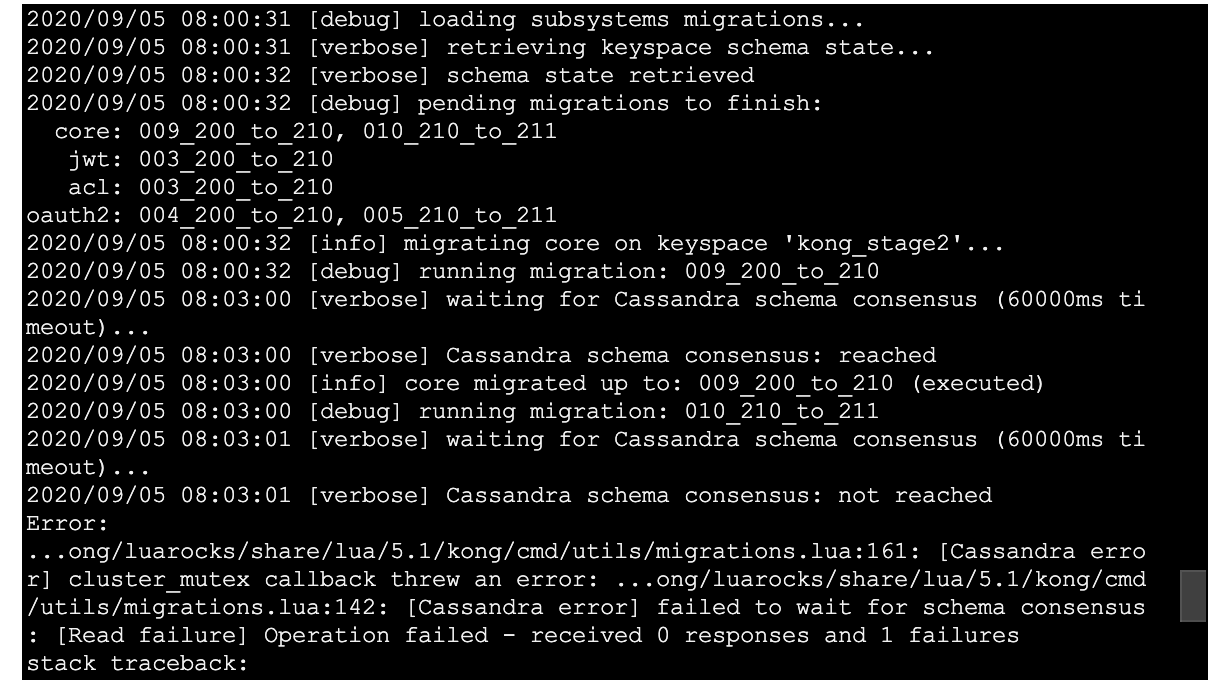
Again hitting annoying timeouts, but I can rerun the migrations list --vv and migrations finish --vv and see if it actually did them all or not.
jeremyjpj0916
on 5 Sep 2020
kong migrations list --vv looks like this at this stage:
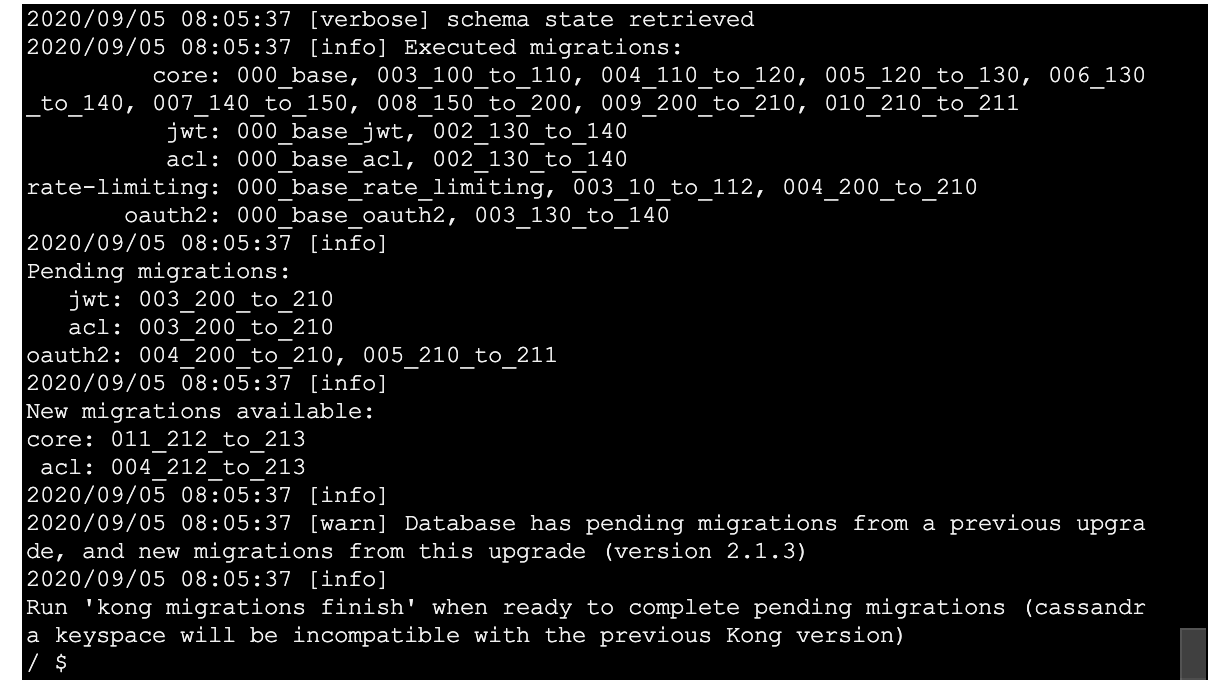
So it made progress on a few tables but still not done I suppose due to timeouts on some of the earlier ones leading to not getting to complete the other in the same cli run.
Edit - Migrations finish attempt number 2:
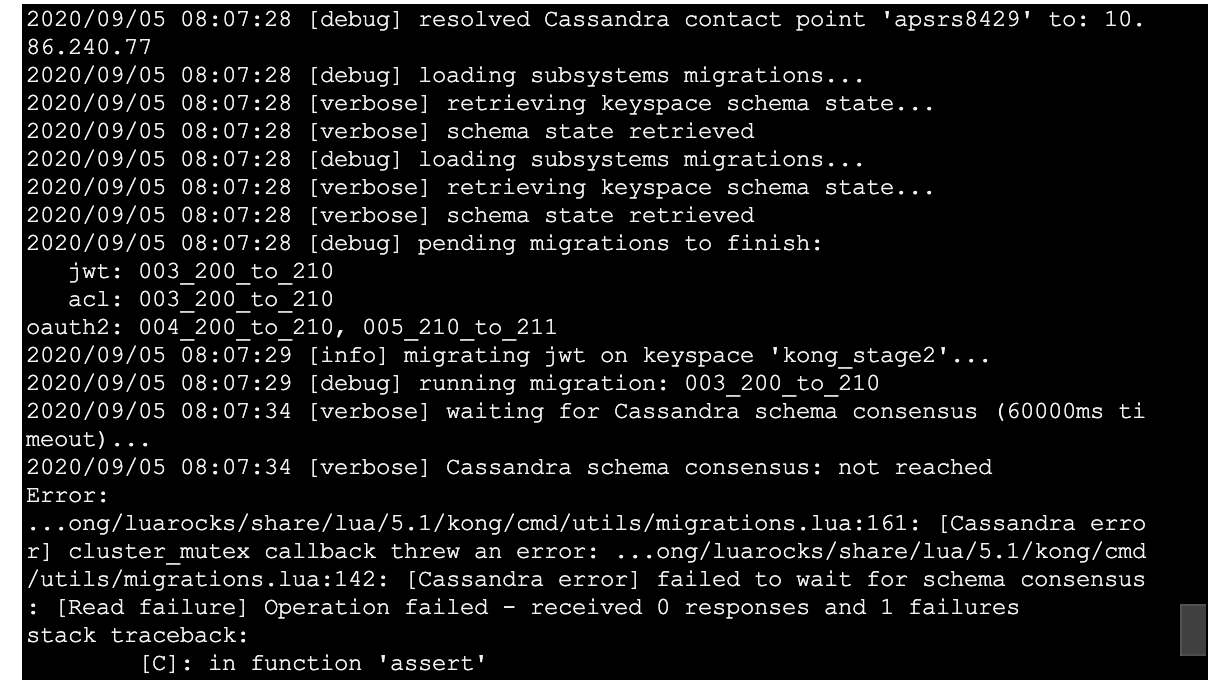
Idk why the schema consensus failure occurs so quickly? Almost instantly.. why does Kong not wait to hear C* report back? Is there some disconnect between that 60 second timeout in parenthesis of logs no longer actually controlling lower level client read timeouts with the db???
jeremyjpj0916
on 5 Sep 2020
After JWT next ran list again to see what the heck state I am in, seems to be knocking each table out one by one with this current issue of always timing out:
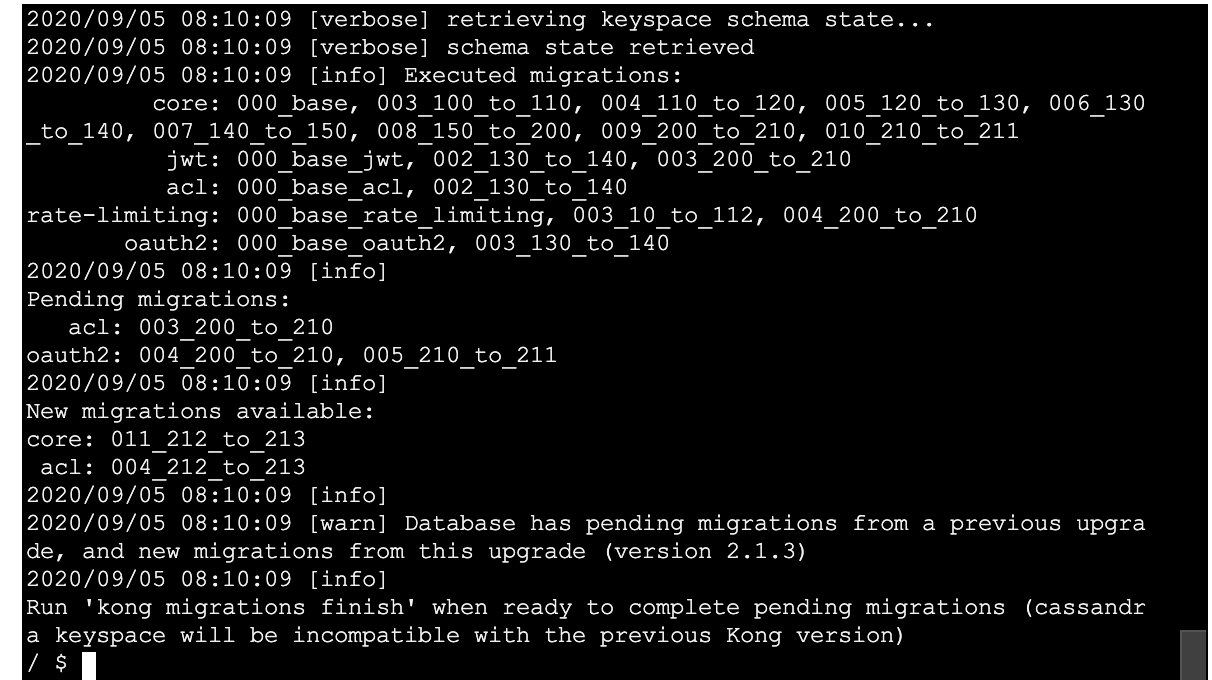
jeremyjpj0916
on 5 Sep 2020
All right, added a --db-timeout of 60 explicitly in my last migrations finish command, certainly waited around longer but still a resulting timeout it seems. I think this confirms the supposed 60 second default is actually NOT being honored in the migrations up steps when waiting for consensus(See earlier screen shot for evidence there, it didn't even wait a full second to print consensus not reached cc @bungle would you agree based on screenshot evidence 2 posts up?):
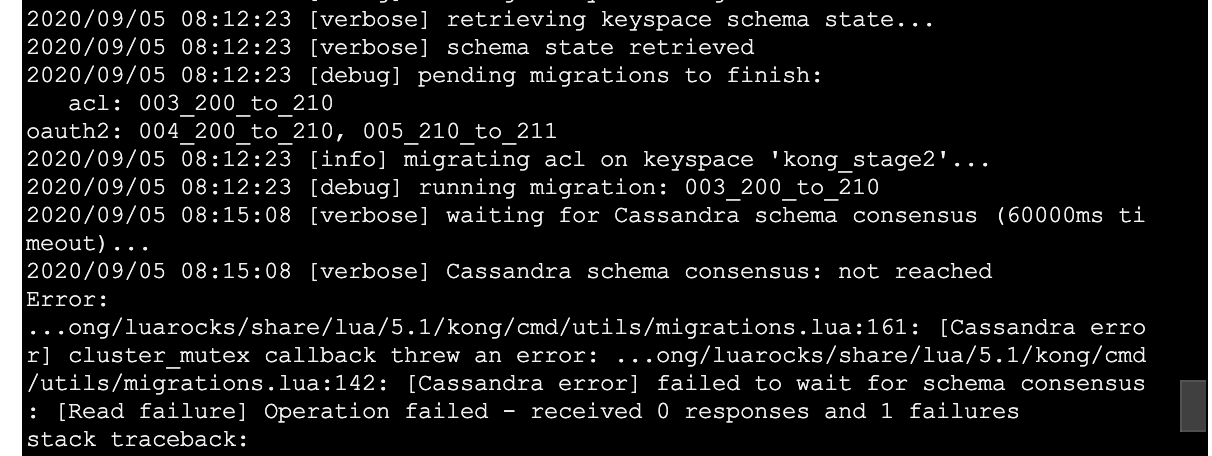
jeremyjpj0916
on 5 Sep 2020
The another migrations up seems to have finally finished off the oauth2 ones, now its saying I can run migrations up to pull in the 2.1.3 adjustments:
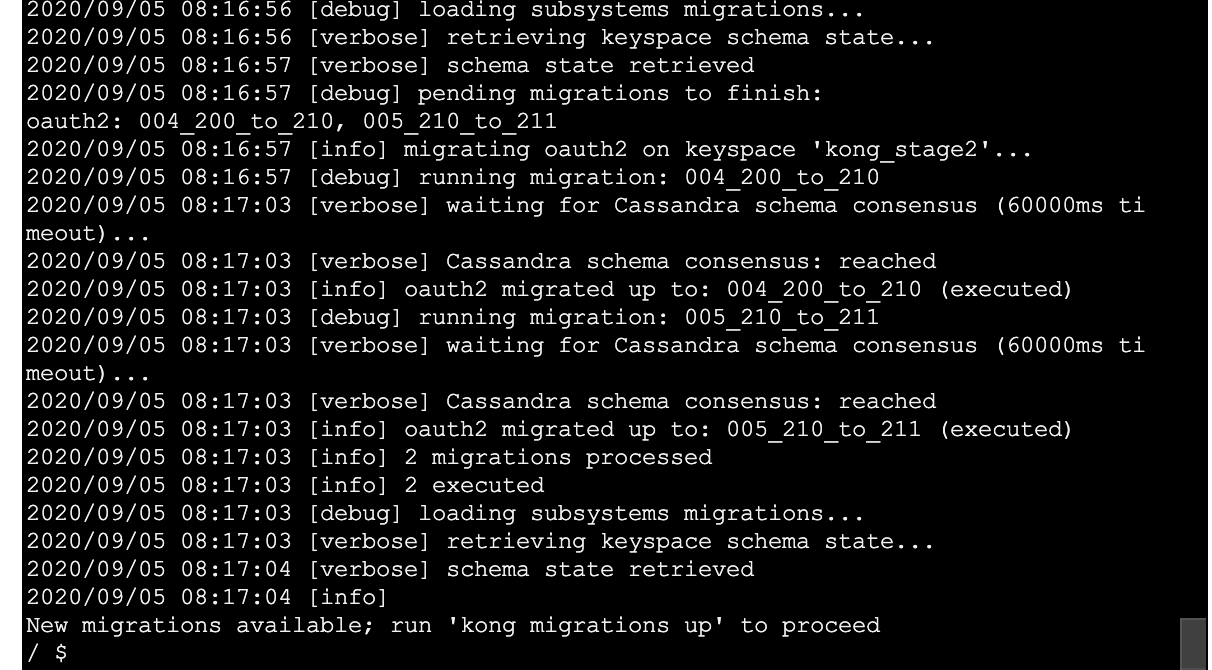
jeremyjpj0916
on 5 Sep 2020
Now the migrations up specifically FOR the 2.1.3 changes seem to have gone pretty smoothly:
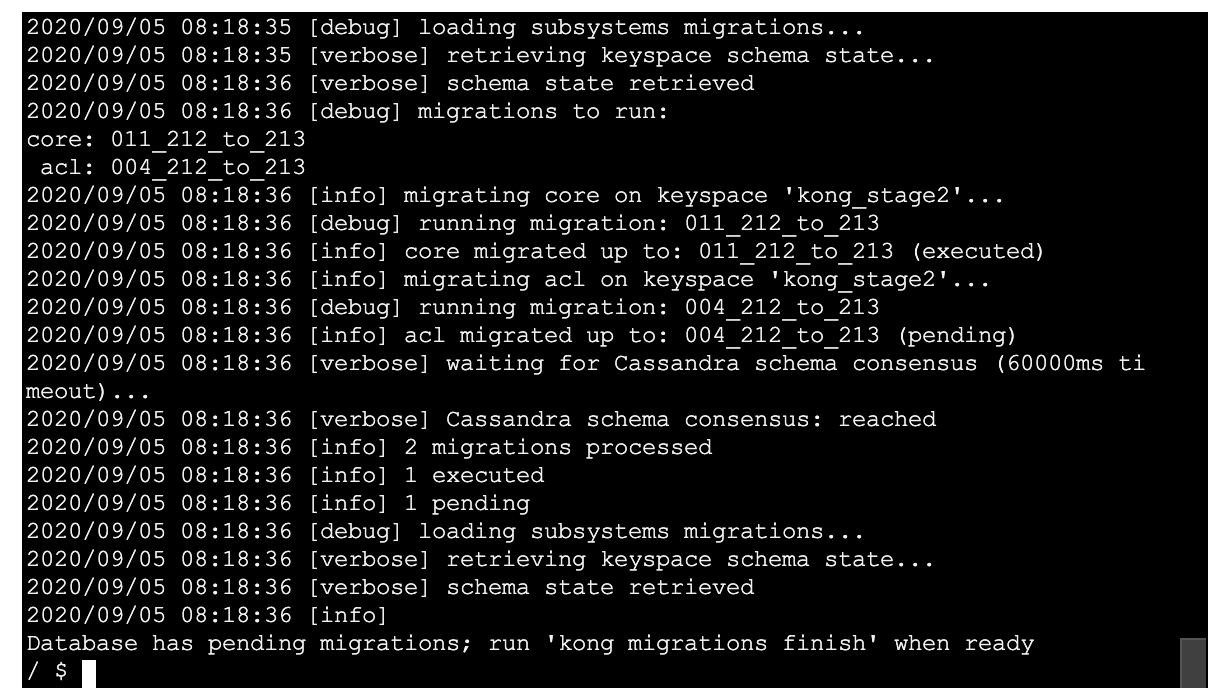
jeremyjpj0916
on 5 Sep 2020
Good to take a look at the schema_meta of my cloned keyspace after all those bajillion ups to get me to the finish line lol:
XXX@cqlsh:kong_stage2> select * from schema_meta;

 key         | subsystem             | executed                                                                                                                                                                                                      | last_executed  | pending
-------------+-----------------------+---------------------------------------------------------------------------------------------------------------------------------------------------------------------------------------------------------------+----------------+--------------------
 schema_meta |                   acl |                                                                                                                                          {'000_base_acl', '001_14_to_15', '002_130_to_140', '003_200_to_210'} | 003_200_to_210 | {'004_212_to_213'}
 schema_meta |            basic-auth |                                                                                                                                                                       {'000_base_basic_auth', '001_14_to_15'} |   001_14_to_15 |               null
 schema_meta |                  core | {'000_base', '001_14_to_15', '002_15_to_1', '003_100_to_110', '004_110_to_120', '005_120_to_130', '006_130_to_140', '007_140_to_150', '008_150_to_200', '009_200_to_210', '010_210_to_211', '011_212_to_213'} | 011_212_to_213 |               null
 schema_meta |             hmac-auth |                                                                                                                                                                        {'000_base_hmac_auth', '001_14_to_15'} |   001_14_to_15 |               null
 schema_meta |                   jwt |                                                                                                                                          {'000_base_jwt', '001_14_to_15', '002_130_to_140', '003_200_to_210'} | 003_200_to_210 |               null
 schema_meta |              key-auth |                                                                                                                                                       {'000_base_key_auth', '001_14_to_15', '002_130_to_140'} | 002_130_to_140 |               null
 schema_meta |                oauth2 |                                                                                                     {'000_base_oauth2', '001_14_to_15', '002_15_to_10', '003_130_to_140', '004_200_to_210', '005_210_to_211'} | 005_210_to_211 |               null
 schema_meta |         rate-limiting |                                                                                                                 {'000_base_rate_limiting', '001_14_to_15', '002_15_to_10', '003_10_to_112', '004_200_to_210'} | 004_200_to_210 |               null
 schema_meta | response-ratelimiting |                                                                                                                                           {'000_base_response_rate_limiting', '001_14_to_15', '002_15_to_10'} |   002_15_to_10 |               null

(9 rows)
This seems right, the acl pending is waiting for the 2.1.3 migrations finish command I will run from the new nodes as i take down old nodes.
jeremyjpj0916
on 5 Sep 2020
All right, spun up my 2.1.3 nodes intended to run the finish with and I get the usual timeout again instantly for schema consensus wait, it should wait 60 seconds...
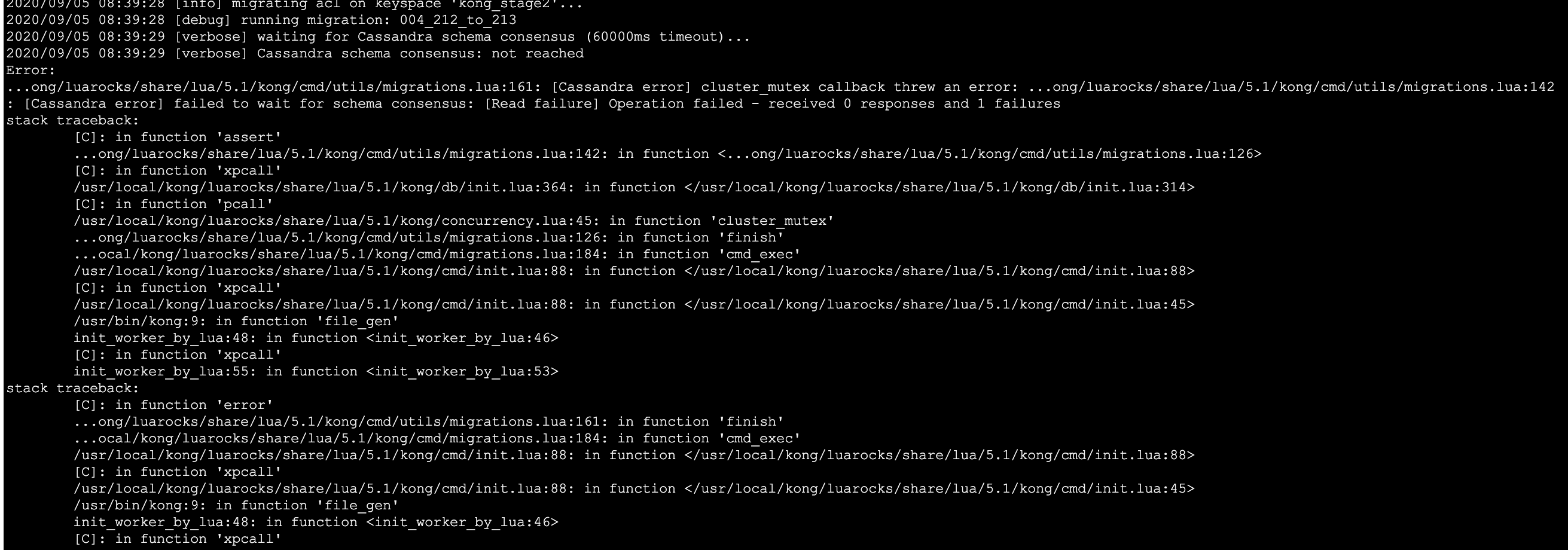
But then a quick check again with list and or finish --vv shows it did go through!

jeremyjpj0916
on 5 Sep 2020
Initial analysis of the fully upgraded clone keyspace had looked good at first glance right up until oddly enough my consumers were not loading at all via admin api nor acls. At first I thought I had not migrated the data from the original keyspace of those over to my clone but that was sadly not the case, if only it had been that easy and a goof on my side.
Now lets review prior to using 2.1.3 to do migrations ups(that had been pending old versions of kong migrations) and to migrations finish once fully done to 2.1.3 from 2.0.5:
As indicated here(https://github.com/Kong/kong/issues/6211#issuecomment-687393561), the old workspace id was: d13ea3ca-d393-4515-a668-cefc1b4e3703 created on a date before today right?
Lets compare the clone keyspace and the original right now:
XXX@cqlsh:kong_stage2> select * from workspaces;  (NOTE THIS IS THE CLONE Keyspace post all the migrations ups and finish from 2.1.3 nodes)

 id                                   | comment | config | created_at                      | meta | name
--------------------------------------+---------+--------+---------------------------------+------+---------
 1e4c0d37-85fb-43f6-bd15-9e1bd642c81e |    null |   null | 2020-09-05 08:00:31.000000+0000 | null | default
 ce42bf1d-53e8-47b3-8ee6-819bed44b1ee |    null |   null | 2020-09-05 08:12:23.000000+0000 | null | default
 7f530c66-192d-4c89-a237-97c0dff405ac |    null |   null | 2020-09-05 08:16:56.000000+0000 | null | default
 d13ea3ca-d393-4515-a668-cefc1b4e3703 |    null |   null | 2020-08-11 22:24:07.000000+0000 | null | default

(4 rows)
XXX@cqlsh:kong_stage2> use kong_stage;
XXX@cqlsh:kong_stage> select * from workspaces;

 id                                   | comment | config | created_at                      | meta | name
--------------------------------------+---------+--------+---------------------------------+------+---------
 d13ea3ca-d393-4515-a668-cefc1b4e3703 |    null |   null | 2020-08-11 22:24:07.000000+0000 | null | default
So I am hypothesizing that because a pending migration from an earlier version was out there, that since I had to run migrations up multiple times(see constant timeouts after timeouts) it re-entranced and injected 3 new ws id's.
Now most of my resources on this upgraded to 2.1.3 clone seem to be workspace associated by the id:
1e4c0d37-85fb-43f6-bd15-9e1bd642c81e
From plugins, to services, routes, oauth2_tokens, oauth2_credentials, jwt_secrets resources which are all very some critical tables. And it seems the running Kong picked out the 1e4... one as the "default" workspace somehow even though they all get labeled that.
But then I noticed 2 other critical tables acls AND consumers tables are referencing a different ws id,
and not even the same one haha, and my current Kong 2.1.3 pointing to this keyspace can't see them because so(acls one is interesting because it took the live "correct" ws_id the other good kong resources got for the cache_key, but you can see its out of sync with the ws_id column set too):
XXX@cqlsh:kong_stage2> select * from acls limit 1;

 id                                   | cache_key                                                                                                              | consumer_id                          | created_at                      | group                                | tags | ws_id
--------------------------------------+------------------------------------------------------------------------------------------------------------------------+--------------------------------------+---------------------------------+--------------------------------------+------+--------------------------------------
 0bf44095-98e6-4ffb-9e7b-d8cd2da8f16b | acls:ff2fc16d-e11d-43b0-9f82-4ab688831acb:92e69ab0-df85-4d16-90b3-76ec749530b5::::1e4c0d37-85fb-43f6-bd15-9e1bd642c81e | ff2fc16d-e11d-43b0-9f82-4ab688831acb | 2020-01-28 23:42:17.000000+0000 | 92e69ab0-df85-4d16-90b3-76ec749530b5 | null | ce42bf1d-53e8-47b3-8ee6-819bed44b1ee

(1 rows)
XXX@cqlsh:kong_stage2> select * from consumers limit 1;

 id                                   | created_at                      | custom_id | tags | username                                  | ws_id
--------------------------------------+---------------------------------+-----------+------+-------------------------------------------+--------------------------------------
 4a7a7568-589a-42f6-a488-639dfb1ec21a | 2020-05-12 21:11:18.000000+0000 |      null | null | d13ea3ca-d393-4515-a668-cefc1b4e3703:demoConsumer | d13ea3ca-d393-4515-a668-cefc1b4e3703
Now going back to ensure my original keyspace(kong_stage) the clone keyspace(kong_stage2) was made off of had no whacky values in it prior to starting these migrations up's from 2.1.3:
XXX@cqlsh:kong_stage2> use kong_stage;
XXX@cqlsh:kong_stage> select * from acls limit 1;

 id                                   | cache_key                                                                         | consumer_id                          | created_at                      | group                                | tags | ws_id
--------------------------------------+-----------------------------------------------------------------------------------+--------------------------------------+---------------------------------+--------------------------------------+------+-------
 0bf44095-98e6-4ffb-9e7b-d8cd2da8f16b | acls:ff2fc16d-e11d-43b0-9f82-4ab688831acb:92e69ab0-df85-4d16-90b3-76ec749530b5::: | ff2fc16d-e11d-43b0-9f82-4ab688831acb | 2020-01-28 23:42:17.000000+0000 | 92e69ab0-df85-4d16-90b3-76ec749530b5 | null |  null

(1 rows)
XXX@cqlsh:kong_stage> select * from consumers limit 1;

 id                                   | created_at                      | custom_id | tags | username | ws_id
--------------------------------------+---------------------------------+-----------+------+----------+-------
 4a7a7568-589a-42f6-a488-639dfb1ec21a | 2020-05-12 21:11:18.000000+0000 |      null | null |     demoConsumer |  null
We can see no ws_id has been set to cause issues for either resource in the original keyspace ^^ .
So essentially the fact I have to run migrations up multiple times from 2.1.3 node to clear our prior pending table migrations from previous kong patch versions on a 1 by 1 basis(which reveals some schema consensus timeouts seem to not be honored with Kong client -> C* in the migrations processing) also caused re-entrancing to create more ws_id's and sometimes associated the wrong ws_id to a few of those resources throughout the process.
So really two things at play that caused issues going from 2.0.5 on this db in a partially kong migration up state from prior kong versions, to hoping 2.1.3 leading the final up calls and finish would be able to fix up and handle the job:
The inability to run
migrations finishonce without hitting the timeout problem and having to go table by table. And even when I hard passed in a 60 second --db-timeout, it did wait awhile and still threw that
schema consensus not reached 0 responses 1 failure. But then Always when I follow up with another migrations list or migrations up/finish I know they processed correctly and things went though, my C* cluster is running healthy in general but it may be slow to process on full tables or schema changes due to a few 4-10k records in various tables and high replication factors and its local quorum behaviors... I think its here running the up migration commands multiple times to get past each table the ws_id re-entrancing was probably occuring and creating new id's and depending on the table it was working with on each up was probably the ws_id that got assigned to it, acl's migrations up got the ws_id that was injected on that specific run I imagine. Not 100% positive but potentially if I had only had to runkong migration up1 time to clear out all the old pending migrations from Kong 2.1.1 and Kong 2.1.2 and then only once more after a finish to bring in the 2.1.3 changes maybe it could have avoided the issues seen with acls table and consumers table too.Kong in its migration could probably get smarter or heal somehow should add some extra ws_id checks or something in the 2.1.3 or 2.1.4(if this is ever a thing) that ensures we get 1 and only 1 ws_id set to default. And if multiples are seen w default reduce to 1 and refactor all tables to point to the 1 default ws_id. Either that or ensure no extra ws_ids get made per "up/finish" command and leverage the initial one made. Or don't assume it is missing and select * search for one before injecting new ones. Probably a ton of ways to tackle improvements here.
Luckily this is all playing around with a clone keyspace and using our dev region kong pods so no heads on fire here atm but this is why I did it to again validate out where I think some problems may be and to capture the process fully along the way and issues faced with cqlsh data and screenshots.
cc @bungle @locao @hishamhm @thibaultcha Hopefully you find some of this interesting.
cc @rsbrisci
Oh man its 5:33AM time for 😴 ... For any that start reading this, start here and work downward to this final recap comment: https://github.com/Kong/kong/issues/6211#issuecomment-687393561 , save you from reading all the earlier ones.
jeremyjpj0916
on 5 Sep 2020
I thought I had maybe discussed that schema consensus error stuff before too, I think it was seen over here in discussion with Tibo: https://github.com/Kong/kong/issues/4228#issuecomment-458372269 , so maybe I need to check those properties again and bump them up even more... hmm. Even so, I think Kong has to be engineered in a way that a db timeout does not totally cause migrations to break the underlying db data if it has to be ran multiple times due to such a thing, db timeouts are too common a occurrence I have seen in the wild to always expect flawless execution every try. I will likely try to bump the timeouts on the cluster even more and retry the cloned keyspace experiment again.
C* environment has these for configurations:
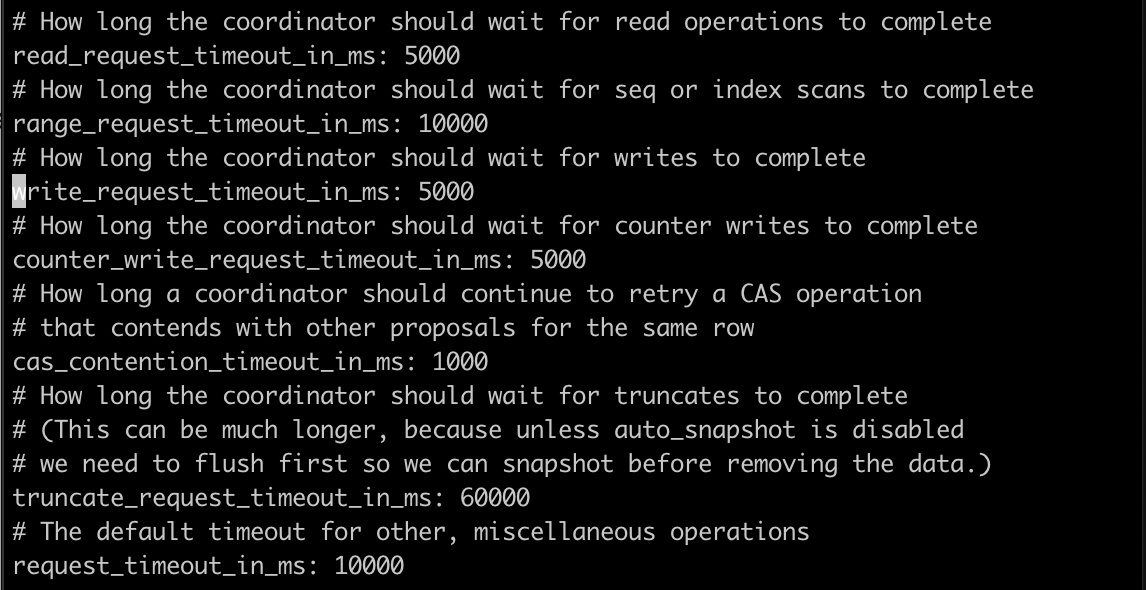
Considering bumping this to 20-30 seconds to give it some room to work on the bigger tables?
Gonna try this:
# How long the coordinator should wait for read operations to complete
read_request_timeout_in_ms: 20000
# How long the coordinator should wait for seq or index scans to complete
range_request_timeout_in_ms: 30000
# How long the coordinator should wait for writes to complete
write_request_timeout_in_ms: 20000
# How long the coordinator should wait for counter writes to complete
counter_write_request_timeout_in_ms: 20000
# How long a coordinator should continue to retry a CAS operation
# that contends with other proposals for the same row
cas_contention_timeout_in_ms: 5000
# How long the coordinator should wait for truncates to complete
# (This can be much longer, because unless auto_snapshot is disabled
# we need to flush first so we can snapshot before removing the data.)
truncate_request_timeout_in_ms: 60000
# The default timeout for other, miscellaneous operations
request_timeout_in_ms: 20000
But actually, going back and looking at the Kong logs above again during the migration finishes that schema consensus error'ed out, there the responses bounced back quicker than even 5 seconds(the configured read/write timeouts)... so is something else the issue?
jeremyjpj0916
on 5 Sep 2020
All right with the clone remade back on the original keyspace again and the settings above to extend C* timeouts for read/writes and w/e other timeouts present there are.
Also proof the cluster is all recognized and healthy before again doing the migration finishes and such:
# nodetool status
Datacenter: DC1
===============
Status=Up/Down
|/ State=Normal/Leaving/Joining/Moving
--  Address       Load       Tokens       Owns (effective)  Host ID                               Rack
UN  10.xx.xx.xx   59.67 MiB  256          100.0%            d48fc706-785b-452c-919d-ef47727aef08  RACK6
UN  10.xx.xx.xx  58.43 MiB  256          100.0%            1a480441-0500-4cdc-b1bf-36ee2c70ea54  RACK5
UN  10.xx.xx.xx  70.04 MiB  256          100.0%            e040b4e5-aa82-47fe-ae03-ee175cf3af67  RACK3
Datacenter: DC2
===============
Status=Up/Down
|/ State=Normal/Leaving/Joining/Moving
--  Address       Load       Tokens       Owns (effective)  Host ID                               Rack
UN  10.xx.xx.xx  67.33 MiB  256          100.0%            99d6b1bf-2861-4e72-897e-bfeb5834679c  RACK1
UN  10.xx.xx.xx  56.71 MiB  256          100.0%            a97f8b76-bcba-4b7f-87ee-81dfe52d4e79  RACK4
UN  10.xx.xx.xx  55.37 MiB  256          100.0%            c8e29304-68c2-4c5a-bee7-41375240198a  RACK2
I will be skipping running the first kong migrations up command that errored out last time initially from the 2.1.3 node because I know I need to finish the other pending migrations before I can do the 2.1.3 ones.
jeremyjpj0916
on 6 Sep 2020
A quick kong migrations list --vv tells me again what all it wants to do, the keyspace of the kong_stage2 clone is back in its 2.0.5 semi migrated state without the finish from earlier kong versions that failed to upgrade. Original tables from earlier in my thread of yesterday hold true for its starting values again.
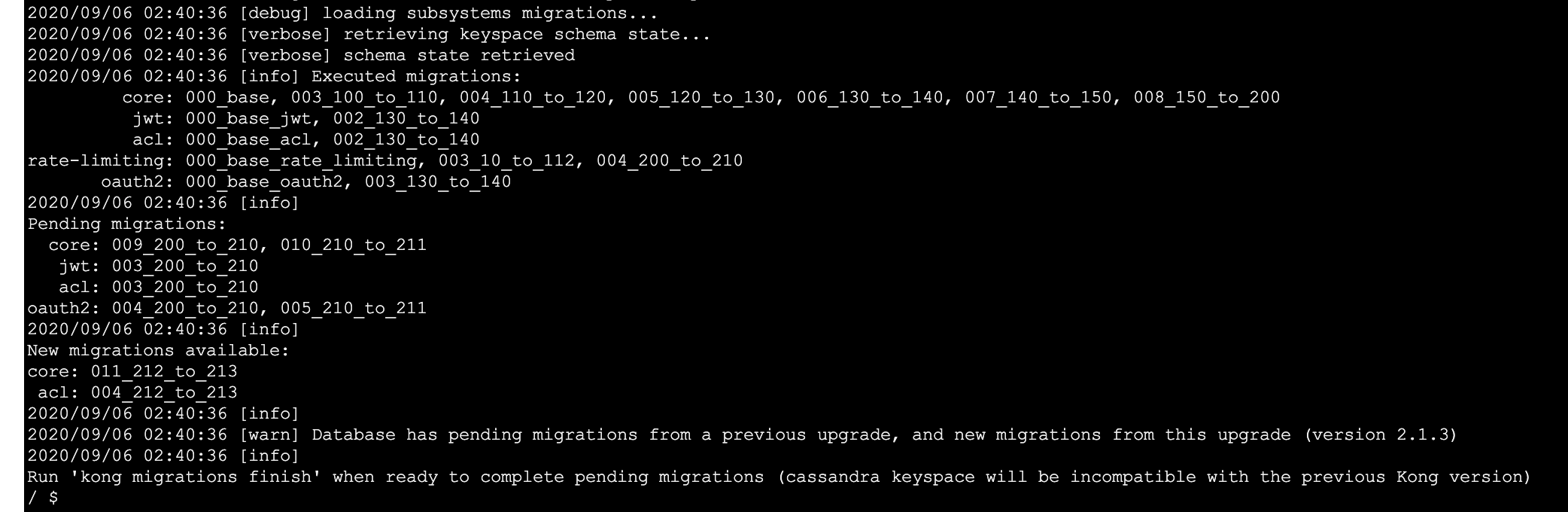
jeremyjpj0916
on 6 Sep 2020
Okay the first migrations finish seemed to again get the CORE 009_200_to_210 one done after a long time, but then insta threw the schema consensus not reached on the 010_210_to_211 as shown here:
kong migrations finish --db-timeout 120 --vv
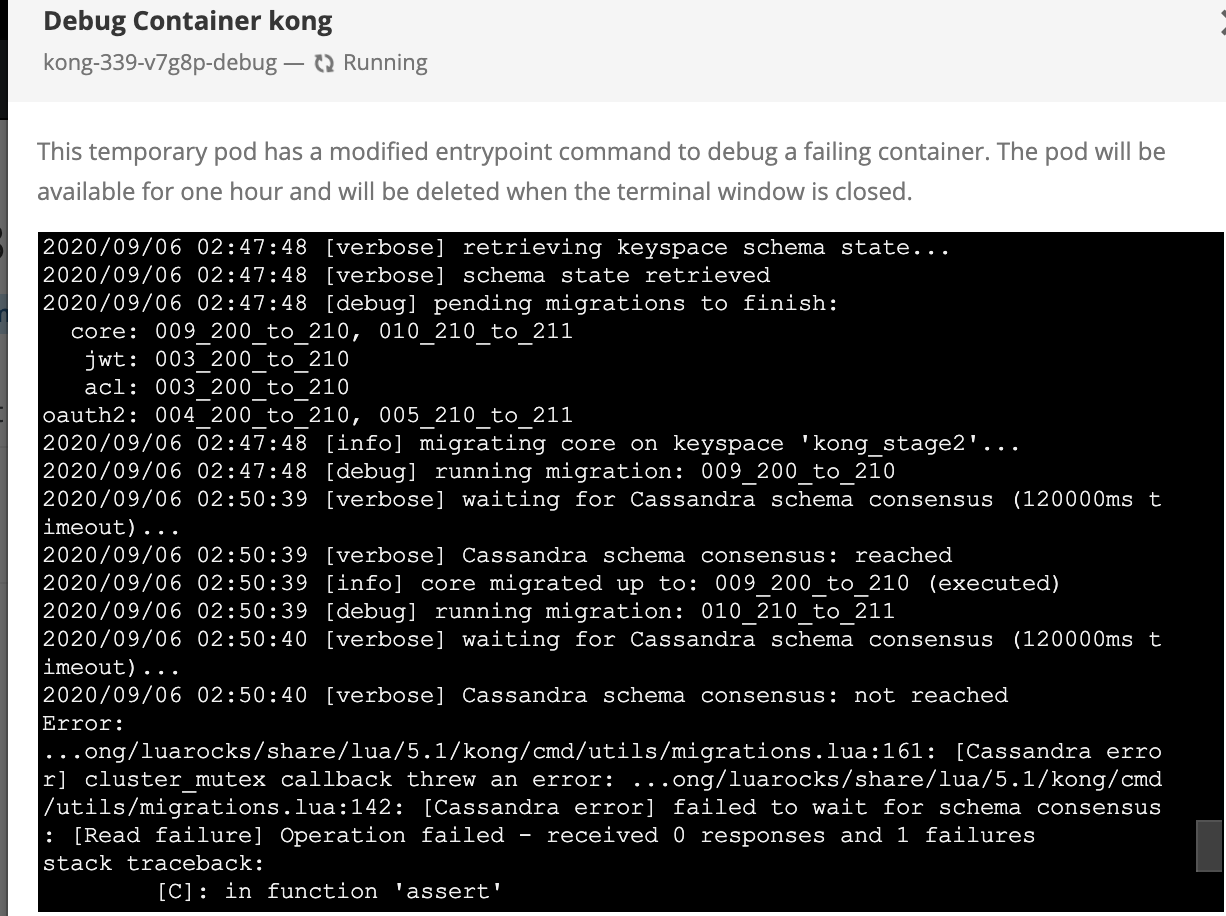
jeremyjpj0916
on 6 Sep 2020
I decided to go browse the DB just after that first finish command, looks like I already get another workspace which isn't good:
XXX@cqlsh> use kong_stage2;
XXX@cqlsh:kong_stage2> select * from workspaces;

 id                                   | comment | config | created_at                      | meta | name
--------------------------------------+---------+--------+---------------------------------+------+---------
 da50475a-2e11-4d45-8c7e-4cccbdbbbd80 |    null |   null | 2020-09-06 02:47:48.000000+0000 | null | default
 d13ea3ca-d393-4515-a668-cefc1b4e3703 |    null |   null | 2020-08-11 22:24:07.000000+0000 | null | default

(2 rows)
XXX@cqlsh:kong_stage2>
Looks like the routes resource is pointing to the new keyspace too(same for services, and plugins, certificates), NO ws_id set yet for acls, jwt_secrets, oauth2_creds, or oauth2_tokens yet:
XXX@cqlsh:kong_stage2> select * from routes limit 1;

 partition | id                                   | created_at                      | destinations | headers | hosts | https_redirect_status_code | methods | name | path_handling | paths                  | preserve_host | protocols         | regex_priority | service_id                           | snis | sources | strip_path | tags | updated_at                      | ws_id
-----------+--------------------------------------+---------------------------------+--------------+---------+-------+----------------------------+---------+------+---------------+------------------------+---------------+-------------------+----------------+--------------------------------------+------+---------+------------+------+---------------------------------+--------------------------------------
    routes | 0003b4be-2d15-4272-b408-d6a24f031817 | 2018-12-06 23:37:03.000000+0000 |         null |    null |  null |                        426 |    null | null |            v1 | ['/api/ctc/ross/test'] |         False | {'http', 'https'} |              0 | 39d4596f-084d-4999-8823-60d40d3cae5e | null |    null |       True | null | 2020-08-14 21:54:49.000000+0000 | da50475a-2e11-4d45-8c7e-4cccbdbbbd80
And the Consumers resource now also has a ws_id set, but its pointing to the old one in workspace table:
kongdba@cqlsh:kong_stage2> select * from consumers limit 1;

 id                                   | created_at                      | custom_id | tags | username                                  | ws_id
--------------------------------------+---------------------------------+-----------+------+-------------------------------------------+--------------------------------------
 4a7a7568-589a-42f6-a488-639dfb1ec21a | 2020-05-12 21:11:18.000000+0000 |      null | null | d13ea3ca-d393-4515-a668-cefc1b4e3703:demo | d13ea3ca-d393-4515-a668-cefc1b4e3703
All right, so at this point, Kong's migration process has already failed, but I am going to try and help Kong out a bit and delete the older ws_id present here and take the latest. Refactor the consumers data with right ws_id myself with a little sed magic and inject them back in:
sed -i 's/d13ea3ca-d393-4515-a668-cefc1b4e3703/da50475a-2e11-4d45-8c7e-4cccbdbbbd80/g' consumers.dat
I wanna see if I can at least get the clone to the finish line by hacking things along as well.
jeremyjpj0916
on 6 Sep 2020
Yep seems legit so far:
XXX@cqlsh:kong_stage2> delete from workspaces where id=d13ea3ca-d393-4515-a668-cefc1b4e3703;
XXX@cqlsh:kong_stage2> select * from workspaces;

 id                                   | comment | config | created_at                      | meta | name
--------------------------------------+---------+--------+---------------------------------+------+---------
 da50475a-2e11-4d45-8c7e-4cccbdbbbd80 |    null |   null | 2020-09-06 02:47:48.000000+0000 | null | default

(1 rows)
XXX@cqlsh:kong_stage2> COPY consumers FROM 'consumers.dat';
Using 1 child processes

Starting copy of kong_stage2.consumers with columns [id, created_at, custom_id, tags, username, ws_id].
Processed: 1067 rows; Rate:     550 rows/s; Avg. rate:     996 rows/s
1067 rows imported from 1 files in 1.071 seconds (0 skipped).
XXX@cqlsh:kong_stage2> select * from consumers limit 1;

 id                                   | created_at                      | custom_id | tags | username                                  | ws_id
--------------------------------------+---------------------------------+-----------+------+-------------------------------------------+--------------------------------------
 4a7a7568-589a-42f6-a488-639dfb1ec21a | 2020-05-12 21:11:18.000000+0000 |      null | null | da50475a-2e11-4d45-8c7e-4cccbdbbbd80:demo | da50475a-2e11-4d45-8c7e-4cccbdbbbd80
With DB cleaned up some from the initial runs, next migrations finish attempted:
kong migrations finish --db-timeout 120 --vv, again errors with schema consensus errors...
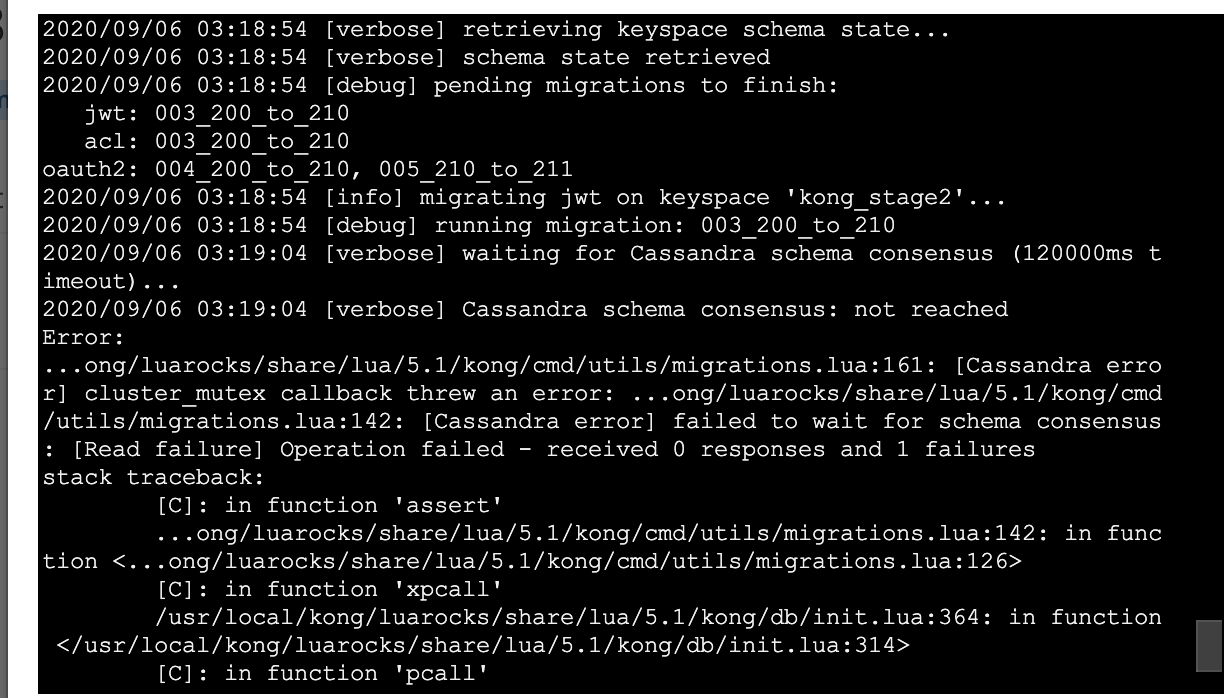
jeremyjpj0916
on 6 Sep 2020
Good news here is the next jwt one did not inject a new ws_id and did update my existing secrets to add the present ws_id to the entries which is desired:
XXX@cqlsh:kong_stage2> select * from workspaces  limit 1;

 id                                   | comment | config | created_at                      | meta | name
--------------------------------------+---------+--------+---------------------------------+------+---------
 da50475a-2e11-4d45-8c7e-4cccbdbbbd80 |    null |   null | 2020-09-06 02:47:48.000000+0000 | null | default

(1 rows)
XXX@cqlsh:kong_stage2> select * from jwt_secrets  limit 1;

 id                                   | algorithm | consumer_id                          | created_at                      | key                                                                   | rsa_public_key | secret                           | tags | ws_id
--------------------------------------+-----------+--------------------------------------+---------------------------------+-----------------------------------------------------------------------+----------------+----------------------------------+------+--------------------------------------
 efaaf34c-5bf4-4ad5-a170-f1d571a7a8aa |     HS256 | 377b5908-bbce-489a-a7a9-a379d0ae4289 | 2019-01-28 17:04:46.000000+0000 | da50475a-2e11-4d45-8c7e-4cccbdbbbd80:pwVzDgwFcFPjudIMsSUB0Ls9zQbwmNvs |           null | EvzEHEfZi3gMs8kR64Vc0UdX4lfaBFvd | null | da50475a-2e11-4d45-8c7e-4cccbdbbbd80

(1 rows)
XXX@cqlsh:kong_stage2>
Next one up is the acl ones:
kong migrations finish --db-timeout 120 --vv, again, schema consensus errors. Will take a look what it did after.
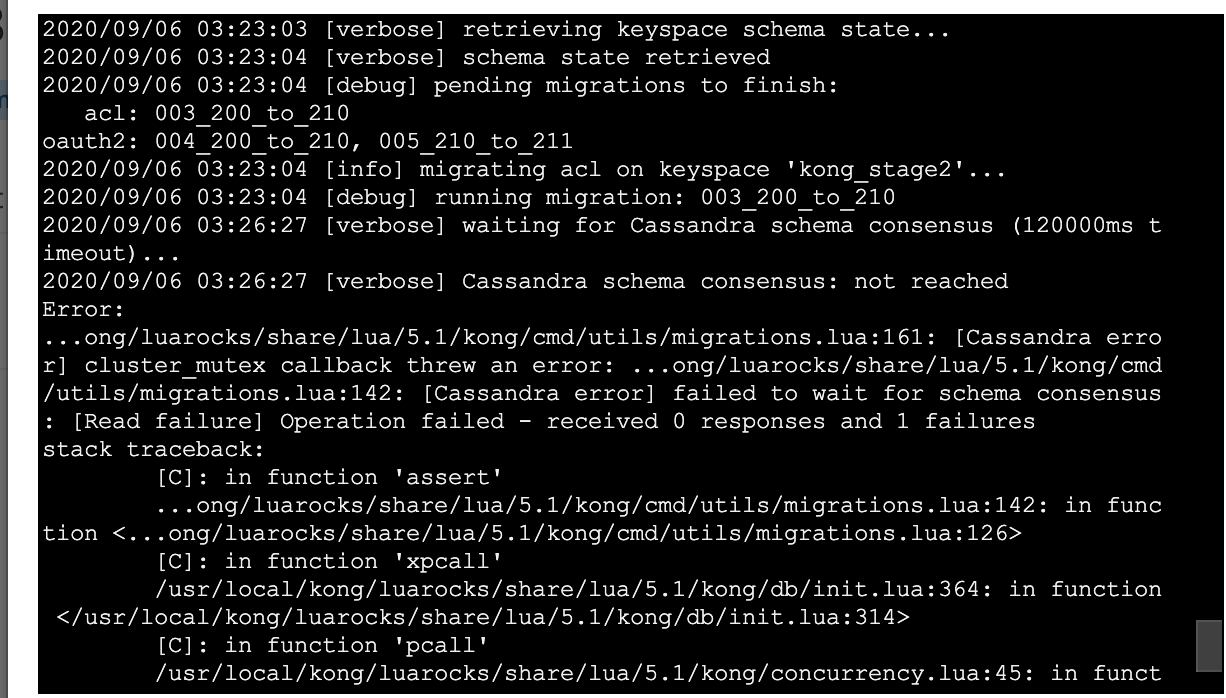
jeremyjpj0916
on 6 Sep 2020
acl one done goofed too...
XXX@cqlsh:kong_stage2> select * from workspaces;

 id                                   | comment | config | created_at                      | meta | name
--------------------------------------+---------+--------+---------------------------------+------+---------
 d3346fdf-9b2f-4fd3-b482-078c7a691a16 |    null |   null | 2020-09-06 03:23:03.000000+0000 | null | default
 da50475a-2e11-4d45-8c7e-4cccbdbbbd80 |    null |   null | 2020-09-06 02:47:48.000000+0000 | null | default

(1 rows)
XXX@cqlsh:kong_stage2> select * from acls  limit 1;

 id                                   | cache_key                                                                                                              | consumer_id                          | created_at                      | group                                | tags | ws_id
--------------------------------------+------------------------------------------------------------------------------------------------------------------------+--------------------------------------+---------------------------------+--------------------------------------+------+--------------------------------------
 0bf44095-98e6-4ffb-9e7b-d8cd2da8f16b | acls:ff2fc16d-e11d-43b0-9f82-4ab688831acb:92e69ab0-df85-4d16-90b3-76ec749530b5::::da50475a-2e11-4d45-8c7e-4cccbdbbbd80 | ff2fc16d-e11d-43b0-9f82-4ab688831acb | 2020-01-28 23:42:17.000000+0000 | 92e69ab0-df85-4d16-90b3-76ec749530b5 | null | d3346fdf-9b2f-4fd3-b482-078c7a691a16
It added a new workspace, and it slapped in the old correct workspace id into the cache_key of the acl and added the new one to the ws_id table... this is not good, going to manually fix this one much like I did the consumers table...
jeremyjpj0916
on 6 Sep 2020
All right fixed up there, truncated and brought back in correctly refactored:
XXX@cqlsh:kong_stage2> COPY acls FROM 'acls.dat';
Using 1 child processes

Starting copy of kong_stage2.acls with columns [id, cache_key, consumer_id, created_at, group, tags, ws_id].
Processed: 13168 rows; Rate:    1659 rows/s; Avg. rate:    2427 rows/s
13168 rows imported from 1 files in 5.426 seconds (0 skipped).
XXX@cqlsh:kong_stage2> select * from acls limit 1;

 id                                   | cache_key                                                                                                              | consumer_id                          | created_at                      | group                                | tags | ws_id
--------------------------------------+------------------------------------------------------------------------------------------------------------------------+--------------------------------------+---------------------------------+--------------------------------------+------+--------------------------------------
 0bf44095-98e6-4ffb-9e7b-d8cd2da8f16b | acls:ff2fc16d-e11d-43b0-9f82-4ab688831acb:92e69ab0-df85-4d16-90b3-76ec749530b5::::da50475a-2e11-4d45-8c7e-4cccbdbbbd80 | ff2fc16d-e11d-43b0-9f82-4ab688831acb | 2020-01-28 23:42:17.000000+0000 | 92e69ab0-df85-4d16-90b3-76ec749530b5 | null | da50475a-2e11-4d45-8c7e-4cccbdbbbd80

(1 rows)


XXX@cqlsh:kong_stage2> select * from workspaces;

 id                                   | comment | config | created_at                      | meta | name
--------------------------------------+---------+--------+---------------------------------+------+---------
 da50475a-2e11-4d45-8c7e-4cccbdbbbd80 |    null |   null | 2020-09-06 02:47:48.000000+0000 | null | default

(1 rows)
A quick migrations list reminds me there is still 1 more table to go:
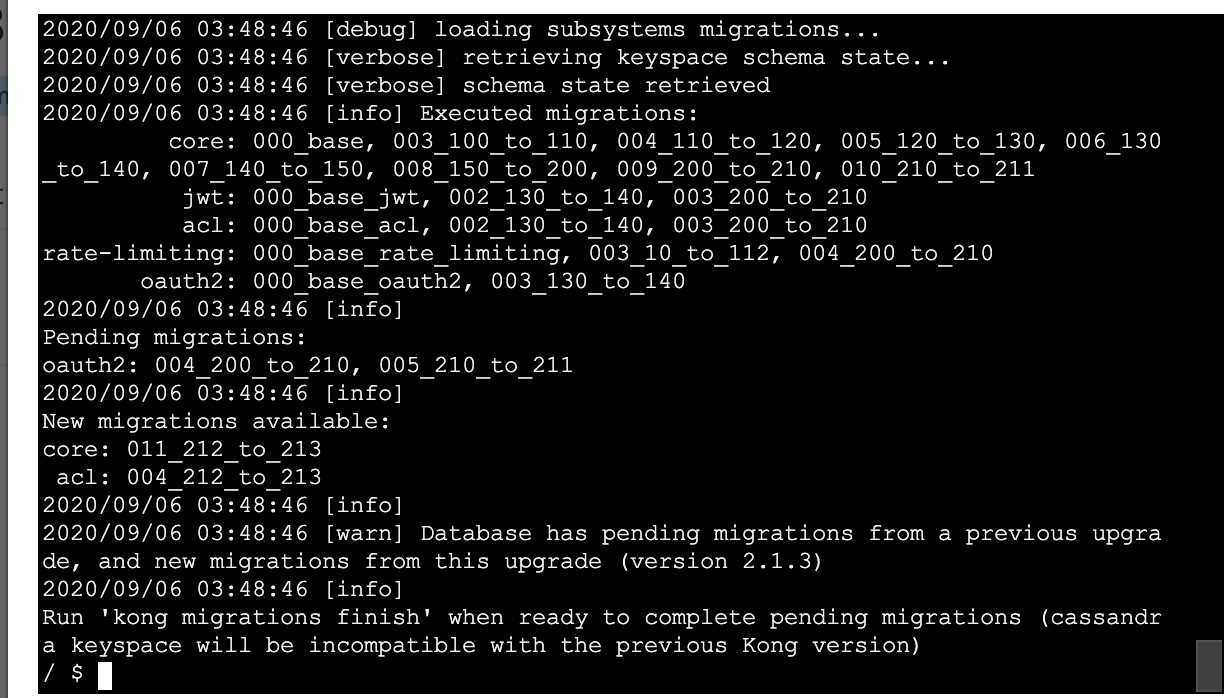
And oddly enough the oauth one actually processed normally without a schema consensus error! Odd but am greatful for 1 at least.
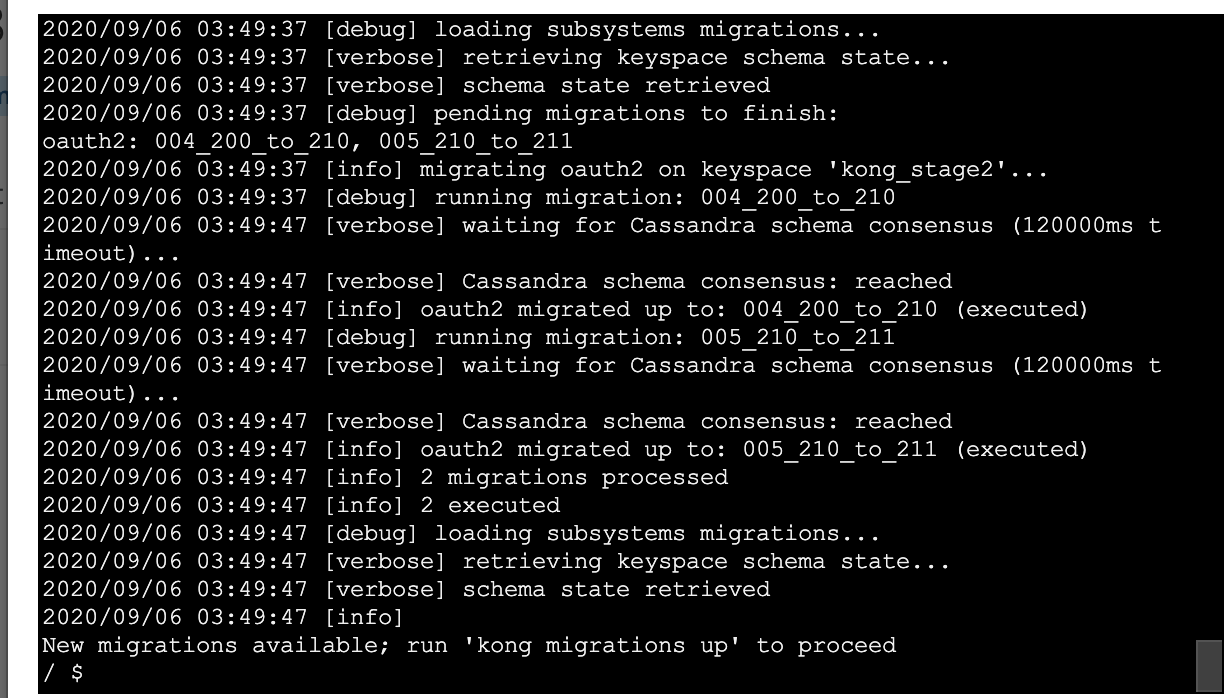
jeremyjpj0916
on 6 Sep 2020
The oauth one almost did exactly what I wanted... It actually did make the credentials table correct with the right id in the cache_key and ws_id column but it still friggen injected a new workspace id in the workspace tables, plz stahp xD!
XXX@cqlsh:kong_stage2> select * from workspaces;

 id                                   | comment | config | created_at                      | meta | name
--------------------------------------+---------+--------+---------------------------------+------+---------
 da50475a-2e11-4d45-8c7e-4cccbdbbbd80 |    null |   null | 2020-09-06 02:47:48.000000+0000 | null | default
 d8e10e18-ab84-4dfe-b868-0d6549ea0dfa |    null |   null | 2020-09-06 03:49:37.000000+0000 | null | default

(2 rows)
XXX@cqlsh:kong_stage2> select * from oauth2_credentials limit 1;

 id                                   | client_id                                                             | client_secret                    | client_type | consumer_id                          | created_at                      | hash_secret | name        | redirect_uris        | tags | ws_id
--------------------------------------+-----------------------------------------------------------------------+----------------------------------+-------------+--------------------------------------+---------------------------------+-------------+-------------+----------------------+------+--------------------------------------
 7dc9a767-e4ad-49ae-945c-ecad219b176b | da50475a-2e11-4d45-8c7e-4cccbdbbbd80:XXXXXXXXXXXXXXX | XXXXXXXXXXX |        null | b320278f-4dd9-47ae-b06f-9eeaa33fb384 | 2019-04-26 19:59:29.000000+0000 |        null | OAuth_Creds | {'http://optum.com'} | null | da50475a-2e11-4d45-8c7e-4cccbdbbbd80
OAuth2 Tokens table also was done correctly fyi. Gonna delete that rando new workspace id and continue processing from here.
jeremyjpj0916
on 6 Sep 2020
The kong migrations up --db-timeout 120 --vv I just ran for the final 2.1.3 changes seemed to go smoothly:
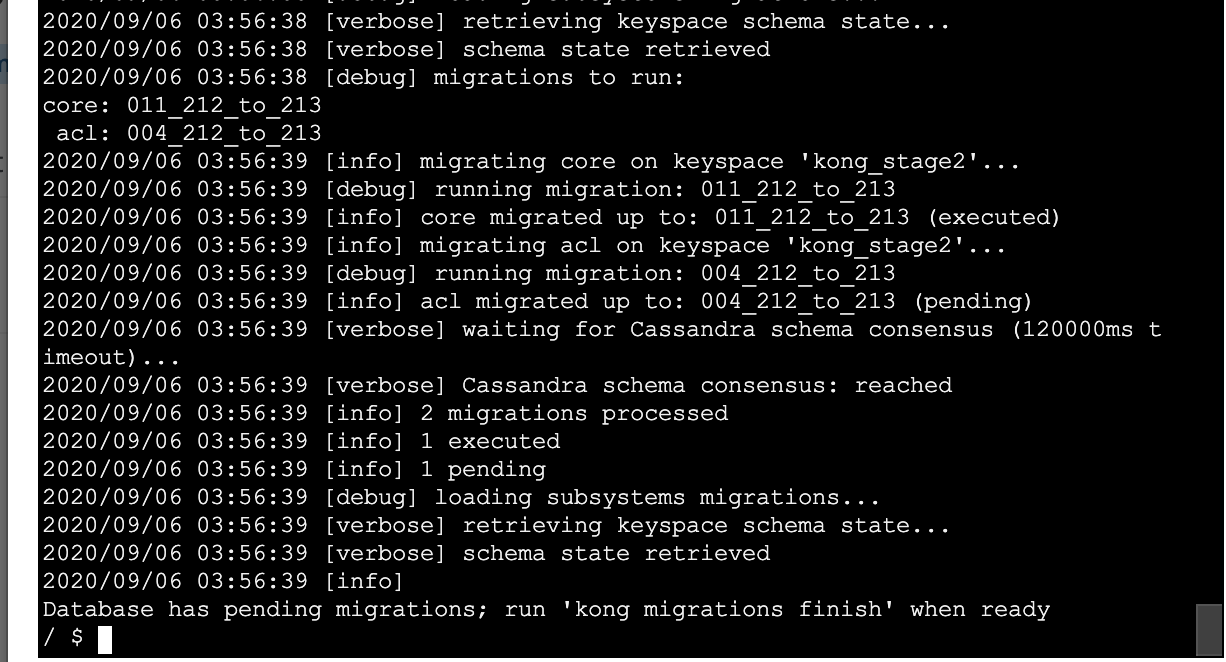
Will again verify the db and see if all is well.
jeremyjpj0916
on 6 Sep 2020
DB looks good still, the migrations finish of on 2.1.3 with its small changes again gave me a schema consensus error issue:
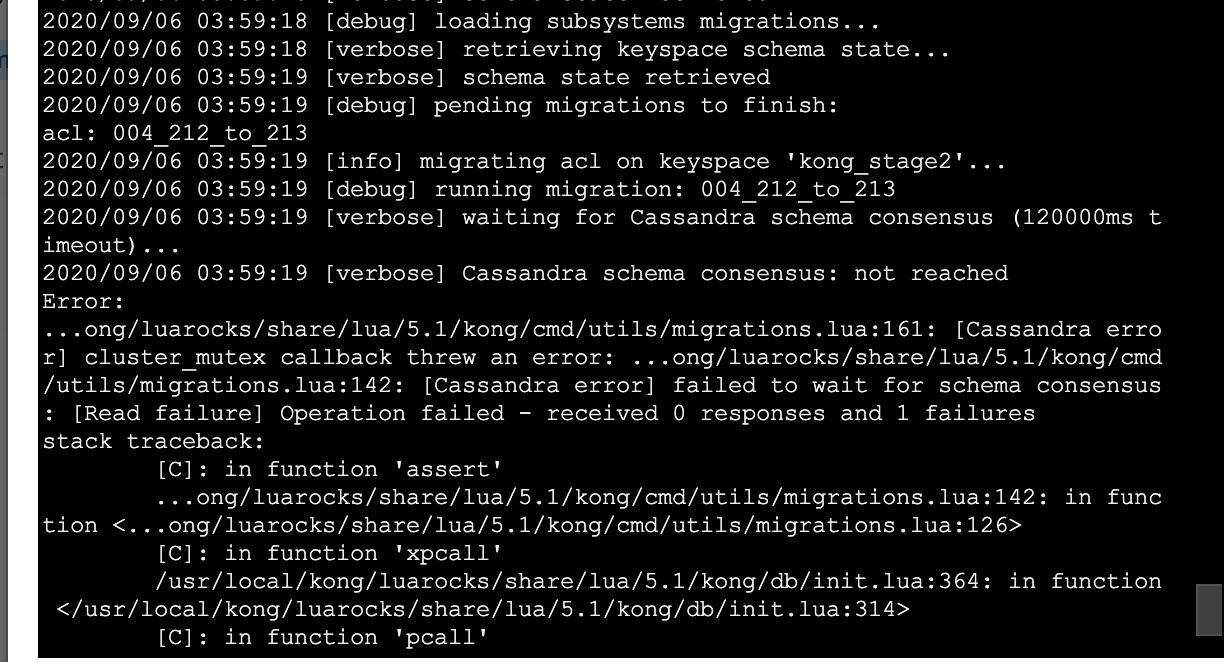
jeremyjpj0916
on 6 Sep 2020
Kong migrations list at this stage shows all is well though:
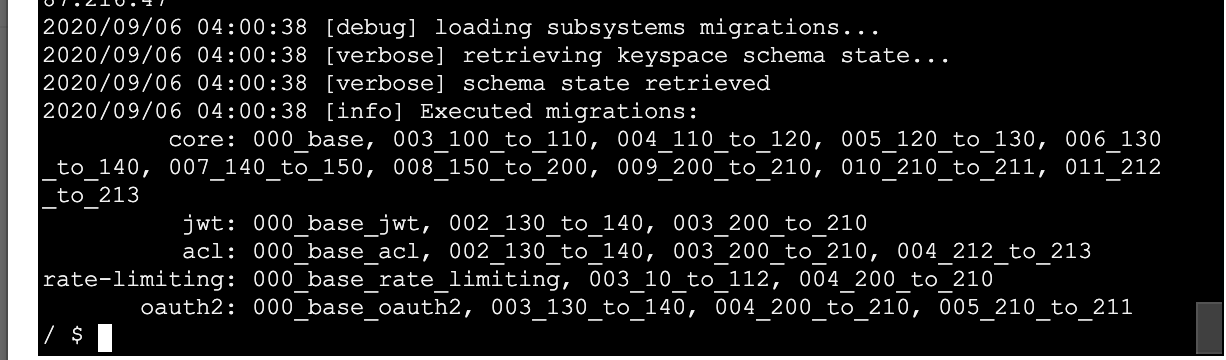
All right firing back up my Kong 2.1.3 pods against this db.
jeremyjpj0916
on 6 Sep 2020
System checks out at this point, resources all load as I would expect and its a proper 2.1.3 db at this state and the Kong nodes are running healthy against it. Thus ends the novel book break down of each step by step and the problems the Kong migration flow faced throughout it.
So that testing shows with plenty manual intervention bringing the keyspace back into line per each migration step(especially the 2.1.1 and 2.1.0 ones causing problems for me). It is possible to get there. Even if I had not seen any schema consensus errors and it ran all the way through on the very first kong migrations finish from my 2.1.3 node still woulda been problematic through because even after the first migrations finish it had already made 1. a new workspace id alongside the existing one, 2. pointed some resources at the new workspace id, 3. pointed the consumers resources at the old workspace id..
In conclusion not sure if it will be this involved for everyone attempting the jump but from what I have seen it requires heavy involvement and manual interventions to get from 2.0.5(with pending migrations to newer versions on the db) to 2.1.3 from a 2.1.3 node as shown above. The trial tonight proves it can be done though if you are willing to take some downtime and can do some db administrative cleanup work to fix mistakes made in the migrations processing. Will likely wanna test this against some clones of my prod keyspace clusters too that are sitting on 2.0.5 with no pending migrations to see if they go more seamlessly too at some point.
Oh and those timeout increases didn't seem to change anything with regards to all the C* error mutexes thrown so not sure whats up there, the cluster seems healthy and it seems it very specifically some parts of the migrations and not others every time just about. the C* cluster is all in on prem and close together so calls and such are usually pretty fast between then. Will likely revert those timeout changes back to the old values shortly.
Edit - Also tried on a pure 2.0.5 keyspace to migration up with a 2.1.3 node, those went smooth and then the migrations finish did throw that schema consensus error twice so I had to finish it multiple times, but the end result of the db came out as desired. So hopefully only those that may have ran migrations up from 2.05 to 2.1.1 or 2.1.2 and had issues will have further issues getting up to 2.1.3 .
jeremyjpj0916
on 6 Sep 2020
As a hack around the above ^ problems today I realized now that I had a working 2.1.3 copy (didn't necessarily trust the keyspace it cloned from initially fully) I could at least use it to run kong and db export the yaml of our config. So did that(and luckily no self-service proxies were made during the weekend or new consumers etc.). So my 2.1.3 fix up from last night was good to leverage as the data src. make a fresh keyspace called kong_stage3 using 2.1.3 bootstrapping, and then imported the data to it manually via a kong config db_import of the yaml. Took about 10+ mins to run and import the data(phew its slow when you got 10k+ records in a few tables in a real network environment). But then was able to run our stage env against that kong_stage3 keyspace while I then cloned it using my keyspace clone script back to kong_stage(our original choosen keyspace name to standardize across stage envs). Then pointed our stage env back against that and got rid of the temporary keyspaces... phew. I also noticed my clone script didn't fail on the oauth2_creds table like it did in prior clone attempts with that weird error, so for sure that old keyspace was somehow haunted too. Glad to have this past us now. Will be cloning the prod keyspaces and trying 2.0.5 to 2.1.3 directly too in those respective clusters down the road here before the 15th hopefully.
jeremyjpj0916
on 7 Sep 2020
Related issues
 ghost
·
3Comments
ghost
·
3Comments
 rucciva
·
3Comments
rucciva
·
3Comments
 lavoiedn
·
3Comments
lavoiedn
·
3Comments
 Tieske
·
4Comments
Tieske
·
4Comments
 z843248880
·
3Comments
z843248880
·
3Comments
Most helpful comment
@jeremyjpj0916, I feel your pain, and we are terribly sorry. I just came from vacation previous wed, and started looking these migration issues. The 2.1.1 already included some fixes, but there was more. I looked this
--forcething, but while looking at it we found other re-entrancy issues as well (usually triggered with--force), and thus my PR contains fixes to that. I moved theensuring default workspaceinsideconnect_migrationsin hopes that we don't have thesenilissues. And now it does not adddefault workspaceinupmigration, but adds it infinishphase when needed. Also dealing with there-entrancy problemas it does read -> if not found -> write -> read again.I will take a second look for new migrations since 2.0, to see if there are anything else we are missing. Do not run with
--forcewithout my PR. And even with that, do not try with--force(even when it should be safe now), but instead report us back if it still didn't work.