Komga: Remove blank space between pages in Double Page mode
One of the useful applications of having a double page mode in the web reader is being able to view the two halves of a split double-page at the same time. Unfortunately, the current implementation separates the two pages with a large blank space so that it ends up looking like this
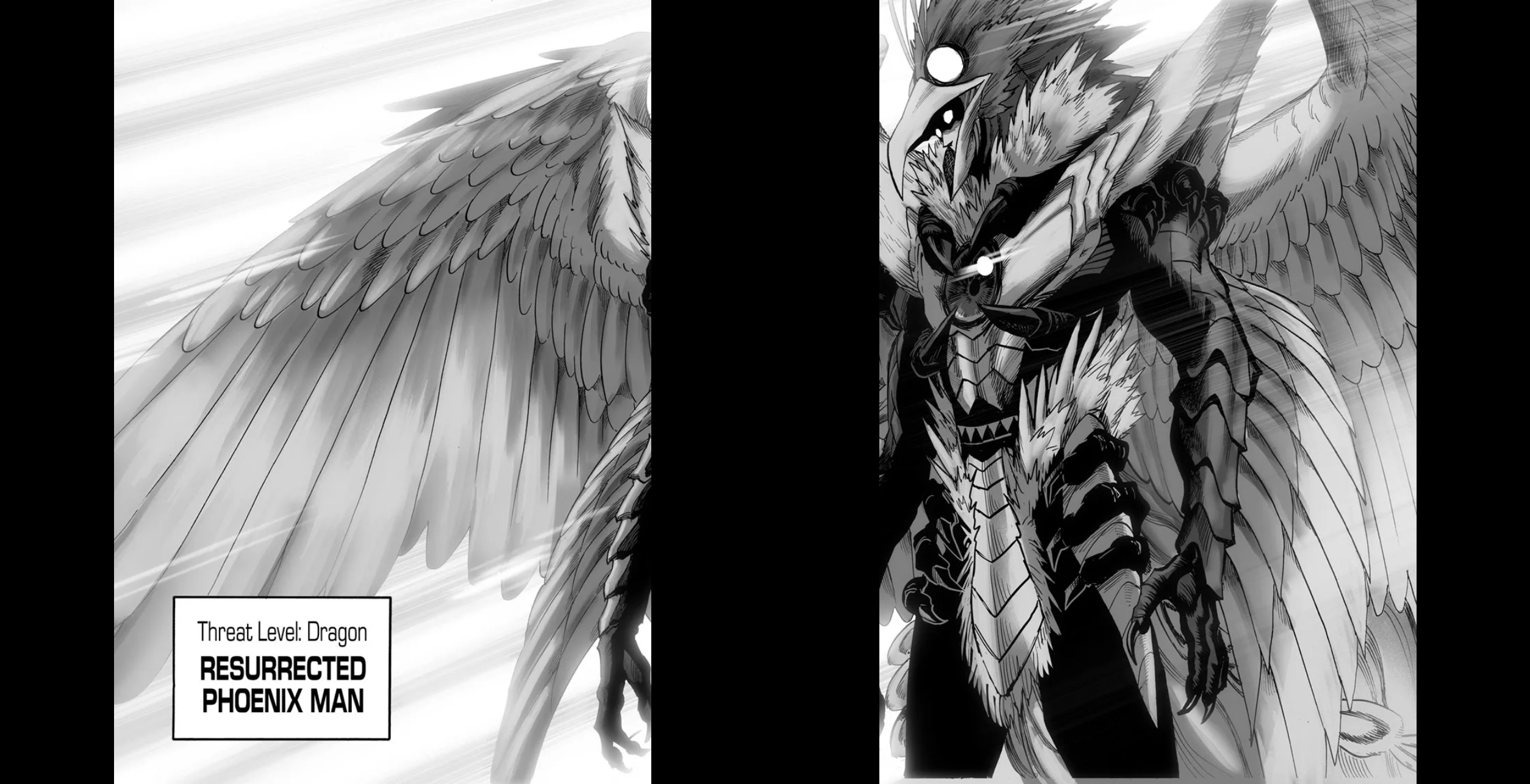
instead of like this
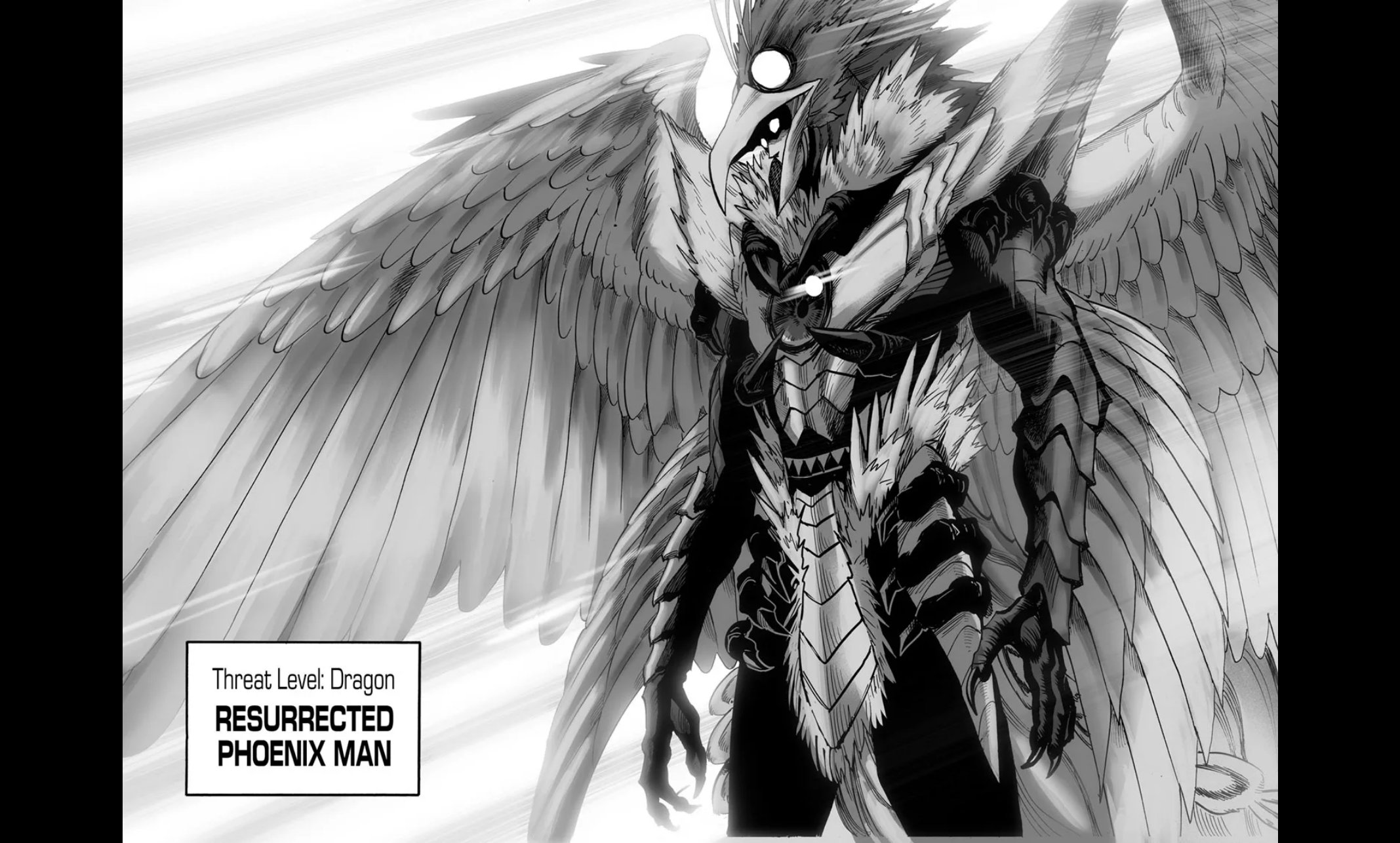
 whalehub
All 3 comments
Yeah, I know, I spent some time already but can't figure out why this is happening. I need to reproduce with a simpler code pen and take it to the Vuetify devs, I suspect there could be a missing feature in the v-img to limit the width and prevent the responsive container to take up horizontal space, messing up the flexbox.
 gotson
on 14 Jan 2020
gotson
on 14 Jan 2020
Just tried this and it works, no more empty space between pages.
 muchtea
on 17 Jan 2020
muchtea
on 17 Jan 2020
:tada: This issue has been resolved in version 0.13.0 :tada:
The release is available on GitHub release
Your semantic-release bot :package::rocket:
gotson
on 18 Jan 2020
Related issues
whalehub
·
7Comments
gotson
·
10Comments
 vegedb
·
9Comments
vegedb
·
9Comments
 Krylanc3lo
·
7Comments
gotson
·
7Comments
Krylanc3lo
·
7Comments
gotson
·
7Comments
Most helpful comment
Yeah, I know, I spent some time already but can't figure out why this is happening. I need to reproduce with a simpler code pen and take it to the Vuetify devs, I suspect there could be a missing feature in the
v-imgto limit the width and prevent the responsive container to take up horizontal space, messing up the flexbox.