Kolibri: Cannot scroll HTML5 Flexbooks with finger drag on iOS devices
Observed behavior
When viewing a Flexbook content in iPad2, there is no scrollbar so that the user can view the rest of the content. User also cannot scroll down.
Clicking on the "full-screen" button at the upper right portion blows the content to occupy the whole browser page BUT the content still cannot be scrolled-down. Refer to screenshot below where the right-side Safari 12.1 browser shows a scrollbar on the content.
Expected behavior
There must be a scrollbar to view the Flexbook content or user should be able to scroll down to see further content.
User-facing consequences
Users cannot see the rest of the Flexbook contents.
Errors and logs
N/A
Steps to reproduce
Import the CK-12 channel.
Open the CK-12 Flexbook content in the iPad2 simulator. Example:
Channels - CK-12 - Science - Earth Science - Introduction to Earth Science - Scientific Community
Context
- Kolibri version: 0.12.4-beta7
- Operating system: iPad2 on iOS 9.3 Simulator
- Browser: Safari 9.3
Left: Safari in iOS 9.3 Simulator
Right: Safari 12.1 in macOS Mojave

 cpauya
All 5 comments
do we know if this exists in 0.12.3?
 indirectlylit
on 11 Jun 2019
indirectlylit
on 11 Jun 2019
Seems to be extant there too:

 rtibbles
on 11 Jun 2019
rtibbles
on 11 Jun 2019
pushing to 0.12.5 because this is not a regression

indirectlylit
on 11 Jun 2019
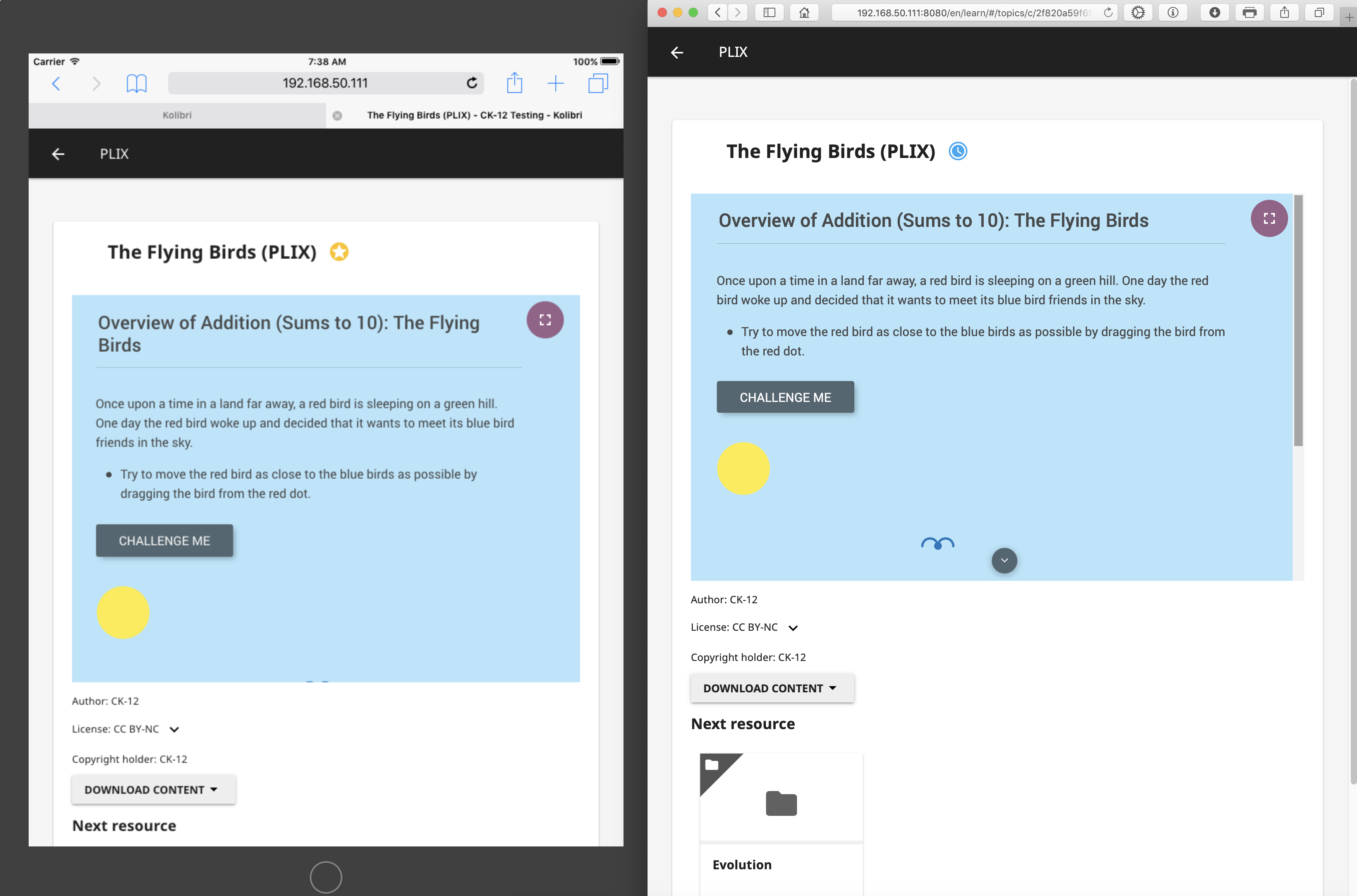
This issue exists on PLIX contents too.
Right: iPad2 on iOS 9.3 Simulator
Left: Safari 12.1.1 on macOS Mojave
cpauya
on 12 Jun 2019
This happens on other iOS devices as well. Experienced this on my personal iPhone X as well as newer iOS devices on Browserstack.
 jonboiser
on 27 Jun 2019
jonboiser
on 27 Jun 2019
Related issues
 radinamatic
·
4Comments
radinamatic
·
4Comments
 metodimilevqa
·
3Comments
metodimilevqa
·
3Comments
 ivanistheone
·
3Comments
rtibbles
·
6Comments
indirectlylit
·
3Comments
ivanistheone
·
3Comments
rtibbles
·
6Comments
indirectlylit
·
3Comments
Most helpful comment
pushing to 0.12.5 because this is not a regression