Kiwix-android: Confirm delete dialog shown multiple number of time when deleting more than one zim
Is your feature request related to a problem? Please describe.
Currently, when a user selects more than one zim to be deleted, a dialog is shown for every zim to be deleted. While this might be fine for 1-2 zims being deleted, but when a user will be deleting a large number of zims, this dialog will become a bit cumbersome. The user will have to press delete for every zim to be deleted.
Describe the solution you'd like
When more than one zim is being deleted, just show one dialog asking for confirmation from the user for deleting all the detected zims.
Additional context
I would like to work on this.
 yashk2000
All 10 comments
I think asking confirmation for each zimFile is necesarry, because the app works offline and if the user does not have internet access it will be a hard time to download the zim file again (which usually is big in size).
It might be cumbersome for the users who have easy internet acces all the time but we target the people who don't have internet access all the time.
 4shutosh
on 23 Mar 2020
4shutosh
on 23 Mar 2020
We will be showing a general dialog asking for confirmation before deleting.
But imagine you're deleting even just 5 files. It will be too much for the user to click delete 5 different times. Even here, mostly a user will not even read the names of all files being deleted. After 2-3 files, a user will just keep pressing the delete button continuously until all selected files are deleted.
For confirmation, the user is first selecting the files by himself, then clicking the delete icon(aware that a trash button means deletion) and then a dialog will also be shown.
I think a user is sensible enough to see which files he is actually selecting for deletion.
Even apps such as photo applications don't ask for confirmation while deleting multiple photos for each photo.
yashk2000
on 23 Mar 2020
@macgills should I proceed with this?
yashk2000
on 23 Mar 2020
It would be cool if we showed a custom dialog that you can scroll with all the titles of the zims you are about to delete. Individually deleting is slow and tedious
 macgills
on 23 Mar 2020
macgills
on 23 Mar 2020
@macgills is a dialog like the screenshot below fine:
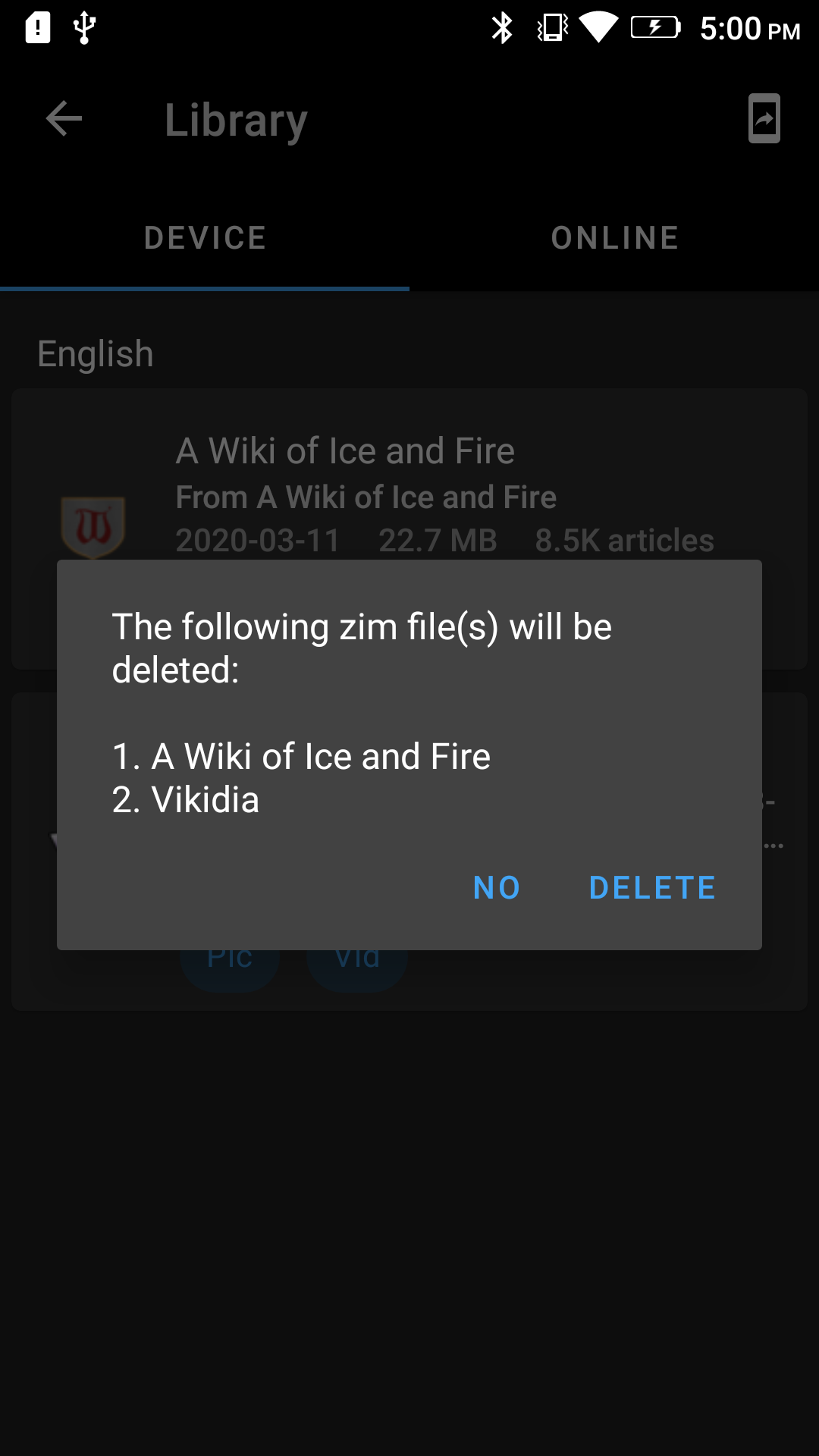
Instead of creating a custom dialog, I used the DeleteZim data class already present in KiwixDialog itself. This list is also scrollable if a lot of zims will be deleted at once.
yashk2000
on 7 Apr 2020
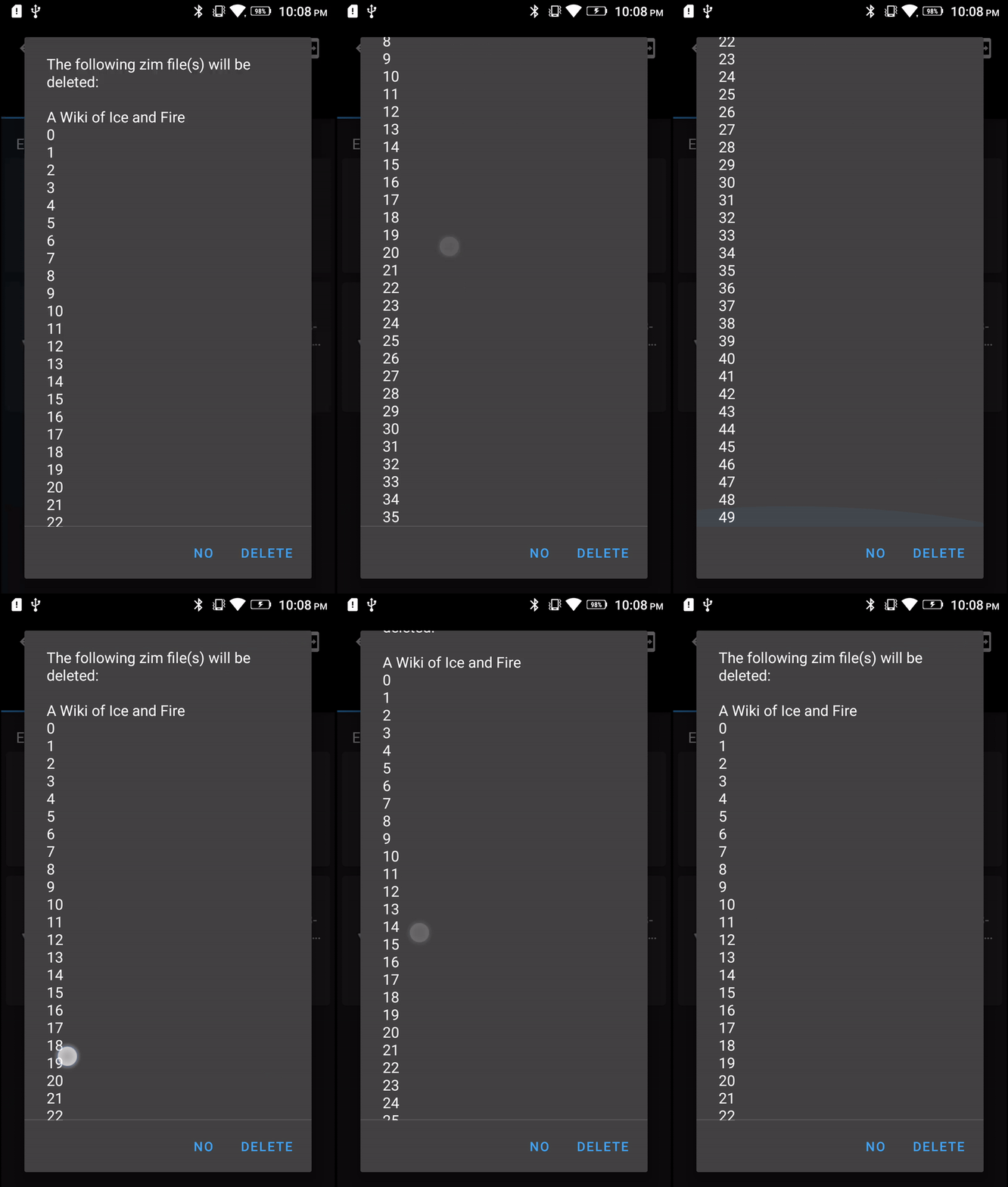
@yashk2000 show me what it looks like with so many entries that it has to scroll.
I don't think the numbering is necessary.
macgills
on 7 Apr 2020
@macgills on it. I won't be able to download enough zims for this purpose though. I'll just make a custom list with my own words and put it in this dialog.
yashk2000
on 7 Apr 2020
yashk2000
on 7 Apr 2020
@macgills it looks like the above gif.
yashk2000
on 7 Apr 2020
Works great for me
macgills
on 7 Apr 2020
Related issues
 siddharth2010
·
4Comments
siddharth2010
·
4Comments
 RohanBh
·
5Comments
RohanBh
·
5Comments
 Frans-Lukas
·
3Comments
Frans-Lukas
·
3Comments
 abdulwd
·
4Comments
abdulwd
·
4Comments
 brijeshshah13
·
4Comments
brijeshshah13
·
4Comments
Most helpful comment
It would be cool if we showed a custom dialog that you can scroll with all the titles of the zims you are about to delete. Individually deleting is slow and tedious