Kiwix-android: Home button does not bring us to Home Screen
Describe the bug
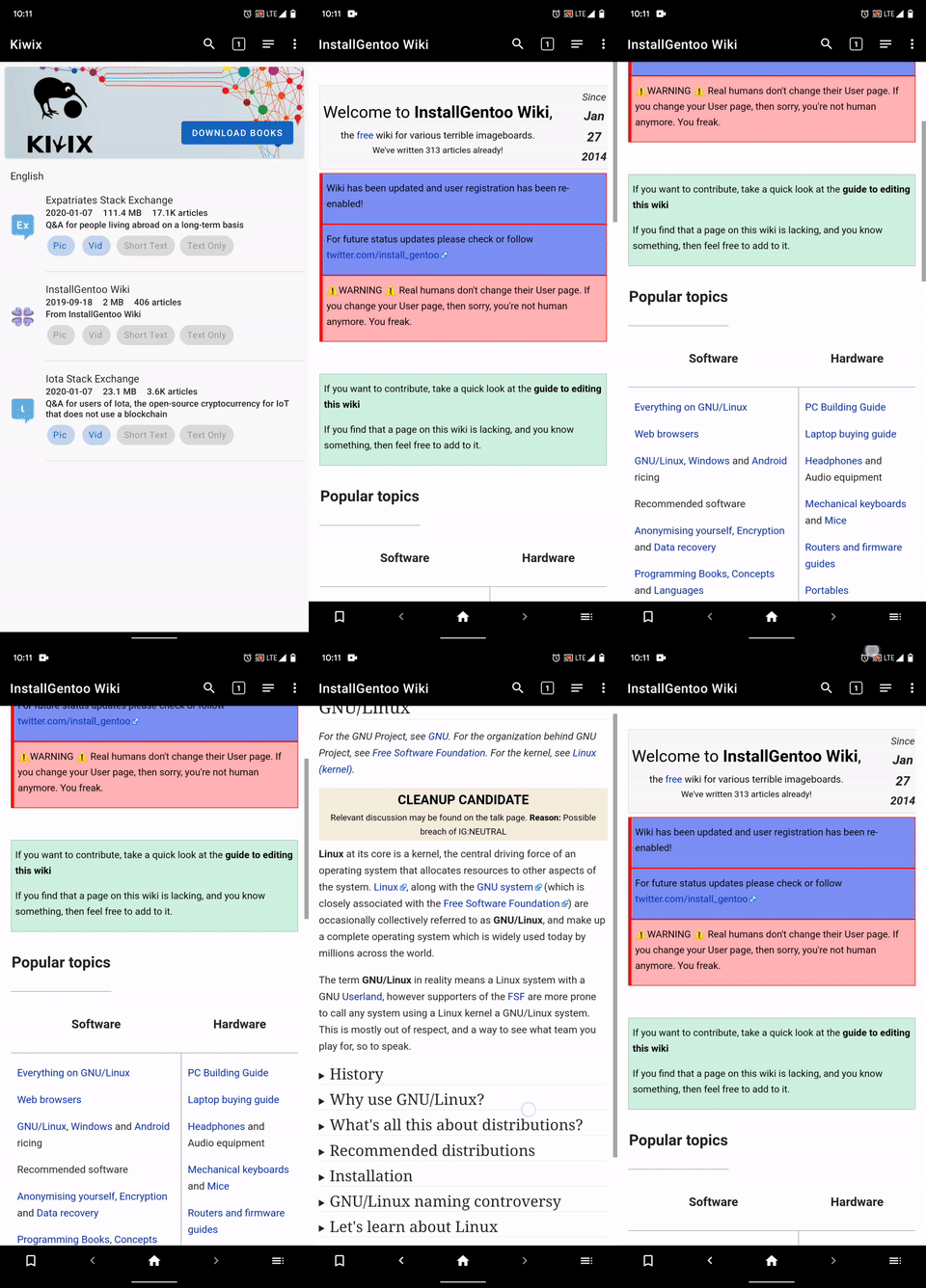
The home button in bottom navigatiion bar does not open the home Screen where we can see all the available zim files
Expected behavior
Home button should bring us to Home Screen where we where we can see the list of available zim files.
Although home button brings us to home of the zim file provided we have navigated further to the zim file.
If we need to close the zim file we need to go the tabs section and then close the current tab to land on the Home Screen.
Steps to reproduce the behavior:
- Open a downlaoded zim file
- Click on home button
- See error
Screenshots
Environment
- Version of Kiwix Android : 3.1.3
- Device : Pixel 4
- OS version : Android 10
 4shutosh
All 8 comments
@4shutosh This is the home of the content. Not the library. This might be a bit different one time we have:
- Clarify the role of the welcome page
- Formally introduced the multizim mgmt.
But for now, to me it works as intended.
@macgills Your opinion?
 kelson42
on 31 Jan 2020
kelson42
on 31 Jan 2020
A better feature for the home button should be :
- If we click once provided we have navigated further to the zim file, it will land us to the home page of the zim file as of now.
- And then it should work to land us on the Home Screen where the list of zim files are available.
- Also if we have not navigated inside the zim file the home button will navigate us to the Home Screen of the list of zim files.
4shutosh
on 31 Jan 2020
@macgills @abdulwd @siddharth2010 @mhutti1 What do you thing about this last proposal of @4shutosh ?
kelson42
on 1 Feb 2020
I'm against two functionalities for one button. We should choose between going to the home page of zim or to the list of files.
 abdulwd
on 1 Feb 2020
abdulwd
on 1 Feb 2020
The only way to close a opened zim file is going through the tabs which is quite uneasy.
Or else we can go to the library for opening other zim files which goes same.
4shutosh
on 1 Feb 2020
I agree with @abdulwd and @4shutosh in that a button should not have multiple functionalities and that it is difficult to close a zim file and go back to the library. The back button out-of-app (the phones back button) simply closes the app entirely instead of going back to the library from an opened zim file (Which I expected it to do).
It might be worth considering the Material Design for app bars and navigation. Especially:
Clearly indicate child screens’ relationship with screens above them in the hierarchy. For example, if a user moves directly to a child screen in your app, they should be able to identify the parent screen to which they can navigate upward.
and
Don’t.
Don’t place navigation actions in a bottom app bar, as they can be covered by temporary surfaces.
 Frans-Lukas
on 2 Feb 2020
Frans-Lukas
on 2 Feb 2020
There was a ticket for trying to modernise app navigation with a BottomBar somewhere I think. We have at least 3 top level destinations Webview/Library/Settings with all our other screens as children of them.
I would be happier with the zim file list in the webview if we supported multizim but as we don't I think most user interaction with it would be negative as it destructively closes tabs if you open a new book. I don't particularly want it to be more accessible.
If anything I want to remove this zim list view unless no tabs are open but that is a short term ux improvement.
I would say there is not much to do here until the app has an expanded feature set
 macgills
on 3 Feb 2020
macgills
on 3 Feb 2020
@macgills Pretty much agree. Multizim mgmt, library redisign (with welcome list?) are the priorities. One time this is done then the overall situation should be clearer and we could think if something is still needed.
A more general remark to new developers is that I prefer to have you working on already open obvious (bug) tickets than creating new ones which might be more subject to discussion. Of course if a bug is obvious, please open a ticket.
kelson42
on 3 Feb 2020
Related issues
 gouri-panda
·
5Comments
gouri-panda
·
5Comments
 yashk2000
·
5Comments
yashk2000
·
5Comments
 Popolechien
·
4Comments
Popolechien
·
4Comments
 siddharth2010
·
4Comments
siddharth2010
·
4Comments
 brijeshshah13
·
4Comments
brijeshshah13
·
4Comments
Most helpful comment
I'm against two functionalities for one button. We should choose between going to the home page of zim or to the list of files.