Kitematic: Kitematic says "context canceled"
I just installed Docker for the first time on my Windows 10 Pro laptop. Docker is running fine, and I can open Kitematic.
However when I try to download anything, it briefly displays a message "connecting to Docker Hub". Then I get a message "We're sorry. There seems to be an error: context canceled"
I am sure my Docker Hub credentials are correct, I am able to log in via the website fine. When I do a docker pull from the command line, I can download images fine, and then I do see it in Kitematic
What to do?
 vgrazi
All 64 comments
I got this error too
 mo9527
on 24 Oct 2018
mo9527
on 24 Oct 2018
same here, just installed Docker on Windows 10 1803, with up-to-date patches and the daemon runs fine but Kitematic cannot display the context when clicking download on a container and the container never starts downloading. Docker is running fine in the background.
 silvernode
on 24 Oct 2018
silvernode
on 24 Oct 2018
same machine setup and issue for me as @silvernode described
 scott-gainous
on 26 Oct 2018
scott-gainous
on 26 Oct 2018
Same issue here. Just reinstalled Docker and Kitematic to see if it cleared the issue, it didn't.
Windows 10 Pro 64-bit
Docker v18.06.1-ce
Kitematic v0.17.5
 ghost
on 29 Oct 2018
ghost
on 29 Oct 2018
Same prob here, is there any one solved this issue ?!
 fatmalabidi
on 31 Oct 2018
fatmalabidi
on 31 Oct 2018
same issue
 bpaplow
on 31 Oct 2018
bpaplow
on 31 Oct 2018
same issue
Windows 10 Pro 64-bit
Docker v18.06.1-ce
Kitematic v0.17.5
 aqibgatoo
on 1 Nov 2018
aqibgatoo
on 1 Nov 2018
Had the same issue. Installed Docker Toolbox and working fine now:
https://docs.docker.com/toolbox/overview/#whats-in-the-box
 JohnGroenendijk
on 1 Nov 2018
JohnGroenendijk
on 1 Nov 2018
same issue:
Windows 10 Pro 64-bit
Docker v18.06.1-ce
Kitematic v1.8.8
 McRonald
on 2 Nov 2018
McRonald
on 2 Nov 2018
Had the same issue. Installed Docker Toolbox and working fine now:
https://docs.docker.com/toolbox/overview/#whats-in-the-box
worked for me also, just install: https://docs.docker.com/toolbox/overview/#ready-to-get-started
McRonald
on 2 Nov 2018
Had the same issue. Installed Docker Toolbox and working fine now:
https://docs.docker.com/toolbox/overview/#whats-in-the-boxworked for me also, just install: https://docs.docker.com/toolbox/overview/#ready-to-get-started
this is a legacy install option. The issue is only with kitematic. Docker client is working fine
aqibgatoo
on 2 Nov 2018
I have this problem too. new laptop. All new version Docker and kitematic
 Trigun27
on 4 Nov 2018
Trigun27
on 4 Nov 2018
Had the same issue. Installed Docker Toolbox and working fine now:
https://docs.docker.com/toolbox/overview/#whats-in-the-boxworked for me also, just install: https://docs.docker.com/toolbox/overview/#ready-to-get-started
this is a legacy install option. The issue is only with kitematic. Docker client is working fine
yes, true, but the version of Kitematic in the Docker Toolbox works fine for me. But not the Kitematic installed from https://github.com/docker/kitematic -> https://github.com/docker/kitematic/releases.
McRonald
on 5 Nov 2018
Rolling back to v0.17.3 resolved this issue for me.
Update: The latest version of Docker for Windows now forces the upgrade of Kitematic, which brings us right back to the 'context cancelled' error.
 jpeffer
on 5 Nov 2018
jpeffer
on 5 Nov 2018
Same issue here, I get the "context cancelled" error as well
 bjorndecraemer
on 12 Nov 2018
bjorndecraemer
on 12 Nov 2018
Rolling back to v0.17.3 resolved this issue for me.
This worked for me
 darshanvyadav
on 12 Nov 2018
darshanvyadav
on 12 Nov 2018
Rolling back to v0.17.3 resolved this issue for me.
https://github.com/docker/kitematic/releases.This worked for me
Me too!
 bmomartins
on 15 Nov 2018
bmomartins
on 15 Nov 2018
Rolling back to v0.17.3 resolved this issue for me.
Thanks it worked.
 ObsoleteWTF
on 15 Nov 2018
ObsoleteWTF
on 15 Nov 2018
Same issue and rolling back to 0.17.3 fixed the problem.
 mikeshow
on 19 Nov 2018
mikeshow
on 19 Nov 2018
Same issue, with 0.17.3 all is good.
 harleydk
on 20 Nov 2018
harleydk
on 20 Nov 2018
Rolling back to v0.17.3 resolved this issue for me.
https://github.com/docker/kitematic/releases.This worked for me
Me too!
Same issue and rolling back to 0.17.3 fixed the problem.
 Tocyuki
on 20 Nov 2018
Tocyuki
on 20 Nov 2018
Docker's 2.0 and Kitematic 0.17.5 releases really screwed the pooch.
 kayakyakr
on 21 Nov 2018
kayakyakr
on 21 Nov 2018
Same here, had to roll back to 0.17.3
 geeslb
on 22 Nov 2018
geeslb
on 22 Nov 2018
Had the same issue. Rolling back to 0.17.3 worked.
 giovannirosa
on 4 Dec 2018
giovannirosa
on 4 Dec 2018
Same problem. Docker Version 2.0.0.0-win81 (29211) and Kitematic 0.17.6 do not work for me. Docker Version 2.0.0.0-win81 (29211) and Kitematic 0.17.3 says version is outdated and blocks me from continuing. Windows 10 latest in an Active Directory managed environment. Cannot use Docker 2 with Kitematic as a result.
 xermus
on 22 Dec 2018
xermus
on 22 Dec 2018
Rolling back to Kitematic 17.3 fixed my problem too. But now Kitematic start option from Docker doesn't work anymore. I have to start Kitematic.exe from the installation folder.
Version 2.0.0.0-win81 (29211)
Channel: stable
Build: 4271b9e
 nimasTT
on 29 Dec 2018
nimasTT
on 29 Dec 2018
Rolling back to Kitematic 17.3 fixed my problem too. But now Kitematic start option from Docker doesn't work anymore. I have to start Kitematic.exe from the installation folder.
Version 2.0.0.0-win81 (29211)
Channel: stable
Build: 4271b9e
Same exact deal here. This worked for me.
 ericbrumfield
on 4 Jan 2019
ericbrumfield
on 4 Jan 2019
Win10Pro 64, Docker 2.0.0.0-win81, rollback to Kitematic 17.3 and add shortcut to start it. Worked.
 reorder120
on 8 Jan 2019
reorder120
on 8 Jan 2019
Same here
 kapsilon
on 8 Jan 2019
kapsilon
on 8 Jan 2019
Rolling back to v0.17.3 resolved this issue for me.
https://github.com/docker/kitematic/releases.This worked for me
Me too!
Same issue and rolling back to 0.17.3 fixed the problem.
same as me!
funny bug
 logsin37
on 10 Jan 2019
logsin37
on 10 Jan 2019
Win10Pro 64, Docker 2.0.0.0-win81, rollback to Kitematic 17.3 and add shortcut to start it. Worked.
Same exact issue, same exact fix.
Thanks!
 DarkIllusi0n
on 12 Jan 2019
DarkIllusi0n
on 12 Jan 2019
Docker Version 2.0.0.0-win81 (29211)
Build: 4271b9e
Kitematic was forcing to download update. This helped:
Had the same issue. Installed Docker Toolbox and working fine now:
https://docs.docker.com/toolbox/overview/#whats-in-the-box
Working Kitematic version: 0.17.2.0
 TemaSM
on 13 Jan 2019
TemaSM
on 13 Jan 2019
I also have this problem on version v0.17.6, maybe associated with https://github.com/docker/for-win/issues/1746, but solution of that issue is not working for me...
Docker info:
Version 2.0.0.0-win81 (29211)
Channel: stable
Build: 4271b9e
 sirkadirov
on 14 Jan 2019
sirkadirov
on 14 Jan 2019
Rolling back to v0.17.3 resolved this issue for me.
https://github.com/docker/kitematic/releases.This worked for me
Same exact issue, same exact fix.
Thanks!
 xizably
on 17 Jan 2019
xizably
on 17 Jan 2019
I have had the same unresolved issue for a while too. It's almost 3 months since first reported. Does any Kitematic maintainer care to even post an update/comment?
 nkev
on 21 Jan 2019
nkev
on 21 Jan 2019
As a workaround you could pull the desired image from Docker Hub manually in a command line interface like cmd or git bash (You might need it to run as administrator).
E.g.: docker pull mysql
 CarlSalaets
on 23 Jan 2019
CarlSalaets
on 23 Jan 2019
solved for me :
download Kitematic and move it to C:\Program Files\Docker\Kitematic
 almgwary
on 24 Jan 2019
almgwary
on 24 Jan 2019
Same here :(
Docker 2.0.0.2 (stable)
Kitematic 0.17.6 (unpacked in C:\Program Files\Docker\Kitematic)
I even tried to run both as administrator in case this was some Security Access blocker, but no. Still the same :/
 createdbyjurand
on 24 Jan 2019
createdbyjurand
on 24 Jan 2019
Rolling back to v0.17.3 resolved this issue for me.
https://github.com/docker/kitematic/releases.
This worked for me
Same exact issue, same exact fix.
Thanks!
 suksel
on 24 Jan 2019
suksel
on 24 Jan 2019
Had the same issue.
The new v0.17.7 is fine now!
 chiefraccoon
on 5 Feb 2019
chiefraccoon
on 5 Feb 2019
Had the same issue.
The new v0.17.7 is fine now!
I confirm the v0.17.7 is working fine now
almgwary
on 5 Feb 2019
This problem has been solved by kitematic v0.17.7
 chenwei791129
on 11 Feb 2019
chenwei791129
on 11 Feb 2019
I still have that issue on the Kitematic v0.17.7
 msobierski
on 22 Feb 2019
msobierski
on 22 Feb 2019
Same issue on 17.7
 daniel-gwilt-software
on 23 Feb 2019
daniel-gwilt-software
on 23 Feb 2019
Downloaded 17.7 from https://github.com/docker/kitematic/releases and replaced the one given to me from the windows context menu link. That fixed the issue for me.

daniel-gwilt-software
on 23 Feb 2019
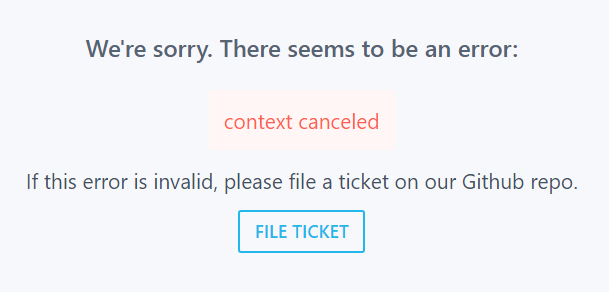
Issue Still present
error context cancelled
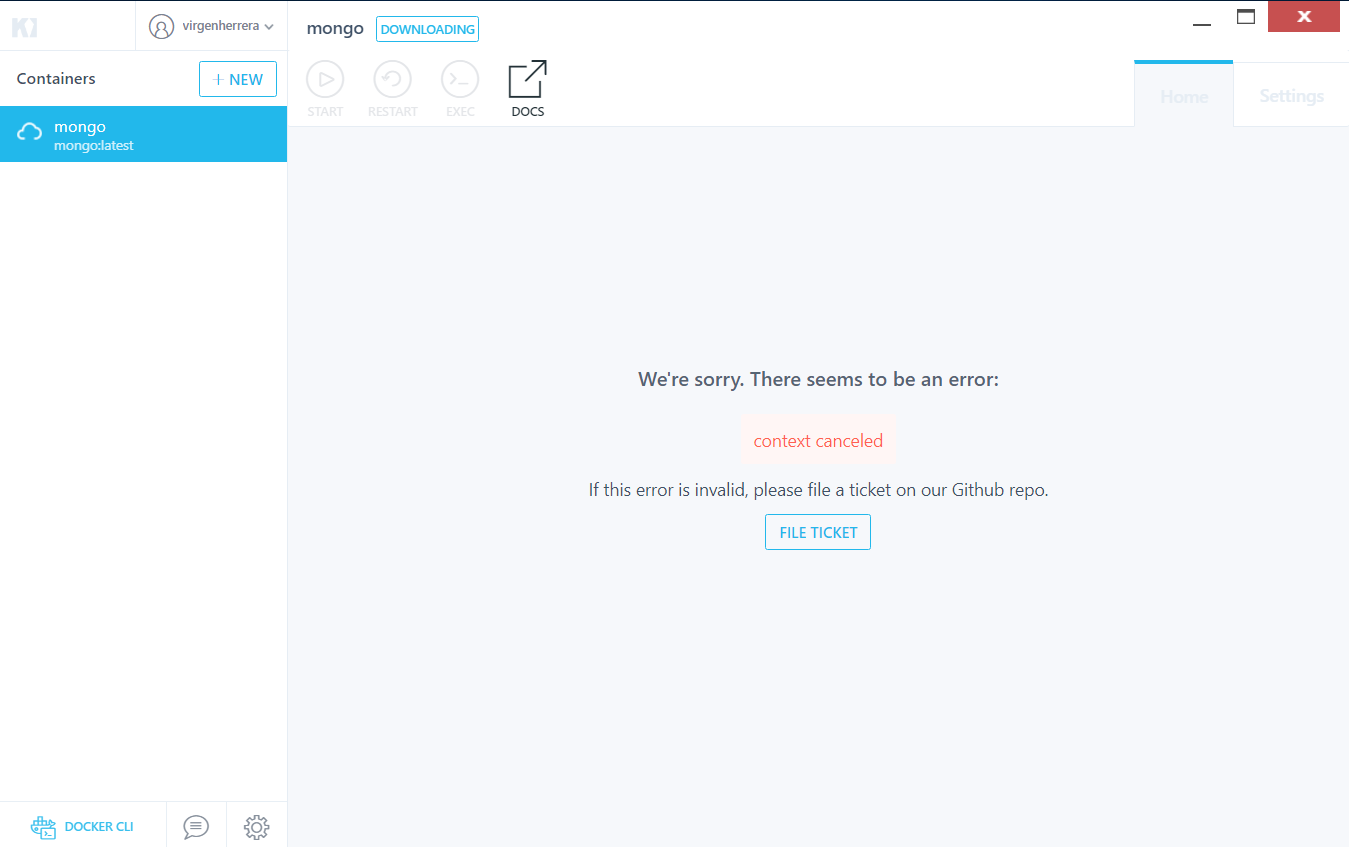
Workaround blocker
installing install v0.17.7 now displays this error:

 virgenherrera
on 26 Feb 2019
virgenherrera
on 26 Feb 2019
Hi Team,
Is there any resolution to the issue "Context Cancelled". The issue seems to be opened from long.
The only savior for me is v0.17.3. ( Rolling back to this version is the only solution)
Link to v0.17.3 https://github.com/docker/kitematic/releases/tag/v0.17.3
 S93rastogi
on 2 Mar 2019
S93rastogi
on 2 Mar 2019
The "Update Kitematic" dialog mentioned above by @virgenherrera downloaded (in my case) the 0.17.6 version. I got the latest 0.17.7 version from the https://github.com/docker/kitematic/releases page and that worked for me.
 mdocter
on 9 Mar 2019
mdocter
on 9 Mar 2019
Issue Still present
OS: Windows 10
Docker version 18.09.2, build 6247962
Kitematic v1.8.8 (from C:\Program Files\Docker\Kitematic\version)
When I click on CREATE, I got error context cancelled.
Workaround
I open the GitHub Page in my Browser, copy the pull request (example: docker pull mongo) and execute it in Windows PowerShell. Then I can click on CREATE in Kitematic and it runs.
You can see mongo-3 is running, while mongo & mongo-2 had the context canceled error:

PS: I tried to have a look into the Kitematic logfiles, but I could not find them. Are there any logs?
 DerIngo
on 10 Mar 2019
DerIngo
on 10 Mar 2019
Downloaded 17.7 from https://github.com/docker/kitematic/releases and replaced the one given to me from the windows context menu link. That fixed the issue for me.
This worked for me.
 ajunior
on 14 Mar 2019
ajunior
on 14 Mar 2019
Same error on latest kitematic (v1.8.8). Resolved by regressing to 17.7 as per others. Doesn't give me a warm feeling that this product should be used !
 talljhawkins
on 17 Apr 2019
talljhawkins
on 17 Apr 2019
Rolling back to v0.17.3 resolved this issue for me.
Update: The latest version of Docker for Windows now forces the upgrade of Kitematic, which brings us right back to the 'context cancelled' error.
Working here too
 adrianosmateus
on 22 Apr 2019
adrianosmateus
on 22 Apr 2019
Hey Guy
I found that I can fix this issue in window 10 Pro by "Run as Administrator"

 JimmyYouhei
on 4 May 2019
JimmyYouhei
on 4 May 2019
Rolling back to v0.17.3 resolved this issue for me.
Also works for me, but I can no longer launch it straight from the docker icon.
 johnny12150
on 23 May 2019
johnny12150
on 23 May 2019
Same issue. I sorted it out installing Kitematic v0.17.7
 enricomzz
on 26 May 2019
enricomzz
on 26 May 2019
same issue with latest download today even when running as admin.
 systemsincode
on 29 May 2019
systemsincode
on 29 May 2019
Had the same issue with version 0.17.6 but after updating to v0.17.7 it now works without any issue.
 cehenriques
on 20 Jun 2019
cehenriques
on 20 Jun 2019
Rolling back to v0.17.3 resolved this issue for me.
Update: The latest version of Docker for Windows now forces the upgrade of Kitematic, which brings us right back to the 'context cancelled' error.
Thanks rolling back to v0.17.3 worked for me too.
 nirajramshrestha
on 26 Jun 2019
nirajramshrestha
on 26 Jun 2019
Downloaded 0.17.6 from site, it had this problem, downloaded 0.17.7 from github/releases - problem solved.
Fix issues arround pulling images on windows
Why there is an older version on webpage?
 glebsts
on 28 Jun 2019
glebsts
on 28 Jun 2019
Downloaded 0.17.6 from site, it had this problem, downloaded 0.17.7 from github/releases - problem solved.
Fix issues arround pulling images on windows
Why there is an older version on webpage?
Solved
 wazocl
on 21 Jul 2019
wazocl
on 21 Jul 2019
Had the same issue with version 0.17.6 but after updating to v0.17.7 it now works without any issue.
Same here...
 pablompdm
on 12 Aug 2019
pablompdm
on 12 Aug 2019
Had the same issue. Installed Docker Toolbox and working fine now:
https://docs.docker.com/toolbox/overview/#whats-in-the-box
Worked for me
 ziplock9000
on 14 Aug 2019
ziplock9000
on 14 Aug 2019
Downloaded 17.7 from https://github.com/docker/kitematic/releases and replaced the one given to me from the windows context menu link. That fixed the issue for me.
Worked also for me
 cospeedster
on 19 Aug 2019
cospeedster
on 19 Aug 2019
download the v0.17.7 can hit the issue!
https://github.com/docker/kitematic/releases/
 woshiliuweijing123
on 30 Aug 2019
woshiliuweijing123
on 30 Aug 2019
Related issues
 tijn72
·
4Comments
tijn72
·
4Comments
 louia
·
3Comments
louia
·
3Comments
 noahgift
·
3Comments
noahgift
·
3Comments
 rbq
·
4Comments
rbq
·
4Comments
 sumpokemonster
·
3Comments
sumpokemonster
·
3Comments
Most helpful comment
Rolling back to v0.17.3 resolved this issue for me.
Update: The latest version of Docker for Windows now forces the upgrade of Kitematic, which brings us right back to the 'context cancelled' error.