Kitematic: Kitematic cannot find any local images
Expected behavior
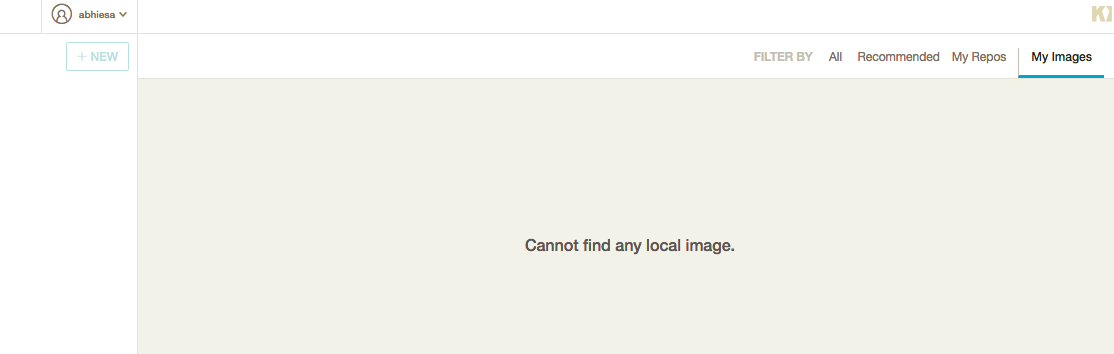
In my images should list local images (in my cases more than 50)
Actual behavior
showing message: Cannot find local images
Information about the Issue
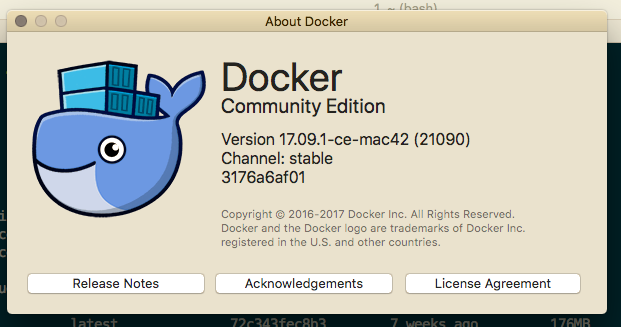
Version 17.09.1-ce-mac42 (21090)
Channel: stable
3176a6af01
Steps to reproduce the behavior

 abhiesa
All 19 comments
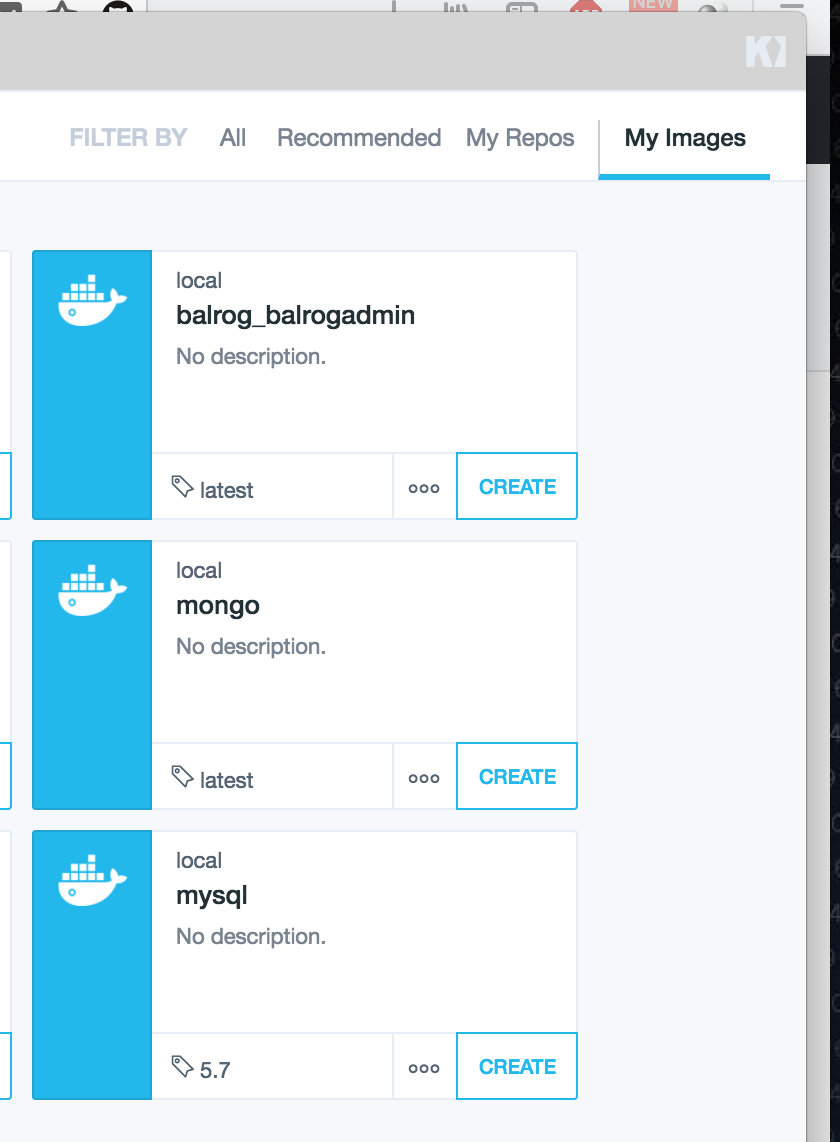
@abhiesa I've failed to reproduce this behavior. My images show up just fine. Is it possible that this is being caused by something else?
 collin5
on 5 Jan 2018
collin5
on 5 Jan 2018
Facing the same issue on macOS with docker toolbox.
Created a new container, run it, stopped it
Can't find it to run it again.
How to locate and run the contained I have created again?
 vedydev
on 8 Jan 2018
vedydev
on 8 Jan 2018
@abhiesa I'm the same question as you.
 korykim
on 7 Feb 2018
korykim
on 7 Feb 2018
@vedydev @korykim please provide actual steps to replicate.
Closing until steps are provided.
 FrenchBen
on 7 Feb 2018
FrenchBen
on 7 Feb 2018
In the setting, try uncheck "Use VirtualBox instead of Native on next restart", this resolve the issue where I was not able to find any local image or container that was created.
 ghost
on 26 Aug 2018
ghost
on 26 Aug 2018
In the setting, try uncheck "Use VirtualBox instead of Native on next restart", this resolve the issue where I was not able to find any local image or container that was created.
In kitematic, uncheck the option resolved my problem.
 techarkio
on 23 Sep 2018
techarkio
on 23 Sep 2018
I'm the same question.
macos 10.14
 lijialiang
on 8 Nov 2018
lijialiang
on 8 Nov 2018
The same thing. I am using native.
There is an unhandled exception in the Kitematic Javascript. I think because it expected lower level code to always return a list of containers?
[Bugsnag] Invalid API key 'undefined'
/Applications/Kitematic.app/Contents/Resources/app.asar/components/ImageCard.react.js:252 Uncaught TypeError: Cannot read property 'includes' of undefined
at /Applications/Kitematic.app/Contents/Resources/app.asar/components/ImageCard.react.js:252:24
at Array.filter (native)
at Constructor.render (/Applications/Kitematic.app/Contents/Resources/app.asar/components/ImageCard.react.js:251:40)
at ReactCompositeComponentWrapper._renderValidatedComponentWithoutOwnerOrContext (/Applications/Kitematic.app/Contents/Resources/app.asar/node_modules/react/lib/ReactCompositeComponent.js:789:34)
at ReactCompositeComponentWrapper._renderValidatedComponent (/Applications/Kitematic.app/Contents/Resources/app.asar/node_modules/react/lib/ReactCompositeComponent.js:816:14)
at ReactCompositeComponentWrapper.wrapper [as _renderValidatedComponent] (/Applications/Kitematic.app/Contents/Resources/app.asar/node_modules/react/lib/ReactPerf.js:70:21)
at ReactCompositeComponentWrapper.mountComponent (/Applications/Kitematic.app/Contents/Resources/app.asar/node_modules/react/lib/ReactCompositeComponent.js:237:30)
at ReactCompositeComponentWrapper.wrapper [as mountComponent] (/Applications/Kitematic.app/Contents/Resources/app.asar/node_modules/react/lib/ReactPerf.js:70:21)
at Object.mountComponent (/Applications/Kitematic.app/Contents/Resources/app.asar/node_modules/react/lib/ReactReconciler.js:38:35)
at ReactDOMComponent.mountChildren (/Applications/Kitematic.app/Contents/Resources/app.asar/node_modules/react/lib/ReactMultiChild.js:192:44)
at ReactDOMComponent._createContentMarkup (/Applications/Kitematic.app/Contents/Resources/app.asar/node_modules/react/lib/ReactDOMComponent.js:289:32)
at ReactDOMComponent.mountComponent (/Applications/Kitematic.app/Contents/Resources/app.asar/node_modules/react/lib/ReactDOMComponent.js:199:12)
at Object.mountComponent (/Applications/Kitematic.app/Contents/Resources/app.asar/node_modules/react/lib/ReactReconciler.js:38:35)
at ReactCompositeComponentWrapper.mountComponent (/Applications/Kitematic.app/Contents/Resources/app.asar/node_modules/react/lib/ReactCompositeComponent.js:247:34)
at ReactCompositeComponentWrapper.wrapper [as mountComponent] (/Applications/Kitematic.app/Contents/Resources/app.asar/node_modules/react/lib/ReactPerf.js:70:21)
at Object.mountComponent (/Applications/Kitematic.app/Contents/Resources/app.asar/node_modules/react/lib/ReactReconciler.js:38:35)
 bryan-lunt
on 7 Jan 2019
bryan-lunt
on 7 Jan 2019
1: Go to Kitematic > Preferences
2: Uncheck Use VirtualBox instead of Native on next restart
3: Close Kitematic
4: Restart Docker
5: Open Kitematic (all local images will be visible)
 muhammadkounta
on 7 Feb 2019
muhammadkounta
on 7 Feb 2019
Don't tick "Use VirtualBox instead of Native on next restart" unless you want a slow as hell container.
This is a bad work around, it's a shame it doesn't work with default native ones.
Better alternative is to: docker image ls
and then docker image rm <iamgeId>
Please re-open the issue, the issue exists even on the latest version
 avierr
on 3 Jul 2019
avierr
on 3 Jul 2019
as avierr pointed out, the issue is still present in latest version (0.17.7).
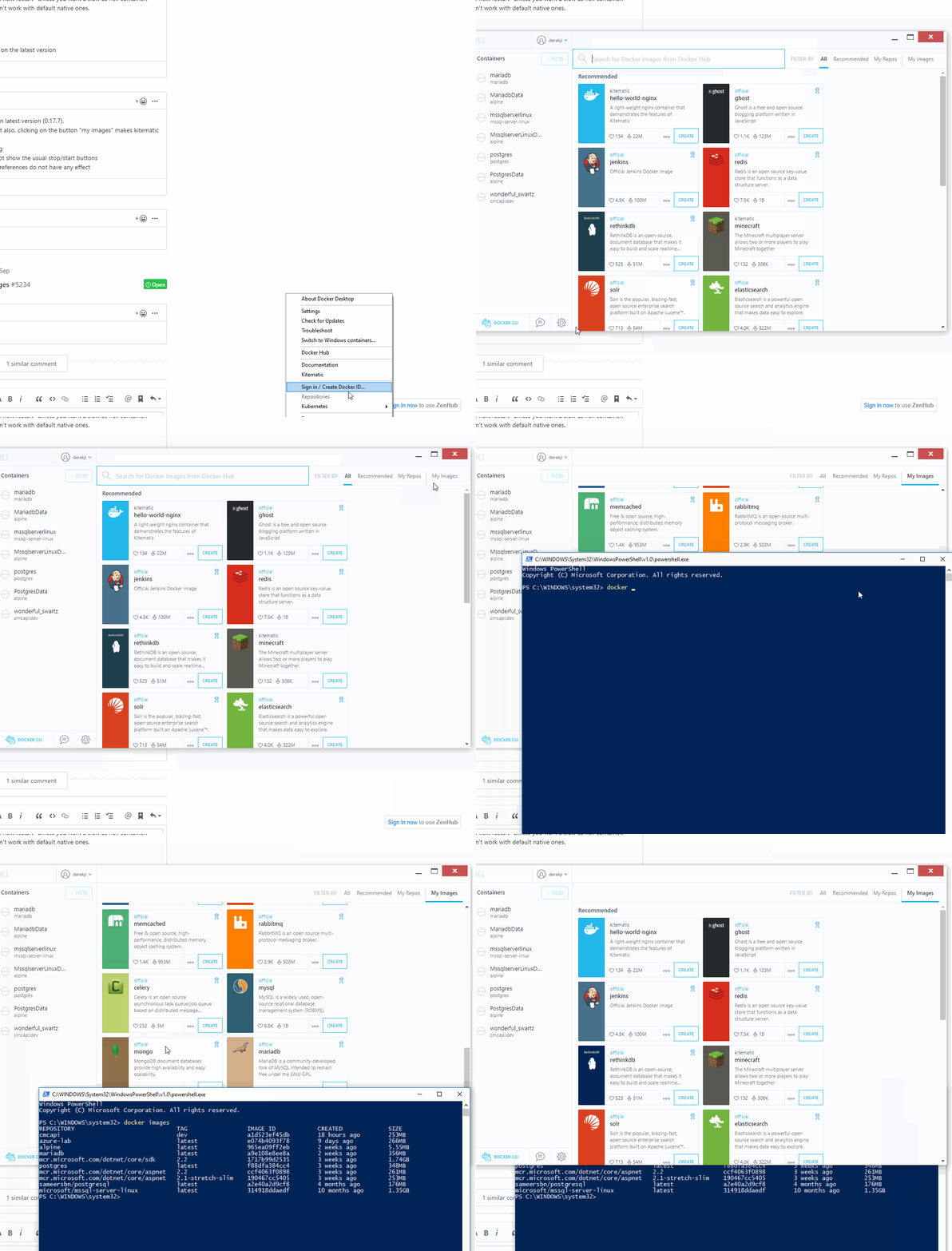
Not only the local images are not showing, but also, clicking on the button "my images" makes kitematic bug completely :
clicking on "filter by All" will not show anything
clicking on containers in the left side bar do not show the usual stop/start buttons
clicking on the gear icon to access kitematic preferences do not have any effect
 ruizanthony
on 29 Aug 2019
ruizanthony
on 29 Aug 2019
@avierr this is still an issue. :-(
 AlBundy33
on 30 Aug 2019
AlBundy33
on 30 Aug 2019
+1
 imtiazwazir
on 29 Oct 2019
imtiazwazir
on 29 Oct 2019
+1
 Robar666
on 6 Nov 2019
Robar666
on 6 Nov 2019
+1
 DerekToop
on 8 Nov 2019
DerekToop
on 8 Nov 2019
I can confirm the same behavior posted above with OSX 10.15.1 and Docker Desktop 2.1.0.4.
 Nosferican
on 19 Nov 2019
Nosferican
on 19 Nov 2019
maybe you should add your comments to #5234 because I think nobody reads them due to the closed status.
AlBundy33
on 9 Dec 2019
This is actually related to the docker tag variable type issue.
Considering recent low activity in the main repo, I uploaded fixed release here: https://github.com/cilto/kitematic/releases/tag/v0.17.9-hf.1.
Using this version, you can see your local images without hang-up. Please feel free to use it.
 cilto
on 5 Jan 2020
cilto
on 5 Jan 2020
Thanks @cilto !! You the saviour
avierr
on 7 Jan 2020
Related issues
 djsowa
·
3Comments
djsowa
·
3Comments
 cnBruceHong
·
4Comments
cnBruceHong
·
4Comments
 sumpokemonster
·
3Comments
sumpokemonster
·
3Comments
 noahgift
·
3Comments
noahgift
·
3Comments
 rbq
·
4Comments
rbq
·
4Comments
Most helpful comment
as avierr pointed out, the issue is still present in latest version (0.17.7).
Not only the local images are not showing, but also, clicking on the button "my images" makes kitematic bug completely :
clicking on "filter by All" will not show anything
clicking on containers in the left side bar do not show the usual stop/start buttons
clicking on the gear icon to access kitematic preferences do not have any effect