Kitematic: Images pulled from Docker Hub default to 'latest'. Causes images to ERROR 404 when they do not lave a 'latest' tag.
Expected behavior
Create a container with the chosen images from the Docker Hub.
Actual behavior
Images chosen without a 'latest' tag, ERROR 404 and fail to deploy.
Information about the Issue
Going through some of the issues reported for this repository, I picked up a trend that this issue references. Kitematic defaults to 'latest' tag even if it does not have a latest tag.
Steps to reproduce the behavior
- Open Kitematic
- Select an image you want to deploy
- Click "Create" and error will appear
 fmeade
All 5 comments
If the image you're creating a container from doesn't have a :latest tag (which is the default), you need to manually select the tag to use from the UI;
Click the three "dots" to open the details pane for the image
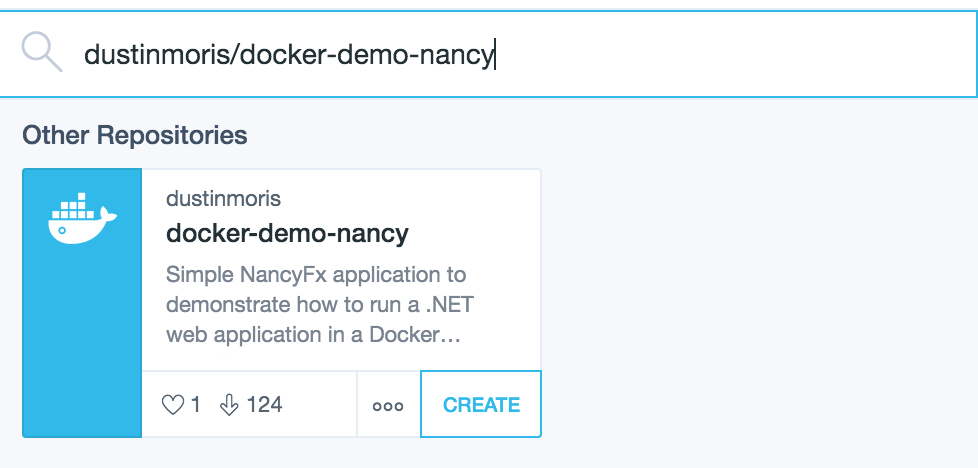
Click on the "selected tag"
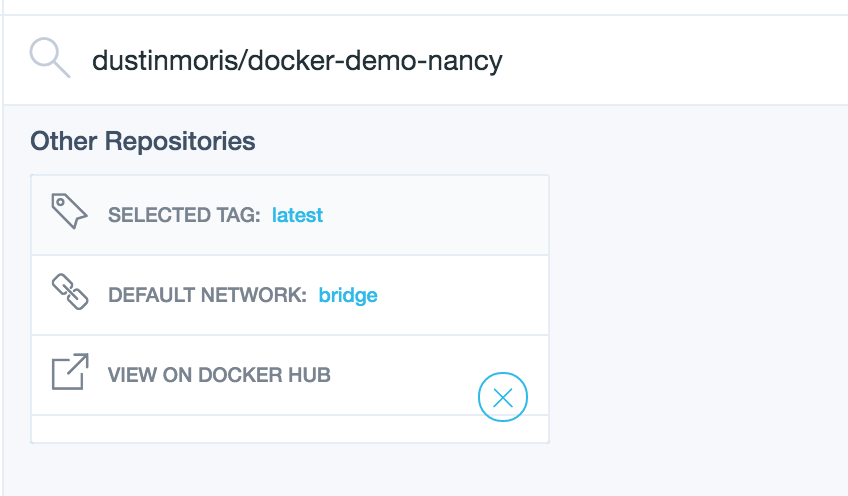
Select the image tag you want to use:
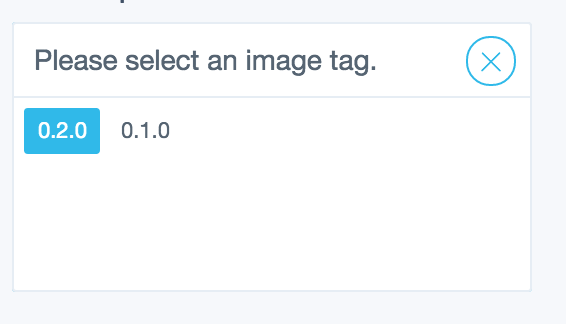
Click the close button ("X"):
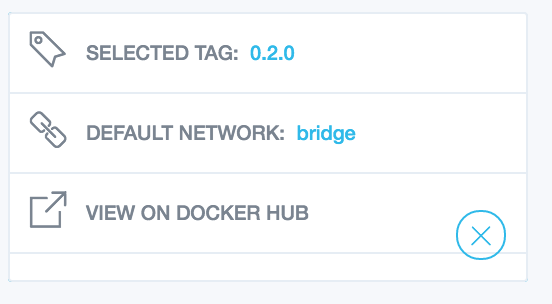
Then click "create" to create a container using the image (and tag) you selected

 thaJeztah
on 3 Jul 2017
thaJeztah
on 3 Jul 2017
My goal of this ticket is the default should not be to 'latest', it should be to the first of the list of tags. I've been traversing through the code and found where it needs to be changed, but have not narrowed down the solution yet.
fmeade
on 3 Jul 2017
I'm not sure randomly picking the "first" tag is the right solution "first" may be a very old tag.
thaJeztah
on 3 Jul 2017
I had that thought as well. May be cool to some how sort by age of the tag in the list. Very well may be too much work than it's worth.
fmeade
on 3 Jul 2017
@fmeade this isn't a Kitematic behavior, but a docker behavior- By default the latest tag is what docker looks for.
The solution, as thaJeztah mentioned, is complex, as you'd have to select a random tag and hope that it corresponds to what the user is looking for.
One of the idea that was tossed around was, if the latest tag doesn't exist, then prompt the user to select a different tag.
 FrenchBen
on 3 Jul 2017
FrenchBen
on 3 Jul 2017
Related issues
 matteo-bombelli
·
3Comments
matteo-bombelli
·
3Comments
 jwschram
·
4Comments
jwschram
·
4Comments
 djsowa
·
3Comments
djsowa
·
3Comments
 natery2000
·
3Comments
natery2000
·
3Comments
 louia
·
3Comments
louia
·
3Comments
Most helpful comment
@fmeade this isn't a Kitematic behavior, but a docker behavior- By default the
latesttag is what docker looks for.The solution, as thaJeztah mentioned, is complex, as you'd have to select a random tag and hope that it corresponds to what the user is looking for.
One of the idea that was tossed around was, if the latest tag doesn't exist, then prompt the user to select a different tag.