Kibana: [APM] A read-only user can create alerts but not select actions
A user that only has read access to APM can create alerts via the APM app but is not able to specify an action:
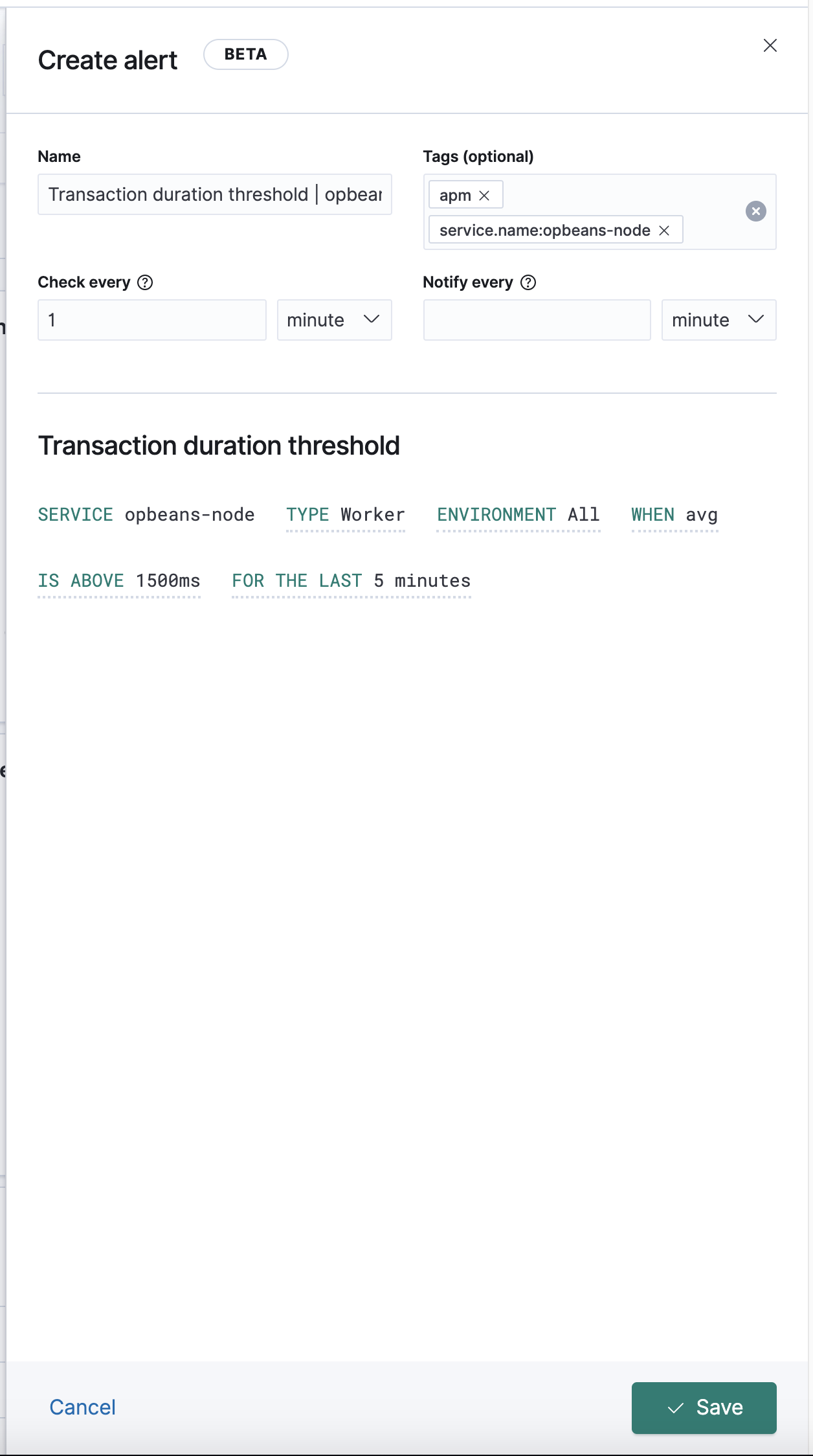
This means an alert is created without actions - is this intentional?
Btw. This might be affected by https://github.com/elastic/kibana/pull/79896)
 sqren
sqren
All 12 comments
Pinging @elastic/apm-ui (Team:apm)
 elasticmachine
on 12 Oct 2020
elasticmachine
on 12 Oct 2020
Pinging @elastic/kibana-alerting-services (Team:Alerting Services)
elasticmachine
on 12 Oct 2020
@sqren it works for me with a user that has read permission.

 cauemarcondes
on 12 Oct 2020
cauemarcondes
on 12 Oct 2020
In 7.10, actions are secured separately through Kibana RBAC via the role definition view. See Actions and Connectors.

@sqren does the role have the required privileges?
 arisonl
on 14 Oct 2020
arisonl
on 14 Oct 2020
does the role have the required privileges?
No, the user does not have access to anything but APM. It therefore surprised me that I could view the flyout and create the alert, but not see or change actions.
I would expect that if I cannot see actions I shouldn't be allowed to create the alert.
sqren
on 14 Oct 2020
@sqren does the user really only have read permissions to APM? Based on my changes, they shouldn’t be able to create the alert at all. It should fail on submit. If they have “all” privileges for APM but not for Actions and Connectors then they should see the behavior you describe (by design).
 jasonrhodes
on 15 Oct 2020
jasonrhodes
on 15 Oct 2020
Based on my changes, they shouldn’t be able to create the alert at all
This was tested before your changes made it in. Might have changed slightly after.
If they have “all” privileges for APM but not for Actions and Connectors then they should see the behavior you describe (by design).
Ok, so sounds like it still exhibits this slightly surprising behaviour after your change as well.
sqren
on 15 Oct 2020
(by design).
Btw. what does that mean? that we intend for them to be able to see the flyout and create the alert but not select an action? I'm probably missing some context but what's the purpose of letting someone create an alert if they can't set actions?
sqren
on 15 Oct 2020
@sqren yeah I had the same questions. From @gmmorris in Slack:
Yup, this is correct and by design.
There could potentially be users who you want to allow alerting to but not actions - an analyst role for example where they should be able to investigate data but you might not want them opening a PagerDuty incident.
Longer term we’re talking about using Sub Feature controls so that it’s more granular than just “All Actions”.
jasonrhodes
on 15 Oct 2020
Apparently "Read" permissions to "Actions and Connectors" will allow a user to create an alert and assign it to a pre-configured Action Connector, but not create new Action Connectors. "All" permissions to A&C would allow both.
jasonrhodes
on 15 Oct 2020
Thanks for the added context @jasonrhodes . I think that settles it so I'll close this issue.
sqren
on 15 Oct 2020
Actions can be potentially leveraged by other Kibana features outside alerting. Hence they are secured separately.
arisonl
on 16 Oct 2020
Related issues
 LukeMathWalker
·
3Comments
LukeMathWalker
·
3Comments
 socialmineruser1
·
3Comments
socialmineruser1
·
3Comments
 stacey-gammon
·
3Comments
stacey-gammon
·
3Comments
 bhavyarm
·
3Comments
bhavyarm
·
3Comments
 MaartenUreel
·
3Comments
MaartenUreel
·
3Comments