Kibana: [Discuss] Alerting Design - Management
Design iterations for the management view of Alerting.
Meta issue for Alerting design changes: https://github.com/elastic/kibana/issues/58410
Related Issues
- Filtering/Sorting: https://github.com/elastic/kibana/issues/58366, https://github.com/elastic/kibana/issues/58362
- Add beta badge: https://github.com/elastic/kibana/issues/58357
Tasks
- [x] Include beta badge
- [x] Ability to easily see which alerts are active, muted
- [x] Handling case when running with security but not TLS ( https://github.com/elastic/kibana/issues/59042 )
 mdefazio
All 6 comments
Management column updates
With this update, the goal is to improve the ability for the user to see which alerts are enabled, muted and the type of alert.
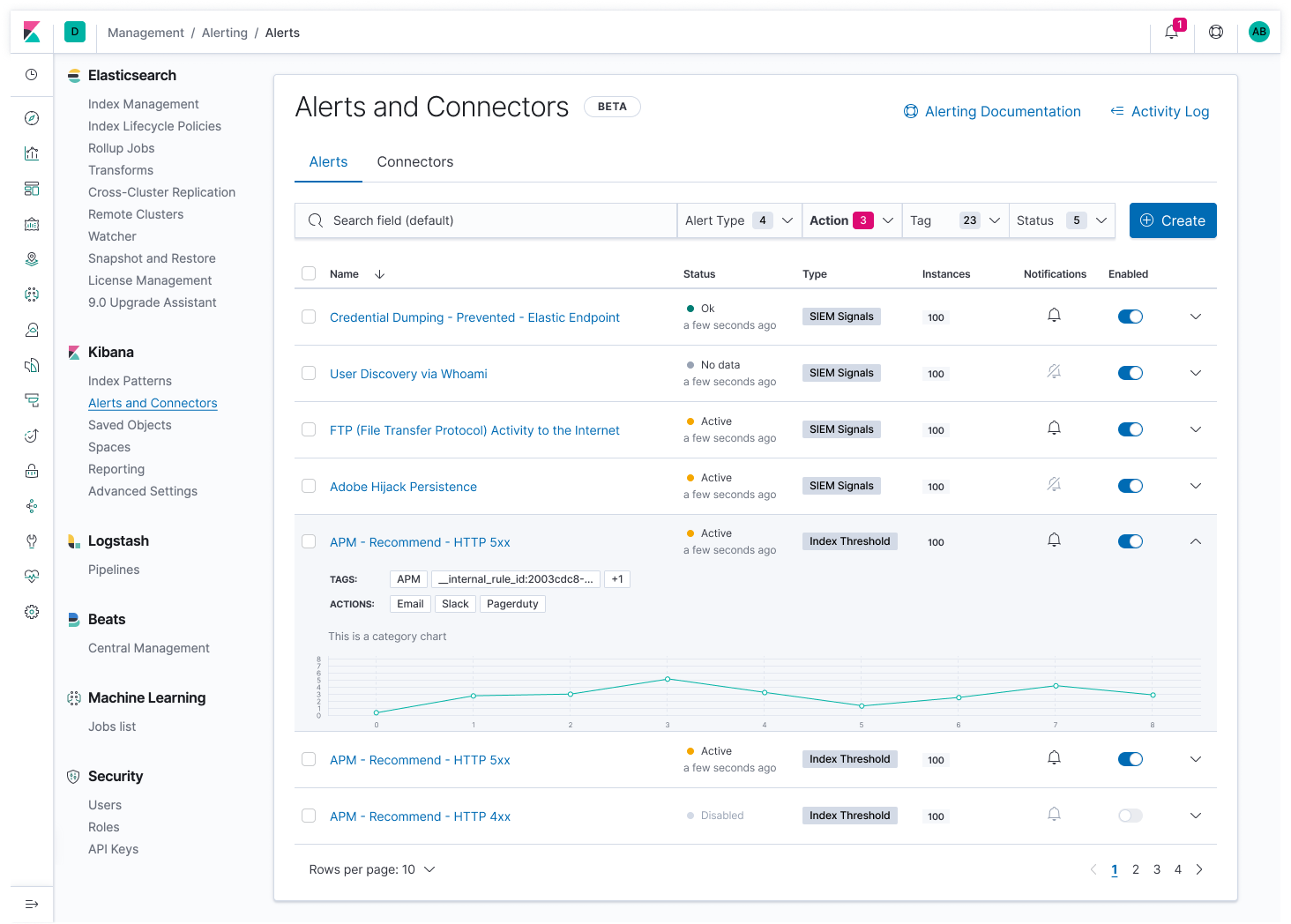
Changes:
- Including an
EUI Beta Badgeand rename the section to 'Alerts and Connectors' - I've updated the status column to use the EUI health component and included the time of change (similar to how Uptime handles this)
- I've moved the tags and actions into an expanded row view. I'm curious to hear thoughts on the drawback of this. I went this route in order to provide more space for showing clearer status, enabled and muted columns. Also, since the actions and tags could be a long list, they would be truncated initially anyway.
- I'm showing a chart for the expanded view, and I know this has been part of a bigger discussion. It seems to be a valuable feature for a user quickly troubleshooting multiple alerts.
- The instance badge is just a beginning thought. Is there any value in this?
I will work on showing the filtering options and any empty state scenarios per the ongoing discussion
cc @mikecote @peterschretlen @alexfrancoeur @andreadelrio @pmuellr
mdefazio
on 25 Feb 2020
cc @elastic/kibana-alerting-services
 mikecote
on 26 Feb 2020
mikecote
on 26 Feb 2020
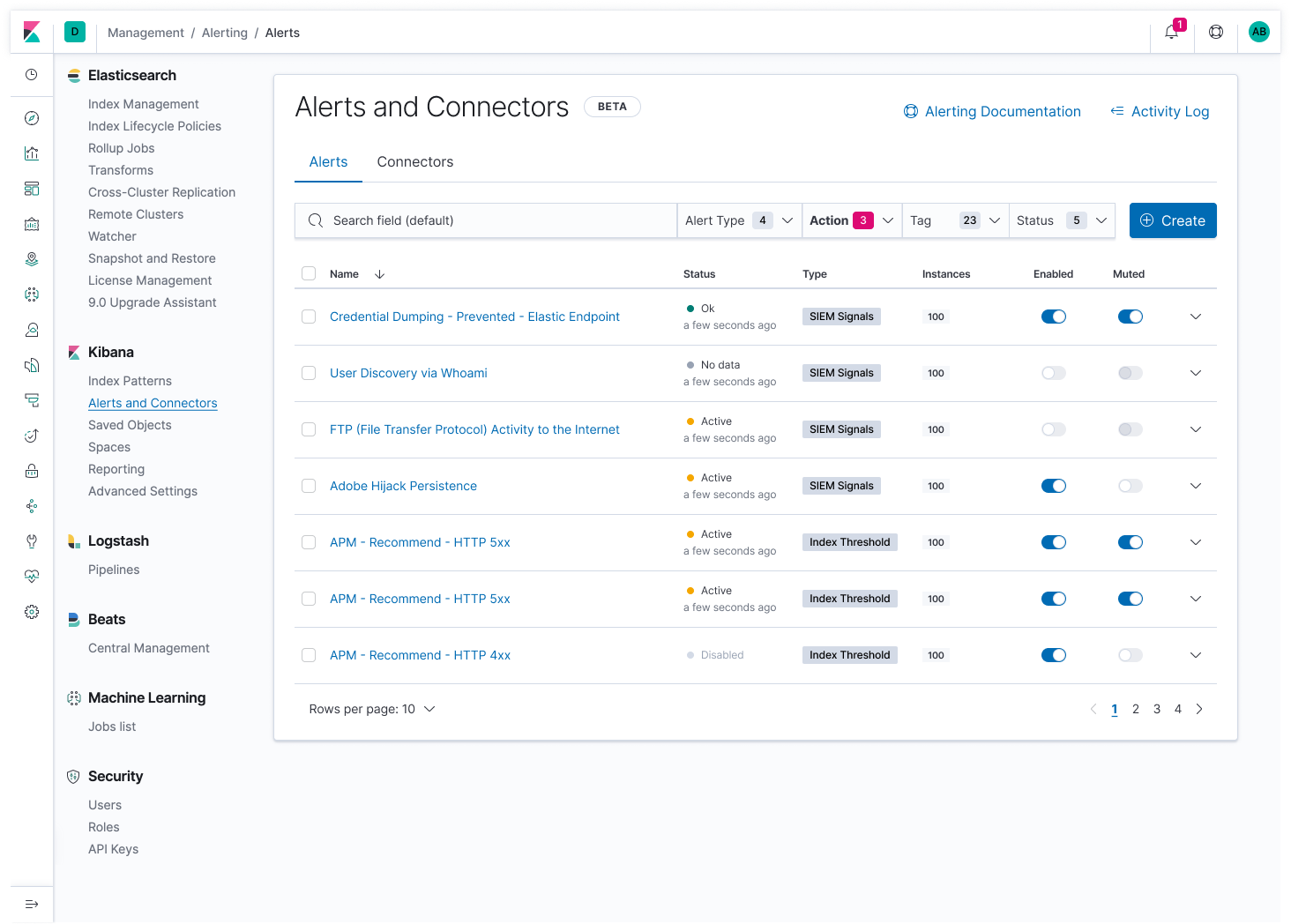
Updated management table
Changes from discussion at today's meeting.
Main alert table
Expanded row view
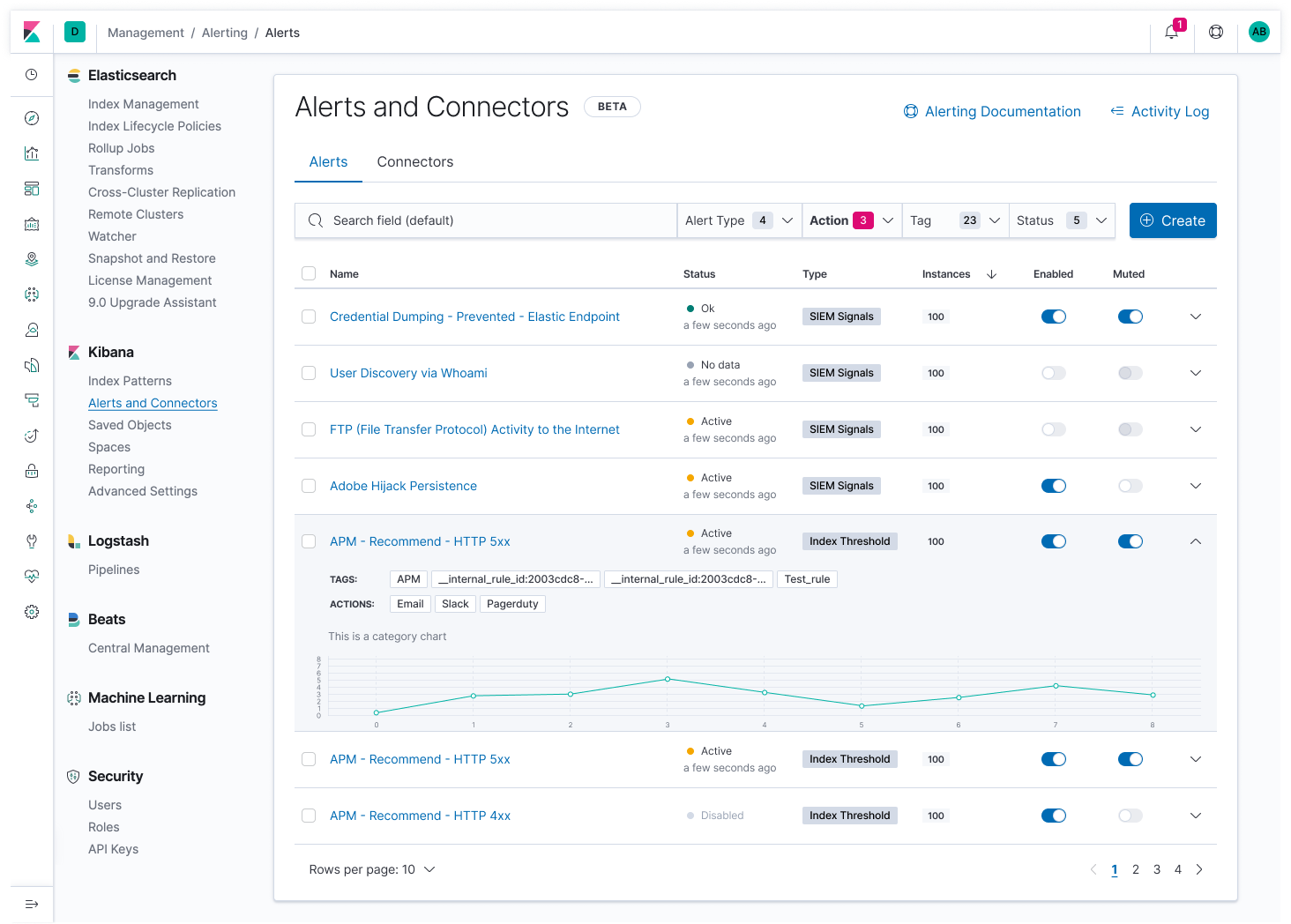
The content within the expanded row is still placeholder for now. The discussion was around whether to place the tag badges here where the user can easily see all of them, compared to in a thin column view. We will do another round of edits for this piece and see if there's another possible solution for keeping the tags in view initially instead of behind a click.
Chart is placeholder for now as well and eventually would be the historical data. First version of this however could be the preview chart that is shown when creating the alert.
Bulk action view
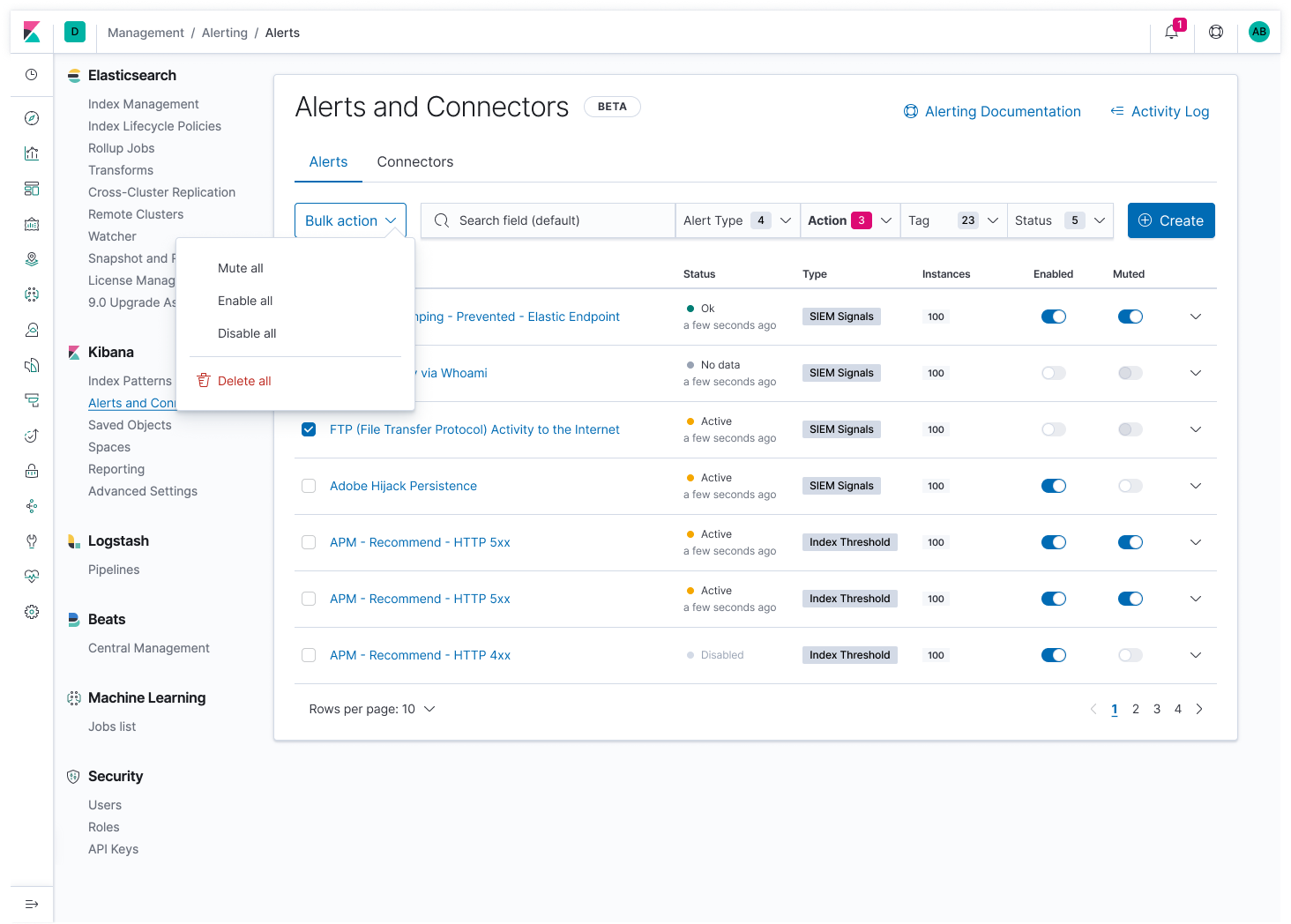
Changes
- Changed the notification column heading to 'Muted' and use a switch in place of the icon
- Including mock for bulk action
mdefazio
on 26 Feb 2020
We also discussed the filter popovers.
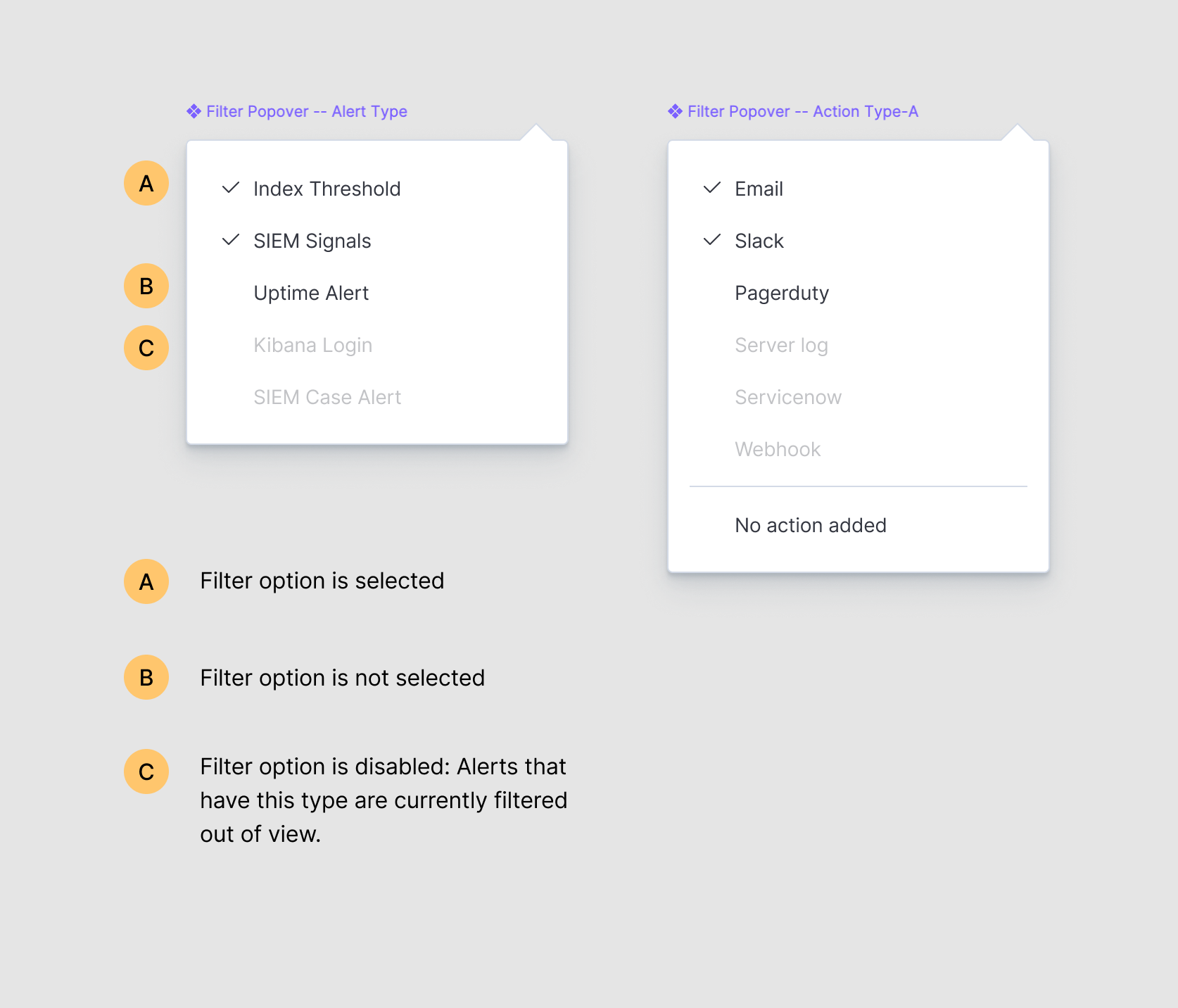
For actions, we would add a filter option for 'No action added' to show alerts without actions.
For alert type, the shown options in the popover would be those that have been used. Unused alert types would not be shown in order to avoid an empty state. It is possible that the user could apply filters that would cause certain alert types to have 0 alerts in view. In this case, we would still show the type, but it is disabled.
mdefazio
on 26 Feb 2020
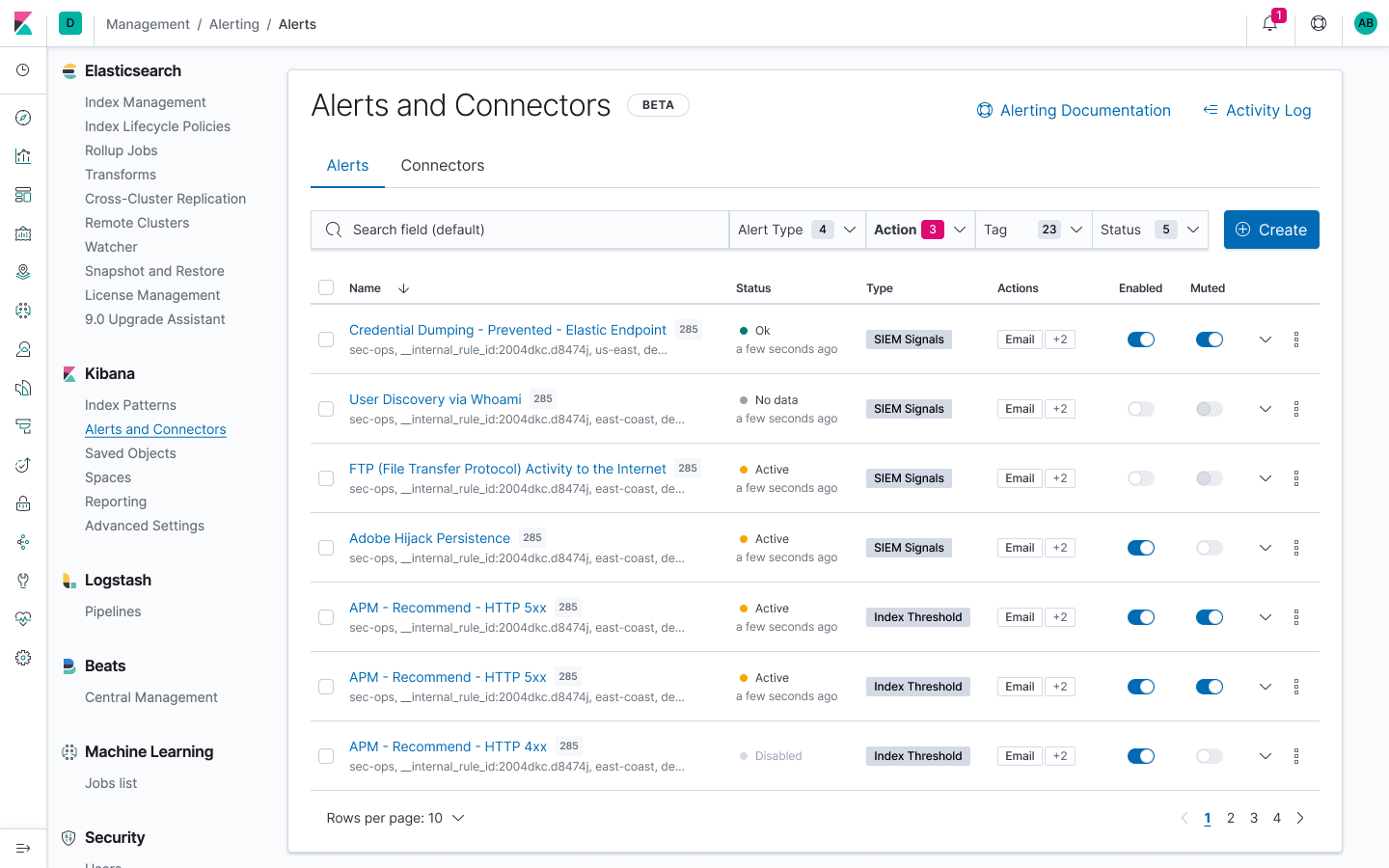
Updated the Alerts table to include tags in the initial view. Moved actions into a visible column—only shows 1, with a '+X' for additional actions (to save space). So for now, all that shows on expand would be the chart.
I'm also including a count for the number of instances after the title, since I swapped that column out for the actions.
mdefazio
on 2 Mar 2020
Closing this and merging into one top level meta design issue https://github.com/elastic/kibana/issues/58410
mdefazio
on 12 Jun 2020
Related issues
 bhavyarm
·
3Comments
bhavyarm
·
3Comments
 ctindel
·
3Comments
ctindel
·
3Comments
 bradvido
·
3Comments
bradvido
·
3Comments
 ynux
·
3Comments
ynux
·
3Comments
 mark54g
·
3Comments
mark54g
·
3Comments
Most helpful comment
Management column updates
With this update, the goal is to improve the ability for the user to see which alerts are enabled, muted and the type of alert.
Changes:
EUI Beta Badgeand rename the section to 'Alerts and Connectors'I will work on showing the filtering options and any empty state scenarios per the ongoing discussion
cc @mikecote @peterschretlen @alexfrancoeur @andreadelrio @pmuellr