Kibana: Watcher: The Name column gets cut off
Original comment by @tsg:
Kibana version: 6.2.1
Elasticsearch version: 6.2.1
In the default xpack installation, there are some watches inserted by Monitoring. Here is a screenshot:
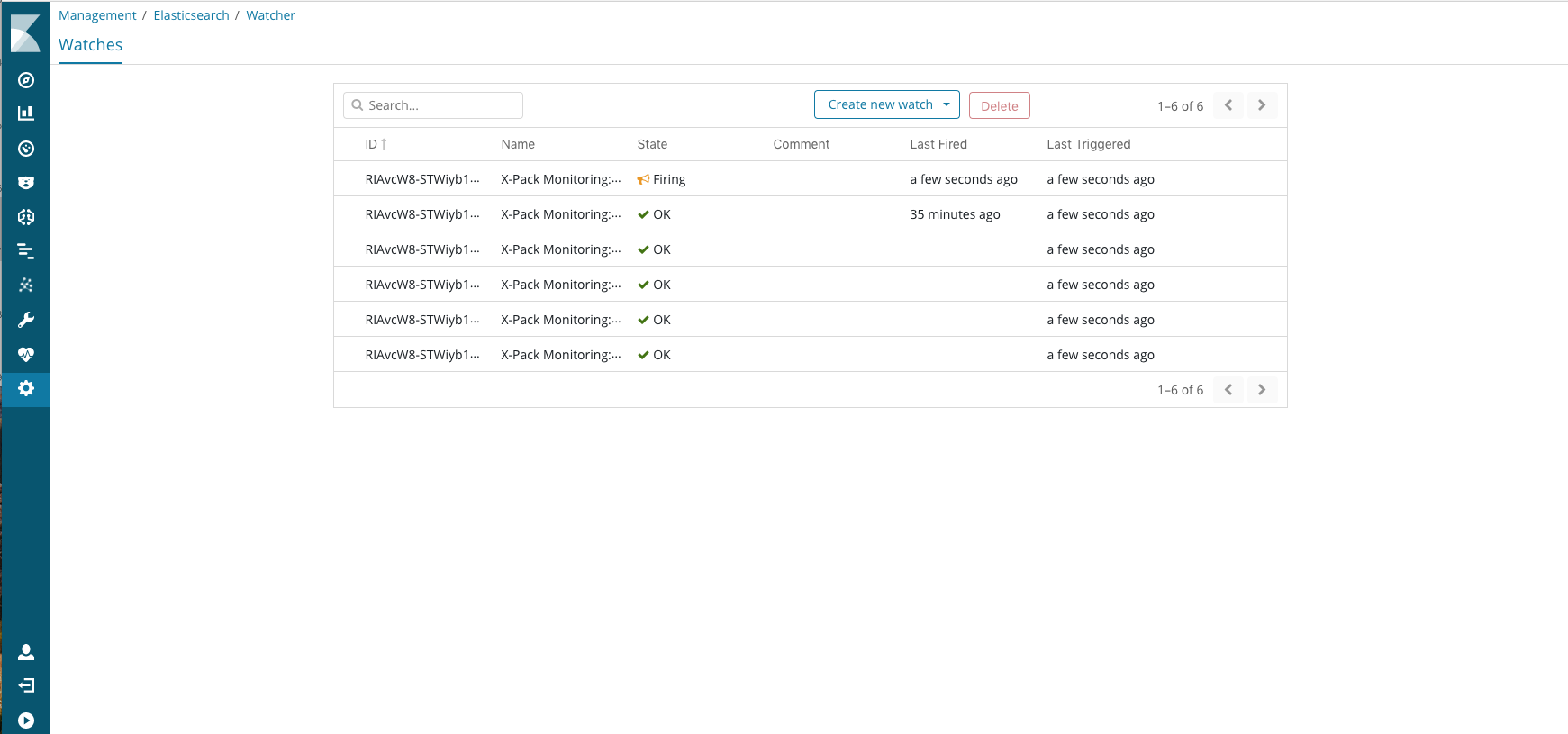
Note that there's a Watch that fires but I can't see which one because the Name column gets cut of at X-Pack Monitoring:... so the more interesting part of the name is missing. Mouse over reveals the full name, but having to do that feels a bit suboptimal. Resizing the window doesn't seem to help.
It would be nice if the the Name column would be a bit wider, especially since the State and Last Triggered columns seems to be wider than needed.
@alexfrancoeur
 elasticmachine
All 6 comments
Original comment by @tsullivan:
This issue has come up on the Monitoring side, and we looked at it ways of changing the title to help the problem, but we eventually decided not to change anything because:
- We feel that changing the watch names for the cluster alerts would be an overall negative
- This issue wouldn't affect the cluster alerts, but any user's alerts that has more than 20 or so characters
So we really hope to see this improved from the Management side.
Added Management label
elasticmachine
on 19 Feb 2018
Original comment by @pickypg:
The table really just needs to take the whole width.
elasticmachine
on 19 Feb 2018
Original comment by @inqueue:
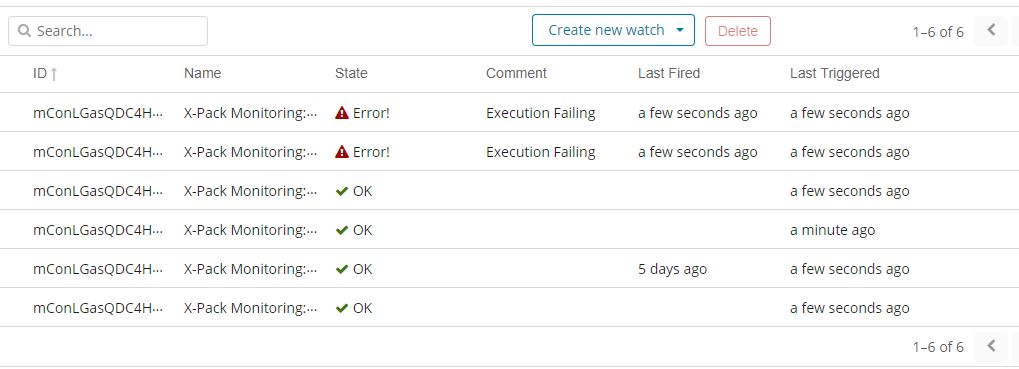
I would also like to see the columns wider, perhaps the font a point or two smaller, in order to see the entire value of the watch name.
It would be nice to do something with the ID as well. The current layout does not show any distinction among default watches in a screenshot making it mostly unusable for troubleshooting.
elasticmachine
on 6 Mar 2018
This is related to case 00247523 per customer complaint.
The issue still persist ... is there a plan on solving this?
I would propose to add ability to resize the columns with ability to move a slider to left and right.
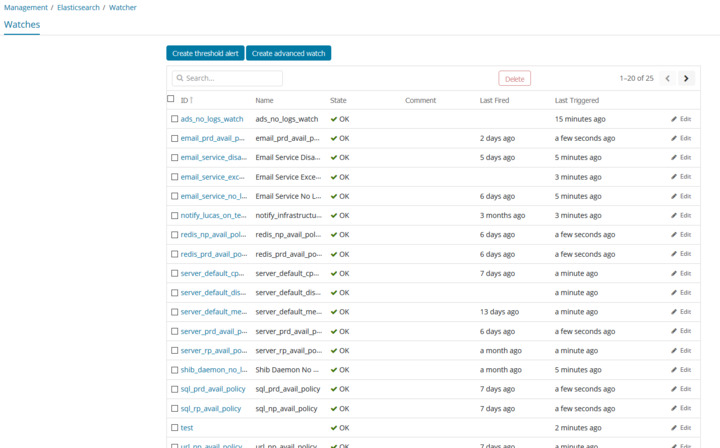
Do we have an idea if this will be resolved / addressed in any future versions?
Ed Breuer
 pedrosk
on 7 Aug 2018
pedrosk
on 7 Aug 2018
cc: @elastic/kibana-management @yaronp68 Any thoughts here? We could offer a tooltip for the full name if it's not already there. I don't see an EUI table element there yet, but I've seen mocks of a custom column picker. Maybe that's something that could resolve this issue? We could reduce the amount of columns and leave it up to the user to decide which ones are important to them. Do we know if EUI has plans on adding resizable columns at all?
 alexfrancoeur
on 8 Aug 2018
alexfrancoeur
on 8 Aug 2018
@alexfrancoeur For a short term fix, I'm going to make the table 100% width so they'll be able to see more of that column on wider screens. I'll also see if it's simple to add a tooltip to that column. A longer term fix will require investing time in EUIfying Watcher so we can take advantage of EuiTable's future ability to let users pick and choose visible columns.
 cjcenizal
on 8 Aug 2018
cjcenizal
on 8 Aug 2018
Related issues
 timroes
·
3Comments
timroes
·
3Comments
 timmolter
·
3Comments
timmolter
·
3Comments
 cafuego
·
3Comments
cafuego
·
3Comments
 LukeMathWalker
·
3Comments
LukeMathWalker
·
3Comments
 stacey-gammon
·
3Comments
stacey-gammon
·
3Comments
Most helpful comment
@alexfrancoeur For a short term fix, I'm going to make the table 100% width so they'll be able to see more of that column on wider screens. I'll also see if it's simple to add a tooltip to that column. A longer term fix will require investing time in EUIfying Watcher so we can take advantage of EuiTable's future ability to let users pick and choose visible columns.