Keystone: npm init keystone-app my-app fails
Hi
I am following the getting started documentation and I am getting this error when I run
npm init keystone-app my-app
npx: installed 61 in 15.448s
(node:10908) UnhandledPromiseRejectionWarning: TypeError: Cannot read property '0' of undefined
at Colorize (C:UsersdevAppDataRoamingnpm-cache_npx10484node_modulescreate-keystone-appnode_modulescfontslibindex.js:328:69)
at AddLetterSpacing (C:UsersdevAppDataRoamingnpm-cache_npx10484node_modulescreate-keystone-appnode_modulescfontslibindex.js:412:17)
at Render (C:UsersdevAppDataRoamingnpm-cache_npx10484node_modulescreate-keystone-appnode_modulescfontslibindex.js:788:14)
at Object.Say [as say] (C:UsersdevAppDataRoamingnpm-cache_npx10484node_modulescreate-keystone-appnode_modulescfontslibindex.js:884:15)
at showWelcomeMessage (C:UsersdevAppDataRoamingnpm-cache_npx10484node_modulescreate-keystone-applibshow-welcome-message.js:4:10)
at C:UsersdevAppDataRoamingnpm-cache_npx10484node_modulescreate-keystone-appbincli.js:14:3
at Object.
at Module._compile (internal/modules/cjs/loader.js:959:30)
at Object.Module._extensions..js (internal/modules/cjs/loader.js:995:10)
at Module.load (internal/modules/cjs/loader.js:815:32)
(node:10908) UnhandledPromiseRejectionWarning: Unhandled promise rejection. This error originated either by throwing inside of an async function without a catch block, or by rejecting a promise which was not handled with .catch(). (rejection id: 1)
(node:10908) [DEP0018] DeprecationWarning: Unhandled promise rejections are deprecated. In the future, promise rejections that are not handled will terminate the Node.js process with a non-zero exit code.
 bothwellw
All 18 comments
experienced same issue using yarn create
 masbossun
on 29 Dec 2019
masbossun
on 29 Dec 2019
Same for me. Neither npm or yarn install works at the moment.
 zoltanradics
on 29 Dec 2019
zoltanradics
on 29 Dec 2019
I also have this problem.
 dufemeng
on 29 Dec 2019
dufemeng
on 29 Dec 2019
Same issue.
 joshhopkins
on 29 Dec 2019
joshhopkins
on 29 Dec 2019
Having the same issue
 swr7der
on 29 Dec 2019
swr7der
on 29 Dec 2019
Same problem here.
I have tried both npm init and yarn create commands to create the app on several versions of Node.js (10, 12 and 13), both on macOS and Ubuntu 18.04.
This seems to be caused by the recent release 2.4.6 of cfonts.
A nasty work-around:
mkdir my-project-starter
cd my-project-starter

npm init -y # Initialise an empty project
npm install -D create-keystone-app # Manually install Keystone starter
rm -fr node_modules/cfonts # Get rid of troublesome cfonts
Edit node_modules/create-keystone-app/package.json and change the cfonts dependency from "^2.4.4" to "2.4.5". Notice, we are hard-coding the version known to be working.
npm install

npx create-keystone-app my-project
If it's still failing, try removing _node_modules/cfonts_ and running npm install again.
 chris-kobrzak
on 29 Dec 2019
chris-kobrzak
on 29 Dec 2019
Same problem here.
Also didn't worked for me with trying the solution from @chris-kobrzak .
 baristikir
on 30 Dec 2019
baristikir
on 30 Dec 2019
I'm having the same issue. I was all excited to try out keystone after the syntax episode today
 TylerSustare
on 31 Dec 2019
TylerSustare
on 31 Dec 2019
Same here 👎
 souljacker
on 31 Dec 2019
souljacker
on 31 Dec 2019
Same, npm and yarn.
 seanrreid
on 31 Dec 2019
seanrreid
on 31 Dec 2019
jumping on this bandwaggon, doesn't work for me either :(
 MurrayJack
on 1 Jan 2020
MurrayJack
on 1 Jan 2020
Me neither. Neither npm nor yarn works.
 anselmdk
on 1 Jan 2020
anselmdk
on 1 Jan 2020
This should be fixed via #2188
I just checked that it works with the latest.
 dominikwilkowski
on 8 Jan 2020
dominikwilkowski
on 8 Jan 2020
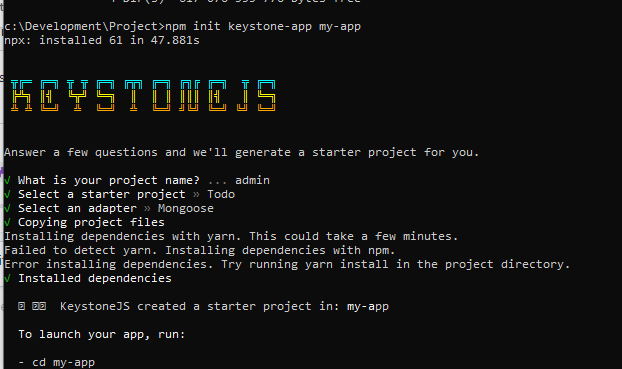
it works..
bothwellw
on 8 Jan 2020
👋🏻 Syntax listeners!
 wesbos
on 8 Jan 2020
wesbos
on 8 Jan 2020
Same issue on npm and yarn, its 2020.
 nasouhmr
on 24 Oct 2020
nasouhmr
on 24 Oct 2020
Same issue on npm and yarn, its 2021.
 Yinear
on 29 Dec 2020
Yinear
on 29 Dec 2020
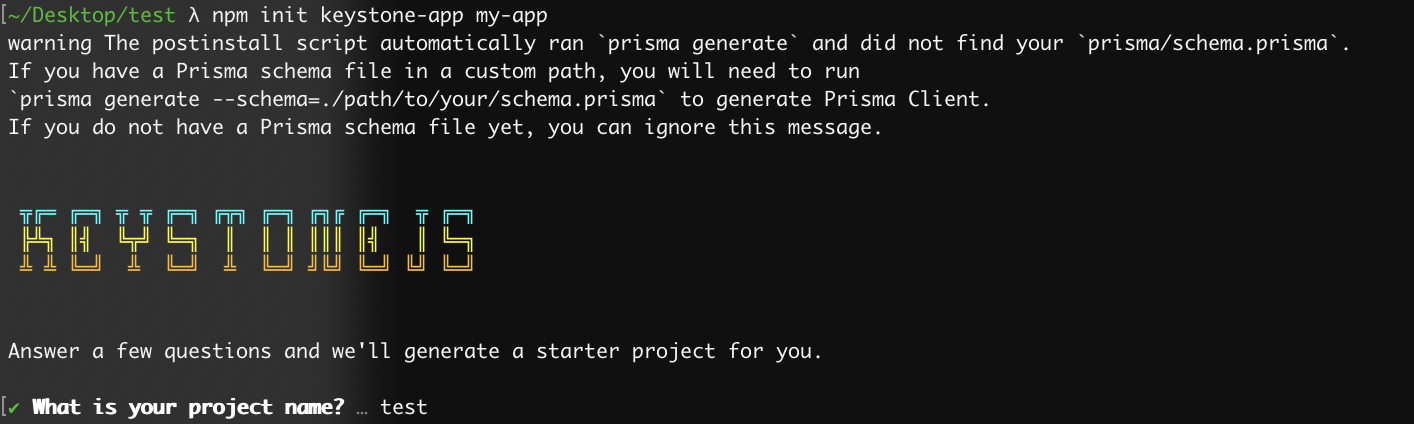
@Yinear The original issue has been fixed and I just verified that it has so can you please add more details so we know what you mean. Step me through what you're doing to make it fail?
Running npm init keystone-app my-app on node v14 works just fine for me:
dominikwilkowski
on 29 Dec 2020
Related issues
 cowjen01
·
13Comments
cowjen01
·
13Comments
 jesstelford
·
14Comments
jesstelford
·
14Comments
 molomby
·
11Comments
molomby
·
11Comments
 ra-external
·
10Comments
molomby
·
11Comments
ra-external
·
10Comments
molomby
·
11Comments
Most helpful comment
👋🏻 Syntax listeners!