Keepassxc-browser: Memory leaks on firefox (using the extension)
Overview
keepassxc extension on firefox has severe memory leaks crippling the system hard and sometimes bringing firefox to a crash if i dont kill it myself
Steps to Reproduce
- normal usage of the web browser
Expected Behavior
Actual Behavior
sometimes while using the browser normally memory leaks happen requiring me to kill firefox to then launch it again to continue using it.
Context
the only information i can give on this is that its totaly random, when it happens im not using it to log into some website, im just using the browser normaly. i cant identify a trigger.
KeePassXC - Versão 2.6.2 (latest at the time of writing, happened on the previous versions too)
Revisão: e9b9582
Qt 5.15.1
Modo de depuração desativado.
Sistema operativo: Windows 10 Version 2004
Arquitetura do CPU: x86_64
Kernel: winnt 10.0.19041
Extensões ativas:
- Escrita automática
- Integração com o navegador
- Agente SSH
- KeeShare (partilha assinada e não assinada)
- YubiKey
Bibliotecas de criptografia:
libgcrypt 1.8.6
Operating System: Windows 10 - Firefox 82.0.3 ((latest at the time of writing)
 ph0sph0rus15
All 16 comments
Please include screenshot of browser task manager showing the memory consumption.
 droidmonkey
on 17 Nov 2020
droidmonkey
on 17 Nov 2020
it goes climbing until it reaches all the ram i have
ph0sph0rus15
on 17 Nov 2020
How do you know this is from keepassxc extension?
droidmonkey
on 17 Nov 2020
had a look on firefox task/resources manager once (not the first time it happens), pulling 14gb of ram and wanting it all
ph0sph0rus15
on 17 Nov 2020
Can you do some profiling and maybe share the measurements?
 varjolintu
on 17 Nov 2020
varjolintu
on 17 Nov 2020
im not sure what i can do, i tried to see if theres any trigger but its looks random. and it doesnt happen when it uses the extension to try to login to a form or something like that
ph0sph0rus15
on 17 Nov 2020
varjolintu
on 17 Nov 2020
how does that will do any help? as far i understand only would make sense to do that when id caught the memory leak
ph0sph0rus15
on 17 Nov 2020
Well, with that we could see if there's something that consumes more and more memory.
varjolintu
on 17 Nov 2020
So I'm having a similar issue that might be the same, from about:memory you can see that this extension is using an substantial amount of RAM (1.3GB):

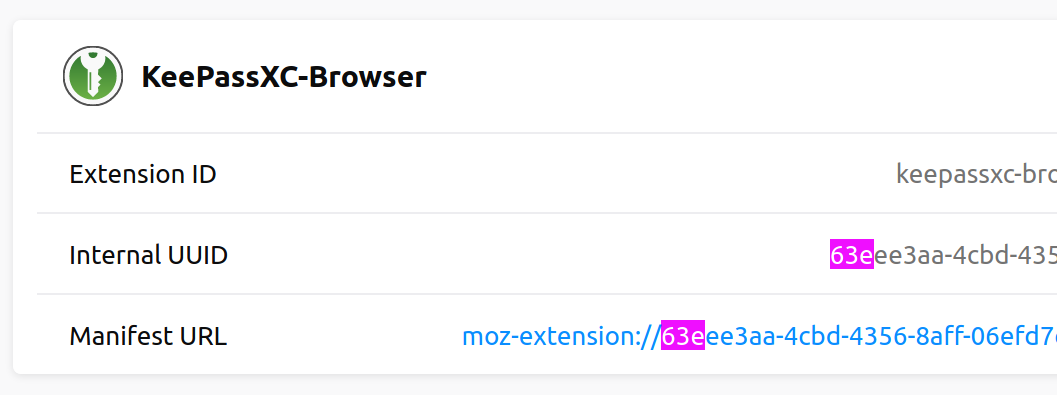
I captured a 30sec performance profile via devtools (by inspecting the extension) and noticed this in the allocations tab:

Firefox 83.0 on Ubuntu 18.04
Keepassxc-browser 1.7.3
Keepassxc is not running most of the time so the extension is attempting to connect the whole time and logging that.
What else can I test/provide?
 GertBurger
on 26 Nov 2020
GertBurger
on 26 Nov 2020
Interestingly enough the normal task manager only shows this:

GertBurger
on 26 Nov 2020
Oh wow is there a leak in nacl?
droidmonkey
on 26 Nov 2020
I don't know if that allocations screenshot is relevant but there might be code using nacl that is keeping references...
GertBurger
on 26 Nov 2020
The main reason Automatic Reconnect feature is experimental is that I discovered it might leak some memory, but didn't have time to solve why. Showing a possible leak in Nacl will definitely help this forward.
varjolintu
on 26 Nov 2020
I have confirmed that in my instance, disabling the autoreconnect results in no memory usage growth over time.
GertBurger
on 26 Nov 2020
Nacl needs to be updated we haven't updated it since 2017
droidmonkey
on 26 Nov 2020
Related issues
 flibustenet
·
4Comments
flibustenet
·
4Comments
 derula
·
4Comments
derula
·
4Comments
 dgnuff
·
3Comments
dgnuff
·
3Comments
 muchqs
·
4Comments
muchqs
·
4Comments
 maniqui
·
3Comments
maniqui
·
3Comments