Karabiner-elements: Error: IOServiceOpen failed: 0xe00002d8
I am constantly having the above error printed on Console. Whilst this is probably not a user facing bug, what could be the reason for this? I am using the latest version on 10.15.2.
I am using Karabiner-Elements with a Unicomp external keyboard.
Feel free to close this issue if it's invalid.
Thanks for the great software.
 bitigchi
All 15 comments
This issue has been automatically marked as stale because it has not had recent activity. It will be closed if no further activity occurs. Thank you for your contributions.
![stale[bot] picture](https://avatars3.githubusercontent.com/in/1724?v=4&s=40) stale[bot]
on 8 Mar 2020
stale[bot]
on 8 Mar 2020
Any ideas?
bitigchi
on 9 Mar 2020
I have the same issue.
 AndyBehr
on 19 Mar 2020
AndyBehr
on 19 Mar 2020

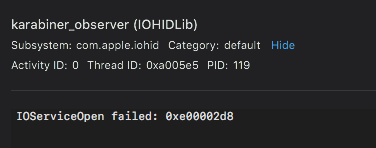
Thousands of log error entries like this.
I'm happy to help debug this or provide more info.
 leviathan
on 21 Mar 2020
leviathan
on 21 Mar 2020
This issue has been automatically marked as stale because it has not had recent activity. It will be closed if no further activity occurs. Thank you for your contributions.
stale[bot]
on 5 Jun 2020
Ping!
bitigchi
on 5 Jun 2020
i'm observing the same behaviour...
 FSiffer
on 24 Jun 2020
FSiffer
on 24 Jun 2020
I have the same issue too.
 dioxide
on 27 Jun 2020
dioxide
on 27 Jun 2020
Same issue here too
 mac-repo-001
on 1 Aug 2020
mac-repo-001
on 1 Aug 2020
Ditto...
 squatto
on 13 Aug 2020
squatto
on 13 Aug 2020
Well, me too...
 mintyPT
on 25 Sep 2020
mintyPT
on 25 Sep 2020
It stopped after updating to version 13.0.0. Check manually for updates (Karabiner Elements -> Misc -> Check for updates) to install it.
 marijnbent
on 6 Oct 2020
marijnbent
on 6 Oct 2020
Thank you for feedbacks!
Judging from a lot of feedback, Karabiner-Elements v13.0.0 requires macOS 10.15.6 or higher because macOS 10.15.5 or earlier has an issue around DriverKit.
Please downgrade to v12.10.0 if you are using macOS 10.15.5 or earlier.
https://karabiner-elements.pqrs.org/docs/releasenotes/
If you are using macOS 10.15.6 or later, try macOS Catalina Note #1 on this following page.
https://karabiner-elements.pqrs.org/docs/help/troubleshooting/driver-alert-keeps-showing-up/
 tekezo
on 10 Oct 2020
tekezo
on 10 Oct 2020
Unfortunately the error came back after a while. How can I deactivate the driver? There is no 'Driver Alert' popping up when I open the Karabiner preferences.
marijnbent
on 21 Oct 2020
This issue has been automatically marked as stale because it has not had recent activity. It will be closed if no further activity occurs. Thank you for your contributions.
stale[bot]
on 25 Dec 2020
Related issues
 cajhin
·
3Comments
cajhin
·
3Comments
 rkusa
·
3Comments
rkusa
·
3Comments
 chaucy
·
3Comments
chaucy
·
3Comments
 DanweDE
·
3Comments
DanweDE
·
3Comments
 krasnovpro
·
3Comments
krasnovpro
·
3Comments
Most helpful comment
It stopped after updating to version 13.0.0. Check manually for updates (Karabiner Elements -> Misc -> Check for updates) to install it.