Karabiner-elements: adjust brightness key doesn't work
I use a MacBook Pro 2015, a Real force 86u keyboard and a dell u2718q monitor.
I can't get brightness adjustment to work. Volume up down work just fine though.
when I press F1 and F2 on the keyboard, event viewer shows this

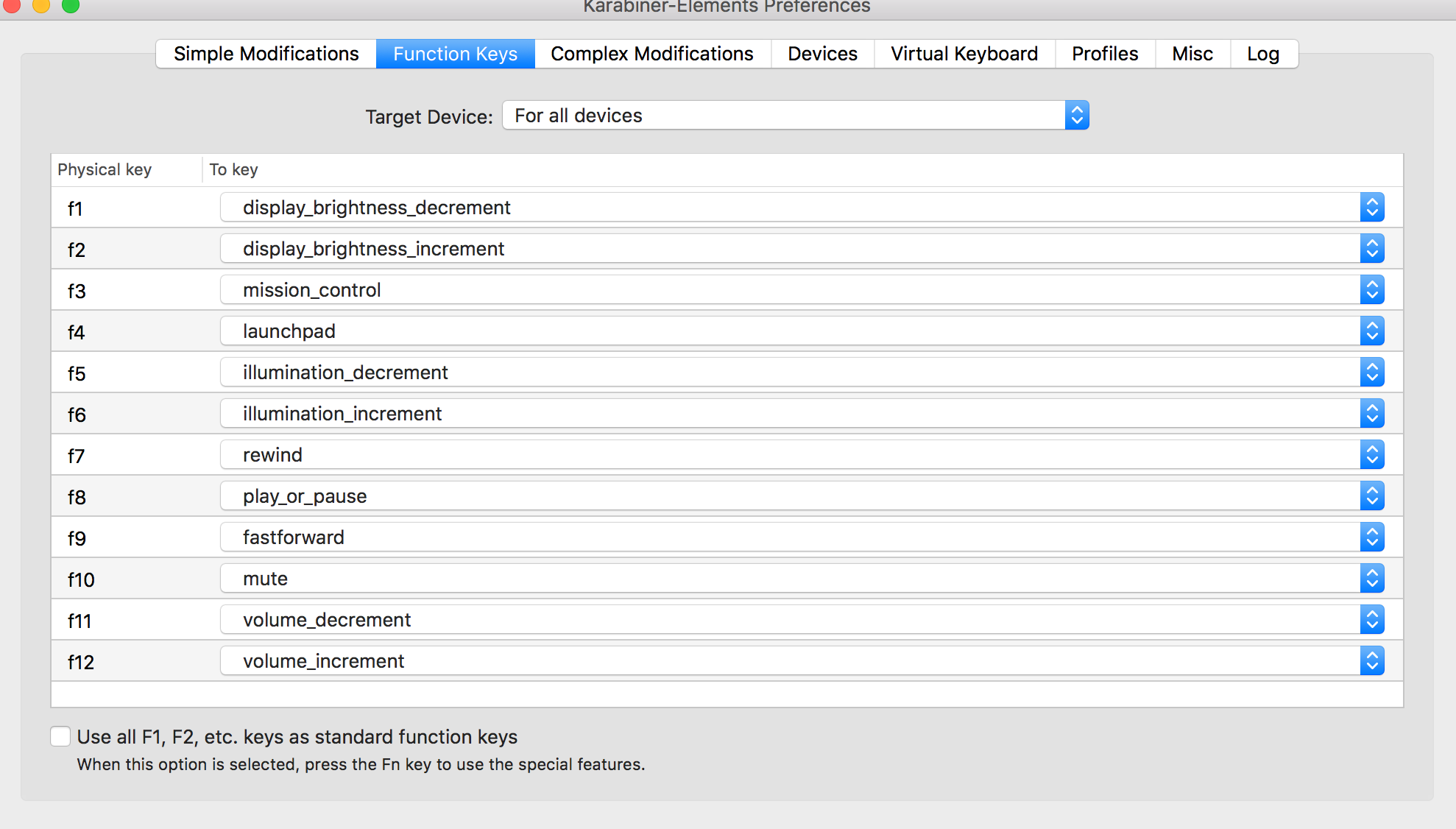
my karabiner settings.

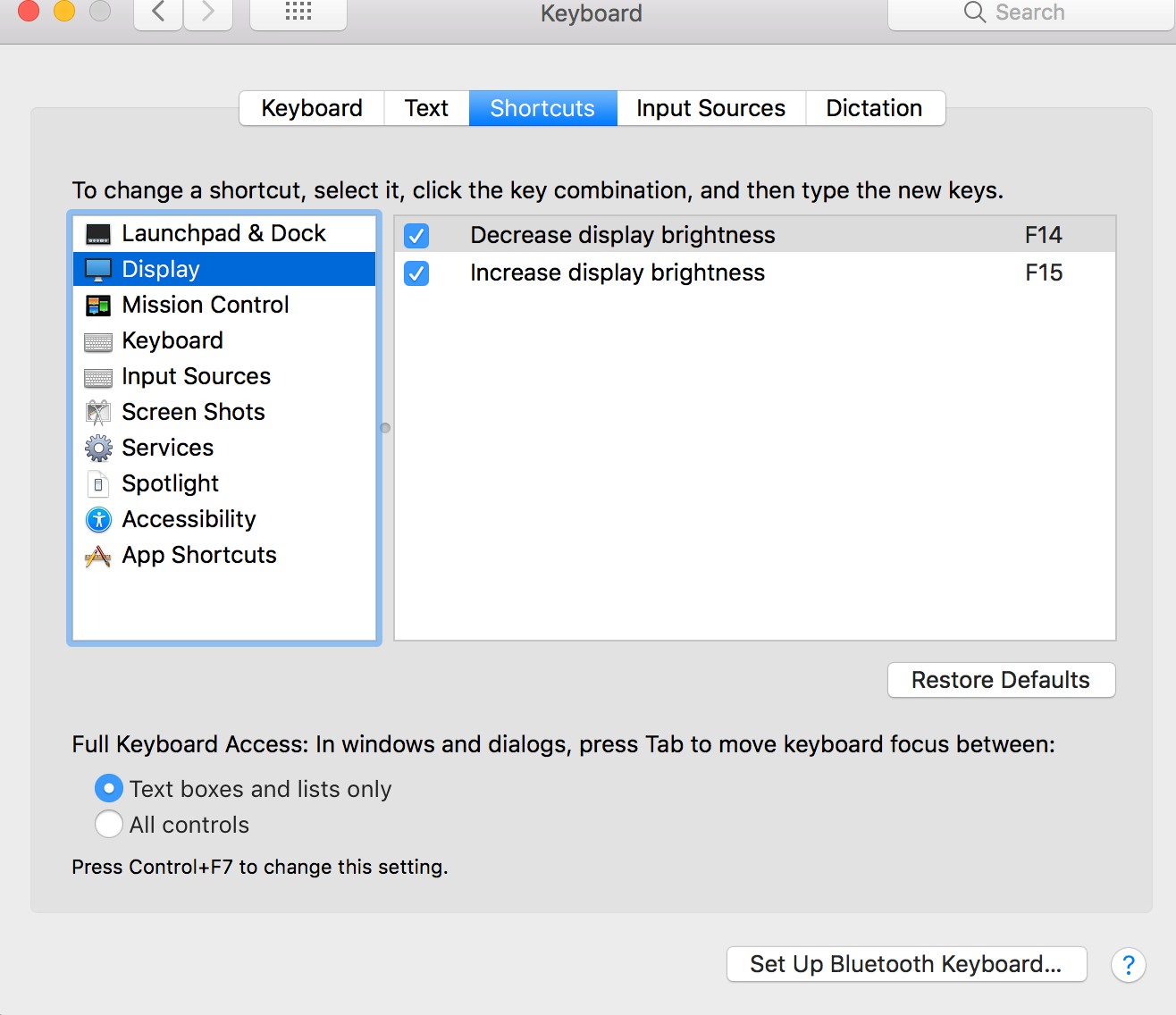
keyboard->shortcut->display

 ssh352
All 10 comments
this setting comes with karabiner
ssh352
on 13 Jun 2019
I have the same issue.
I'm using MacBook Pro, Magic Keyboard, and LG UltraFine Display that supports native brightness adjust from Mac.
If I didn't use Karabiner, I can adjust the currently using display's brightness vie brightness adjustment key (f1/f2).
But if I'm using Karabiner with default setting, I can adjust only internal display's brightness even when using external display. IOW, I cannot adjust external display's brightness.
I think it's Karabiner issue.
 segawm
on 12 Jul 2019
segawm
on 12 Jul 2019
I have this same issue with an LG UltraFine Display too. I can't adjust the display brightness
 adamwinn
on 28 Jul 2019
adamwinn
on 28 Jul 2019
This issue has been automatically marked as stale because it has not had recent activity. It will be closed if no further activity occurs. Thank you for your contributions.
![stale[bot] picture](https://avatars3.githubusercontent.com/in/1724?v=4&s=40) stale[bot]
on 26 Sep 2019
stale[bot]
on 26 Sep 2019
I have the same issue adjusting the brightness of external display. Things work perfectly fine if I quit Karabiner.
 MingshiGao
on 14 Nov 2019
MingshiGao
on 14 Nov 2019
@ssh352 can you re-open this issue?
In my case brightness adjustment works if I press the control key while clicking the brightness buttons. Without Karabiner I don't need to press the control key and everything works fine. I'm using a single monitor (external).
None of my Karabiner rules are related to brightness control.
 fishnux
on 19 Nov 2019
fishnux
on 19 Nov 2019
I can't reopen it, it is closed by the bot. Actually a lot of issues are closed automatically by the bot without being resolved.
ssh352
on 20 Nov 2019
After I manually changed settings for my external keyboard (and external keyboard only) it all works as expected on my setup (MacBook Pro 16", Magic Keyboard and LG UltraFine Display):

(make sure it says "apple_display_brightness_..." or just play with other brightness options in case this doesn't work for you)
 artem-sokolov
on 2 May 2020
artem-sokolov
on 2 May 2020
After I manually changed settings for my external keyboard (and external keyboard only) it all works as expected on my setup (MacBook Pro 16", Magic Keyboard and LG UltraFine Display):
(make sure it says "apple_display_brightness_..." or just play with other brightness options in case this doesn't work for you)
congratulations, unfortunately it still doesn't work for my external monitor, Dell U2718Q
ssh352
on 13 May 2020
This video solved the issue for me:
How to use Brightness Keys on External Displays in macOS Catalina
ssh352
on 13 May 2020
Related issues
 impala75
·
3Comments
impala75
·
3Comments
 surfingoz
·
3Comments
surfingoz
·
3Comments
 rkusa
·
3Comments
rkusa
·
3Comments
 chaucy
·
3Comments
chaucy
·
3Comments
 aniude
·
3Comments
aniude
·
3Comments
Most helpful comment
After I manually changed settings for my external keyboard (and external keyboard only) it all works as expected on my setup (MacBook Pro 16", Magic Keyboard and LG UltraFine Display):
(make sure it says "apple_display_brightness_..." or just play with other brightness options in case this doesn't work for you)