Karabiner-elements: Karabiner Elements seems not work at all
Thank you very much for this great software.
The other day, I’ve upgraded Karabiner Elements 12.1.0 from 11.6.0.
Karabiner Elements looks not work at all, after that.
Though I tried following, the result was the same.
- rm -fr ~/.config/karabiner
- uninstall, reboot, re-install old version (11.6.0)
I also checked following.
- Keyboard type -> ANSI
- kextstat and ioreg says nothing, strange?
$kextstat | grep pqrs
$ioreg | grep pqrs
$
I appreciate if there are any workaround.
Thank you.
Environment:
- macOS version: macOS 10.12.6 (Sierra)
- Karabiner version: Karabiner-Elements 12.1.0, 11.6.0
- Mac hardware: MacBook Pro 13 Retina Late 2013
- Keyboard hardware: Thinkpad USB Keyboard with TrackPoint
 hidsh
hidsh
All 12 comments
I also checked the log.
[2018-06-12 09:15:48.581] [info] [grabber] Load karabiner.json...
[2018-06-12 09:15:48.581] [info] [grabber] core_configuration is updated.
[2018-06-12 09:15:48.581] [info] [console_user_server] Load karabiner.json...
[2018-06-12 09:15:48.582] [warning] [grabber] virtual_hid_device_client is not connected yet. Please wait for a while.
[2018-06-12 09:15:48.582] [info] [console_user_server] core_configuration is updated.
[2018-06-12 09:15:48.583] [info] [grabber] ThinkPad USB Keyboard with TrackPoint (device_id:4) is ignored.
[2018-06-12 09:15:48.583] [info] [grabber] Apple Internal Keyboard / Trackpad (device_id:1) is ignored.
It might be an issue of macOS.
Please clear the system cache by starting in Safe Mode once.
http://support.apple.com/kb/ht1455
 tekezo
on 12 Jun 2018
tekezo
on 12 Jun 2018
I'm having the same issue. Any luck?
 casos92
on 14 Jun 2018
casos92
on 14 Jun 2018
starting in Safe Mode fixed it for me.
casos92
on 14 Jun 2018
Thanks takezo,
Though result is not changed, I tried safe mode.
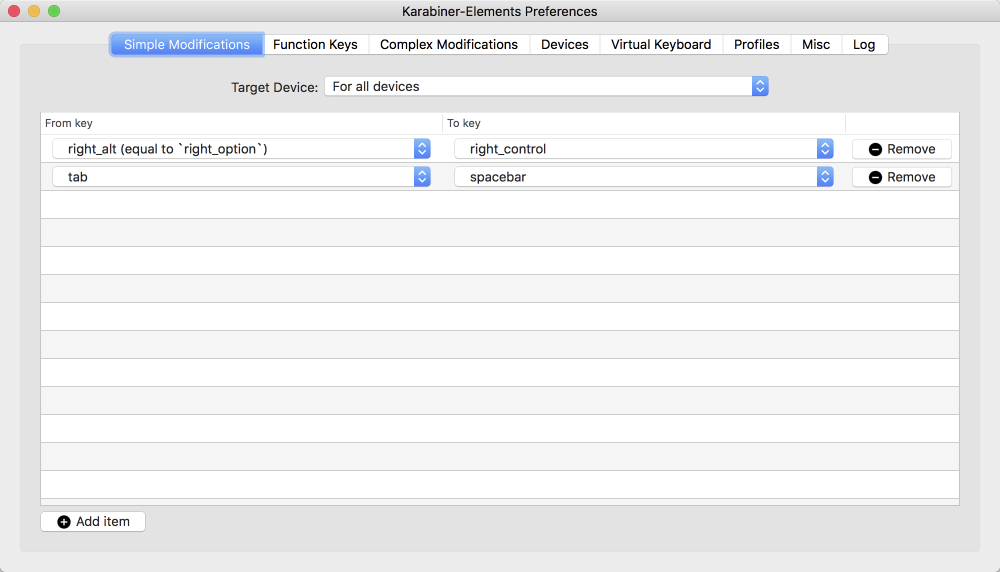
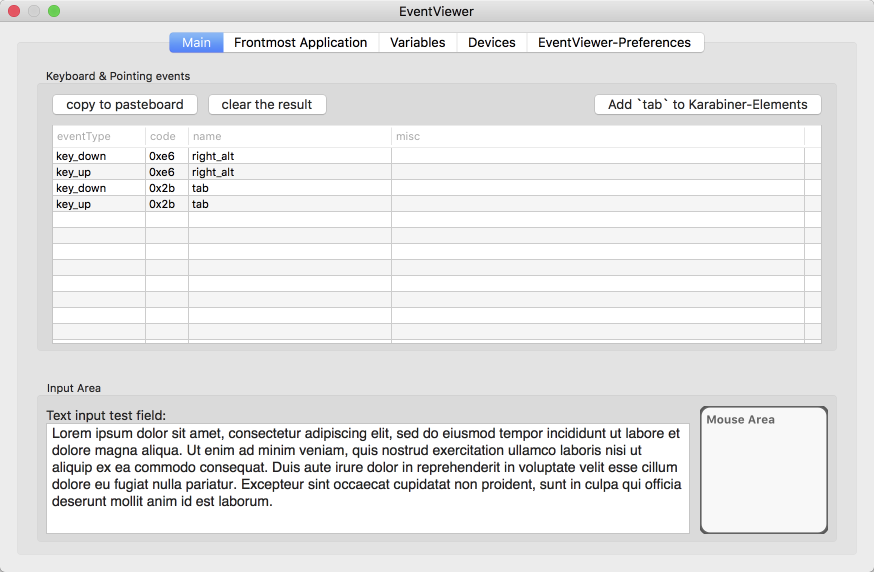
Do I try anything?
hidsh
on 15 Jun 2018
I seem to have the same problem: although karabiner shows no errors in its log, no modifications take effect. It is as though karabiner-elements was not installed at all. This is on a completely new Macbook Pro (karabiner-elements was one of the first things I installed). macOS High Sierra 10.13.4, karabiner-elements 12.1.0.
My settings work perfectly on my previous MBP with the same OS version, but since I suspected there might still be a problem with my settings, I deleted them and only used a couple of the recommended ones. No change. I have also tried with both the internal keyboard and an external one (connected via bluetooth), but cannot make karabiner-elements work. Restarting in safe mode did not help.
I am out of ideas how to debug this problem, please advice.
 strindberg
on 16 Jun 2018
strindberg
on 16 Jun 2018
It is as though karabiner-elements was not installed at all.
I totally agree.
hidsh
on 17 Jun 2018
Same problem, I tried uninstalling, rebooting and reinstalling karabiner. Now it is working again. Strange.
 runar-rkmedia
on 26 Jun 2018
runar-rkmedia
on 26 Jun 2018
I just can't get it to work. I've tried uninstalling/reinstalling and rebooting into safe mode several times. I have tried several different version back to version 11.0.
When karabiner starts, I see this in the log:
[2018-06-25 22:48:09.739] [info] [grabber] version 12.1.0
[2018-06-25 22:48:09.741] [info] [grabber] Check version...
[2018-06-25 22:48:09.741] [info] [grabber] /sbin/kextload '/Library/Application Support/org.pqrs/Karabiner-VirtualHIDDevice/Extensions/org.pqrs.driver.Karabiner.VirtualHIDDevice.v060800.kext'
[2018-06-25 22:48:11.238] [info] [grabber] kextload exit status: 71
And trying the same thing on the command lines shows the same problem:
% sudo /sbin/kextload '/Library/Application Support/org.pqrs/Karabiner-VirtualHIDDevice/Extensions/org.pqrs.driver.Karabiner.VirtualHIDDevice.v060800.kext'
/Library/Application Support/org.pqrs/Karabiner-VirtualHIDDevice/Extensions/org.pqrs.driver.Karabiner.VirtualHIDDevice.v060800.kext failed to load - (libkern/kext) authentication failure (file ownership/permissions); check the system/kernel logs for errors or try kextutil(8).
% sudo kextutil -nt '/Library/Application Support/org.pqrs/Karabiner-VirtualHIDDevice/Extensions/org.pqrs.driver.Karabiner.VirtualHIDDevice.v060800.kext'
Kext rejected due to insecure location:
I even tried booting into recovery mode and activating the kernel extension, but with no luck:
/usr/sbin/spctl kext-consent add G43BCU2T37
strindberg
on 26 Jun 2018
Finally fixed this issue by PRAM Clear.
No need safe mode for me.
Thanks strindberg, your post helps me.
hidsh
on 28 Jun 2018
No such luck for me, I'm afraid. I've had to disable SIP completely for the kernel extension to load.
strindberg
on 28 Jun 2018
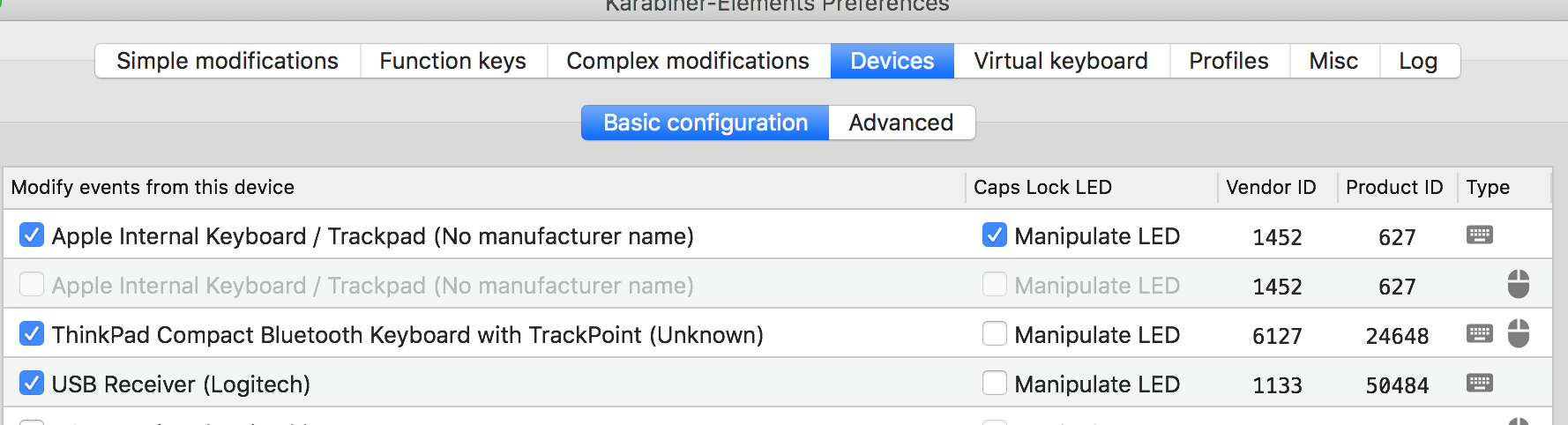
For anyone experiencing it make sure that Karabiner is enabled for the keyboard. You can ensure than on the "Device" tab:
 asok
on 7 Apr 2020
asok
on 7 Apr 2020
Related issues
 rkusa
·
3Comments
rkusa
·
3Comments
 chaucy
·
3Comments
chaucy
·
3Comments
 Ox0400
·
3Comments
Ox0400
·
3Comments
 cajhin
·
3Comments
cajhin
·
3Comments
 jason0342
·
3Comments
jason0342
·
3Comments