Karabiner-elements: Microsoft Sculpt remap the split space bar
Hello,
I was wondering if it would be possible to remap the spacebar on MS sculpt (a split-ish keyboard, which has two keys for spacebar) to different keys?
For example, I would like to remap the left spacebar to my command key.
Thanks!
 mhulse
All 13 comments
I seem to remember having tried just that with the old, full-featured Karabiner.
In the end I'm fairly certain that it couldn't be done because the Sculpt sends the exact same key code for both spacebars and has no internal remapping capabilities.
 frankrei
on 15 Jan 2017
frankrei
on 15 Jan 2017
Thanks @frankrei! That is too bad. I like the keyboard but wish the command key was nit so far to right. I would love to remap the left spacebar to command. Oh well. C'est la vie. Thanks again for your help and reply. :)
mhulse
on 15 Jan 2017
@mhulse
Hi- I want to do the exact same thing as you (left space bar on a split keyboard -> command). Have you found a keyboard that allows you to do this?
 dpxxdp
on 30 Aug 2017
dpxxdp
on 30 Aug 2017
Actually, kinda, but no. Hehehe.
(writing this quickly … Sorry in advance if spelling or grammatical errors)
Right now I'm using Microsoft Sculpt from a standing position. For some reason, I am not as bothered by the command key being so far to the left (under my palm).

But, this is a body thing. For me, RSI and aches/pains come and go, sometimes over a period of months. Right now, my left thumb is feeling OK about the command key where it is (at least, from the standing position).
With that said, a few other options I have tried ...
1. Using Karabiner to do a split keyboard:
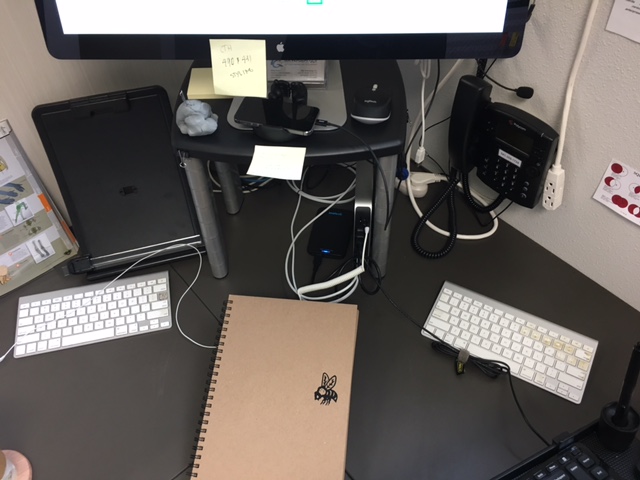
This works great!
I think this is a much better, and cheaper, alternative to my next option ....
2. ErgoDox EZ
Super awesome for programming, but I didn't really enjoy using it for Design work. If I just programmed all day long, I'd still be using that keyboard.
The huge advantage that keyboard has is the ability to map the keys to whatever you want.
The negative is the number of keys is a little less than standard, so you have to get creative about some of your favorite key placements (though, there are layers, but I never got fast at switching).
Here's a pic:
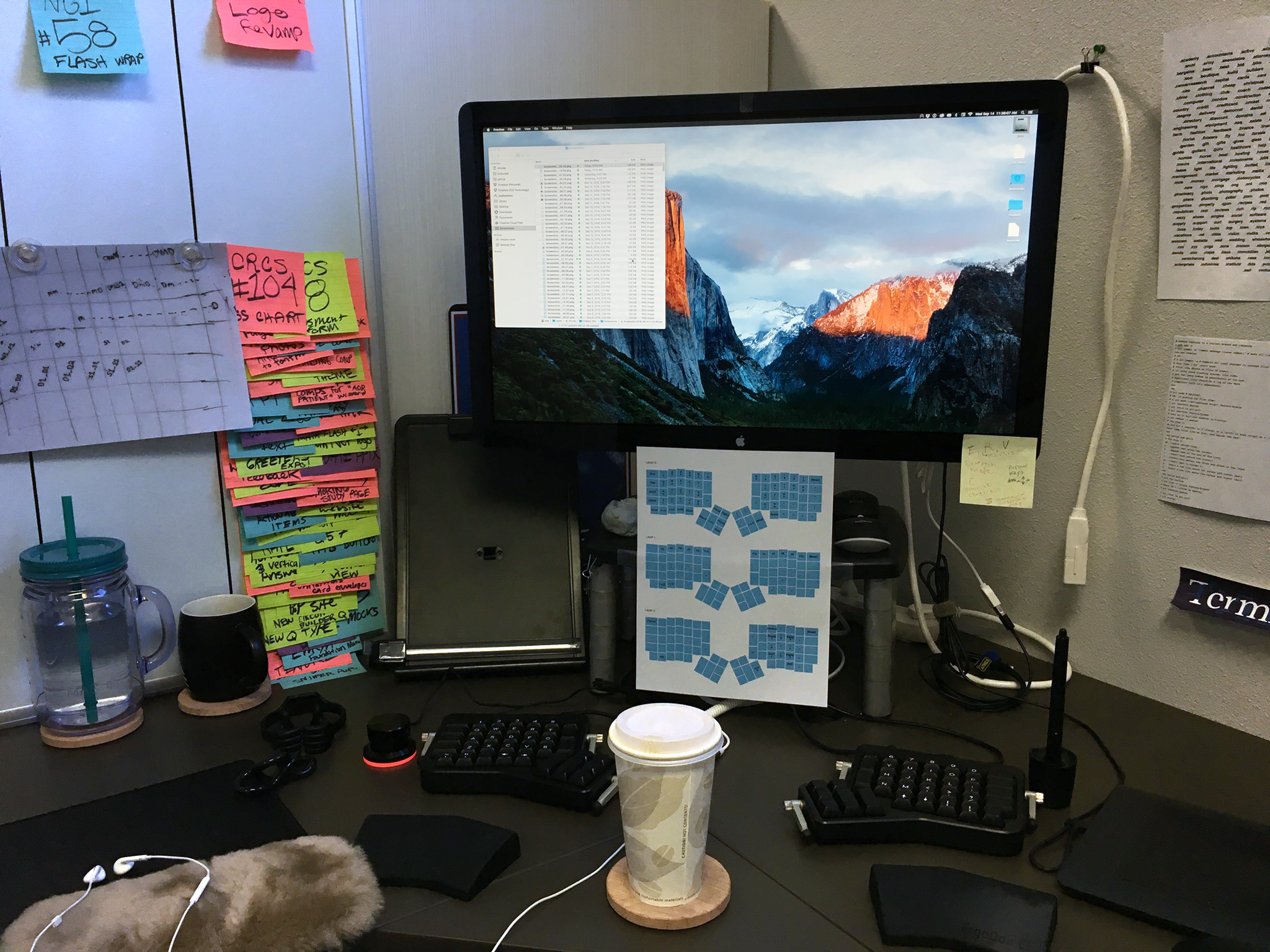
ErgoDox EZ has a nice configurator:
http://configure.ergodox-ez.com/keyboard_layouts/new
The default layout of the keyboard can be seen via that link above.
ErgoDox in general is a keyboard that is supposed to be ergonomically optimized in terms of key layout and positioning. Lots of people build their own ErgoDox, and (FWIK) there are varying styles of ErgoDox blueprints (check https://www.massdrop.com/). ErgoDox EZ build it for you, which I liked, as I don't have time to do all the soldering and such myself.
2. Japanese keyboard
I also tested a Japanese keyboard.
After using the EgoDox, I found that I actually prefer the low profile keys, and the membrane "switch" type of my mac keyboards.
Looking around at various low profile keyboards, and with option 1 above in mind, I was on the search for any keyboard that had a smaller space bar. Out of all the keyboards I researched (with membrane/low profile keys) the best looking ones were the Japanese keyboards.

I was able to use Karabiner to remap the Japanese keys (I could maybe dig up my Karabiner config file if interested), but, IIRC, the return key was kinda funky as it ate a key normally used on an EN keyboard.
Other than that, I don't remember disliking the keyboard. My plan was to get two of these Japanese keyboards and use Karabiner to do the split keyboard thing.
I don't think I explored this option well enough to have an opinion. What I love is the space bar is short, which allows the command key to scoot over to the right.
Anyway, that's all I can think of off the top of my head. I hope it helps!
mhulse
on 30 Aug 2017
@mhulse -
Fantastic! That really helps, glad to know there's someone else with the exact same problem as me. Left thumb hurts after years of reaching underneath my palm for the command key. Like you said, it's on and off but it's gotten pretty unbearable in the last week and it's directly affecting my concentration when typing.
I may try the ergodox, that looks to be the only one that solves _my_ ergonomic problem... not the angle of my wrists, but reaching position of my thumb for the integral CMD, ALT keys.
dpxxdp
on 30 Aug 2017
Yah, it's pretty frickin' lame that the space bars are SOOO big for EN keyboards. I honestly don't think there's a good reason for it, other than "it's the norm".
Alternatively, you could map your command to something like capslock. I have tried this, but I am so used to command being a thumb thing, the capslock/pinky reach was a bit tough.
That's the thing with ErgoDox, you do have to change some muscle memory things. It's not too bad if you print out your keymap and put it in front of you while you work. That really helps to speed up the learning (see my pic in previous comment).
Check out Ebay for used EgoDox. You might find something cheaper than a new model.
If interested, I created a repo for my ergo (which I no longer own):
https://github.com/mhulse/ergodox
That repo is a little outdated though. I ended up just using the online configurator at the EgoDox site. I don't think this was my latest keymap, but it was close to what I had before I sold it:
http://configure.ergodox-ez.com/keyboard_layouts/qgvpok/edit
I do programming and design at work, so the above map was my preferred coding layout (easy access to angle/square brackets, etc.)
Definitely don't think you can go wrong choosing an Ergodox. Just be prepared for keyboard that is louder than the MS one, and be prepared to change up some key placement muscle memory.
Good luck dude! Post back here if you find or learn something good!
mhulse
on 30 Aug 2017
Just re-found the thread that has info on how to remap Japanese keyboards:
https://github.com/tekezo/Karabiner-Elements/issues/167#issuecomment-331133220
@steveonjava just posted a complete example! I am looking forward to trying his config as I remember not being totally satisfied with the config I cobbled together. :)
mhulse
on 21 Sep 2017
I actually wanted to make the left space bar button my escape key (for optimal vimming) but I had a feeling that it would send the same keycode.
I think the only way around this would be on the driver level.
On a side note, it looks like Microsoft doesn't have any Mac drivers but the Windows drivers can supposedly remap some of the keys (I'm not sure that space bar would be one of those keys).
 hk0i
on 30 Mar 2018
hk0i
on 30 Mar 2018
@mhulse Thanks for your story. My left thumb is the same. These big spacebars are horrible from an ergonomic perspective. I'm trying what you did with the japanese keyboard, but since I'm such a noob, I am having trouble copying and pasting @steveonjava 's code correctly. I can't get it work.
Are there any obvious pitfalls that I'm doing incorrectly?
 nickmilo
on 20 May 2019
nickmilo
on 20 May 2019
I just discovered that in my keyboard (R-go Split) I can detect which spacebar is pressed even if they send the same keycode by using different device selector for each halve.
:devices {
    :macbook [{:product_id 631 :vendor_id 1452}]
        :rgo-split [{:product_id 8584 :vendor_id 2321}]
        :rgo-left [{:product_id 8584 :vendor_id 2321 :location_id 336789504}]
        :rgo-right [{:product_id 8584 :vendor_id 2321 :location_id 336736256}]
}
So then, you can use something like that to map one of the spacebar halves to enter:
[ :spacebar :return_or_enter :rgo-right ]
PS: Goku syntax
 alvaro-prieto
on 8 Aug 2020
alvaro-prieto
on 8 Aug 2020
I just discovered that in my keyboard (R-go Split) I can detect which spacebar is pressed even if they send the same keycode by using different device selector for each halve.
Oooh, nice! Thanks for sharing!
Cool keyboard too! Looks affordable!
mhulse
on 8 Aug 2020
Yes! it is affordable enough to have one at the office and another one at home
I would like to share with you my own layout. Using one of the spacebars as layer modifier, return and backspace at the same time is a great advantage!
alvaro-prieto
on 11 Aug 2020
I would like to share with you my own layout.
Started! Thanks!
mhulse
on 11 Aug 2020
Related issues
 cajhin
·
3Comments
cajhin
·
3Comments
 jason0342
·
3Comments
jason0342
·
3Comments
 krasnovpro
·
3Comments
krasnovpro
·
3Comments
 DanweDE
·
3Comments
DanweDE
·
3Comments
 Joilence
·
3Comments
Joilence
·
3Comments
Most helpful comment
Yes! it is affordable enough to have one at the office and another one at home
I would like to share with you my own layout. Using one of the spacebars as layer modifier, return and backspace at the same time is a great advantage!