Kap: Permission to update pops up every few hours
macOS version: 10.14.6
Kap version: Version 3.0.1
Steps to reproduce
Wait some hours. Popup pops up.
Current behaviour
Permission popup with "Kap wants permission to... " or similar pops up every few hours, but even after giving it that, it pops up again in some hours.
Pretty sure this was introduced with the 3.0 update, as before I didn't have this issue.
Expected behaviour
It only pops up when it has to install an update.
 carstenhag
All 17 comments
I see that you are on an older version of macOS @carstenhag, have you experienced the issue in a more recent version of the OS?
 skllcrn
on 18 Mar 2020
skllcrn
on 18 Mar 2020
I only have one Mac, and I have not updated yet, I know :p. Not sure when I'll be updating, I'm still waiting.
carstenhag
on 18 Mar 2020
Same problem here. And I have macOs regular updated at 10.15.3
Thanks!
 andantonelli
on 19 Mar 2020
andantonelli
on 19 Mar 2020
We are using this which says if it has asked once it won't ask again and the user has to manually go change it in the Preferences. I'll do some investigation on my system (10.14) and I might need to open an issue with them
 karaggeorge
on 27 Mar 2020
karaggeorge
on 27 Mar 2020
Just to make sure, what type of permissions dialog are you seeing? Is it the microphone one, or something different?
@andantonelli @carstenhag
karaggeorge
on 27 Mar 2020
@karaggeorge this:
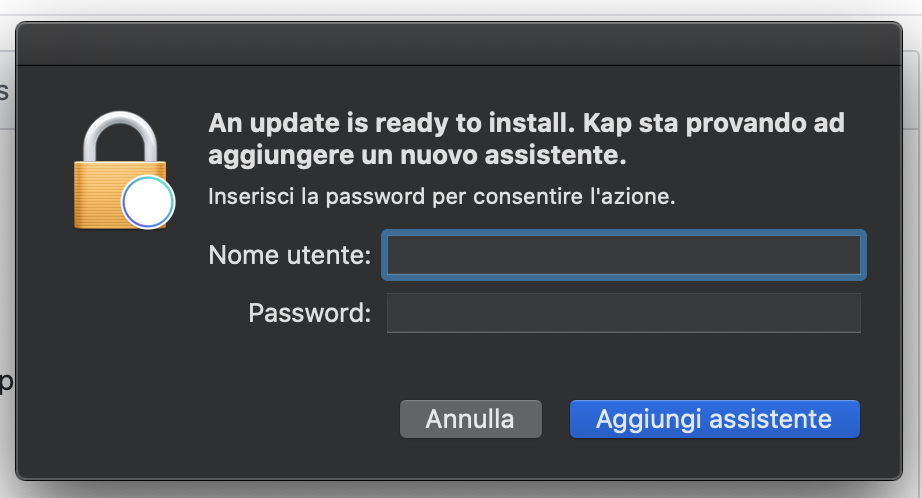
Translation: "Kap is trying to add a new helper. Insert password..."
andantonelli
on 27 Mar 2020
Exactly. Probably doesn't happen to many people. Only to those which have a second user with admin rights, some company macbooks like mine are set up like that.
carstenhag
on 27 Mar 2020
Huh, well that is not what I was expecting. I have never seen that dialog. I'll try creating a new user on my laptop and trying to see if I can replicate
karaggeorge
on 27 Mar 2020
Apparently that seems to be an issue for other Apps as well in a similar setup. Can you guys try some of these solutions and see if that fixes it:
karaggeorge
on 27 Mar 2020
Alright, I've changed the permissions, let's see if it stops nagging me :).
sudo chown -R carstenh:staff Kap.app
pwd
  /Applications/Kap.app
ls -la
  total 0
  drwxr-xr-x   3 carstenh  staff    96 Nov 30 21:25 .
  drwxrwxr-x+ 77 root      admin  2464 Mar 26 16:25 ..
  drwxr-xr-x   9 carstenh  staff   288 Nov 30 21:29 Contents
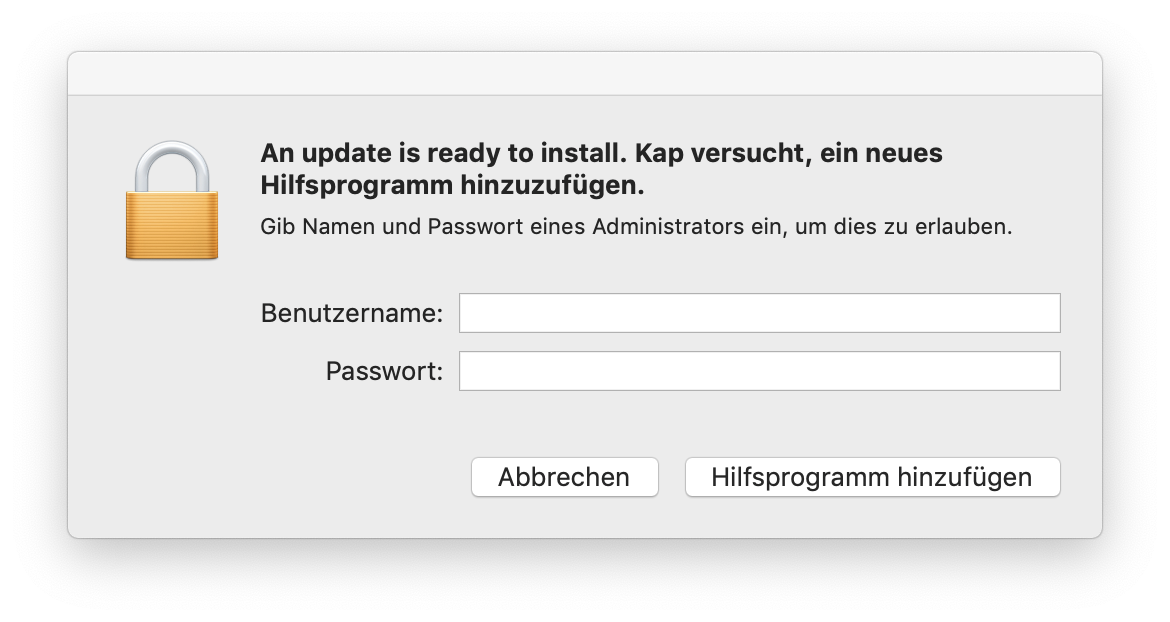
Still showing up (I also quit and opened Kap again) :(
carstenhag
on 30 Mar 2020
Visual Studio Code also shows this popup, but only when it's preparing for an update. After the update was completed, it doesn't show up again. Maybe look into how they have solved this?
$ ls -la Kap.app Visual\ Studio\ Code.app
Kap.app:
total 0
drwxr-xr-x   3 carstenh  staff    96 30 Nov 21:25 .
drwxrwxr-x+ 77 root      admin  2464 30 Mär 12:50 ..
drwxr-xr-x   9 carstenh  staff   288 30 Nov 21:29 Contents

Visual Studio Code.app:
total 0
drwxr-xr-x   3 root  wheel    96 23 Mär 18:48 .
drwxrwxr-x+ 77 root  admin  2464 30 Mär 12:50 ..
drwxr-xr-x   9 root  wheel   288 24 Mär 09:09 Contents
This seems work for me! About a day without a notice.
Thanks!
andantonelli
on 30 Mar 2020
@carstenhag looks like Kap and VS Code have a different owner and group (crastenh/staff vs root/wheel) any chance you can have Kap under the same owner and try again?
karaggeorge
on 30 Mar 2020
Before I had ran chown, the owners were root:admin.
carstenhag
on 30 Mar 2020
In the meanwhile I have updated to the latest Mac version. The issue does not occur anymore, but I can't pinpoint whether the Mac update fixed it or my chown attempt.
Should we close this or take a look at how other electron apps do it? VS code, Postman and Abstract show the same pop-ups, but they never showed the Kap behavior.
carstenhag
on 30 Apr 2020
It's still happening, not sure why I had commented back then that it's fixed.
carstenhag
on 15 Dec 2020
Related issues
 benlumia007
·
3Comments
benlumia007
·
3Comments
 vadimdemedes
·
4Comments
vadimdemedes
·
4Comments
 petetnt
·
4Comments
petetnt
·
4Comments
 freeassange
·
3Comments
freeassange
·
3Comments
 deadcoder0904
·
3Comments
deadcoder0904
·
3Comments