macOS version: 10.15.3
Kap version: 3.0.1
Steps to reproduce
- Record video
- In the size input fields I've tried to do math but it's not working. Example:
width: 1000, height: 600. If I want to make this500x300, I have to manually type that but in other apps you can often type1000/2and it'll resize automatically.
Current behaviour
The size input can not take math commands, such as /, *, +, -.
Expected behaviour
I'd like to make simple calculations such as:
1000*0.5 = 500
1000/4 = 250
300+50 = 350
500-100 = 400
etc.
Workaround
Manually type in the value I want, which isn't too bad but I think this will be a nice improvement
I just started using the app and it's great so far! I just wanted to add that this small improvement would be appreciated 🙏. If you need any additional information, let me know!
 jkeussen
All 6 comments
Hey @jkeussen
I think we implemented that in #769 which was released as part of 3.0.1 which is the version you're on. I just tested it and it worked on macOS version 10.14, can't test on Catalina. Can someone else see if they can reproduce on 10.15?
One note is that you need to blur away from the input for it to actually make the calculations
 karaggeorge
on 30 Jan 2020
karaggeorge
on 30 Jan 2020
@karaggeorge You're right, I see it now and it works on 10.15. Earlier I didn't blur the field, but tried to hit Enter on my keyboard. Maybe it's worth adding on Enter key press? Thanks for the quick reply 🙏
jkeussen
on 30 Jan 2020
I'll close this in the meantime since it's not a missing feature nor a bug.
jkeussen
on 30 Jan 2020
@jkeussen that is a good idea. Coming soon: #789 😄
karaggeorge
on 30 Jan 2020
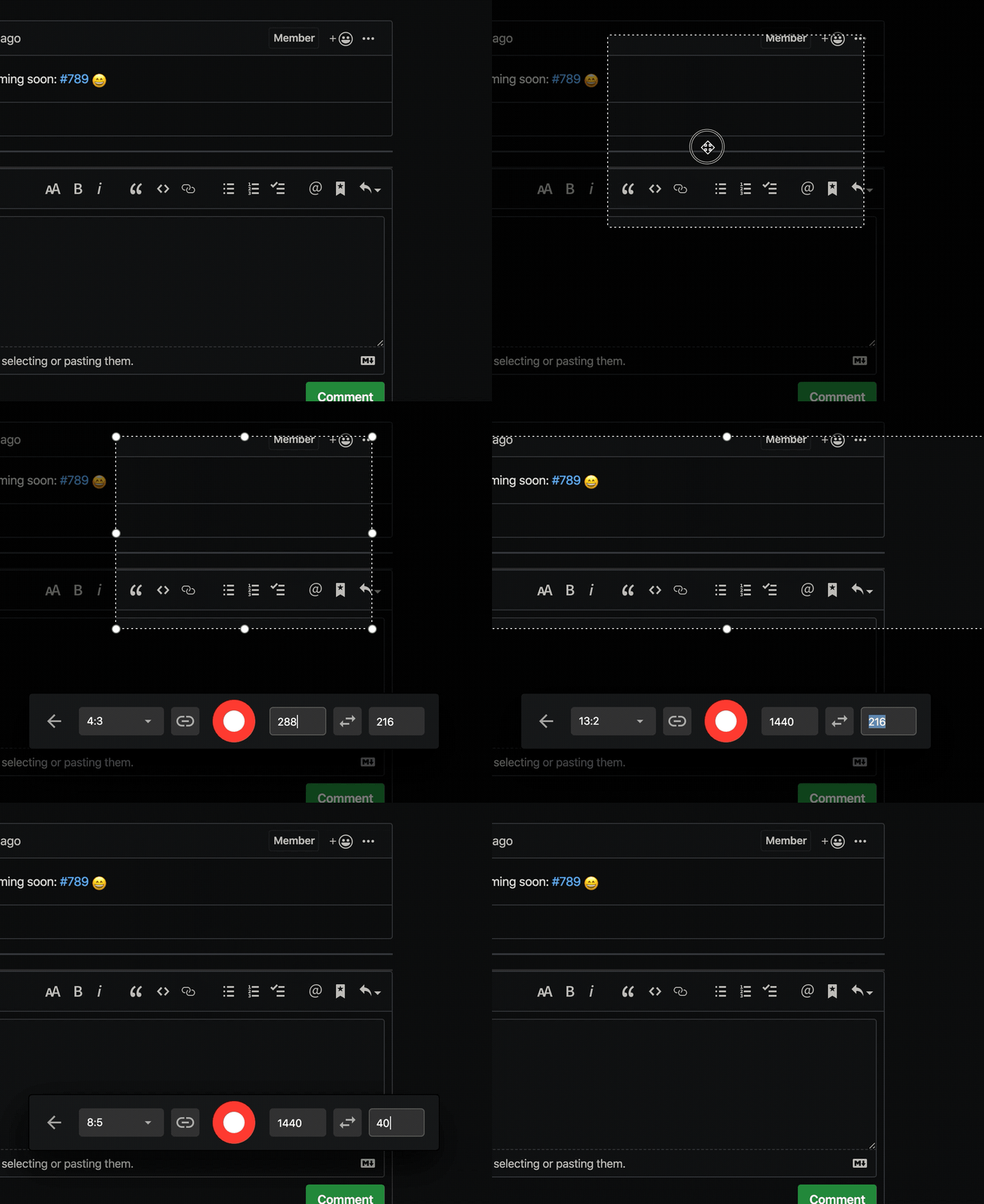
I think this is actually a bug. I haven't looked at the source yet, but the behavior seems like the input values are being parsed on change events after a debounce rather than waiting for blur. Here's a screen capture in which I never press Enter, and only use Tab when you see the focus moving to different inputs:
Software | Version
:---:|:---:
Kap | 3.0.1
macOS | 10.15.3
 jsejcksn
on 14 Feb 2020
jsejcksn
on 14 Feb 2020
@jsejcksn
For those inputs it is also triggered on a timer (debounced). Also I'm not sure those support calculations. I think the calculations were only added to the Editor ones. If desired and of-value we can add them there as well
karaggeorge
on 14 Feb 2020
Related issues
 sindresorhus
·
3Comments
sindresorhus
·
3Comments
 albinekb
·
3Comments
albinekb
·
3Comments
 deadcoder0904
·
3Comments
deadcoder0904
·
3Comments
 benlumia007
·
3Comments
benlumia007
·
3Comments
 sorodrigo
·
3Comments
sorodrigo
·
3Comments
Most helpful comment
@jkeussen that is a good idea. Coming soon: #789 😄