Kap: In macOS 11.14 Mojave Beta, the "Save File"-dialog is broken
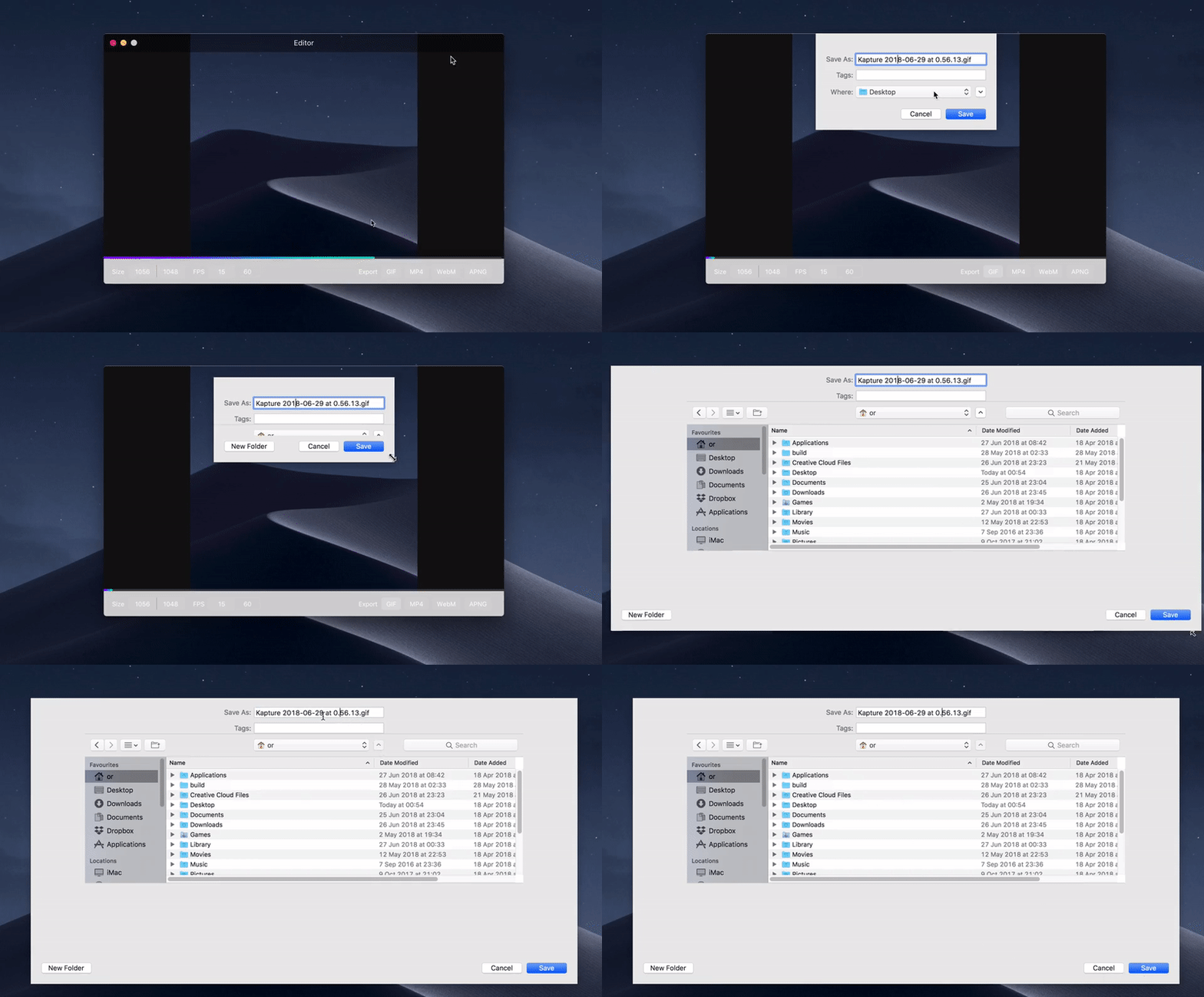
The "Save File"-dialog in Kap, appearing when clicking on "Export" a recording, is broken under macOS 10.14 Mojave (Beta 2 release). It also doesn't support the Mojave Dark Mode.
I cannot access a screenshot of the problem at the moment, but will add this later to the issue here.
Would be interesting to know, if this is an implementation issue with that feature in Kap - or coming from the OS? However, so far all other apps "Save File"-dialogues in Mojave have not shown this broken behaviour…
macOS Version: macOS 10.14 Beta 2 (18A314h) Mojave
Kap Version: Version 2.2.0 (2.2.0.880)
 oliveratgithub
All 8 comments
Can reproduce/confirm. Let me know if you need more information.
 FlorianWendelborn
on 28 Jun 2018
FlorianWendelborn
on 28 Jun 2018
I have to add: it's still possible to save/export a recording - so no big deal. But it looks strange...
Here's a recording of the issue:
oliveratgithub
on 29 Jun 2018
Whoa, there's quite a bit going awry in that recording @oliveratgithub! Frankly, supporting 2.0 on Mojave isn't being prioritised. Instead we're optimising the next version of Kap for Mojave, and will aim to support it on macOS 10.12 or later.
 skllcrn
on 3 Jul 2018
skllcrn
on 3 Jul 2018
223 #450
skllcrn
on 3 Jul 2018
Could you test to see if you're able to recreate this using master on the latest macOS Mojave @oliveratgithub and @dodekeract?
skllcrn
on 17 Sep 2018
Related issue #368, this is also likely upstream.
skllcrn
on 21 Sep 2018
Duplicate of #368
 sindresorhus
on 4 Oct 2018
sindresorhus
on 4 Oct 2018
Dark mode for the save dialog will be fixed by https://github.com/wulkano/kap/pull/567.
sindresorhus
on 4 Oct 2018
Related issues
 sorodrigo
·
3Comments
sorodrigo
·
3Comments
 rgbkrk
·
4Comments
rgbkrk
·
4Comments
 benlumia007
·
3Comments
sindresorhus
·
3Comments
benlumia007
·
3Comments
sindresorhus
·
3Comments
 danielbachhuber
·
3Comments
danielbachhuber
·
3Comments
Most helpful comment
I have to add: it's still possible to save/export a recording - so no big deal. But it looks strange...
Here's a recording of the issue:
