Kap: Hide cursor not working on High Sierra 10.13.5
macOS Version: 10.13.5
Kap Version: 2.2.0
Steps to reproduce
Uncheck the show mouse cursor toggle
Current behaviour
Mouse cursor is recorded
Expected behaviour
Mouse cursor should be hidden from records
 equinusocio
All 22 comments
Can't reproduce on 10.13.4 (17E202)
 albinekb
on 11 Jun 2018
albinekb
on 11 Jun 2018
Here a gif recorded with kap

equinusocio
on 11 Jun 2018
I'm updating to 10.13.5 now and will see if I can reproduce and check what's up here 👍
albinekb
on 11 Jun 2018
@albinekb I noticed the same bug on Screenflow (right now). I think they changed something with 10.13.5.
equinusocio
on 11 Jun 2018
Must be a bug with 10.13.5 then..
https://github.com/wulkano/aperture/blob/master/swift/aperture/Recorder.swift#L34-L43
These are the lines that disables the cursor, using Apple's swift API AVCaptureScreenInput and capturesCursor 🤔
albinekb
on 11 Jun 2018
@albinekb
Maybe this link will help you. I don't know if they changed something
https://developer.apple.com/documentation/avfoundation/avcapturescreeninput/1385601-capturescursor
equinusocio
on 11 Jun 2018
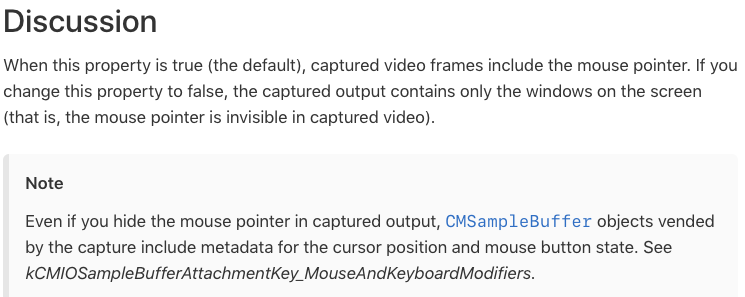
Yeah, we're sending false to it, so maybe a bug that got introduced as part of Mojave screen capture built in? 🤔 Don't know. Need to dig deeper.
albinekb
on 11 Jun 2018
@albinekb Damn. So i need to wait Apple to fix this (hoping they will know about it :D)
PS: I can confirm it as os bug, also Principle have the same issue.
equinusocio
on 11 Jun 2018
I've filed a bug report with apple... Don't think there's anymore we could do here :/
albinekb
on 11 Jun 2018
@albinekb There is a public link?
equinusocio
on 11 Jun 2018
@albinekb Make sure you mirror it on https://openradar.appspot.com and paste a link here ;)
 sindresorhus
on 11 Jun 2018
albinekb
on 11 Jun 2018
sindresorhus
on 11 Jun 2018
albinekb
on 11 Jun 2018
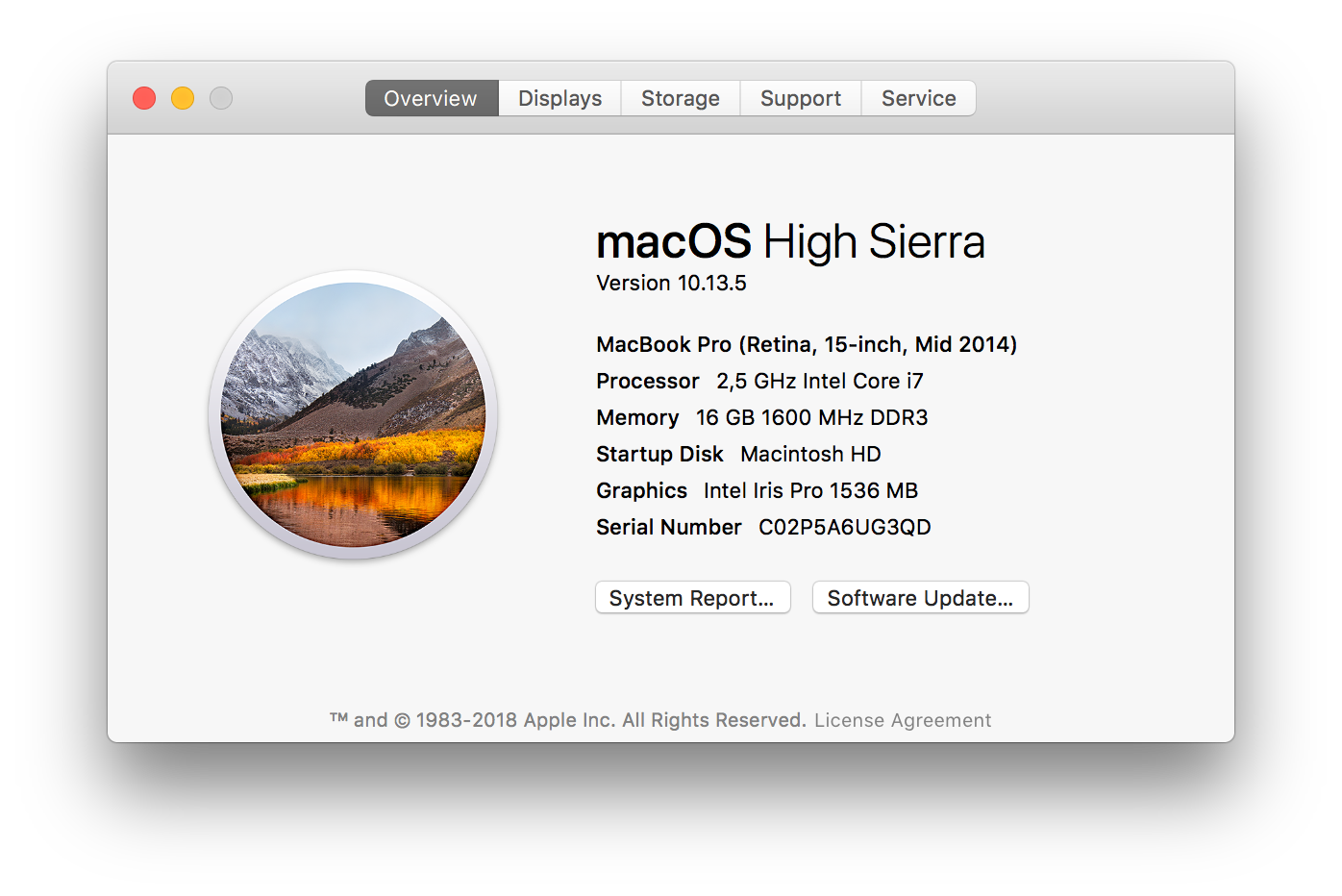
@albinekb I have a bad news. With another (older) Mac with same OS version i don't have this issue (with any of the mentioned software)
equinusocio
on 12 Jun 2018
Can you check if it's the same build of 10.13.5? if you click the version number it should have the build ID there (in that window) @equinusocio
albinekb
on 12 Jun 2018
@albinekb Both have the 17F77 build. The only differents at this point is the mac model. The bug does not exist on mac mid 2014, but it exist on my mac 2017 with touchbar.
equinusocio
on 13 Jun 2018
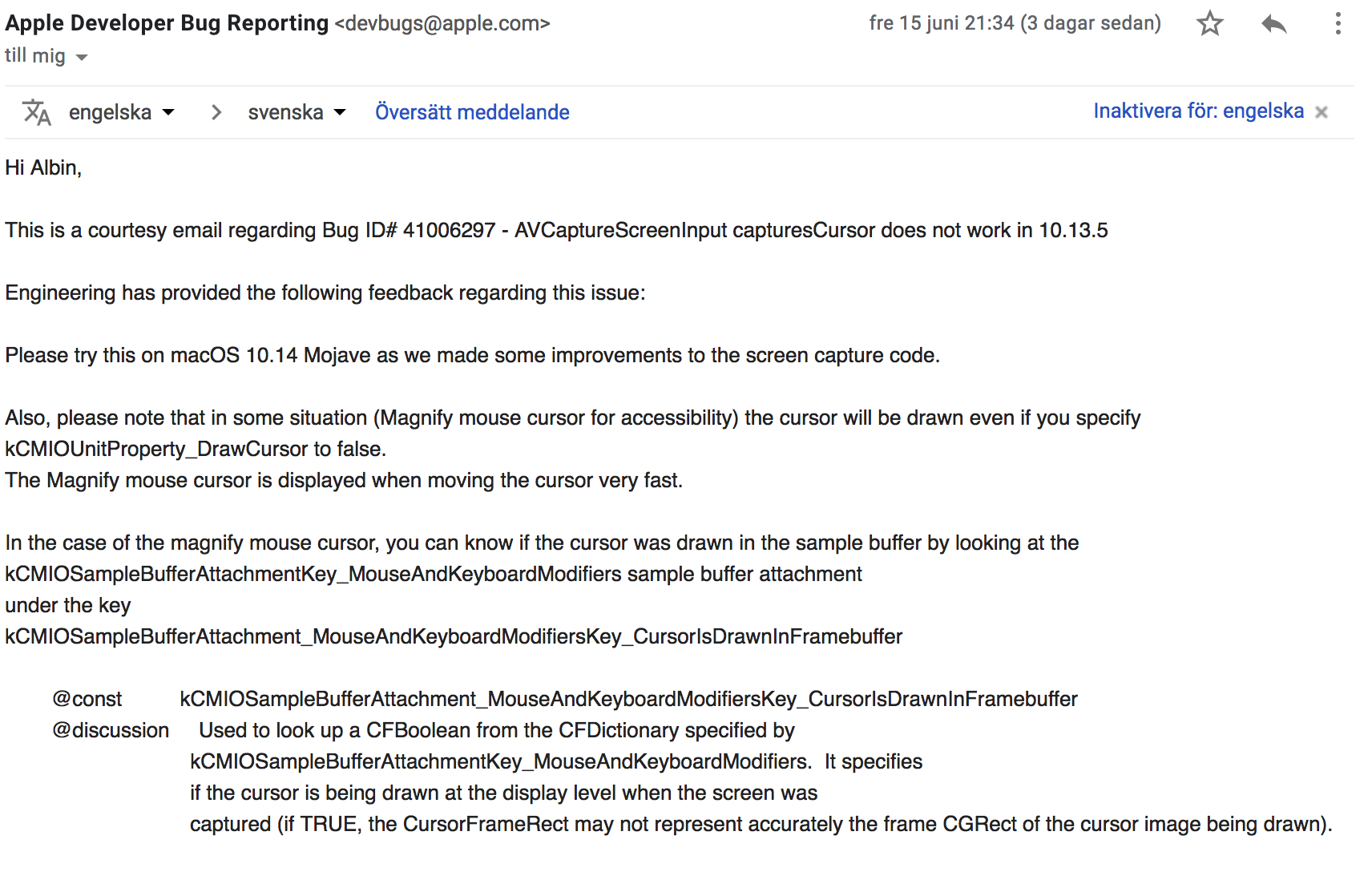
Update from apple. Sounds like it's a known bug, and it won't be fixed in 10.13.x. Let's hope Mojave is working like it should?
albinekb
on 18 Jun 2018
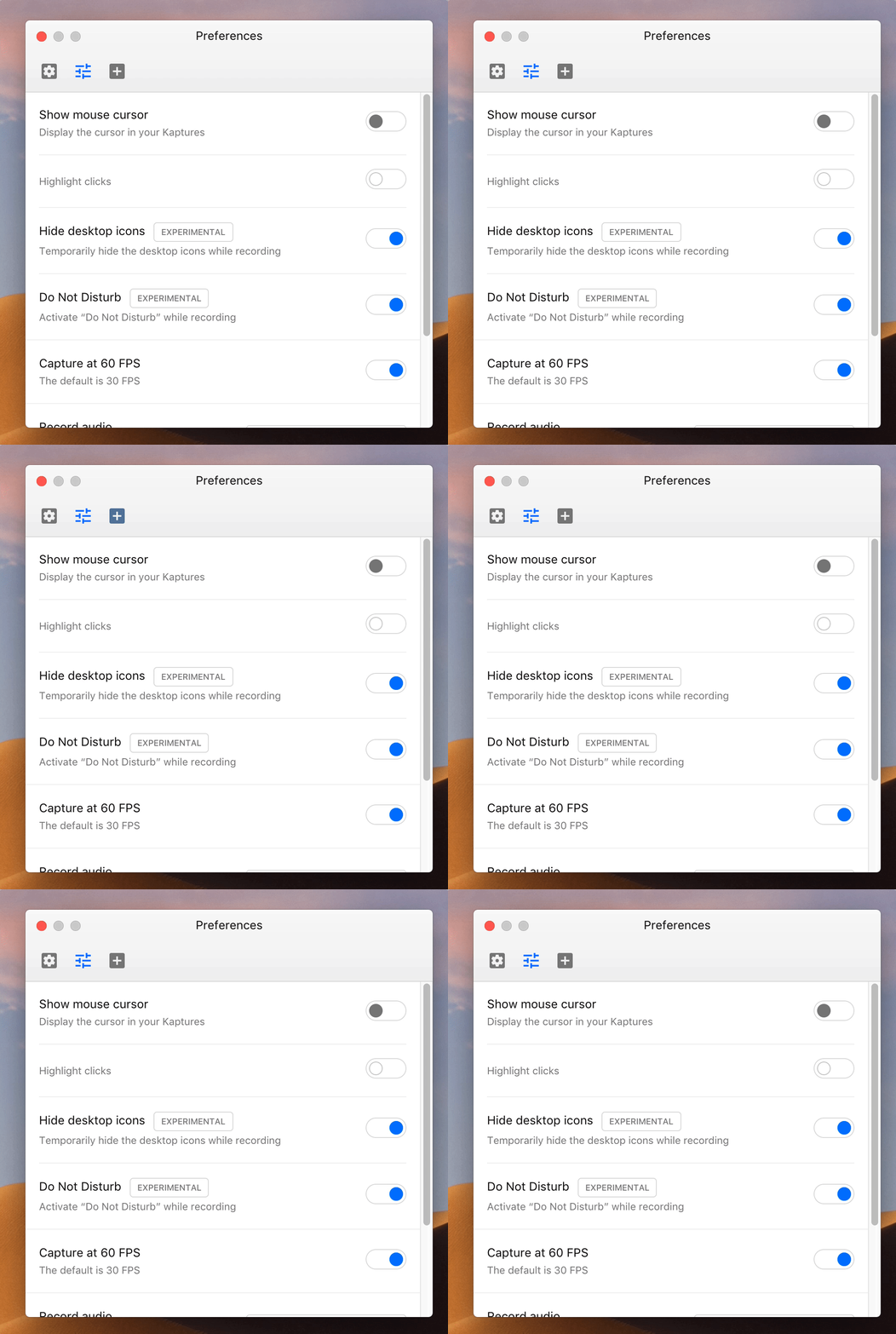
I can test this with the recent macOS Mojave Beta release. Will post here when I did so.
Update looks fine in macOS Mojave 10.14 Beta (18A314k) using Kap version Version 2.2.0 (2.2.0.880)
 oliveratgithub
on 27 Jun 2018
oliveratgithub
on 27 Jun 2018
Thank you @oliveratgithub!
 skllcrn
on 27 Jun 2018
skllcrn
on 27 Jun 2018
Would it kill you to support older Mac OS versions? i.e. I'm Never Getting High Sierra aka 10.11.16 aka El Capitan Who Doesn't Get High lol. However I was able to get release 1.0 to work but had to block auto-updates with my firewall. NP.
 lacostenycoder
on 11 Sep 2018
lacostenycoder
on 11 Sep 2018
No, unfortunately we don't have the time to test and develop for older OS. We need to focus our efforts where it counts, as you mentioned you can continue to use 1.0 forever. Update to take advantage of the updates we provide.
albinekb
on 11 Sep 2018
I can confirm. Fixed on Mojave.
equinusocio
on 12 Sep 2018
Since this is fixed on Mojave and there's nothing we can do about High Sierra and I doubt Apple will fix it there, we should just disable the input on High Sierra and add a small note telling the user about the macOS bug.
sindresorhus
on 27 Sep 2018
Related issues
 petetnt
·
4Comments
petetnt
·
4Comments
 benlumia007
·
3Comments
benlumia007
·
3Comments
 timothyis
·
3Comments
timothyis
·
3Comments
 danielbachhuber
·
3Comments
danielbachhuber
·
3Comments
 pedromassango
·
3Comments
pedromassango
·
3Comments
Most helpful comment
I can test this with the recent macOS Mojave Beta release. Will post here when I did so.
Update looks fine in macOS Mojave 10.14 Beta (18A314k) using Kap version Version 2.2.0 (2.2.0.880)
