Triggered by https://css-tricks.com/screen-recording-utilities-for-macos/, let's simplify the FPS options.
File size control
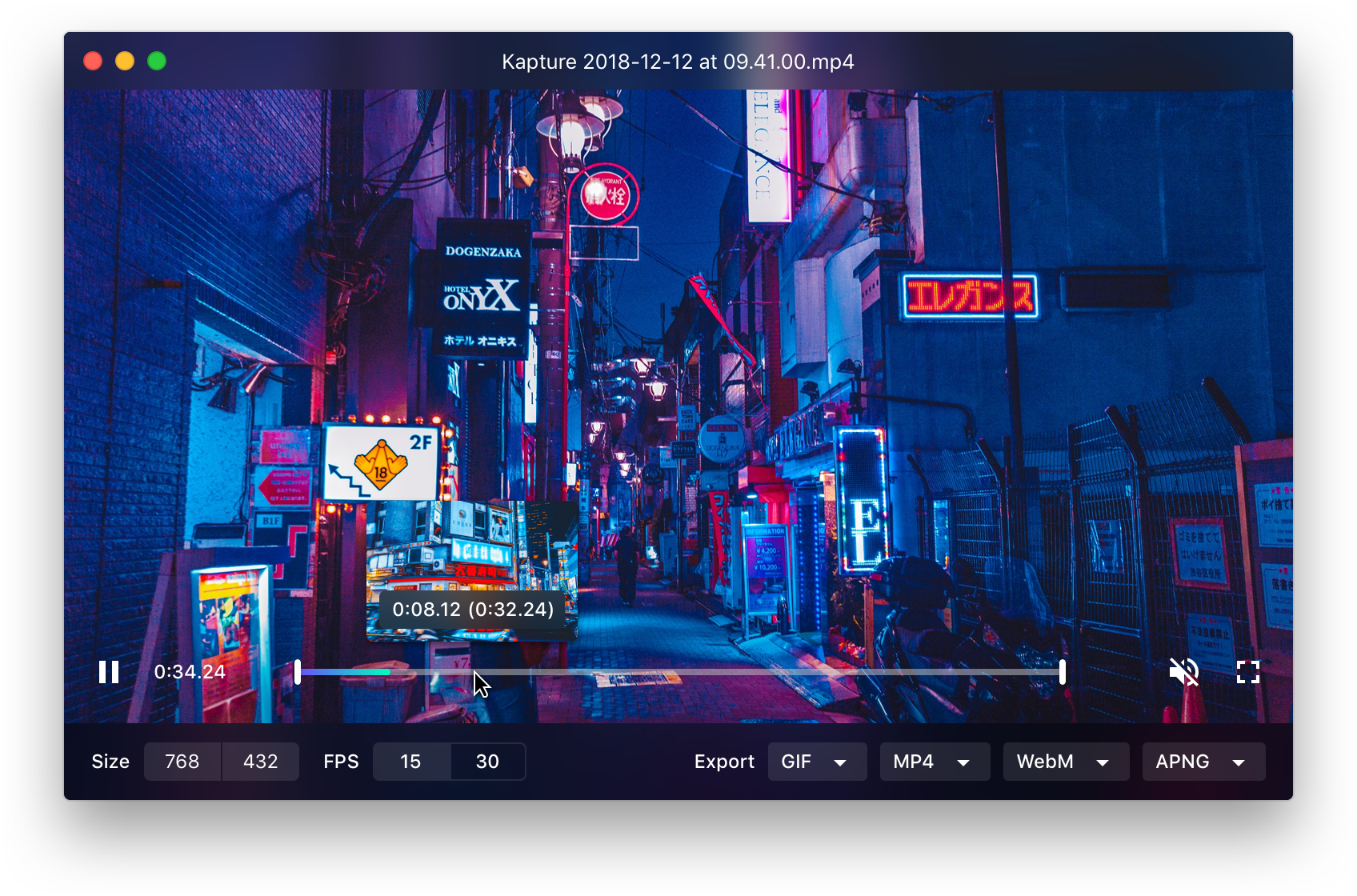
It's a big strange. There is an FPS control buried in settings to adjust the frame rate, but then on the editing screen before you export, you only get to pick between 30 and 15, so it's not clear what happens if you've adjusted it in settings to something other than those.
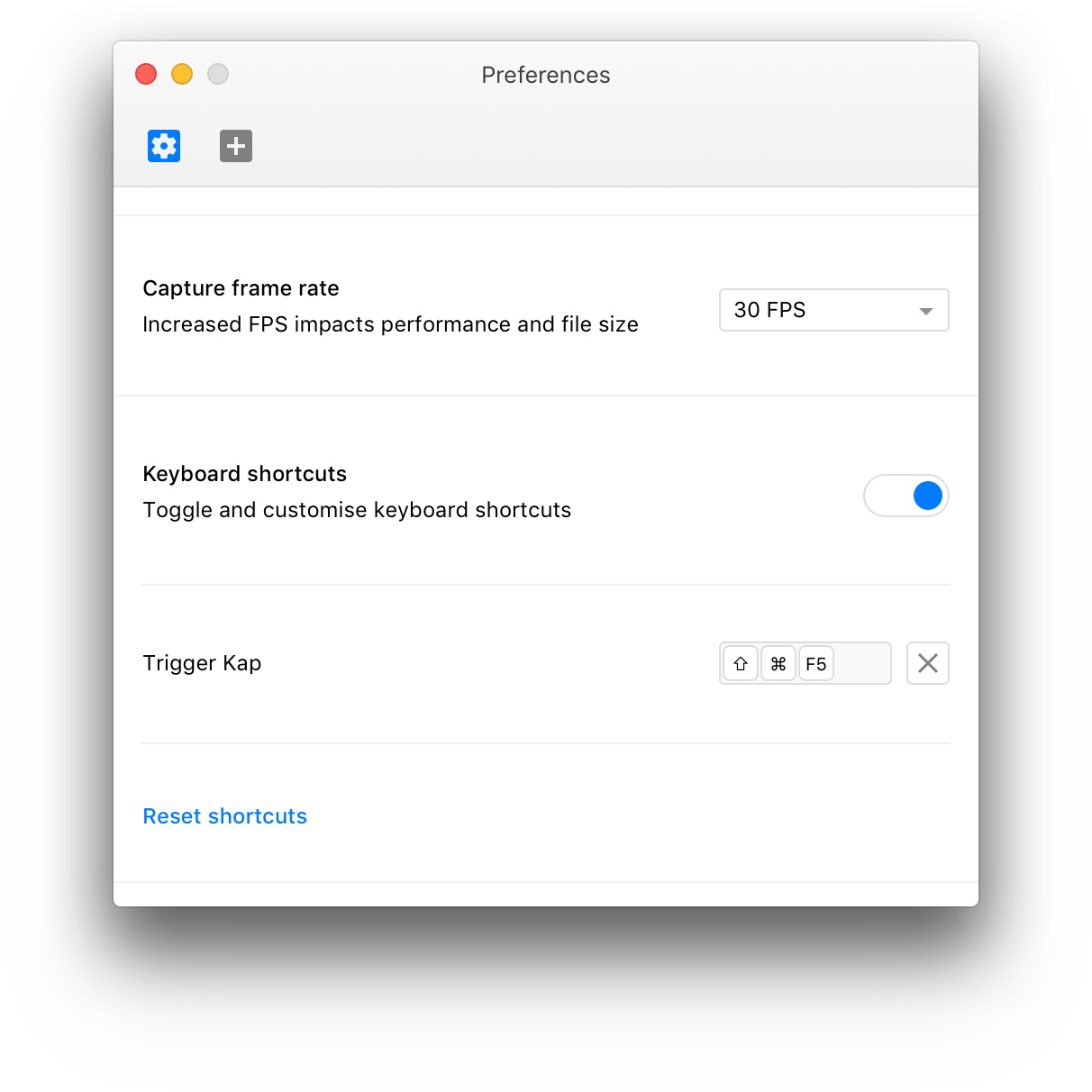
We currently have two ways to specify FPS. In the Preferences and in the editor window. The one in Preferences is for specifying recording FPS, but that's not clear enough. The one in the editor is for specifying export FPS, but it lacks flexibility.
Proposal
We change the FPS option in the Preferences to just be a toggle of either 30 and 60 FPS. There's no good reason to have a lot of flexibility there. It won't improve export performance much by having lower recording FPS. And all Macs should be able to handle 30 FPS smoothly because it's hardware accelerated.
In the editor, we change the 15/30 toggle to be a dropdown/slider (Which one??) with the following values:
- 6 FPS
- 10 FPS
- 12 FPS
- 15 FPS
- 20 FPS
- 25 FPS
- 30 FPS
- 60 FPS
With the default being 15 FPS
The 60 FPS is only shown if the video was recorded in 60 FPS.
If the user tries to export a GIF/APNG with 60 FPS we'll show an error. That makes no sense and is probably a mistake.
If accepted, this replaces and closes #371.
 sindresorhus
All 14 comments
@chriscoyier How does this sound?
sindresorhus
on 9 Mar 2018
I like that idea. I have to say I was confused initially about the fps slider in settings. Also, I think I'd rather go for a dropdown. It doesn't make sense to me for it to be a slider since you can't pick values like 28 or 29 etc
 karaggeorge
on 10 Mar 2018
karaggeorge
on 10 Mar 2018
Showing an error when attempting to export a GIF/APNG at 60 FPS might not be the best experience, we should instead have good defaults and help people get to the best results.
Personally I wish we could get rid of the capture/recording FPS setting in preferences completely, as I believe all devices that runs macOS 10.12 or later can also capture at 60 FPS. If that's not the case, is it possible to detect that and dynamically tweak the setting without input?
Changing the FPS toggle in the Editor to a slider makes a lot of sense, having that many options in a dropdown would be cumbersome. I'll look into a design solution for it.
 skllcrn
on 17 Mar 2018
skllcrn
on 17 Mar 2018
Showing an error when attempting to export a GIF/APNG at 60 FPS might not be the best experience, we should instead have good defaults and help people get to the best results.
But even if 60 FPS is the default, we still need a way to prevent exporting GIFs at 60 FPS. This is an edge-case though, so I think an error message is fine.
Though I'm starting to think that having the formats as separate buttons was a mistake. It means we can not customize the editor to the type of format. If we had individual Format and Export buttons, we could just not add 60 FPS to the dropdown when GIF is selected. This would also let us do GIF specific things, like show an estimated file size in the editor.
sindresorhus
on 17 Mar 2018
Personally I wish we could get rid of the capture/recording FPS setting in preferences completely, as I believe all devices that runs macOS 10.12 or later can also capture at 60 FPS. If that's not the case, is it possible to detect that and dynamically tweak the setting without input?
Careful about assumptions. It's not about the OS version, but rather hardware, and macOS 10.12 is still supported on pretty old hardware. We can detect when it's hardware accelerated, yes, but not in what situations it's used. What if the user wants to record playing a game session, which is very heavy and you want to use the least amount of extra processing power, or they're on battery and want to conserve power consumption. There are many reasons not to want 60 FPS. I think 60 FPS is really only for some pro-users, so we shouldn't punish normal users with it, but it's still useful as an option for those few power-users.
sindresorhus
on 17 Mar 2018
Though I'm starting to think that having the formats as separate buttons was a mistake. It means we can not customize the editor to the type of format.
I like that clicking WebM is only one click without showing extra options.
@sindresorhus @skllcrn What about an FPS dropdown where the first option is Default? This would let the default for Gif and WebM be 15 fps. The default for Mp4 could be set to whatever the recording was captured in, to reduce the need for re-encoding.
That lets me not have to think about FPS for most cases while still providing flexibility.
 Jamedjo
on 25 Mar 2018
Jamedjo
on 25 Mar 2018
We've implemented a toggle for the FPS setting in preferences, that'll be updated with a better description and a dropdown in an upcoming release. For now we're sticking with the current solution for the FPS options in the editor.
skllcrn
on 26 May 2018
@skllcrn I still think we should have more FPS options in the editor. Only 15 and 30 are very limiting, especially for GIFs where you sometimes only need 10 FPS.
sindresorhus
on 7 Jun 2018
I think our best best if to implement a slider @sindresorhus, thinking a discrete slider going from say 10 to 60 FPS if enabled. Thoughts?
skllcrn
on 7 Jun 2018
Would it be a slider with specific options? Or any options between the two?
karaggeorge
on 7 Jun 2018
I'd suggest one with specific options @karaggeorge https://material.io/design/components/sliders.html#discrete-slider
skllcrn
on 7 Jun 2018
+1 most of the time, I need 5 or 10 fps for instructional clips that i export as GIFs 15/30 makes HUGE gifs, i like the drop-down approach, slider works also
 cryogenx
on 15 Jun 2018
cryogenx
on 15 Jun 2018
I have recently turned to LiceCap just because of this. Github limitation to 10MB gifs makes it difficult to work with 30FPS
 VictorVelarde
on 3 Jul 2018
VictorVelarde
on 3 Jul 2018
Right now you have the option to decrease the dimensions of the recording in addition to exporting at 15 FPS @VictorVelarde, but in the next version of Kap you'll have more granular control over the export FPS.

Also, a friendly reminder that WebM is a better format for anything more than just a few seconds that doesn't need to loop!
skllcrn
on 3 Jul 2018
Related issues
 vadimdemedes
·
4Comments
vadimdemedes
·
4Comments
 benlumia007
·
3Comments
benlumia007
·
3Comments
 danielbachhuber
·
3Comments
danielbachhuber
·
3Comments
 Glutnix
·
3Comments
Glutnix
·
3Comments
 timothyis
·
3Comments
timothyis
·
3Comments
Most helpful comment
@skllcrn I still think we should have more FPS options in the editor. Only 15 and 30 are very limiting, especially for GIFs where you sometimes only need 10 FPS.