Hello,
Help!
From all my Android phones and with all my accounts I can't no longer send mails using my gmail accounts in k9 mail (auth plain failed).
I still can connect to my gmail accounts on my Android phones by using the gmail app or any web browser.
Has Google changed something today with k9mail ?
Regards,
 etourmi
All 16 comments
Same here too
 FayolleHugo
on 4 May 2020
FayolleHugo
on 4 May 2020
same here, in thunderbird i switch to OAuth2 from normal password maybe related
 acknowsrl
on 4 May 2020
acknowsrl
on 4 May 2020
Same thing on my side.
Didn't change anything on gmail or k9.
 PDN-FR
on 4 May 2020
PDN-FR
on 4 May 2020
To help:
(Command: sensitive; response: #3#[NO, [AUTHENIFICATIONFAILED], invalid credentials (Failure)])
I changed nothing for the past many months
FayolleHugo
on 4 May 2020
me too... nothing changed... account unaccessible only from K-9, everything as usual from web client.
Anything changed Uncle Google?
 Fausto1971
on 4 May 2020
Fausto1971
on 4 May 2020
same here
 candrea21
on 4 May 2020
candrea21
on 4 May 2020
Happens on my phone as well (android 7). Cannot fetch from or add a new Gmail account.
Happened on the 5.600 from Google Play, switched to the 5.709 from F-Droid, issue persists.
Noticed the issue first at 12 Paris time.
 Keplyx
on 4 May 2020
Keplyx
on 4 May 2020
See https://groups.google.com/forum/#!msg/k-9-mail/E9OXD6fq5AQ/6B2MIPvtBgAJ
"Same here" will lead to around 350 people being notified without adding value. Please don't do that.
 cketti
on 4 May 2020
cketti
on 4 May 2020
But my accounts work in Thunderbird, why not K-9 Mail ?
Keplyx
on 4 May 2020
same here, in thunderbird i switch to OAuth2 from normal password maybe related
Google also recently broke OAuth2 with Thunderbird 60.x.x ... forced to upgrade to Thunderbird 68.x.x to handle the new workflow.
Google also recently introduced resetting your 'Allow untrusted mail clients' (or whatever that setting is) if you do not access it via some non Google client for a log time.. Just overwrites your deliberate personal setting. An awful customer interface choice.
 ronohara
on 4 May 2020
ronohara
on 4 May 2020
ok it works with the 2 step verification.
The new password has to be generated by Google itself.
etourmi
on 4 May 2020
My 2-Step Verification enabled account with app password has not affected,
but 'Use your phone to sign in' enabled account had this issue.
I turned off and on "Less secure app access" and finally it's working!
It was on but it seems that Google reset some internal information.
 matsuhav
on 8 May 2020
matsuhav
on 8 May 2020
I'm using Gmail with K-9 without issues. Enabled 2FA via authenticator app (TOTP) and generated application-specific password for K-9 and my other mail client. (Gmail has had you generate a app-specific password for each of your apps for since I remember, at least 5-10 years)
 jjakob
on 9 May 2020
jjakob
on 9 May 2020
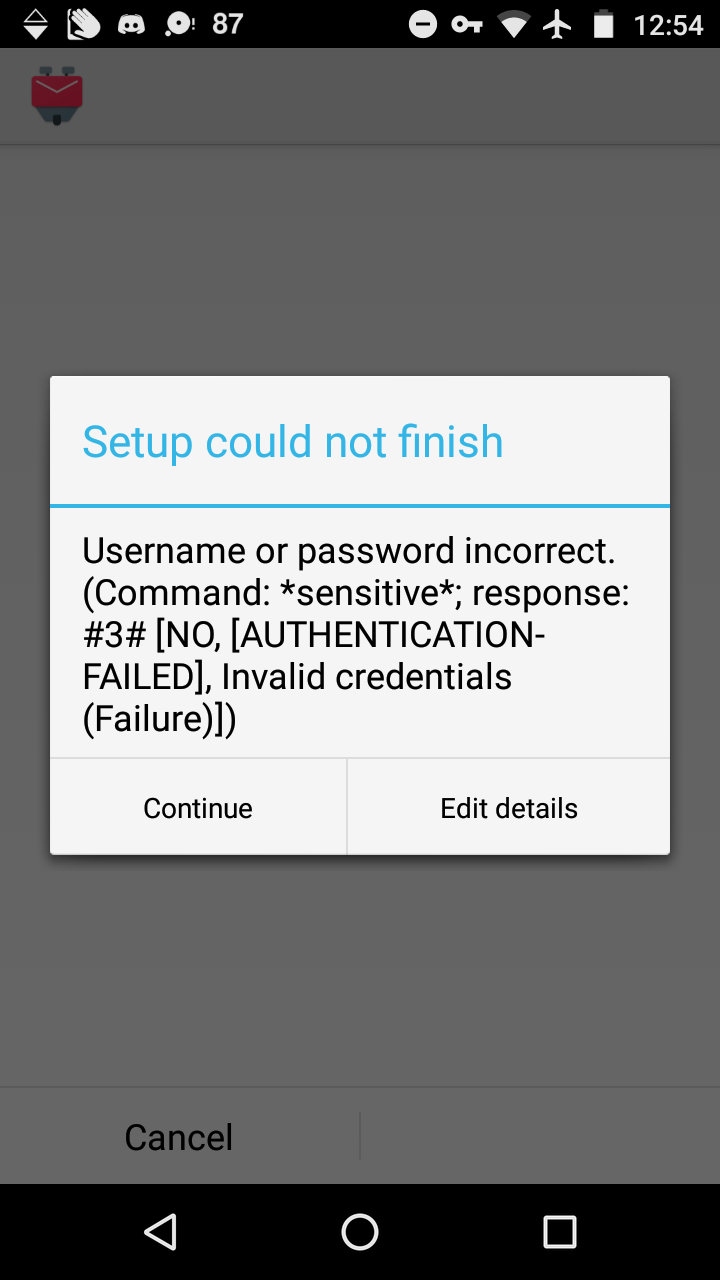
is there a way to fix this with out setting up 2 step Verification
 Littlemac123
on 30 May 2020
Littlemac123
on 30 May 2020
It might be that the gmail service is treating K9 Mail as a "less secure app" depending on your gmail settings.
See:
https://support.google.com/accounts/answer/6010255
If this is the source of the problem then K9 Mail should team should see how it can comply with that.
 rihoward
on 1 Jul 2020
rihoward
on 1 Jul 2020
Please use the forum for support requests.
cketti
on 22 Oct 2020
Related issues
 jimimaseye
·
3Comments
jimimaseye
·
3Comments
 eleith
·
3Comments
eleith
·
3Comments
 farson2003
·
4Comments
farson2003
·
4Comments
 bam80
·
4Comments
bam80
·
4Comments
 SpatMan05
·
3Comments
SpatMan05
·
3Comments
Most helpful comment
Google also recently broke OAuth2 with Thunderbird 60.x.x ... forced to upgrade to Thunderbird 68.x.x to handle the new workflow.
Google also recently introduced resetting your 'Allow untrusted mail clients' (or whatever that setting is) if you do not access it via some non Google client for a log time.. Just overwrites your deliberate personal setting. An awful customer interface choice.