Expected behavior
On the first run after upgrading, the changelog dialog should be displayed
Actual behavior
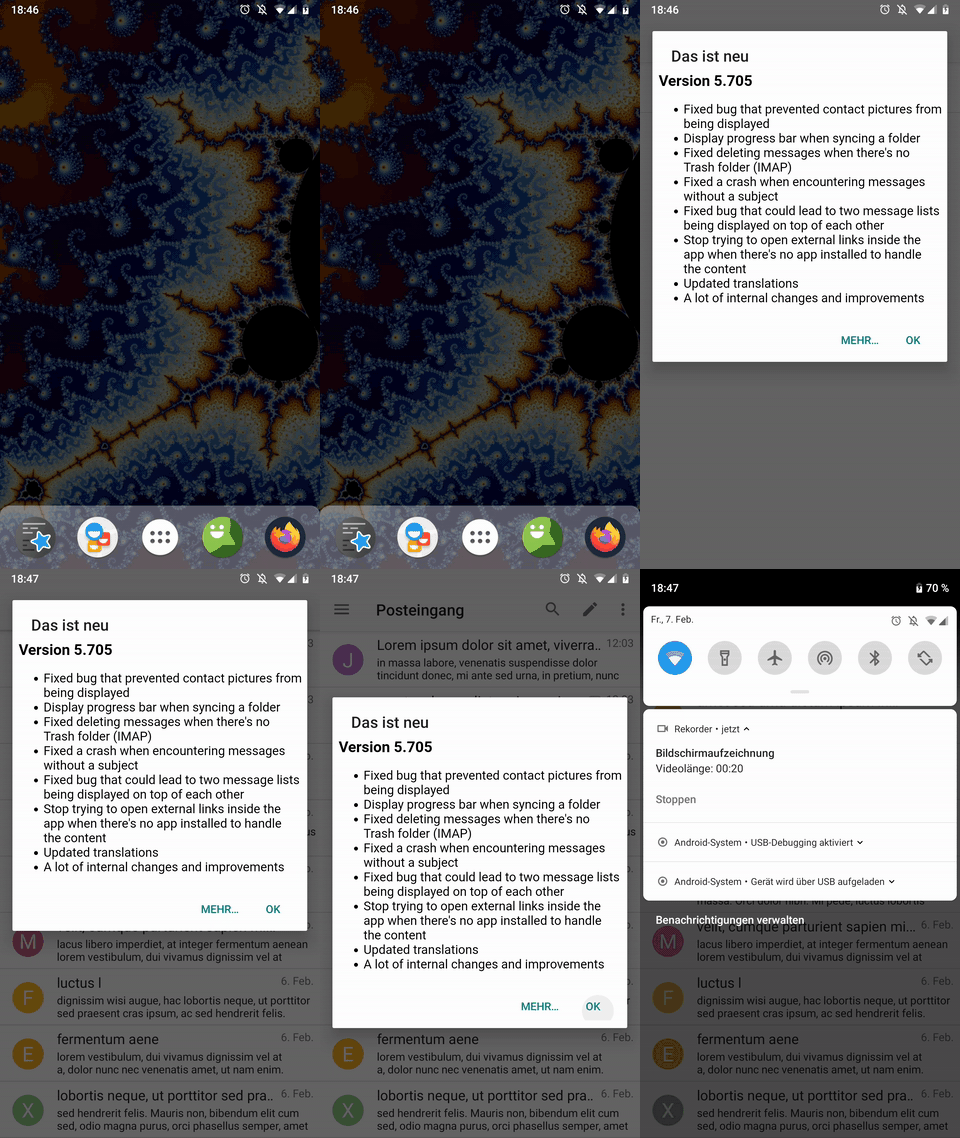
The dialog is displayed and jumps around a lot. This seems to be related to the fact that k9 is refreshing messages in the background (have a look at the progress bar). I added a gif/video below:
Steps to reproduce
Modify MessageList.java to always display the changelog like below. This happens on normal updates (without below changes), too.
SharedPreferences sp = PreferenceManager.getDefaultSharedPreferences(this);
SharedPreferences.Editor editor = sp.edit();
editor.putInt("ckChangeLog_last_version_code", 27004);
editor.commit();

ChangeLog cl = new ChangeLog(this);
if (cl.isFirstRun()) {
    cl.getLogDialog().show();
}
Environment
K-9 Mail version: master (de1612f) but has been like this for a while
Android version: LineageOS 16.0
 ByteHamster
All 3 comments
I've noticed that, too. I want to get rid of the dialog and add a "What's new" item to the drawer instead.
 cketti
on 7 Feb 2020
cketti
on 7 Feb 2020
Hmm will this drawer item disappear after clicking it or will it always stay there? I feel like it might take away space from the folder list unnecessarily.
Since the settings and folder manager items got sticky, I have to scroll when switching folders. An additional item that is just clicked one single time would be quite annoying to me.
ByteHamster
on 7 Feb 2020
It will disappear once the "what's new" screen has been opened. The screen itself could also contain a setting to never show the "what's new" item in the drawer again.
cketti
on 7 Feb 2020
Related issues
 NovaViper
·
3Comments
NovaViper
·
3Comments
 asbach2
·
3Comments
asbach2
·
3Comments
 farson2003
·
4Comments
farson2003
·
4Comments
 D0ve
·
3Comments
D0ve
·
3Comments
 j-ed
·
3Comments
j-ed
·
3Comments