Jtapplecalendar: Mess with dates after calendar scrolling
Version Number: Using JTAppleCalendar (7.1.7)
I'm trying to show the current month with the app start.
I call calendarView.scrollToDate(Date(), animateScroll: false) in viewDidLoad and it gives me wrong dates order.
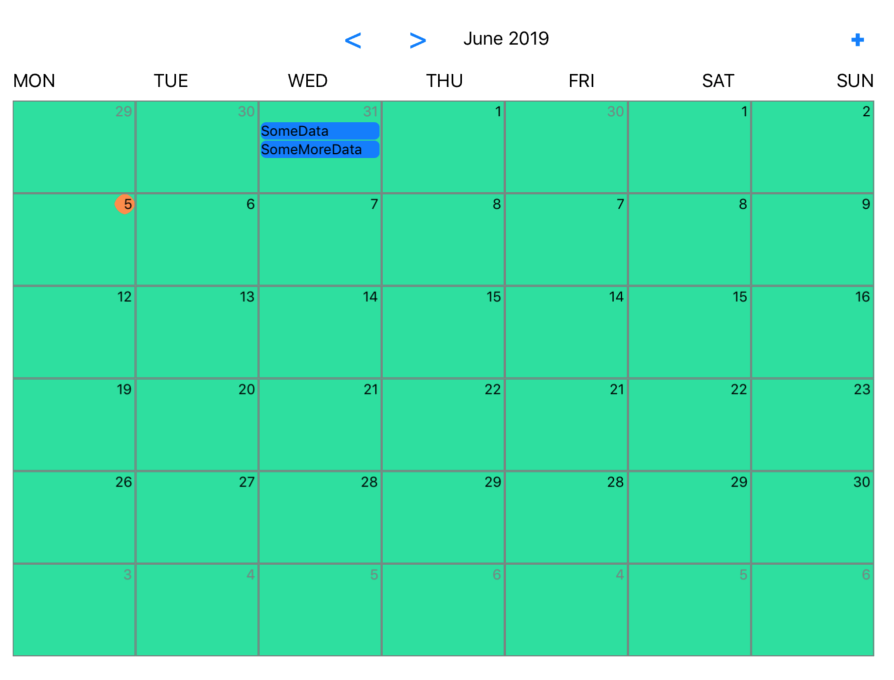
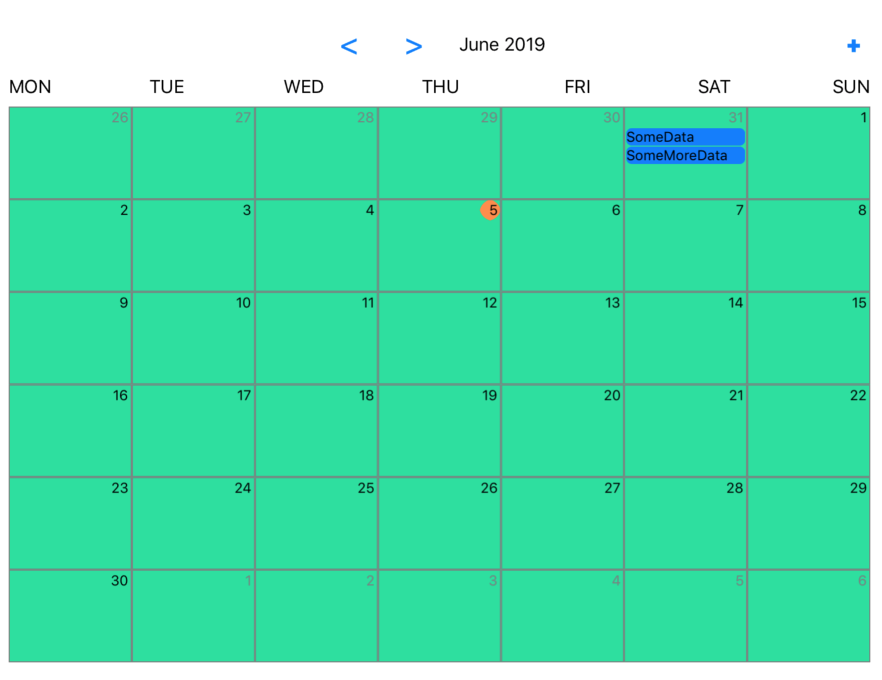
If I'll click the previous month and then return to the current calendar shows the right ones.
 VictorShurapov
All 7 comments
do you have a regular calendar view inside of a UIViewController?
or do you have a more complex setup, with views stacked inside views?is it possible you can provide a sample program demonstrating this?
 patchthecode
on 5 Jun 2019
patchthecode
on 5 Jun 2019
Regular calendarView inside MyViewController's root view :)
conferenceroomcalendar.zip
VictorShurapov
on 5 Jun 2019
Also, I noticed that function calendar 'willScrollToDateSegmentWith' doesn`t get called with 'calendarView.scrollToSegment' so I couldn't update the monthLabel.
VictorShurapov
on 5 Jun 2019
ok it looks like this behavior is expected.
You have the scrolling mode set to .none. Therefore if youre scroll to today's date (the 5th), you will see the 5th cell is scrolled to the left side.
If you have your scrolling mode set paged scrolling, then it would not stop at the 5th. it will scroll to the next paged section. Whish should be the behavior u want.
So either set it to paged mode in storyBoard, or set it in the ViewDidLoad in code.
If you set it in code, here are the possible options you can use --> https://patchthecode.com/jtapplecalendar-home/scrolling-modes/
patchthecode
on 5 Jun 2019
Thank you a lot!! I didn't notice this scrolling options. What about 'willScrollToDateSegmentWith' function. I see that it doesn't get called in pair with 'scrollToSegment'. How can I update the month label in the right way?
VictorShurapov
on 6 Jun 2019
built this project for 2+ years, and you found a bug. haha.
i forgot to call that delegate-function within the segment one.
Will fix later today.
patchthecode
on 6 Jun 2019
since this is fixed. Closing this issue.
Ive created a new one to reflect the calling of the delegate function here
https://github.com/patchthecode/JTAppleCalendar/issues/1070
patchthecode
on 19 Jun 2019
Related issues
 Kevinw14
·
3Comments
Kevinw14
·
3Comments
 prahaladm
·
3Comments
prahaladm
·
3Comments
 dbmrq
·
5Comments
dbmrq
·
5Comments
 programus
·
5Comments
programus
·
5Comments
 zhanswift
·
5Comments
zhanswift
·
5Comments