Jtapplecalendar: Made a cool calendar? Post its image here. #4
Please add your awesome screenshot below.
Want to see the previous Screen Shots #3? Click here now
 patchthecode
All 16 comments

 ntnmrndn
on 19 Mar 2019
ntnmrndn
on 19 Mar 2019

congratulations, very simple to use.
From Brasil,
Wellington Tatsunori Asahide
 tatsunorijp
on 6 Apr 2019
tatsunorijp
on 6 Apr 2019
@casperzandbergenyaacomm cool calendar. Can you share how you did it?
 upanshed
on 12 May 2019
upanshed
on 12 May 2019
@upanshed it looks like the original project I used that for is being canceled, if it is I might open source the calendar on this account if I don't forget. I'll know in a few weeks.
 Amzd
on 13 May 2019
Amzd
on 13 May 2019

 rBockRuby
on 3 Jun 2019
rBockRuby
on 3 Jun 2019
@rBockRuby clean design. Looks good. +1
patchthecode
on 4 Jun 2019
Here is my implementation, I'm using YearView, MonthView, and WeekView with a dailyView made by myself.
For transitions i'm using HeroTransitions/Hero, and some native animations.

_Click on the image above for see the video_
This is just a part of a greater app, a mobile ERP from Brazil called VHSYS, and because that part of the app comes from a menu, i use the navigationBar context menu for close't(the destructive button that you can see on the video).
 RomuloVHSYS
on 10 Jul 2019
RomuloVHSYS
on 10 Jul 2019

Here's mine. Currently I'm doing a weekly calendar feature for a new app, I'm searching for particular issues, that's why I stumbled upon this post.
 glennposadas
on 9 Aug 2019
glennposadas
on 9 Aug 2019

Been a part of my app for a couple years now, thanks for the great work.
 nchodge
on 31 Aug 2019
nchodge
on 31 Aug 2019
Wow! I have a question. How did you add the viewer beyond the other cell area?
 jasudev
on 12 Dec 2019
jasudev
on 12 Dec 2019
@nchodge i am interested in knowing this as well
patchthecode
on 12 Dec 2019
@jasudev are you referring to the 3D effect of the events floating on the cells or something else? If so it is a shadow property of the event's view: view.layer.shadowColor, etc...
nchodge
on 13 Dec 2019
@nchodge ok i got it now. I was talking about the ADT view. It appears to have spanned across the actual cells. But now that i think about it, I now realize it is the 3d effect of the ADT view over the selected View that fooled me. Good calendar 👍
patchthecode
on 13 Dec 2019
@RomuloVHSYS would you share the agenda part code? daily view, weekly and the month view.
 anandabayu
on 11 Feb 2020
anandabayu
on 11 Feb 2020
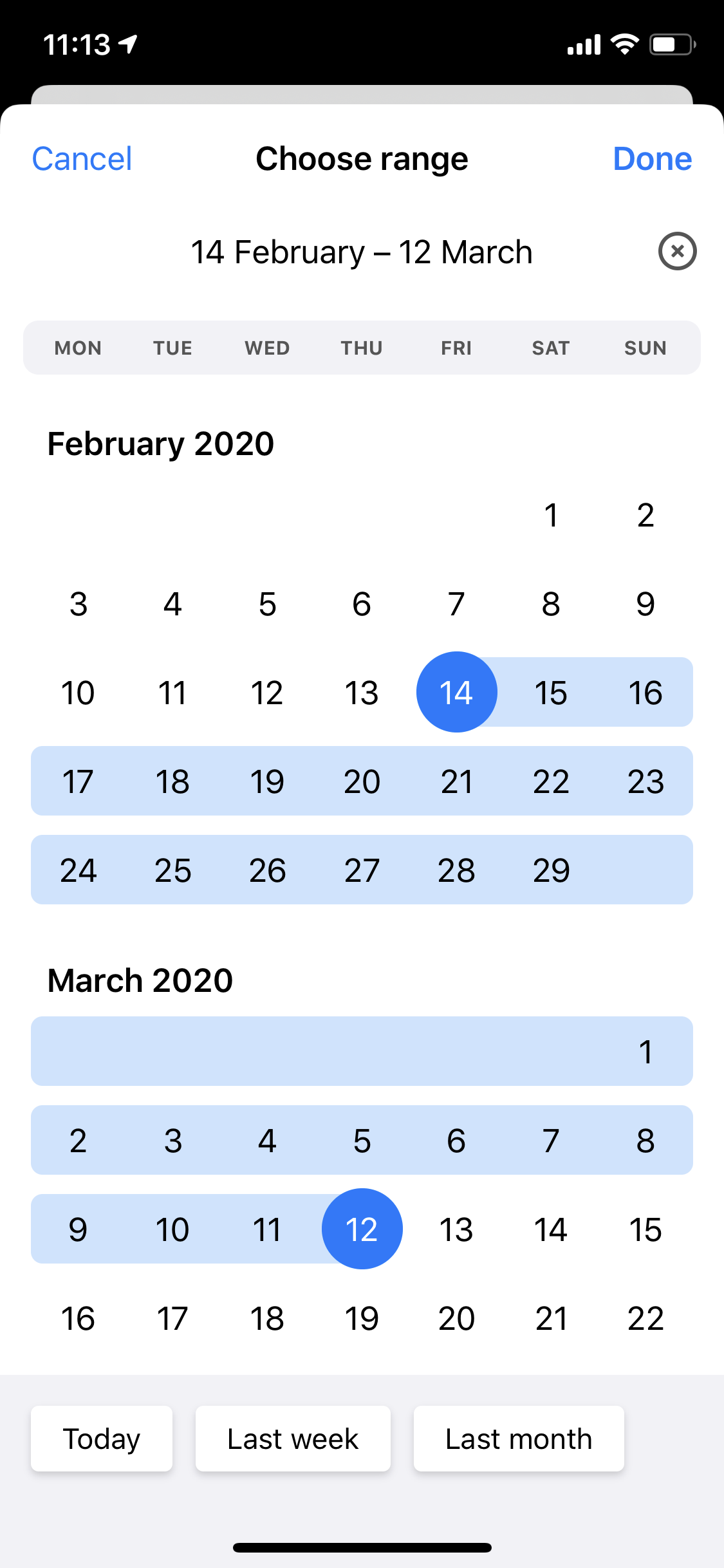
We made a framework based on JTAppleCalendar - Fastis
 ilia3546
on 15 Apr 2020
ilia3546
on 15 Apr 2020
Spent a little too much time on this. Happy with the result though.

 BastiaanAndriessen
on 29 Jul 2020
BastiaanAndriessen
on 29 Jul 2020
Related issues
 carlosper88
·
4Comments
carlosper88
·
4Comments
 Kevinw14
·
3Comments
Kevinw14
·
3Comments
 Geekbell
·
4Comments
Geekbell
·
4Comments
 gotamafandy
·
3Comments
gotamafandy
·
3Comments
 programus
·
5Comments
programus
·
5Comments
Most helpful comment
Been a part of my app for a couple years now, thanks for the great work.